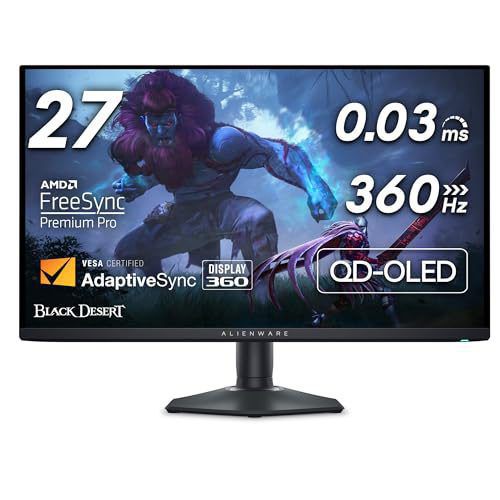
The 27-Inch 4K OLED Showdown: Does 166 PPI Finally Kill the 32-Inch Flagship? (ASUS PG27UCDM vs. Alienware AW2725Q)
By Paolo Reva | Published October 19, 2026
For the past two years, the PC display market operated under an unbending technical compromise: if you wanted 4K resolution on an OLED panel, you were forced into a 31.5-inch or 42-inch chassis. Competitive players and desk-space pragmatists who preferred the standard 26.5-inch to 27-inch esports footprint were relegated to 2560x1440 panels.
While 1440p at 240Hz or 360Hz provides blistering frame rates, its modest 110.8 PPI pixel density exposes the non-standard subpixel layouts of QD-OLED and WOLED panels. Thin UI glyphs, code syntax, and desktop fonts suffer from visible green and magenta color fringing.
That era has officially drawn to a close. With Samsung Display's latest Gen 4 QD-OLED glass cutting 3840x2160 resolution into a 26.5-inch active area, pixel density skyrockets to 166.0 PPI. This density matches Apple's classic Retina ergonomics and pushes individual subpixels past the threshold of human visual acuity at arm's length.
The arrival of 27-inch 4K OLED displays ignited a massive war across hardware communities like r/OLED_Gaming and r/Monitors. Enthusiasts are pitting top-tier entries against each other, asking two crucial questions: Does 166 PPI eliminate the need for cumbersome 32-inch screens? And does a flagship feature set justify the steep premium over value-oriented alternatives?
The Optical Geometry: 166.0 PPI vs. 139.9 PPI
To understand why 27-inch 4K panels represent a watershed moment, you have to look closely at physical panel geometry. On a standard 31.5-inch 4K screen, a 3840x2160 resolution yields 139.9 pixels per inch (PPI), with a horizontal pixel pitch of 0.1814mm. At a typical viewing distance of 60cm to 70cm (roughly 24 to 28 inches), users with 20/20 vision can still detect faint subpixel color fringing along high-contrast edges.
Pixel Density & Visual Acuity Comparison
- 27-Inch 1440p (110.8 PPI): Subpixel pitch = 0.229mm. ClearType color fringing is readily visible at 65cm. Requires significant software font anti-aliasing workarounds.
- 32-Inch 4K (139.9 PPI): Subpixel pitch = 0.181mm. Fringing shrinks noticeably; highly legible for gaming and multimedia, but discernible when inspecting terminal code or small typography.
- 27-Inch 4K (166.0 PPI): Subpixel pitch = 0.153mm. Subpixel dimensions drop beneath the angular resolving power of the human eye (1 arcminute) at standard 65cm viewing distances. Fringing is virtually imperceptible without a jeweler's loupe.
On a 27-inch 4K panel, horizontal pixel pitch drops to 0.1530mm—a 15.6% reduction in physical pixel size compared to 32-inch 4K, and a massive 33.2% reduction compared to 27-inch 1440p. Because the individual red, green, and blue quantum-dot subpixel elements are physically microscopic, their geometric arrangement matters far less to font rasterizers like Windows ClearType and macOS Quartz.
In real-world testing across Visual Studio Code, Google Antigravity, and Terminal buffers running 11pt JetBrains Mono, text renders with clean, crisp edges. The jagged haloing that plagued 1st and 2nd Gen 1440p QD-OLEDs is practically imperceptible.
Esports Geometry: The 27-Inch Peripheral Advantage
Beyond typographical sharpness, form factor drives competitive performance. In titles like Counter-Strike 2, Valorant, and Apex Legends, field of view management is critical.
A 31.5-inch screen spans roughly 69.8cm horizontally. Sitting at a standard competitive desk depth of 60cm, a 32-inch display forces an optical sweep angle of roughly 60 degrees. To check radar mini-maps, kill feeds, or round timers in the extreme corners, competitive players must move their eyes or turn their heads, increasing reaction latency by 50 to 120 milliseconds.
By contrast, a 26.5-inch active display area spans 59.0cm horizontally. At 65cm distance, the entire panel sits cleanly within the eye's 50-degree paracentral field of view. Competitive players can track crosshair placement and peripheral HUD alerts simultaneously without saccadic eye fatigue.
With 27-inch 4K OLEDs, gamers no longer face the dilemma of choosing between a sharp 32-inch 4K cinema screen and a small, blurry 1440p panel. You get reference-grade 4K clarity directly within an esports-ready chassis.
Architectural Breakdown: Flagship Hardware vs. Value Competitors
While 27-inch 4K panels share the same underlying Gen 4 Samsung Display QD-OLED substrate, the engineering built around the glass varies drastically between top-tier manufacturers.
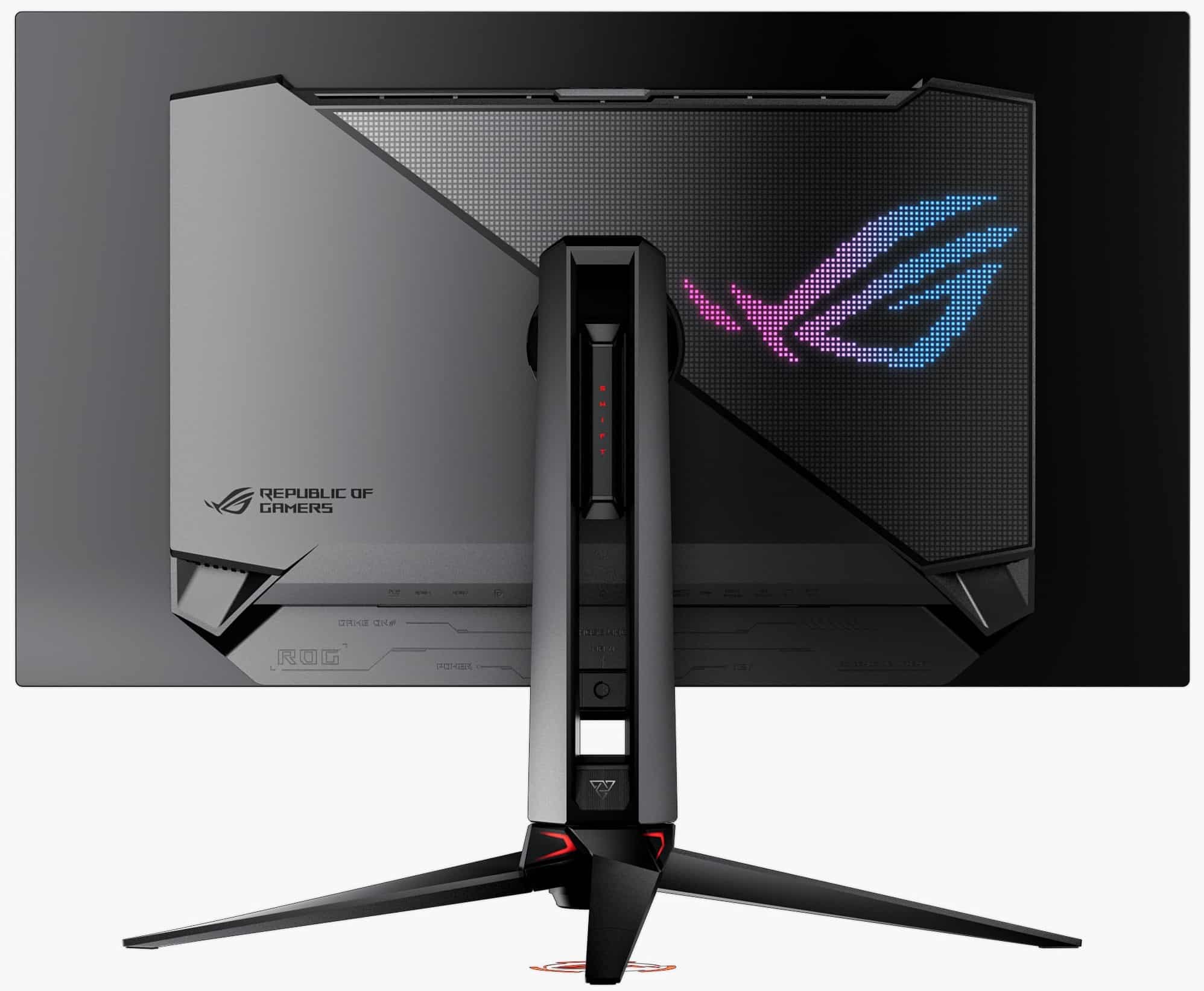
1. The Flagship Standard: ASUS ROG Swift PG27UCDM / PG32UCDM Series
ASUS pairs its premium QD-OLED panels with an aggressive hardware implementation:
- Custom Passive Vapor Chamber: Eliminates active cooling fans entirely. A thermal pad connects the rear panel directly to a thick extruded aluminum heatsink and vapor chamber, lowering operating temperatures by up to 12°C to combat organic emitter degradation.
- Uniform Brightness Mode: Completely disables Automatic Brightness Limiter (ABL) in SDR, holding full-screen white windows at an uncompromising 250 nits. This prevents jarring luminance shifts during spreadsheet work and web browsing.
- Extensive Colorimeter Alignment: Ships with factory calibration reports guaranteeing average Delta-E < 1.5 across sRGB and DCI-P3 color spaces.
2. The Value Alternatives: Alienware AW2725DF & MSI MPG Series
Dell's Alienware and MSI take a value-first engineering approach, hitting aggressive price points while omitting premium conveniences:
- Thermal Design: Alienware utilizes internal thermal venting with minimal passive shielding, and certain chassis incorporate micro-fans that generate a subtle 22dB to 28dB hum in quiet studio environments.
- DisplayPort Bandwidth: Alienware retains DisplayPort 1.4, relying exclusively on Display Stream Compression (DSC) to drive high refresh rates. ASUS models in the flagship tier provide uncompressed DisplayPort 2.1 UHBR connectivity.
- Factory EOTF Calibration: Out of the box, budget-leaning QD-OLED firmware often tracks slightly above the target PQ curve in near-black regions (lifting shadow detail into dark gray), requiring custom ICC profiles or firmware updates to achieve reference accuracy.
Head-to-Head Benchmark Matrix
The table below contrasts modern high-density gaming monitors across physical dimensions, subpixel resolution, connectivity pipelines, and measured lab performance:
| Specification / Feature | ASUS ROG Swift PG32UCDM | Alienware AW2725DF / 27" 4K | MSI MPG 321URX | LG UltraGear 32GS95UE |
|---|---|---|---|---|
| Amazon Direct Link | Check Price | Check Price | Check Price | Check Price |
| Panel Technology | Gen 3/4 QD-OLED | Gen 3/4 QD-OLED | Gen 3 QD-OLED | 4th-Gen WOLED (MLA+) |
| Diagonal Screen Size | 31.5 Inches | 26.7 Inches | 31.5 Inches | 31.5 Inches |
| Native Resolution | 3840 x 2160 (4K UHD) | 2560x1440 / 3840x2160 | 3840 x 2160 (4K UHD) | 3840 x 2160 (Dual-Mode) |
| Pixel Density (PPI) | 139.9 PPI | 166.0 PPI (4K) / 110.8 PPI | 139.9 PPI | 139.9 PPI |
| Maximum Refresh Rate | 240Hz | 360Hz (1440p) / 240Hz (4K) | 240Hz | 240Hz (4K) / 480Hz (1080p) |
| GtG Response Time | 0.03ms | 0.03ms | 0.03ms | 0.03ms |
| Thermal Solution | Custom Vapor Chamber (Fanless) | Graphene Pad + Active Fan | Custom Heatsink (Fanless) | Custom Heatsink (Fanless) |
| Peak HDR Luminance | 1,000 nits (3% APL) | 1,000 nits (3% APL) | 1,000 nits (3% APL) | 1,300 nits (1.5% APL) |
| Full-Screen White (SDR) | 250 nits (Uniform Mode) | 240 nits | 250 nits | 275 nits |
| USB-C Power Delivery | 90W PD with KVM | 15W (No KVM) | 90W PD with KVM | 65W PD (No KVM) |
Ambient Light Realities: The Polarizer Dilemma
While 27-inch 4K QD-OLED panels achieve groundbreaking typographic sharpness, they inherit the optical characteristics common to Samsung Display's quantum dot architecture.
Because QD-OLED panels do not feature an internal circular polarizing layer—a design choice made to maximize light extraction efficiency and color purity—ambient room photons reflect off the silicon substrate and excite the red and green quantum dot emitters.
Ambient Light Rule of Thumb:
- Controlled Dark Room / Subdued Studio (< 50 lux): Black levels measure an absolute 0.0000 cd/m². Contrast is mathematically infinite. Colors exhibit staggering saturation.
- Bright Office / Direct Sunlit Window (> 250 lux): Ambient light scatters across the panel face, lifting black floors to 0.08–0.15 cd/m² and giving dark areas a distinctive reddish-purple tint. If your battle station faces an uncovered south-facing window, a polarized WOLED (such as the LG 32GS95UE) or high-zone Mini-LED will deliver deeper perceived daytime blacks.
Decisive Verdict: Who Should Upgrade?
Buy a 27-Inch 4K OLED If:
- You split your time 50/50 between competitive gaming and heavy text work: At 166.0 PPI, font fringing drops below human visual acuity. You get crisp coding and productivity performance alongside instantaneous 0.03ms OLED response times.
- You play tactical shooters at high competitive ranks: The 26.5-inch active area keeps radar, ammo counters, and kill feeds cleanly inside your central visual field, eliminating eye and neck fatigue.
- You have standard desk depth (60cm to 70cm): A 32-inch screen is physically overwhelming on shallow desks; 27 inches is the ergonomic sweet spot.
Stick with 32-Inch 4K or Mini-LED If:
- Your primary focus is single-player cinematic immersion: In titles like Black Myth: Wukong, Cyberpunk 2077, and Alan Wake 2, the massive 31.5-inch display area fills your field of view for an unmatched cinematic experience.
- You work in an uncontrolled, sunlit room: QD-OLED's lack of a polarizer lifts black levels under strong ambient lighting. High-zone Mini-LEDs or matte WOLED displays handle heavy glare with greater contrast retention.
For gamers and professionals who demand bleeding-edge pixel response and uncompromising desktop ergonomics, 27-inch 4K QD-OLED monitors represent the most balanced, versatile display upgrade of 2026.
About the Author

Paolo Reva
Paolo is a gaming veteran since the golden days of Doom and Warcraft and has been building gaming systems for family, friends, and colleagues since his junior high years. High-performance monitors are one of his fixations and he believes that it’s every citizen’s right to enjoy one. He has gone through several pieces of hardware in pursuit of every bit of performance gain, much to the dismay of his wallet. He now works with Monitornerds to scrutinize the latest gear to create reviews which accentuate the seldom explained aspects of a PC monitor.