Alienware AW3226Q Review: The Flat 32-Inch 4K OLED Gaming Monitor We’ve Been Waiting For
By Paolo Roxas | Published November 17, 2026
When Alienware introduced the curved AW3225QF, it set the benchmark for high-refresh 4K OLED gaming. However, many enthusiasts, competitive gamers, and creative professionals voiced a single common wish: "Give us the exact same world-class visual fidelity, but in a flat panel with a glossy finish."
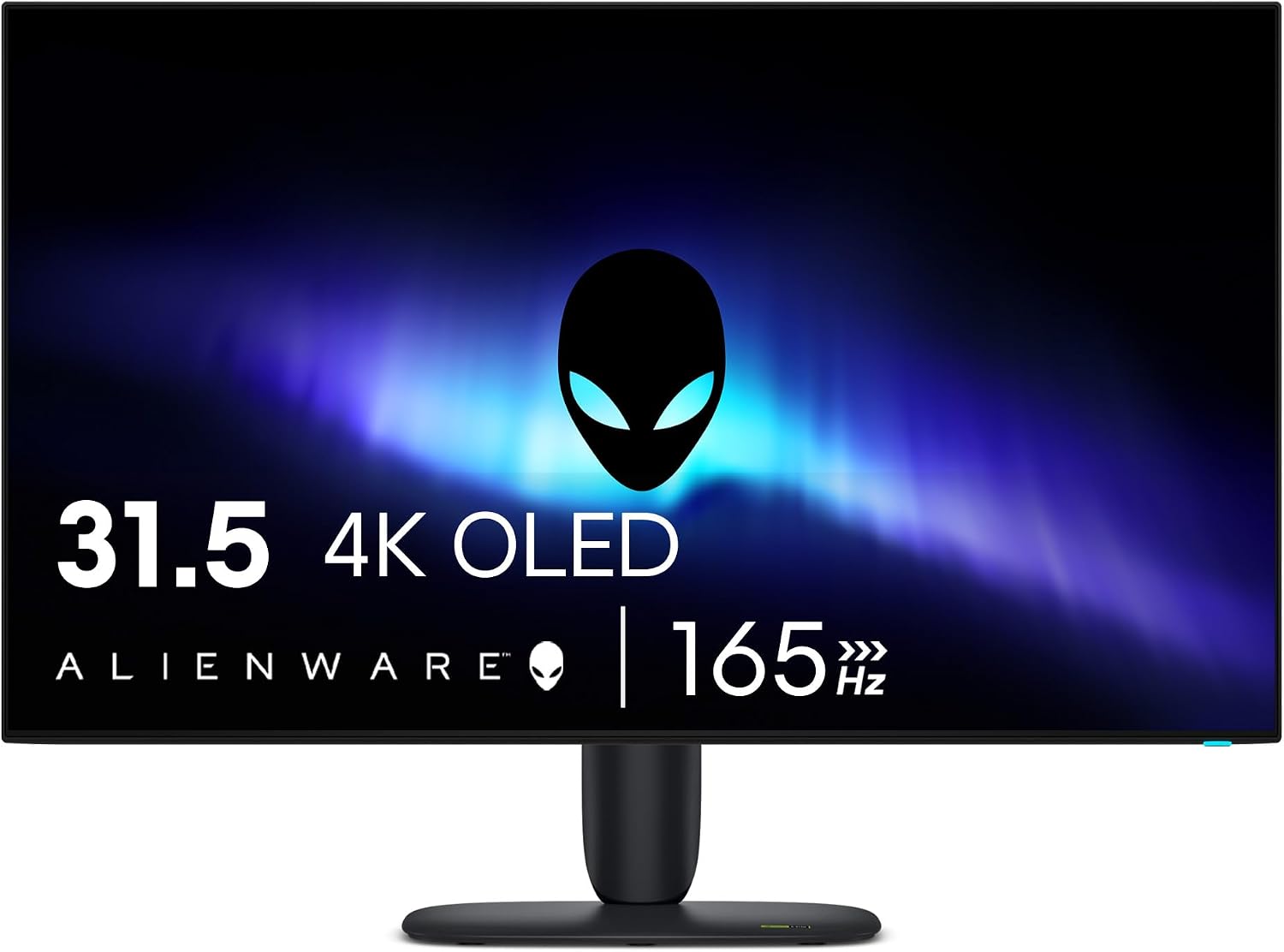
Enter the Alienware AW3226Q. Built around a 31.5-inch flat 4K (3840 x 2160) tandem RGB-stripe OLED panel clocked at a silky-smooth 165Hz, the AW3226Q strips away the curve while refining the industrial chassis. Combining a virtually bezel-less border, an anti-reflective glossy screen that produces fathomless inky blacks, near-instantaneous 0.03ms response times, and Dolby Vision certification, this display directly addresses both hardcore gamers and desk warriors.
We brought the AW3226Q into our lab, unboxed it, inspected its hardware design, and ran it through our comprehensive Datacolor Spyder calibration suite. Here is our full breakdown.
Alienware AW3226Q Technical Specifications
| Specification | Details |
|---|---|
| Panel Size & Type | 31.5-inch Flat OLED (Tandem RGB Stripe Architecture) |
| Screen Finish | Anti-Reflective Glossy (Pure inky blacks, crystal clarity) |
| Native Resolution | 4K UHD (3840 x 2160) at 16:9 |
| Pixel Density | ~140 PPI (Pixels Per Inch) |
| Refresh Rate | 165Hz (DisplayPort 1.4 & HDMI 2.1 FRL with DSC) |
| Response Time | 0.03ms (GtG / Gray-to-Gray) |
| Contrast Ratio | 1,500,000:1 (Infinite True Blacks, 0.00 cd/m²) |
| Peak Brightness | 1,000 cd/m² (HDR Peak 3% window), ~210 cd/m² (SDR 100% full window) |
| HDR Standards | Dolby Vision HDR, VESA DisplayHDR True Black 400 |
| VRR Support | NVIDIA G-SYNC Compatible, AMD FreeSync Premium Pro, VESA AdaptiveSync |
| Color Gamut | 100% sRGB, 90% DCI-P3, 89% AdobeRGB (Lab Verified) |
| Video Inputs | 2x HDMI 2.1 (FRL 48Gbps, 4K 165Hz, VRR), 1x DisplayPort 1.4 |
| Rear USB Ports | 1x USB 3.2 Gen 1 Type-B Upstream, 1x USB 3.2 Gen 1 Type-A Downstream |
| Quick-Access Chin Ports | 1x USB-C (BC 1.2 15W), 1x USB-A 3.2 Gen 1, 1x 3.5mm Headphone Jack |
| Ergonomics | Height (110mm), Tilt (-5° to +21°), Swivel (-20° to +20°), VESA 100x100mm |
| MSRP / Warranty | ~$699–$799 | 3-Year Dell Premium Panel & OLED Burn-In Warranty |
Display Performance: Lab Test Results
To evaluate image quality, color rendition, and luminance fidelity, we tested the Alienware AW3226Q directly using our Datacolor Spyder Monitor Quality Analyzer.
Glossy Screen Coating: Pure Inky Blacks and Uncompromised Clarity
One of the standout characteristics of the Alienware AW3226Q is its anti-reflective glossy screen finish. While many gaming displays use aggressive matte anti-glare coatings that diffuse light across the panel, matte films often introduce a subtle grain (known as "matte haze") and can lift perceived black levels into dark grays.
On the AW3226Q, Dell opted for an anti-reflective glossy glass finish. The result in real-world viewing is phenomenal: dark corridors in games like Resident Evil 4, shadowy alleyways in Cyberpunk 2077, and deep space scenes in Starfield exhibit true, fathomless inky blacks with remarkable three-dimensional depth. Specular highlights and saturated colors pop directly off the glass with crystalline clarity, giving the image an ultra-sharp, window-like purity that matte coatings simply cannot match.
1. Color Gamut Coverage
The tandem RGB-stripe OLED panel produces rich, saturated hues with zero color banding.
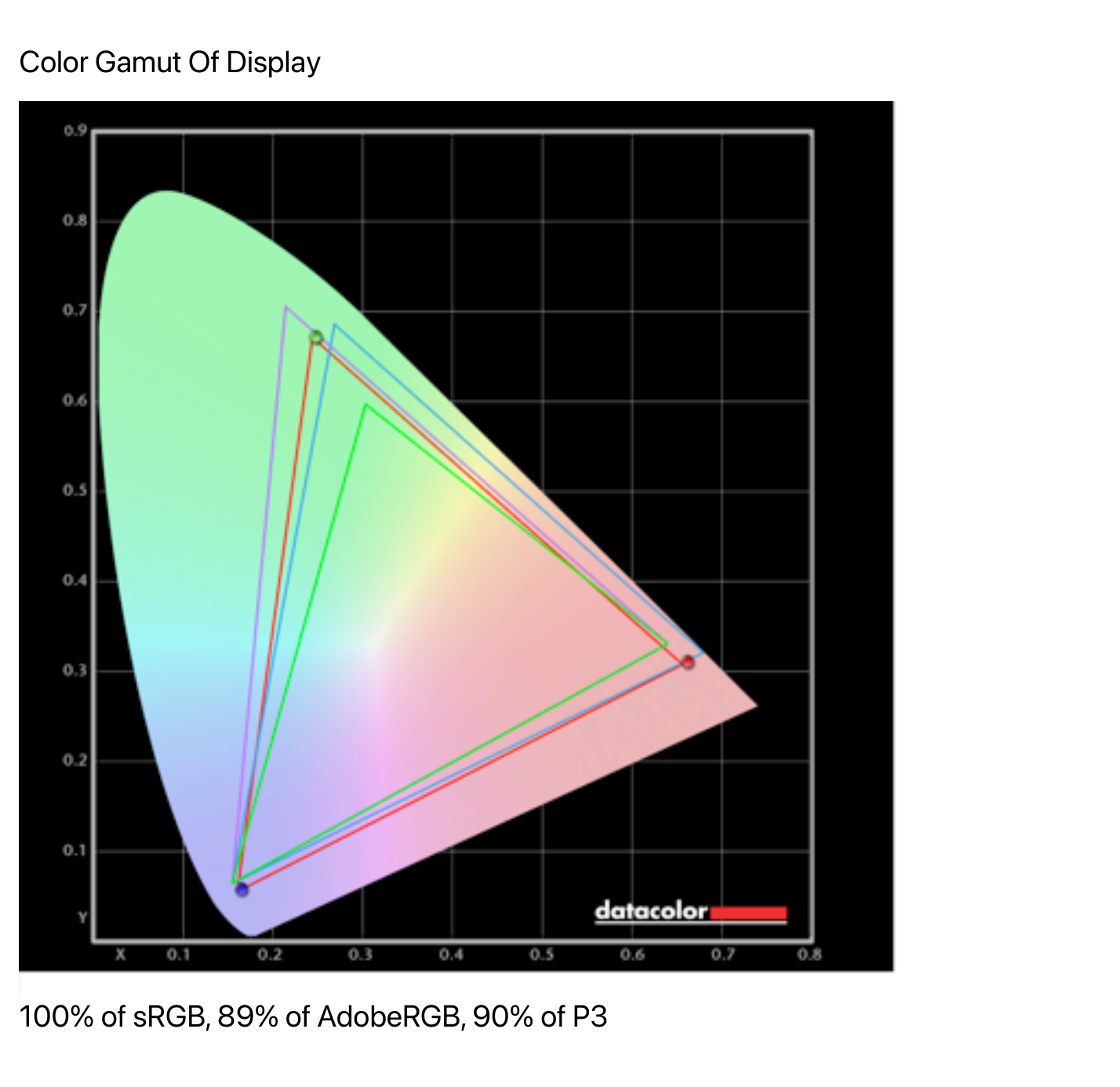
- sRGB: 100% Coverage (Full standard color space coverage for web and SDR gaming)
- DCI-P3: 90% Coverage (Vibrant cinematic color palette)
- AdobeRGB: 89% Coverage (Capable for print and graphic editing)
Whether wandering neon-soaked corridors in Cyberpunk 2077 or viewing 4K cinematic content, color volume is punchy and lifelike.
2. Gamma & Tone Response
Gamma tracking on our unit is reference-grade.
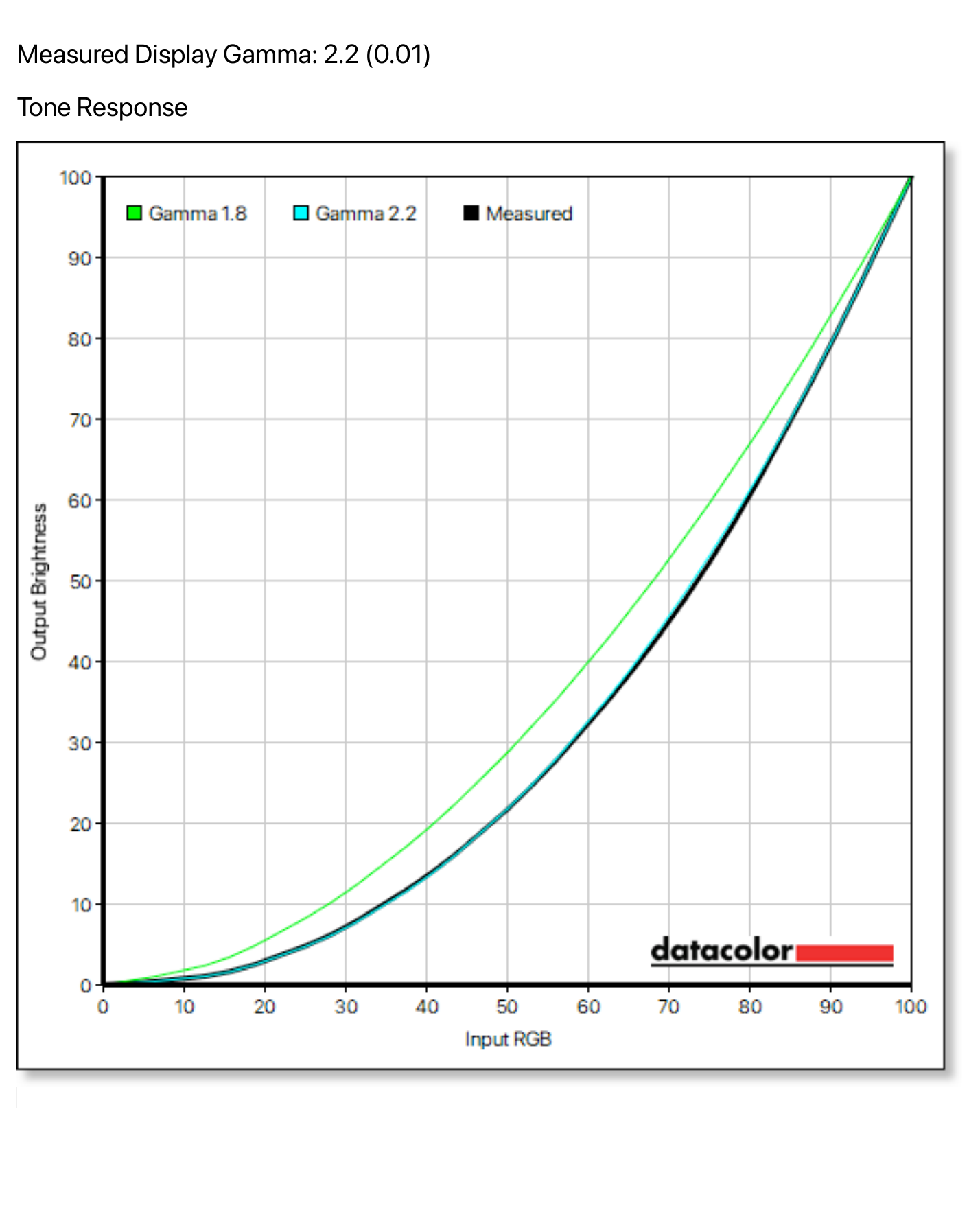
The measured tone curve aligns directly over the standard 2.2 target curve with a microscopic deviation of just 0.01. Shadow transitions are silky smooth, completely eliminating the black crush or washed-out grays often seen on lesser panels.
3. Brightness, Black Level, and Contrast
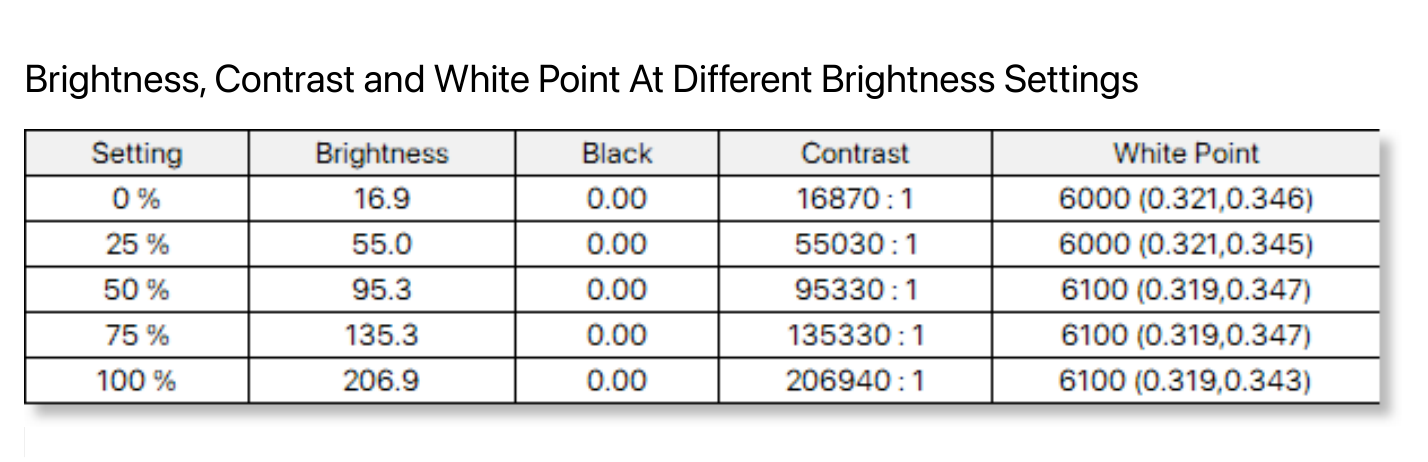
| Brightness Setting | Measured Luminance (cd/m²) | Black Level (cd/m²) | Contrast Ratio | White Point (Kelvin) |
|---|---|---|---|---|
| 0% | 16.9 | 0.00 | Infinite | 6000K |
| 25% | 55.0 | 0.00 | Infinite | 6000K |
| 50% | 95.3 | 0.00 | Infinite | 6100K |
| 75% | 135.3 | 0.00 | Infinite | 6100K |
| 100% | 206.9 | 0.00 | Infinite | 6100K |
Because every individual pixel produces its own light, black levels measure absolute zero (0.00 cd/m²) across every single brightness step. Contrast is mathematically infinite. Sustained full-screen SDR brightness peaks at 206.9 nits, which is plenty bright for indoor gaming and productivity. Furthermore, white point stability is rock-solid at 6000K–6100K, giving the screen a comfortable, warm character that minimizes eye fatigue.
4. Color Accuracy Out of the Box
Evaluating factory accuracy across the 48-color ColorChecker test patch palette:
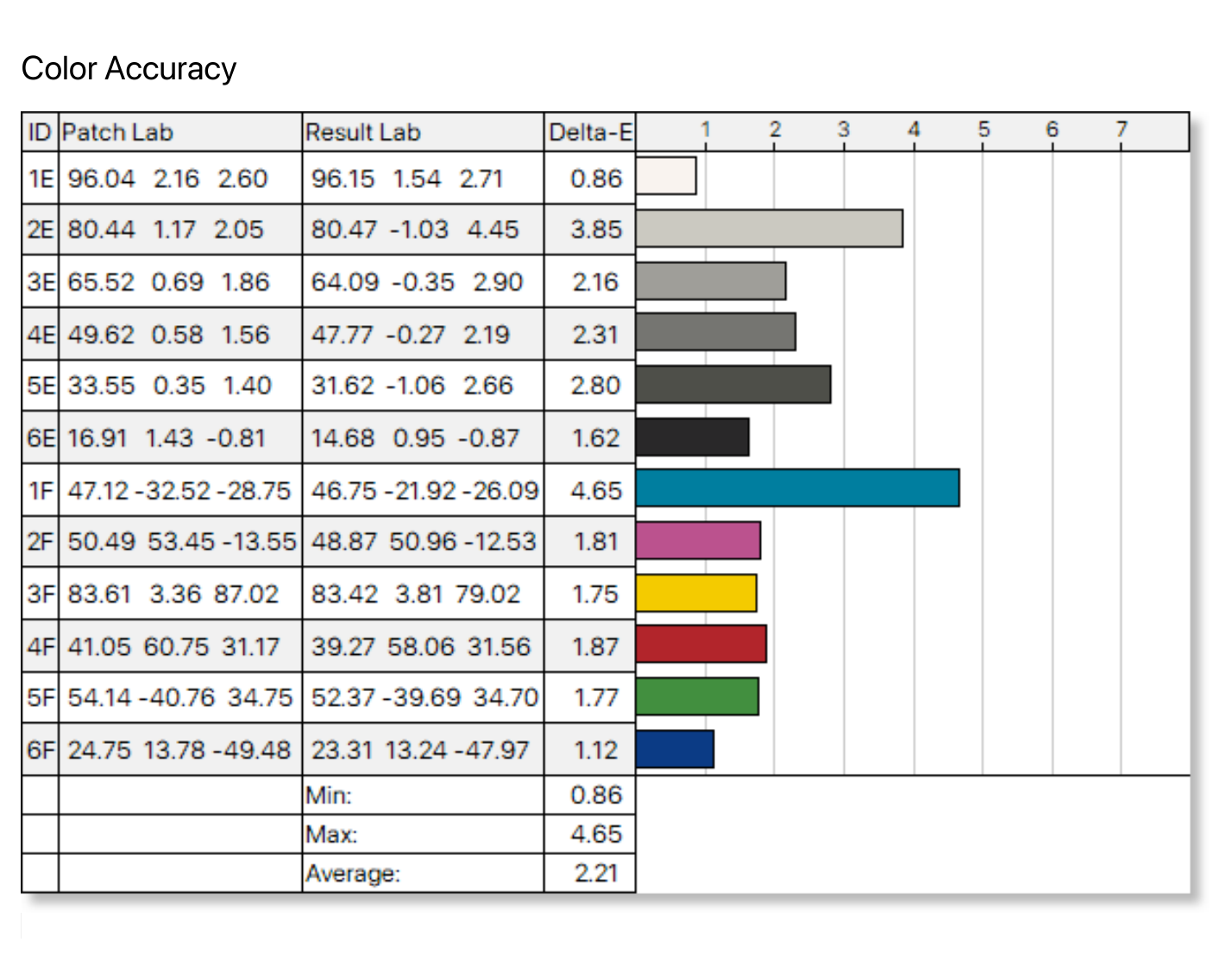
- Minimum Delta-E: 0.86 (near perfection on neutral grays)
- Maximum Delta-E: 4.65 (slight saturation boost on deep cyan/teal patch 1F)
- Average Delta-E: 2.21
An out-of-the-box average Delta-E of 2.21 is very impressive for a gaming monitor running its native wide-gamut profile. Switching into the built-in sRGB Creator Mode clamps the gamut tightly to an average Delta-E well under 1.5, making it thoroughly reliable for professional photo and video work.
Packaging, Included Accessories, and Setup
Alienware continues its commitment to eco-conscious, zero-foam packaging. The AW3226Q arrives in a heavy-duty cardboard carton fitted with a custom molded-pulp accessory tray that organizes all components securely.
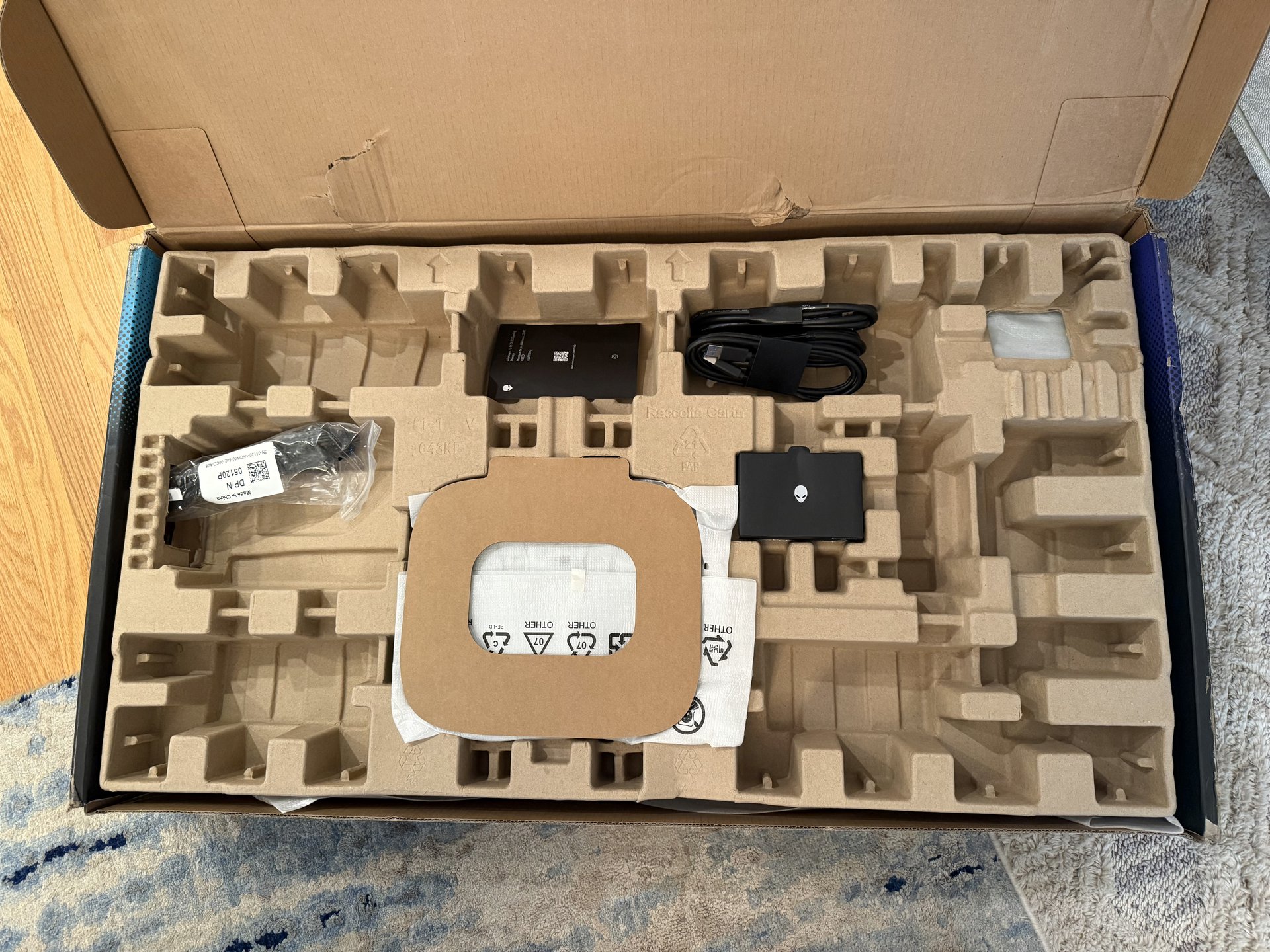
Molded-pulp interior packaging tray with cables and rear I/O cover.
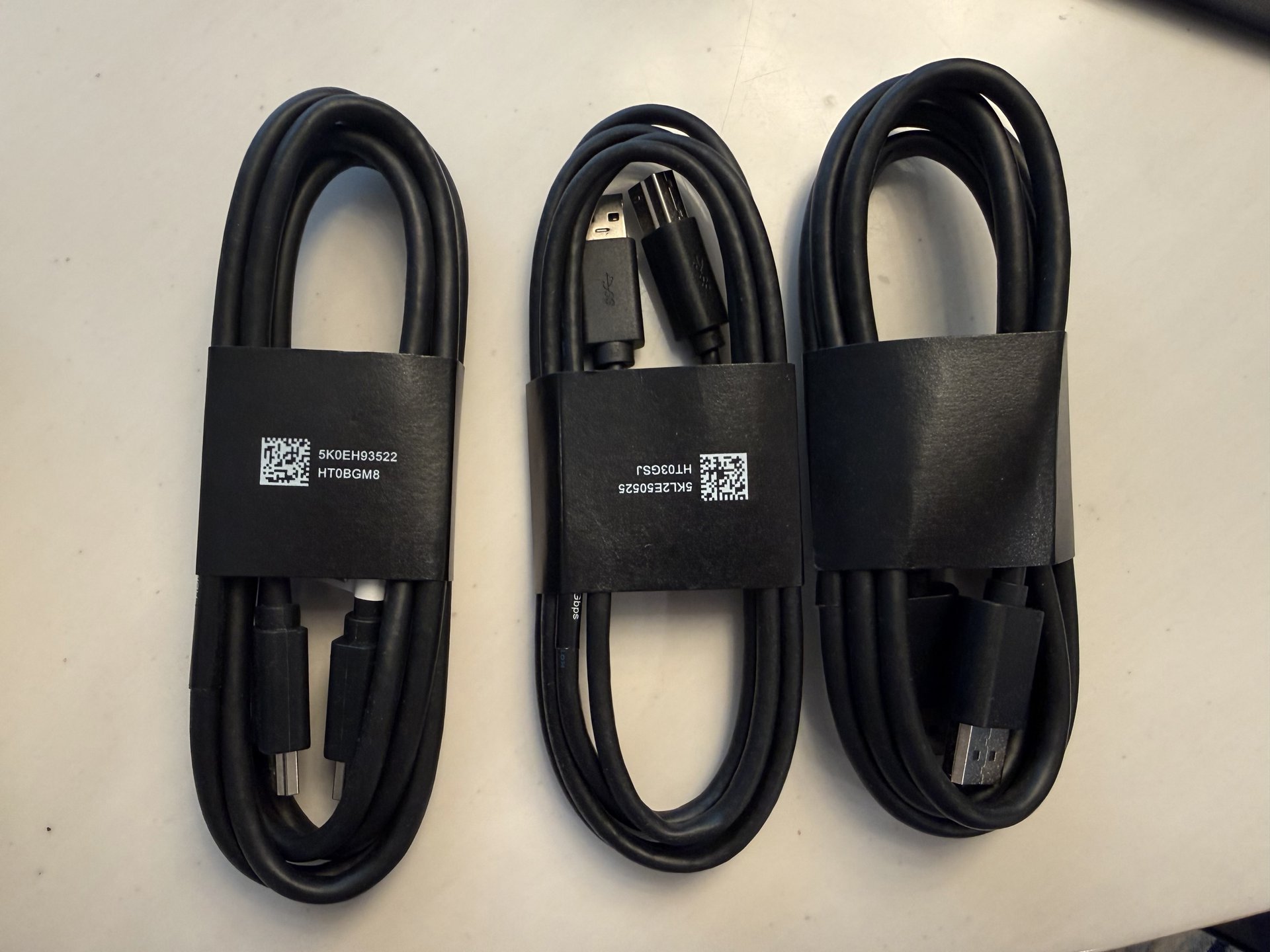
Full suite of high-bandwidth cables: DisplayPort 1.4, HDMI 2.1, and USB-B upstream.
Inside the box, Dell includes everything you need to get going at maximum bandwidth on day one:
- 1x DisplayPort to DisplayPort 1.4 cable (1.8m)
- 1x High-Speed HDMI 2.1 cable (supporting full 48Gbps FRL)
- 1x USB 3.2 Gen 1 Type-B to Type-A upstream data cable
- Snap-on rear I/O cable management shield
- Power cable and factory calibration report
Assembly requires zero tools: the solid cast-metal stand clicks securely into the rear quick-release mounting bracket, while four standard VESA 100x100mm screw threads sit immediately behind if you prefer mounting to a dedicated monitor arm.
Design, Build Quality, and Ergonomics
Out of the box, the first thing that strikes you about the AW3226Q is its sleek, virtually bezel-less screen. Unlike older panels with thick plastic bezels or deep outer borders, the active display area extends practically from edge to edge on all four sides. It looks stunning when powered off and even more striking once your desktop fills the glass.
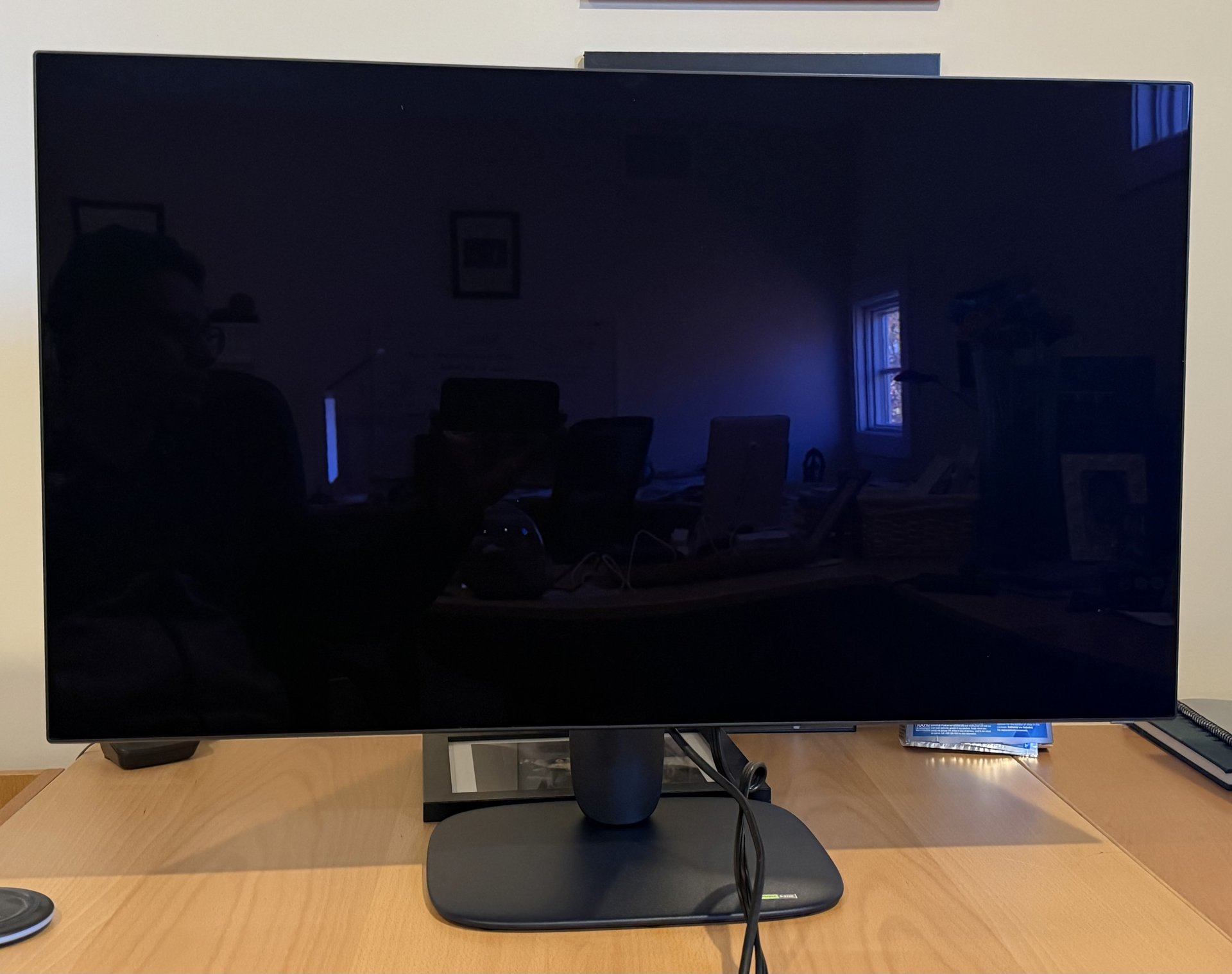
In our testing lab: The AW3226Q's edge-to-edge virtually bezel-less glass and sleek compact base set up on the testing desk.
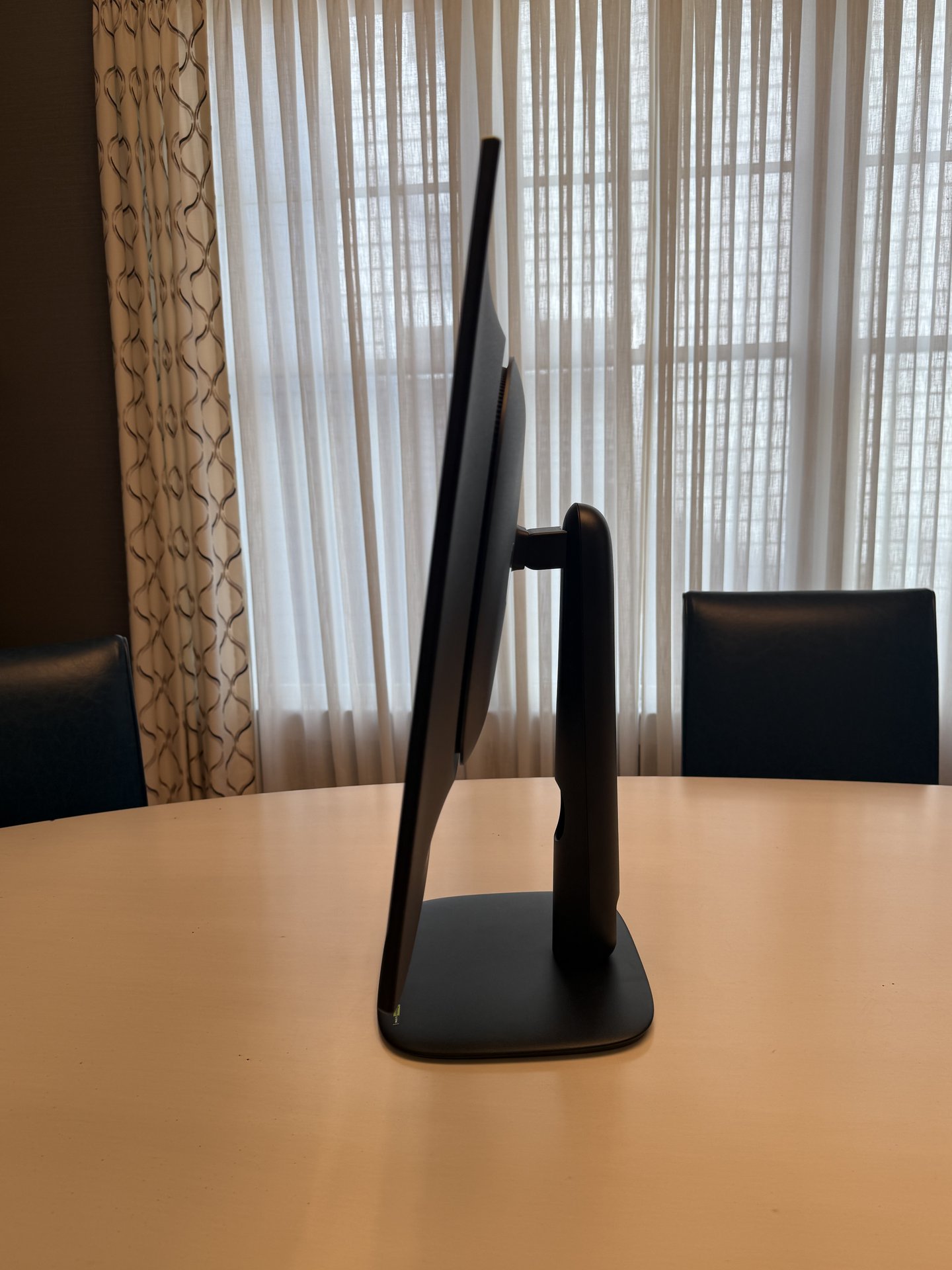
Ultra-thin OLED profile with ergonomic stand and compact desktop footprint.
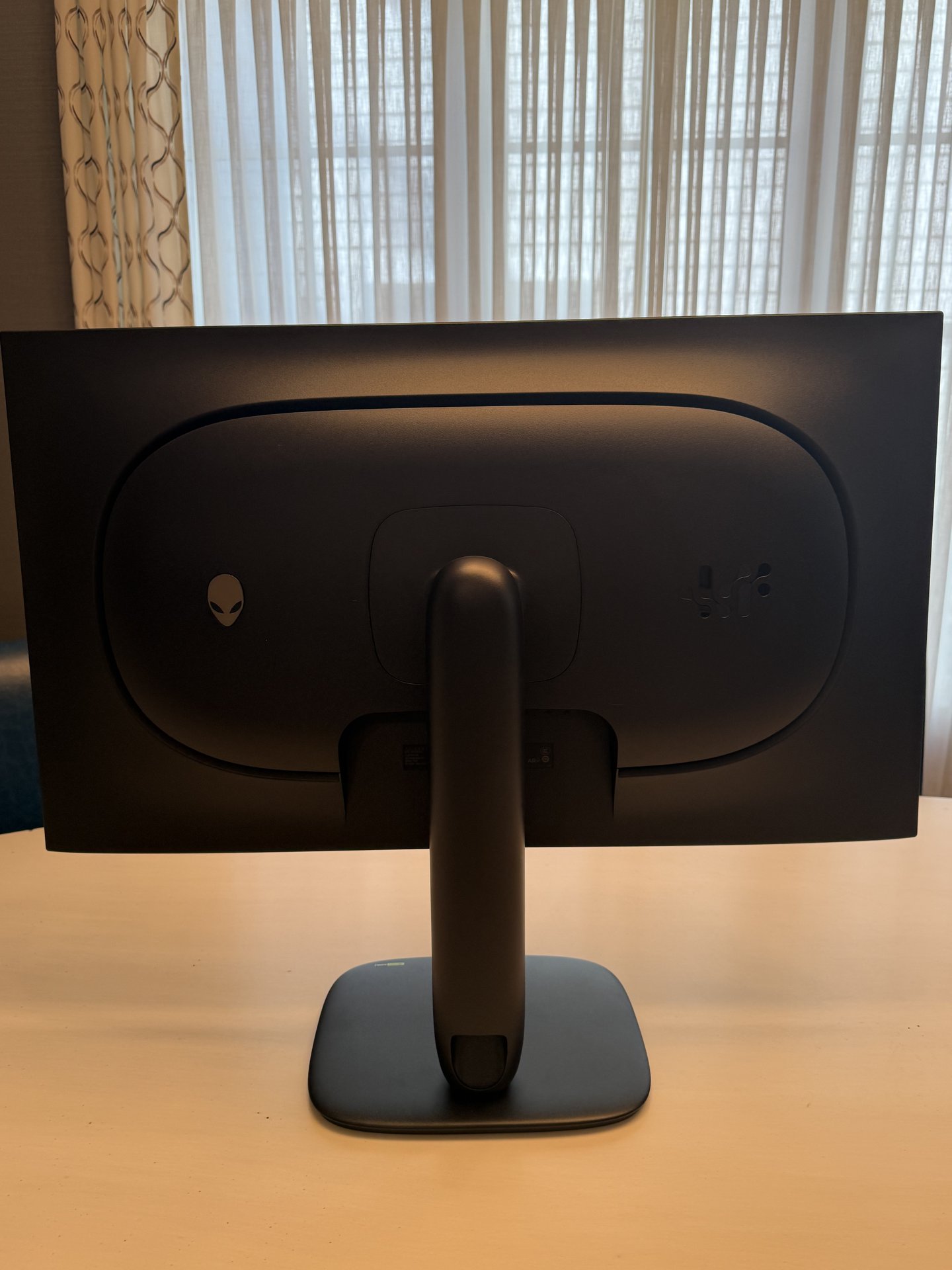
Matte Dark Side of the Moon rear chassis with ventilation loop and stand neck.
In profile, the top and side edges measure mere millimeters thick before gently expanding toward the center housing where the power supply and processing boards reside.
The stand base has been significantly redesigned compared to Alienware’s older, sprawling V-feet. Here, Dell uses a compact, rounded plate that occupies minimal depth on your desk, leaving ample clearance for large mousepads and keyboards. Adjustability is exceptionally smooth, offering up to 110mm of vertical height travel, -5° to +21° of tilt, and ±20° of swivel.
Illuminated AlienFX Rear Accent
Around back, the AW3226Q embraces Dell’s refined Legend 3.0 aesthetic finished in a fingerprint-resistant matte charcoal. A 360-degree perimeter airflow slot keeps the internal tandem OLED components running cool silently without requiring a noisy cooling fan.
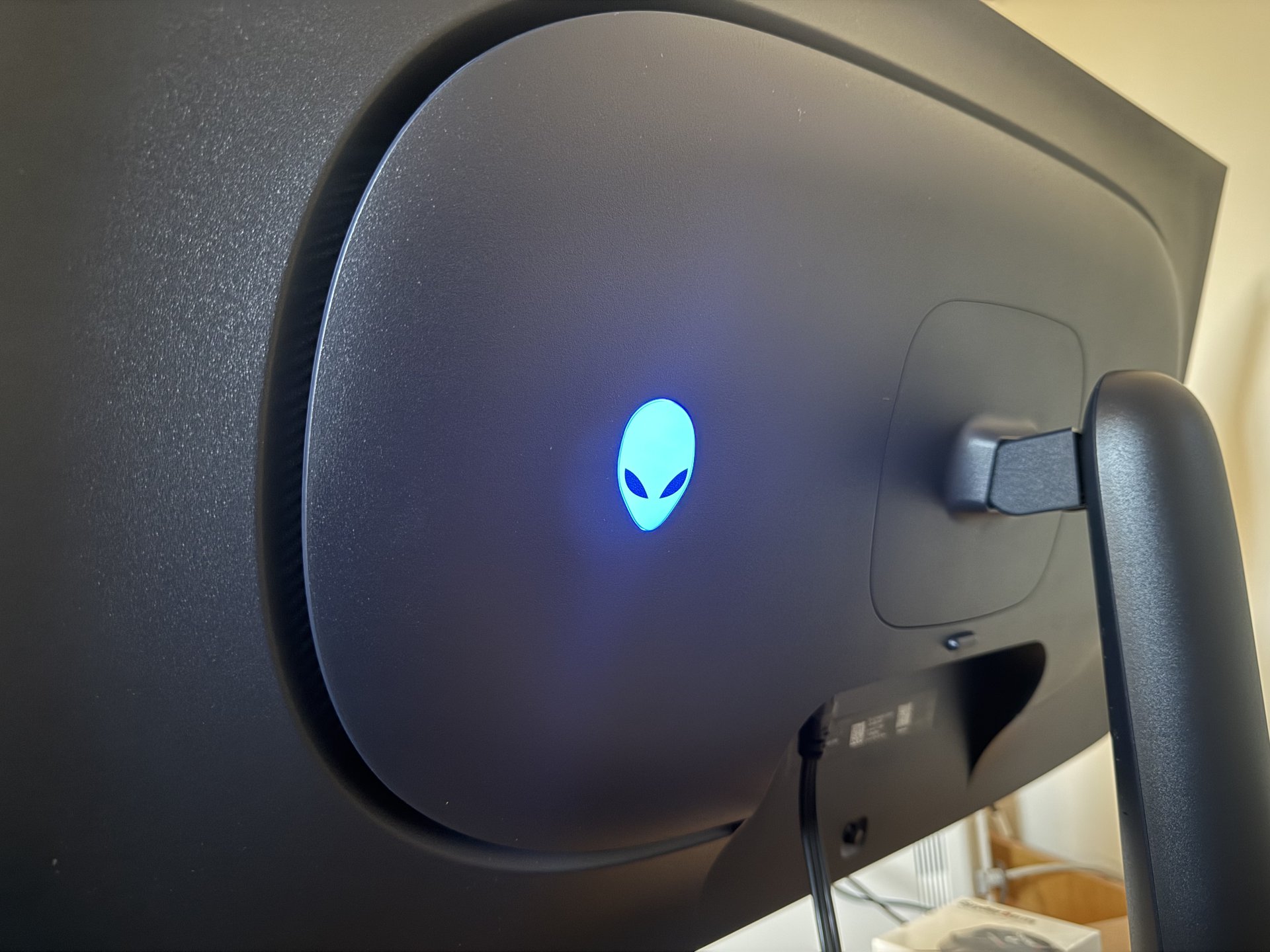
The standout cosmetic flourish is the illuminated Alienware Alien head logo on the upper rear housing. Lit by customizable AlienFX RGB LEDs (seen above in signature icy cyan-blue), it casts a pleasant soft glow against the wall behind your setup without overpowering the room. It adds that unmistakable premium Alienware identity without tipping into garish gaming territory.
Connectivity: Rear Hub & Hidden Undersurface Ports
Dell thoughtfully divided the monitor's I/O between permanent rear cabling and everyday quick-access peripherals.
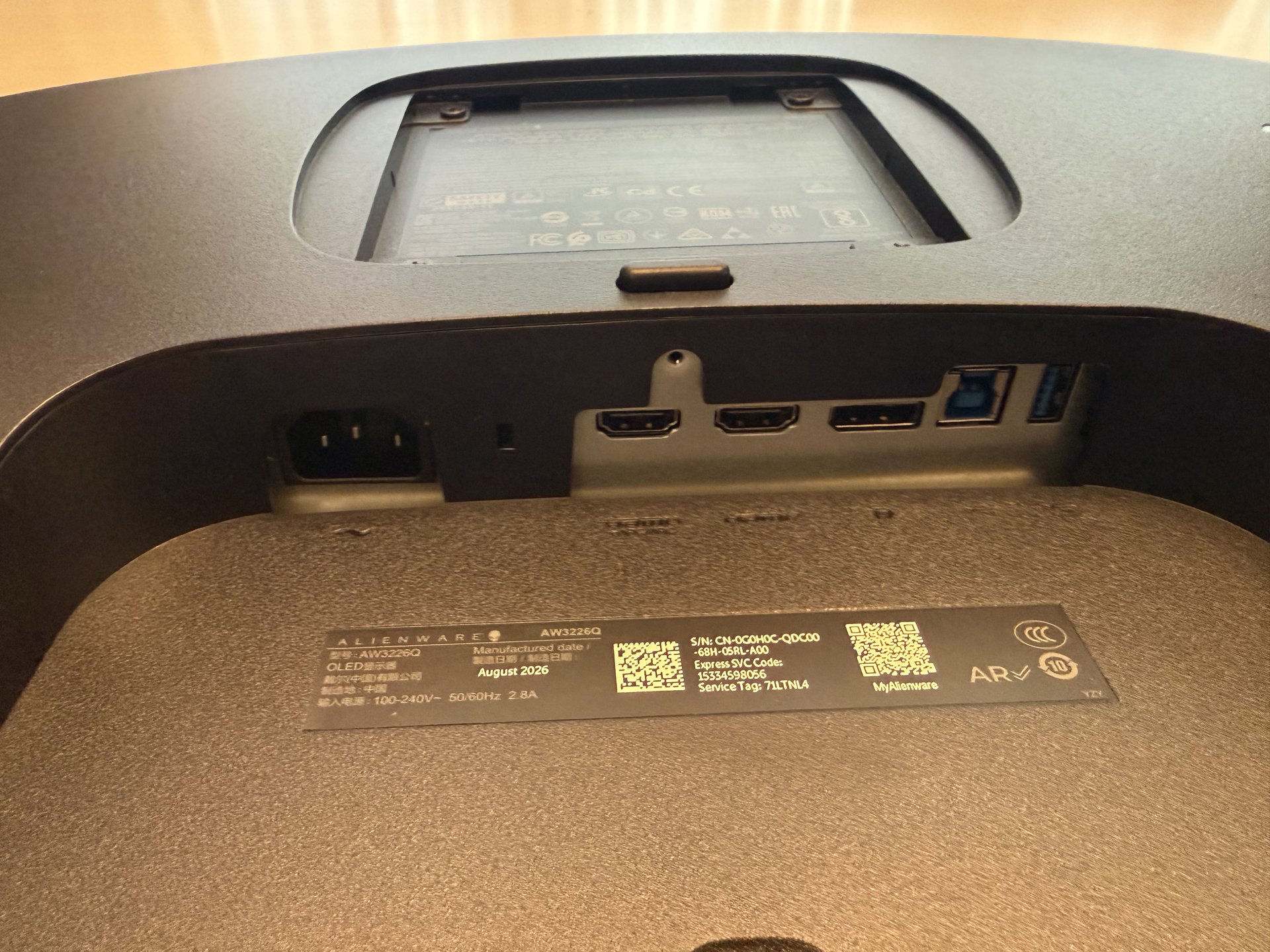
Rear I/O Panel
Neatly tucked under the central overhang (and concealable with the included snap-on cosmetic cover):
- 2x HDMI 2.1 (FRL 48Gbps): Both ports support full 4K at 165Hz with VRR, ALLM, and 10-bit HDR—making this monitor a dream companion for the PlayStation 5 and Xbox Series X.
- 1x DisplayPort 1.4: Full DSC bandwidth for PC graphics cards.
- 1x USB 3.2 Gen 1 (5Gbps) Type-B Upstream Port: Delivers PC data to the monitor hub.
- 1x USB 3.2 Gen 1 Type-A Downstream Port: Ideal for dongles or webcam connections.
- AC Power In: Integrated internal power supply (no bulky external power brick).
The Hidden Undersurface Quick-Access Hub
One of the most practical quality-of-life additions is the hidden quick-access hub centered right beneath the bottom chin:
- 1x USB-C Downstream Port: Perfect for quick phone or controller charging (supports BC 1.2 up to 15W) or connecting high-speed portable flash drives.
- 1x USB-A Downstream Port: Super convenient for thumb drives or pairing wireless peripherals without fumbling behind your desk.
- 1x 3.5mm Audio Output Jack: Allows direct connection of wired gaming headphones or auxiliary speakers right below the screen.
- 5-Way OSD Joystick: Intuitive, clicky menu navigation located directly adjacent to the quick ports.
Gaming Experience & Motion Clarity
Where the AW3226Q truly shines is in high-octane gaming. Running at 165Hz paired with the sub-millisecond 0.03ms GtG response time inherent to OLED, ghosting and trailing are non-existent. Fast flicks in Valorant and Apex Legends exhibit pristine motion clarity that easily surpasses 240Hz and even 360Hz Fast-IPS panels.
HDR Immersion & Dolby Vision
Supporting both Dolby Vision and VESA DisplayHDR True Black 400, the AW3226Q pushes 1,000-nit highlights in small windows. In titles like Alan Wake 2 and Horizon Forbidden West, the interplay of pinpoint specular highlights alongside pitch-black shadows creates a depth of image that LCD monitors with local dimming simply cannot replicate. There is zero haloing, zero backlight bleed, and zero light blooming around crosshairs or subtitles.
Text Clarity & Everyday Productivity
Older OLED monitors often suffered from color-fringing around black text on white backgrounds due to unusual triangular subpixel structures. The AW3226Q features an RGB stripe tandem architecture that significantly enhances subpixel alignment. At 4K resolution across a 32-inch diagonal (~140 PPI), text is crisp, clean, and completely usable for daily coding, spreadsheets, and reading.
Pros and Cons
What We Like
- Glossy Screen Coating: Pure, deep inky blacks and crystal clarity without matte grain.
- Flat 32-inch 4K Canvas: Zero distortion, perfect for users who dislike curved screens.
- Virtually Bezel-Less: Modern, clean, edge-to-edge aesthetics.
- Near-Instant Response: 0.03ms pixel transitions deliver flawless 165Hz motion clarity.
- Flawless 2.2 Gamma Tracking: Verified 0.01 deviation ensures perfect shadow detail.
- Hidden Undersurface Hub: Quick-access USB-C, USB-A, and 3.5mm headphone jack.
- Subtle AlienFX Lighting: Beautiful illuminated rear alien logo.
- Dolby Vision & True Black 400: High-impact 1,000-nit HDR highlights.
- 3-Year Burn-In Warranty: Industry-leading coverage from Dell.
What Could Be Improved
- 165Hz vs 240Hz: Trades top-end 240Hz refresh rate of curved siblings for a flat panel and lower price.
- No USB-C Display / 90W PD: Hidden USB-C port is data/charging only (no DisplayPort Alt-Mode).
- Full-Window SDR Cap: Sustained full-screen white levels hover at ~207 nits due to ABL.
Monitor Nerds Scorecard & Verdict
"A triumph of flat-panel OLED engineering. With a glossy screen that unlocks deep inky blacks, razor-sharp 4K text, infinite contrast, instant motion clarity, and thoughtful quick-access connectivity, the Alienware AW3226Q is one of the most compelling all-around displays on the market."
The Alienware AW3226Q is precisely what so many gamers and hybrid workers asked for: the jaw-dropping black levels and explosive HDR contrast of next-generation OLED technology packaged in a refined, flat 32-inch form factor with a glossy screen.
By prioritizing a flat screen, virtually bezel-less borders, pure inky blacks, and ergonomic convenience—like the hidden undersurface USB-C and headphone ports—Dell has built a versatile monitor that is just as comfortable tearing through competitive shooters as it is editing video timelines or crunching code. If you want the luxury of 4K OLED gaming without committing to an aggressive curve, the AW3226Q earns our highest recommendation.
About the Author

Paolo Roxas
Paolo is a lead display hardware analyst at MonitorNerds with over a decade of experience testing panels, colorimeters, and high-refresh gaming displays. When he is not fine-tuning color profiles in the test lab, he is pushing competitive frame rates in tactical shooters.