The Best Alternatives to the Dell U3226Q
By Eli Nolan | Published April 20, 2026
The Dell UltraSharp U3226Q has recently taken the creator and hybrid-gaming communities by storm. As we noted in our deep-dive Dell U3226Q review, it boasts a stunning 32-inch 4K QD-OLED panel, a 120Hz refresh rate, and—most famously—a motorized, built-in colorimeter that automatically drops down from the bezel to ensure reference-level color accuracy.
However, that level of professional studio engineering comes with a massive "pro" tax. At roughly $2,599, the U3226Q is a tough pill to swallow if you just want to experience an incredible QD-OLED panel for your Mac workflow or gaming setup.
If you are willing to skip the motorized colorimeter, you can get exactly the same cutting-edge panel technology for significantly less. Here are the two best alternatives to the Dell U3226Q, specifically hand-picked for MacBook power users and gamers.
1. The Single-Cable Dream: ASUS ROG Swift PG32UCDM
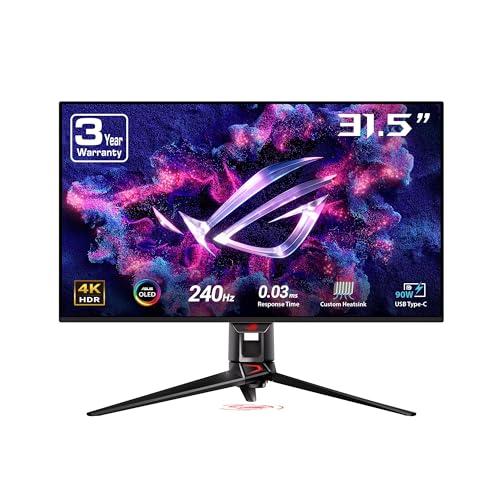
If your daily driver is an Apple Silicon MacBook, but you also have a dedicated gaming PC, the ASUS ROG Swift PG32UCDM is the ultimate hybrid solution.
While it lacks the Dell's automated calibration, it makes up for it by adding 90W USB-C Power Delivery. This is the holy grail for laptop users: you can plug a single cable into your Mac to charge it, drive the massive 4K 240Hz display, and connect to your desk peripherals through the built-in KVM switch.
When you're done working, the 240Hz refresh rate (double what the Dell offers) provides top-tier esports performance. It delivers the same infinite contrast and deep blacks, but is much friendlier to a modern, minimalist desk setup.
- Read our full verdict: ASUS ROG Swift PG32UCDM Review
2. The Apple Ecosystem Perfect Match: Alienware AW3225QF
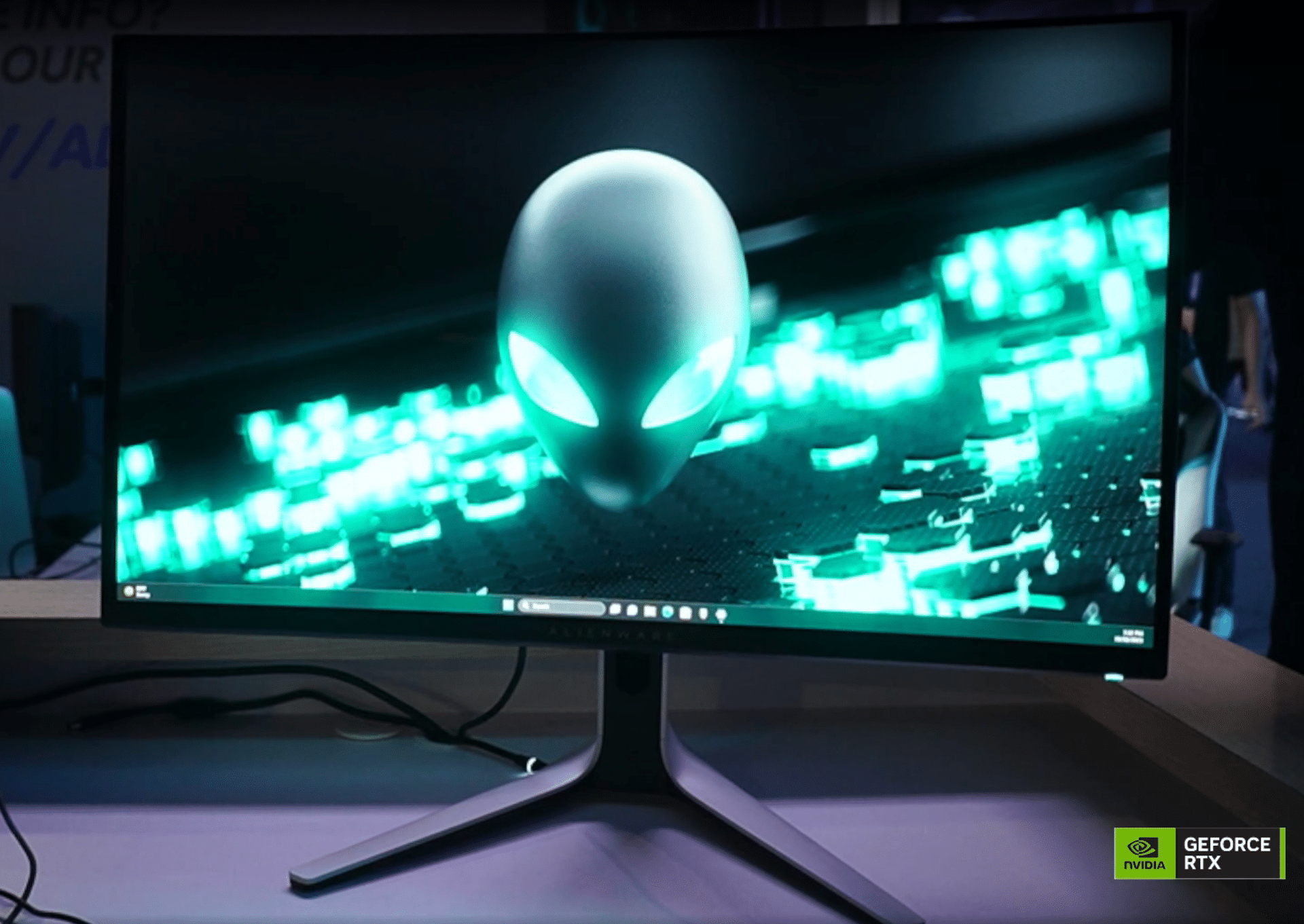
If you edit HDR video on a Mac Studio, or if your monitor doubles as a high-end content consumption screen for Apple TV, the Alienware AW3225QF is a massive value proposition that rivals the U3226Q.
This monitor utilizes the exact same gorgeous QD-OLED technology, but its standout feature is native Dolby Vision HDR support. This integrates flawlessly with Apple's color management pipeline, ensuring your HDR movies and video timelines look spectacular without needing the Dell's manual calibration suite.
Additionally, its sleek "Legend" design aesthetic—featuring a clean white and black shell and a subtle curve—looks significantly more at home sitting next to premium Apple hardware than the aggressively sharp angles found on most gaming monitors.
- Read our full verdict: Alienware AW3225QF Review
Which Should You Choose?
Both monitors will save you a substantial amount of money compared to the Dell U3226Q while delivering the exact same jaw-dropping QD-OLED visual fidelity.
- Choose the ASUS if you need to charge a laptop and want a built-in KVM switch.
- Choose the Alienware if you prioritize Dolby Vision HDR and a sleek, Mac-friendly aesthetic.
About the Author

Eli Nolan
Eli Nolan is a seasoned tech enthusiast and gaming monitor specialist. With years of experience testing the latest display technologies, Eli provides deep insights into performance, color accuracy, and value. When not benchmarking monitors, he can be found exploring the latest open-world RPGs or fine-tuning his workstation setup.