Best Budget Gaming Monitors Under $300 — MonitorNerds Picks
" target="_blank" rel="sponsored nofollow noopener" style=" display: inline-block; background-color: #f7ca00; color: #000; padding: 14px 26px; border-radius: 6px; font-weight: 700; font-size: 1.2rem; letter-spacing: 0.4px; text-decoration: none; text-transform: uppercase; box-shadow: 0 1px 0 rgba(0,0,0,0.15); transition: background-color 0.15s ease, transform 0.1s ease; " onmouseover="this.style.backgroundColor='#e6b800'; this.style.transform='translateY(-1px)';" onmouseout="this.style.backgroundColor='#f7ca00'; this.style.transform='translateY(0)';"
Check Price / Configs
Best Budget Gaming Monitors Under $300 — MonitorNerds Picks
Buying a gaming monitor under $300 is one of the easiest ways to feel like you upgraded your whole PC… or one of the easiest ways to end up annoyed every single day.
Because the budget monitor market is full of traps that don’t show up in the headline specs. A listing will scream “165Hz” and “1ms” and “HDR” and make you feel like you’re stealing a premium monitor for $199 — and then you unbox it and the motion looks smeary, the colors look weird, the stand wobbles, the “HDR” is basically a flashlight setting, and the whole thing feels like it was designed to win a spec sheet fight instead of making games look good.
Here’s what we care about at MonitorNerds: a budget monitor should feel clean, smooth, and normal. You should be able to play fast games without visual sludge, enjoy darker scenes without ugly smearing, and do everyday desktop stuff without feeling like you’re staring through a cheap filter. At this price point you’re not paying for perfection — you’re paying to avoid regret.
That’s also the best affiliate strategy long-term: recommend monitors that don’t create buyers’ remorse. The fastest way to lose trust is “here’s a $219 monitor that looks amazing on paper,” followed by readers emailing you a week later saying the motion looks awful and they wish they’d listened to the reviews. We’d rather recommend fewer models and stand behind them.
One important note before we start: “Under $300” is a moving target. Prices change daily. The picks below are models that regularly dip under $300 (often through sales), and they’re worth bookmarking. If one spikes above $300 today, don’t panic — it almost always comes back down.
The One Rule That Saves Most People
If you’re buying one gaming monitor under $300 and you want the safest, happiest outcome, the rule is simple:
Buy a 27-inch 1440p IPS monitor with a real high refresh rate.
That combination is the budget sweet spot because it looks sharp, it feels smooth, and it’s hard to ruin completely. You get strong pixel density, so games look crisp and text doesn’t look fuzzy. You get refresh rates that make motion feel modern and responsive. And you get IPS behavior that tends to be more consistent than bargain VA in motion and in viewing angles.
The reason this rule works is that it removes the two most common budget regrets:
- Soft image quality (often from 27-inch 1080p).
- Gross motion behavior (often from cheap VA high refresh).
The only time we break this rule is when someone is extremely competitive (then 1080p 240Hz makes sense), when someone has a weaker GPU and wants high FPS cheaply (again: 1080p makes sense), or when someone cares about HDR “punch” more than they care about perfect motion (then budget Mini‑LED becomes interesting).
How to Choose in 60 Seconds
If you don’t want to read a full guide, here’s the fast decision tree:
- You play a mix of games and want the best all-around experience: pick a 27" 1440p IPS 165–180Hz.
- You mostly play competitive shooters and want maximum speed: pick a 24" 1080p 240Hz IPS.
- You mainly play single-player games and want HDR vibes: look at 1440p Mini‑LED (rare but real).
- You want the “big screen feel” for immersion: consider a budget ultrawide, but accept compromises.
That’s it. Now let’s talk picks.
Quick Picks
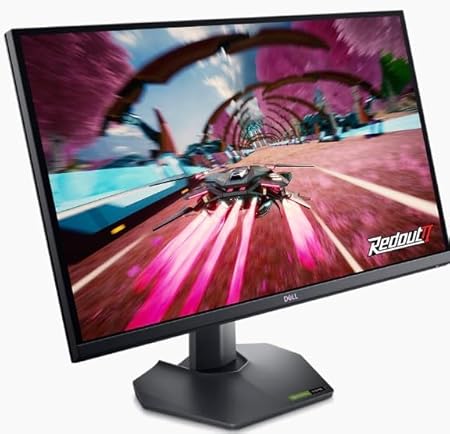
- Best all-around 1440p budget monitor: Dell G2724D — https://geni.us/k195cD
- Best smooth 1440p pick: ASUS TUF VG27AQ3A — https://geni.us/ARczbEP
- Best budget HDR experience: AOC Q27G3XMN Mini‑LED — https://geni.us/nq5F4WU
- Best cheap 1440p 240Hz option: Acer Nitro VG272U W2 — https://geni.us/H4TenJ
- Best competitive 1080p 240Hz: ViewSonic XG2431 — https://geni.us/cVrJD
- Best value 1080p 144Hz for tight budgets: AOC 24G2 — https://geni.us/vZoE4
- Best ultrawide under $300: Sceptre 34" C345B‑QUT168 — https://geni.us/sge5ec
Best All-Around Budget Gaming Monitor Under $300
Dell G2724D
If you want a monitor that “just works” and doesn’t make you regret your purchase later, this is the lane. The Dell G2724D is the kind of budget monitor that feels like an adult product: solid tuning, good all-around performance, and a spec set that makes sense.
At 27 inches and 1440p, it looks sharp without forcing you into tiny UI scaling. High refresh makes everything feel smoother in games and on the desktop. And because it’s an IPS-based monitor, you’re avoiding one of the biggest budget pitfalls: dark smearing in motion.
The underrated thing about monitors like this is consistency. You don’t buy it for one specific game. You buy it because it stays pleasant in everything: shooters, RPGs, browsing, YouTube, the random spreadsheet you swear you won’t open but you will. The Dell also tends to be the kind of monitor that plays nicely with VRR — meaning when your frame rate dips (as it always does sometimes), you don’t get that “stuttery” feeling that makes a good PC feel worse than it should.
If you want to check the current price on Amazon, it’s here: https://geni.us/k195cD.
This is the pick for people who want to buy once and stop thinking about it.
Best Smooth 1440p Experience Under $300
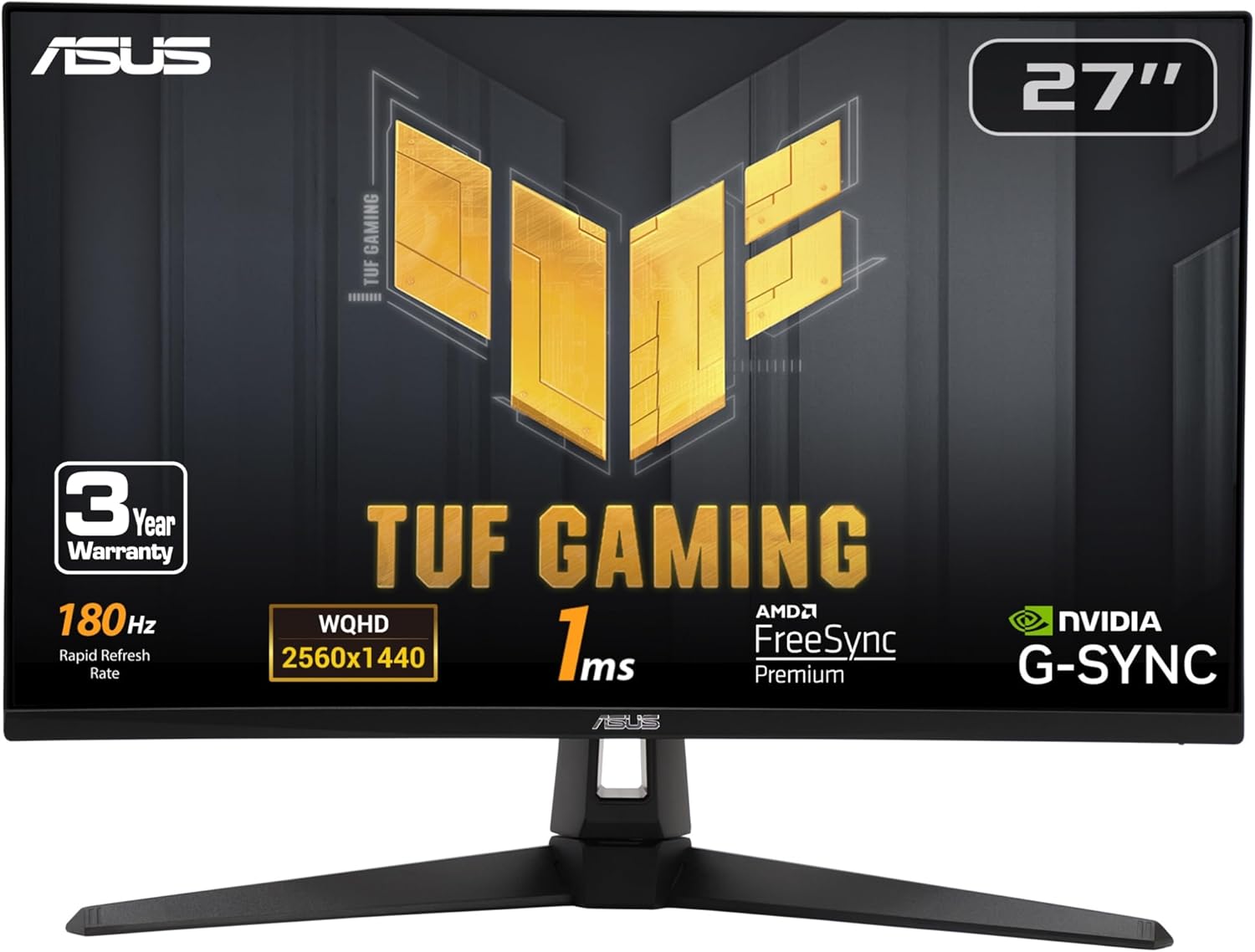
ASUS TUF VG27AQ3A
This is the “I want my budget monitor to feel modern” pick.
The ASUS TUF VG27AQ3A hits the budget sweet spot: 27-inch, 1440p, high refresh, IPS. The reason it’s worth calling out separately is that monitors like this tend to feel good across a wide range of games. You can play shooters. You can play RPGs. You can watch content. You can do basic productivity. Nothing feels weird.
A lot of budget monitors fail by having one “gotcha.” Maybe the motion looks fine until you hit darker scenes and then it smears. Maybe the colors pop in the store page but the real panel looks dull. Maybe the overdrive mode that’s supposed to make it fast also adds ugly halos around moving objects. A safe TUF-style monitor usually avoids the most severe versions of those problems, which is why it’s a good pick for people who want a comfortable everyday display without a bunch of tinkering.
It’s also a perfect “first real monitor” upgrade if you’re coming from a generic 60Hz display. The jump in smoothness is immediate. And because 1440p at 27 inches is a great pixel density, the image looks clean without needing a huge screen.
Amazon listing: https://geni.us/ARczbEP.
Best Budget HDR Monitor Under $300
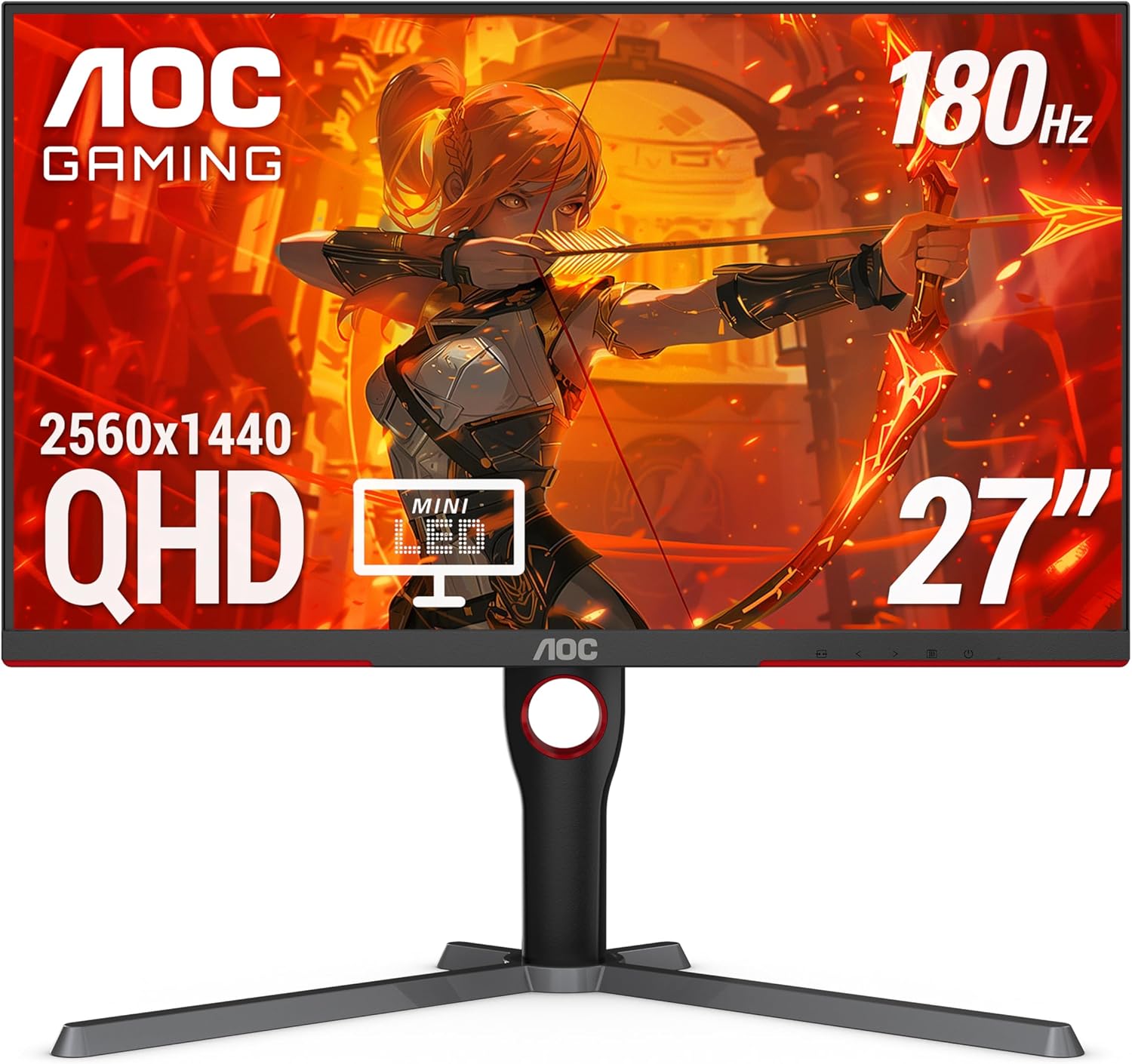
AOC Q27G3XMN Mini‑LED
Let’s be honest about HDR under $300: most of it is fake.
A lot of budget monitors slap “HDR” on the box, but they don’t have the contrast control or brightness to make HDR look like anything special. You turn it on and the picture either looks washed out or weirdly over-processed. This is one of the most common “I feel scammed” moments in budget monitor shopping.
The AOC Q27G3XMN is interesting because it’s one of the rare budget monitors that can deliver real HDR vibes thanks to Mini‑LED backlighting. You’re not getting flagship OLED perfection, but you are getting punchier highlights, better perceived contrast, and a more cinematic look in games that support HDR well.
Why this matters for trust: this is the kind of monitor where you can tell a reader, “Yes, HDR is actually worth trying on this one,” without feeling like you’re selling marketing fluff. It can make bright effects look brighter, dark scenes look deeper, and overall the picture can feel more “premium” than you’d expect at this price.
The tradeoff is that this is more specialized. If you mostly play competitive shooters, you might prefer a more straightforward IPS high-refresh panel. But if you love single-player games and you want your budget monitor to feel premium in dark scenes and bright effects, this is the budget HDR pick.
Amazon listing: https://geni.us/nq5F4WU.
Best 1440p 240Hz Budget Pick Under $300
Acer Nitro VG272U W2
Here’s the deal with 240Hz under $300: it’s not always “better.”
A cheap 240Hz monitor that has terrible motion tuning can look worse than a good 165–180Hz monitor. That’s why we only include a pick here if it’s a model people regularly buy and enjoy, not just “whatever says 240Hz cheapest.”
This category matters if you’re the kind of player who actually benefits from higher refresh — competitive shooters, fast motion, lots of flicks and tracking. It also matters if you just love the feeling of “buttery smooth” motion and you have a GPU that can push high FPS at 1440p.
If that’s you, the Acer Nitro VG272U W2 is one of the more common budget ways to get into 1440p 240Hz without spending OLED money.
Amazon listing: https://geni.us/H4TenJ.
This is the “I want speed but I’m not paying $500” pick — with the reminder that a well-tuned 165Hz monitor can still be the smarter buy if you want fewer compromises.
Best Competitive Gaming Monitor Under $300
ViewSonic XG2431
If you’re competitive-first, the smartest budget move is often 1080p at 240Hz on a well-tuned IPS panel.
Why? Because competitive gaming is about motion clarity and responsiveness, and 1080p is easier to push to high frame rates. You don’t need a monster GPU to get great results. You just need a monitor that behaves well in motion and doesn’t smear during fast pans.
Another underrated point: 24-inch 1080p is a clean pixel density. It looks sharp enough, it keeps your field of view manageable for shooters, and it’s the setup that a huge chunk of competitive players have used for years for a reason. If your goal is performance and consistency, you don’t need 4K. You need reliability.
The ViewSonic XG2431 is a strong option in this lane, and it’s on Amazon here: https://geni.us/cVrJD.
If your gaming life is ranked queues and sweaty nights, this is the kind of budget monitor that makes sense.
Best Cheap Gaming Monitor Under $300
AOC 24G2
If you’re on a tight budget, the goal is simple: avoid buying junk.
The AOC 24G2 is a classic value pick because it gives you a real gaming experience — smooth refresh, IPS viewing angles, and a clean 24-inch 1080p format that doesn’t look blurry the way 27-inch 1080p often does. It’s also a great “starter monitor” that you can keep as a second screen later without feeling like it’s useless.
This is the monitor you buy when you want something that feels like a real upgrade without playing “budget monitor roulette.” It’s not trying to be a flagship. It’s trying to be a solid, dependable gaming monitor at a price where a lot of listings are frankly suspicious.
Amazon listing: https://geni.us/vZoE4.
Best Ultrawide Monitor Under $300
Sceptre 34" C345B‑QUT168
Ultrawide under $300 is a dangerous category, because you’re asking for a lot of screen for not a lot of money. That often means compromises in panel behavior, tuning, or quality control.
But if you specifically want ultrawide immersion on a budget, the Sceptre 34-inch C345B‑QUT168 is one of the more commonly purchased options that can deliver the “ultrawide feel” without a premium price tag.
What this monitor is good for: big, cinematic single-player games, racing games, and “I want my desk to feel cooler.” What it’s not: the cleanest motion, the best HDR, or the kind of panel you buy if you’re extremely picky about uniformity. Under $300, ultrawide is always a compromise — you’re paying for screen real estate first.
Amazon listing: https://geni.us/sge5ec.
This is an immersion-first pick. If you want perfection, you’ll spend more. If you want a big, fun screen that makes games feel more cinematic, this is a reasonable budget entry point.
What to Avoid With Budget Gaming Monitors
This is the section that saves you money. If you follow these rules, you can buy budget without feeling like you gambled.
Avoid 27-inch 1080p unless you really don’t care about sharpness
A 27-inch 1080p monitor often looks soft. Text looks fuzzier. Fine details look less clean. In games it can be “fine,” but as a daily display it’s one of the most common budget regrets because you notice the softness constantly.
If you’re going 1080p, 24 inches is the sweet spot. That’s why so many competitive players stick to it: it’s sharp enough, and it keeps the screen manageable.
Avoid “HDR” labels on cheap edge-lit monitors
If a monitor is not OLED and not Mini‑LED, budget “HDR” is usually marketing. It can make the picture look worse. It can wash out colors. It can crush shadow detail. It can even introduce weird brightness shifts that make the image feel unstable.
Treat HDR as a bonus feature unless you’re buying something like the AOC Q27G3XMN Mini‑LED (Amazon: https://geni.us/nq5F4WU), which is actually built to do HDR in a meaningful way.
Avoid cheap high-refresh VA if you play dark games
VA panels can be fine, but cheap VA + high refresh often means dark smearing. That’s the ugly ghosting you see when dark objects move across dark backgrounds. It’s especially noticeable in shooters, horror games, and anything with lots of dark scenes and fast motion.
Some people tolerate it. Some people hate it instantly. If you don’t know which category you are, IPS is the safer budget bet for motion consistency.
Avoid sketchy third-party marketplace listings
Budget buyers get burned here all the time. If a listing looks too good, check who the seller is. A “deal” isn’t a deal if you lose warranty support, get a return headache, or end up with a damaged unit.
This matters for trust because readers often blame the monitor, when the real problem was the listing: refurb sold as new, missing accessories, shipping damage, or a weird return policy.
Avoid monitors with no ergonomic adjustments if it’s your main screen
A monitor you can’t raise or tilt properly can literally ruin your comfort. A bad stand is not just annoying — it can lead to neck strain and a setup that never feels right.
If the stand is terrible, make sure the monitor supports VESA mounting. Otherwise, you’re signing up for a problem you’ll feel every day.
Avoid “1ms” marketing as your decision point
Almost every gaming monitor claims 1ms. It doesn’t mean what people think it means. It’s usually a best-case marketing number under a specific setting you might not even want to use.
What matters is how the monitor looks in motion and whether it’s tuned well at the refresh rates you’ll actually use. That’s why model reputation and real-world behavior matter more than the “1ms” badge.
Avoid buying blind without thinking about your GPU
This is a quiet budget trap: people buy a high-refresh monitor and then pair it with a GPU that can’t feed it. You don’t need 240Hz if your system mostly lives at 90 FPS in your main games. You’ll still benefit from VRR, but the monitor choice should match your performance reality.
If you have a modest GPU, a great 1440p 165Hz monitor can still be the perfect pick. If you have a stronger GPU and you live in shooters, then higher refresh becomes more meaningful.
MonitorNerds Verdict
Under $300, the smartest money is still 27-inch 1440p IPS with high refresh. It’s the safest blend of sharpness, smoothness, and day-to-day usability.
If you want the clean all-around pick, start with the Dell G2724D: https://geni.us/k195cD.
If you want the most interesting budget HDR experience, the AOC Q27G3XMN Mini‑LED is the one: https://geni.us/nq5F4WU.
If you’re competitive-first, don’t overthink it — 1080p 240Hz on a good panel is still the budget performance king, and the ViewSonic XG2431 is a strong option: https://geni.us/cVrJD.
And if you want ultrawide immersion without ultrawide pricing, the Sceptre 34-inch option is a reasonable entry point: https://geni.us/sge5ec.
As an Amazon Associate, MonitorNerds may earn from qualifying purchases.