The Closest Monitors to the Mac Studio Display: Premium Alternatives for Professionals
By Eli Nolan | Published March 16, 2026
If you are an editor, designer, or just a heavy multitasker in the Apple ecosystem, the Mac Studio Display is incredibly alluring. With its gorgeous 27-inch 5K (5120 x 2880) IPS panel, 600 nits of brightness, and flawless macOS integration, it is a masterclass in premium display technology. However, that premium experience comes with an eye-watering starting price of $1,599—and that is before you add a height-adjustable stand or nano-texture glass.
Here at MonitorNerds, we know that spending almost two grand on a 60Hz display is a tough pill to swallow. While 5K panels are still relatively rare in the monitor market, several manufacturers have stepped up to the plate. Whether you are looking for an exact 5K match, better ergonomics out of the box, or a high-end 4K panel with superior contrast, we have rounded up the closest monitors to the Mac Studio Display that deserve a spot on your desk.
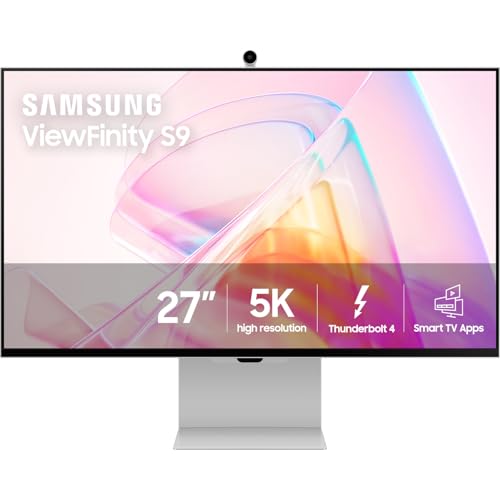
1. Samsung ViewFinity S9 5K (S90PC)
The Direct Competitor
- Screen Size: 27 Inches
- Resolution: 5120 x 2880 (5K)
- Panel Type: IPS
- Refresh Rate: 60Hz
- Brightness: 600 cd/m²
The Samsung ViewFinity S9 goes toe-to-toe with the Mac Studio Display. Spec for spec, this is an incredibly tight match, offering the same ultra-sharp 5K resolution for perfect macOS scaling, 600-nit peak brightness, and highly accurate color representation.
Where the ViewFinity S9 pulls ahead is in the included value. Out of the box, you get a highly ergonomic stand that supports tilt, pivot, and height adjustments—an upgrade Apple charges heavily for. Furthermore, it features a detachable 4K SlimFit camera and packs smart TV functionality, allowing you to stream native apps without turning on your PC. It connects flawlessly via Thunderbolt 4, delivering 90W of power to charge your laptop.
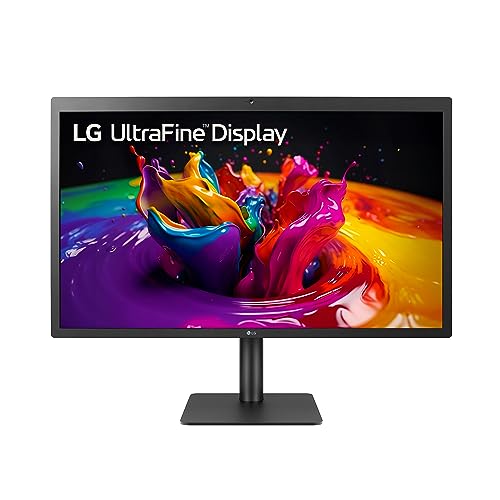
2. LG 27MD5KL-B UltraFine 5K
The Classic Apple-Approved Choice
- Screen Size: 27 Inches
- Resolution: 5120 x 2880 (5K)
- Panel Type: IPS
- Refresh Rate: 60Hz
- Brightness: 500 cd/m²
Before the Studio Display existed, Apple directly sold the LG UltraFine 5K in their stores. While the physical design is starting to show its age with thicker black bezels, the panel technology inside remains breathtaking. Co-developed with Apple, this monitor offers the most seamless plug-and-play macOS experience outside of a first-party display.
When you connect via the included Thunderbolt 3 cable, native macOS controls take over. You can adjust the brightness and speaker volume directly from your Apple keyboard, skipping the clunky OSD menus entirely. The 500 nits of brightness is slightly lower than the Studio Display, but the crisp 218 PPI delivers the exact same Retina-level sharpness.
3. Dell UltraSharp U2725QE
The 4K Productivity Powerhouse
- Screen Size: 27 Inches
- Resolution: 3840 x 2160 (4K UHD)
- Panel Type: IPS Black
- Refresh Rate: 120Hz
- Contrast Ratio: 2000:1
While it steps down to a 4K resolution rather than 5K, the Dell UltraSharp U2725QE is an absolute juggernaut of a monitor. What it lacks in raw pixel density, it more than makes up for with cutting-edge panel technology. The U2725QE utilizes LG's IPS Black technology, which doubles the standard contrast ratio to 2000:1. This means you get much deeper, richer blacks than the standard IPS panel found on the Mac Studio Display.
Perhaps the biggest advantage this monitor holds over Apple's offering is the 120Hz refresh rate. Navigating your OS, scrolling through code, and moving windows feels incredibly fluid compared to the archaic 60Hz cap on the Studio Display. It also serves as a massive connectivity hub, featuring Thunderbolt 4 with 140W power delivery, a built-in KVM switch, and a 2.5GbE RJ45 ethernet port.
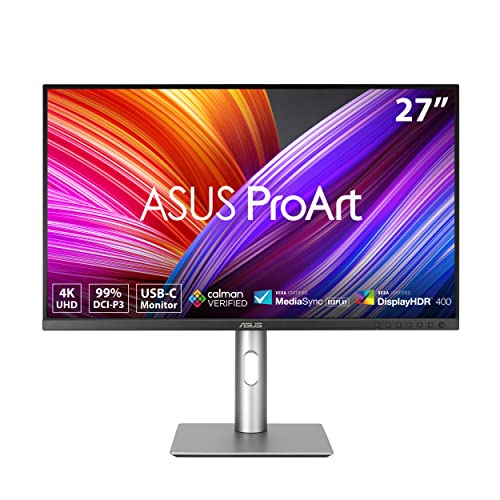
4. ASUS ProArt Display PA279CRV
The Budget-Friendly Color Critical Option
- Screen Size: 27 Inches
- Resolution: 3840 x 2160 (4K UHD)
- Panel Type: IPS
- Refresh Rate: 60Hz
- Brightness: 400 cd/m²
For creators who desire the color fidelity of the Mac Studio Display but have a strict budget of under $500, the ASUS ProArt PA279CRV is the monitor to beat. ASUS designed the ProArt line specifically for video editors, graphic designers, and photographers. The monitor arrives Calman Verified and factory-calibrated to a Delta E < 2 color accuracy, meaning the colors are virtually flawless right out of the box.
It offers an impressive array of ports, including a DisplayPort out for daisy-chaining multiple monitors and a USB-C port with 96W of power delivery. The stand offers a full range of ergonomic adjustments, including pivot. While the peak brightness won't rival the Studio Display's 600 nits, the exceptional color accuracy makes it a highly reliable tool for color-critical workflows at a fraction of the cost.
The Technical Stuff: Why the Studio Display (and Retina) Looks So Stunning
If you have ever looked at a Mac Studio Display and wondered why it makes standard premium monitors look a bit dull or slightly fuzzy by comparison, you are not imagining things. Apple does not just throw expensive panels into an aluminum chassis; they adhere to a very strict set of hardware and software rules to create that "Retina" magic. Here is the deep dive on exactly why it looks so incredibly good.
1. The Magic Number: 218 PPI and Integer Scaling The absolute biggest factor is pixel density, measured in Pixels Per Inch (PPI). Apple designs macOS to look its absolute best at exactly 218 PPI. A 27-inch 5K monitor (5120 x 2880 resolution) hits this number perfectly. When you plug a 5K monitor into a Mac, the operating system uses integer scaling. It renders the interface at exactly 2x the native resolution, meaning one "software" pixel maps perfectly to a grid of four physical pixels on the screen. The result is razor-sharp text, perfectly proportioned UI elements, and zero pixelation.
2. 600 Nits of Sustained Brightness Most premium desktop monitors max out at around 350 to 400 nits of brightness in Standard Dynamic Range (SDR). The Mac Studio Display pushes a sustained 600 nits. This massive 50% boost in luminance gives whites a paper-like brilliance and makes colors look vastly more vivid, especially in well-lit rooms.
3. The Glossy Glass Advantage Almost all PC monitors use a heavy matte, anti-glare coating to reduce room reflections. While highly practical, this coating diffuses the light emitted by the screen, subtly washing out contrast and making the image look slightly grainy or muted. The Studio Display uses edge-to-edge glossy glass. Glossy displays allow the light from the pixels to pass through unimpeded, resulting in perceptibly inkier blacks, crisper edges, and a visual "pop" that traditional matte monitors simply cannot replicate.
4. 100% P3 Color Gamut and True Tone Apple strictly calibrates its panels to cover the entire P3 Wide Color gamut, which displays roughly 25% more colors than the standard sRGB space used by most standard monitors. Additionally, the Studio Display utilizes True Tone technology, which employs ambient light sensors to constantly measure the color temperature of your room and subtly adjust the white balance to match.
5. Hitting the Formula: Why the Samsung ViewFinity S9 Gets It Right When you look at the competition, the Samsung ViewFinity S9 is the only monitor on the market that successfully reverse-engineers Apple's technical formula. It delivers the exact 5120 x 2880 resolution required to trigger macOS's flawless 218 PPI integer scaling, eliminating the fractional scaling blur you get with 4K panels. It also hits that crucial 600-nit sustained brightness and covers 99% of the DCI-P3 color gamut. The only major technical divergence is the finish: Samsung opts for a matte display by default to reduce glare, trading a bit of Apple's glossy "pop" for better usability in brightly lit offices. Technically speaking, it is the closest 1:1 hardware match you can buy today.
The Verdict
If you are strictly hunting for a 5K resolution to maintain that flawless Retina scaling, the Samsung ViewFinity S9 is the absolute closest alternative to the Mac Studio Display. It matches the visual fidelity while offering significantly better value through its included ergonomic stand and smart features.
However, if you prioritize smoother motion and deeper blacks over sheer pixel density, the 120Hz IPS Black panel on the Dell UltraSharp U2725QE makes it one of the absolute best 27-inch monitors currently on the market. Ultimately, all of these monitors prove that you do not need to spend Apple money to get a top-tier, professional-grade display setup.
About the Author

Eli Nolan
Eli Nolan is a seasoned tech enthusiast and gaming monitor specialist. With years of experience testing the latest display technologies, Eli provides deep insights into performance, color accuracy, and value. When not benchmarking monitors, he can be found exploring the latest open-world RPGs or fine-tuning his workstation setup.