Best Gaming Monitor for RTX 4080 (2026 Edition)
" target="_blank" rel="sponsored nofollow noopener" style=" display: inline-block; background-color: #f7ca00; color: #000; padding: 14px 26px; border-radius: 6px; font-weight: 700; font-size: 1.2rem; letter-spacing: 0.4px; text-decoration: none; text-transform: uppercase; box-shadow: 0 1px 0 rgba(0,0,0,0.15); transition: background-color 0.15s ease, transform 0.1s ease; " onmouseover="this.style.backgroundColor='#e6b800'; this.style.transform='translateY(-1px)';" onmouseout="this.style.backgroundColor='#f7ca00'; this.style.transform='translateY(0)';"
Check Price / Configs
Best Gaming Monitor for RTX 4080 (2026 Edition)
The RTX 4080 is the “I’m done negotiating” GPU. You buy it because you want games to feel smooth and look sharp, at the same time, without constantly doing the mental math of “okay, if I drop shadows and turn off RT maybe I can keep this above 90.” It’s the card that makes high refresh gaming feel easy, and it’s also the card that finally makes 4K gaming feel like a normal, everyday thing rather than a special event.
And that’s why the monitor decision gets weird.
With an RTX 4070, we can basically say “1440p, high refresh, done.” With an RTX 4080, you have real choices. You can build a setup that feels unbelievably fast at 1440p, or you can build a setup that looks jaw-droppingly crisp at 4K, or you can go all-in on OLED and get that “the blacks are actually black” contrast that makes regular IPS panels feel a little washed out afterward.
This guide is here to keep you from making the classic high-end mistake: buying a monitor that looks premium on paper but doesn’t match how you actually play. We’re going to pick lanes (speed vs clarity vs immersion), explain what the RTX 4080 does well in each lane, and then give monitor recommendations that are actually good versions of those categories.
The RTX 4080 Has Two Sweet Spots (And Both Are Legit)
Here’s the headline: the RTX 4080 is a 1440p high-refresh monster and a 4K gaming GPU. That’s what you’re paying for.
Lane A: 1440p at 240Hz (or higher)
This is the “everything feels expensive” lane. Motion is smoother, input feels tighter, and the whole system has that immediate, connected feel that’s hard to unsee once you get used to it. If you play any competitive games—or you just like your games to feel snappy—this is the lane that delivers the most “I can feel the upgrade” satisfaction day-to-day.
Lane B: 4K at 144Hz–165Hz
This is the “I can see the upgrade” lane. Texture detail, distant clarity, UI sharpness, fine edges—4K makes games look cleaner and more refined in a way that screenshots don’t fully capture. And unlike weaker GPUs, the RTX 4080 can drive 4K at enjoyable frame rates without turning DLSS into a survival mechanism.
Lane C: Ultrawide 3440×1440
This is the “this is fun” lane. Ultrawide changes how certain games feel—racing, RPGs, open worlds, sims—and the RTX 4080 has enough horsepower to make ultrawide feel confident instead of fragile.
And then there’s OLED, which isn’t really a “lane” so much as a different kind of experience altogether.
OLED With an RTX 4080: The “Once You See It, You Get It” Upgrade
OLED is the monitor category that makes people sound dramatic. And they’re not wrong.
When you go from IPS to OLED, the first thing you notice is contrast. Blacks are actually black. Dark scenes don’t look gray. Highlights pop harder because the “off” pixels are truly off. And because OLED pixels switch ridiculously fast, motion can look cleaner than many LCD monitors even at the same refresh rate.
But OLED is not a free lunch. Two practical downsides matter:
- Text clarity / subpixel layout: On some OLEDs, small text can look slightly less crisp than on a great IPS panel, especially if you stare at spreadsheets all day.
- Burn-in risk: Modern OLEDs have protection features, and most people are fine, but if you leave static UI elements up for hours daily, you should at least be aware of the tradeoff.
If you mostly game and you want the most “premium-looking” image you can get, OLED is absolutely on the table for RTX 4080 owners. If you do heavy productivity with lots of static elements, IPS or Mini‑LED may be the calmer choice.
Best Overall Monitor for Most RTX 4080 Owners
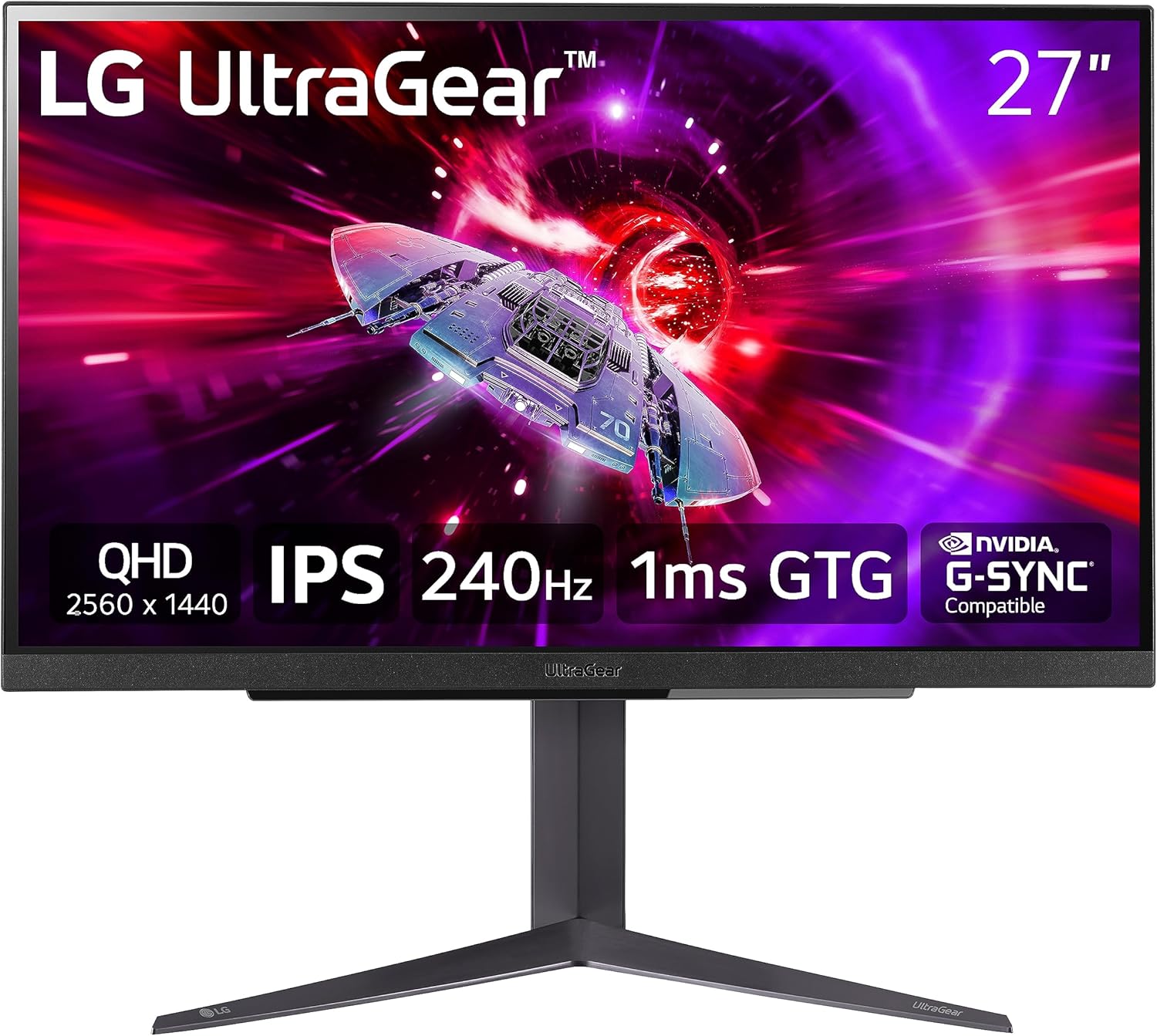
LG 27GR83Q‑B — 27" 1440p 240Hz Fast IPS
If you want one monitor that makes your RTX 4080 feel fast in everything—shooters, action games, even just normal desktop use—the cleanest “no regrets” category is still 27-inch, 1440p, 240Hz, Fast IPS.
This is the daily-driver sweet spot because the RTX 4080 can actually feed it. Competitive titles can run at truly high frame rates. Even when you’re not locked at 240 FPS, the higher refresh still improves motion and responsiveness. And 1440p stays sharp without dragging you into “4K settings management” all the time.
A strong pick here is the LG 27GR83Q‑B, and if you want to check the current listing it’s right here on Amazon: https://geni.us/xdIU8EC. It’s the kind of monitor that makes the whole rig feel crisp and modern without demanding OLED money.
Best Competitive FPS Monitor for RTX 4080
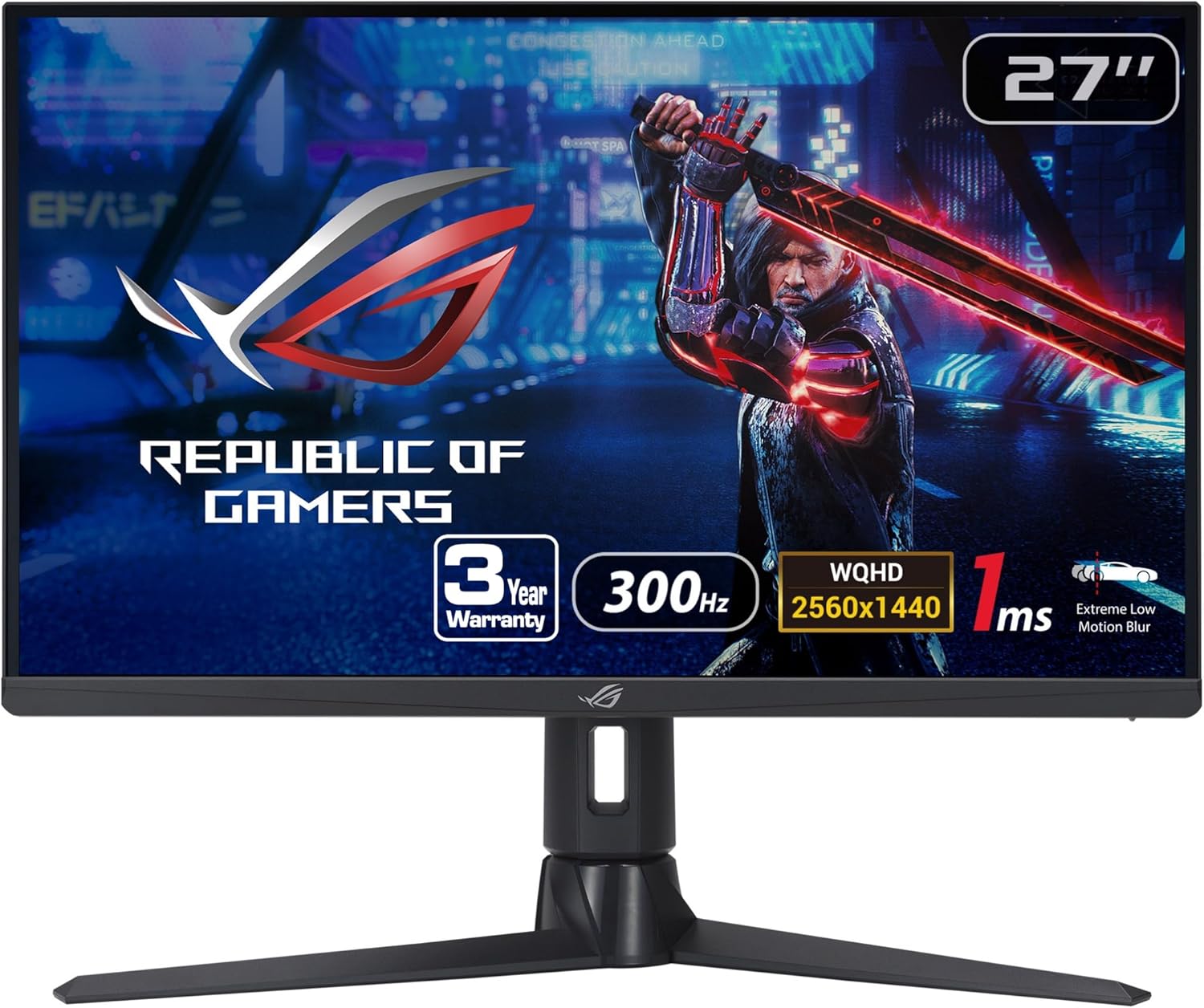
ASUS ROG Strix XG27AQMR — 27" 1440p 300Hz
If competitive shooters are your main hobby, the RTX 4080 gives you enough headroom at 1440p to justify going into the 240–300Hz realm. When your frame rate is high and stable, a great 300Hz panel can feel like it’s giving you extra information—targets stay readable during fast pans, tracking feels steadier, and the game just feels more “connected” to your hands.
The key is that it has to be a good implementation, not just a big number. A commonly recommended option in this lane is the ASUS ROG Strix XG27AQMR, and you can see it on Amazon here: https://geni.us/F5kAIs
.
If you’re a ranked grinder and you care about motion clarity and latency more than anything else, this is the kind of monitor that makes the RTX 4080 feel almost unfair.
Best 4K Monitor for RTX 4080 (Practical, High-Value Pick)
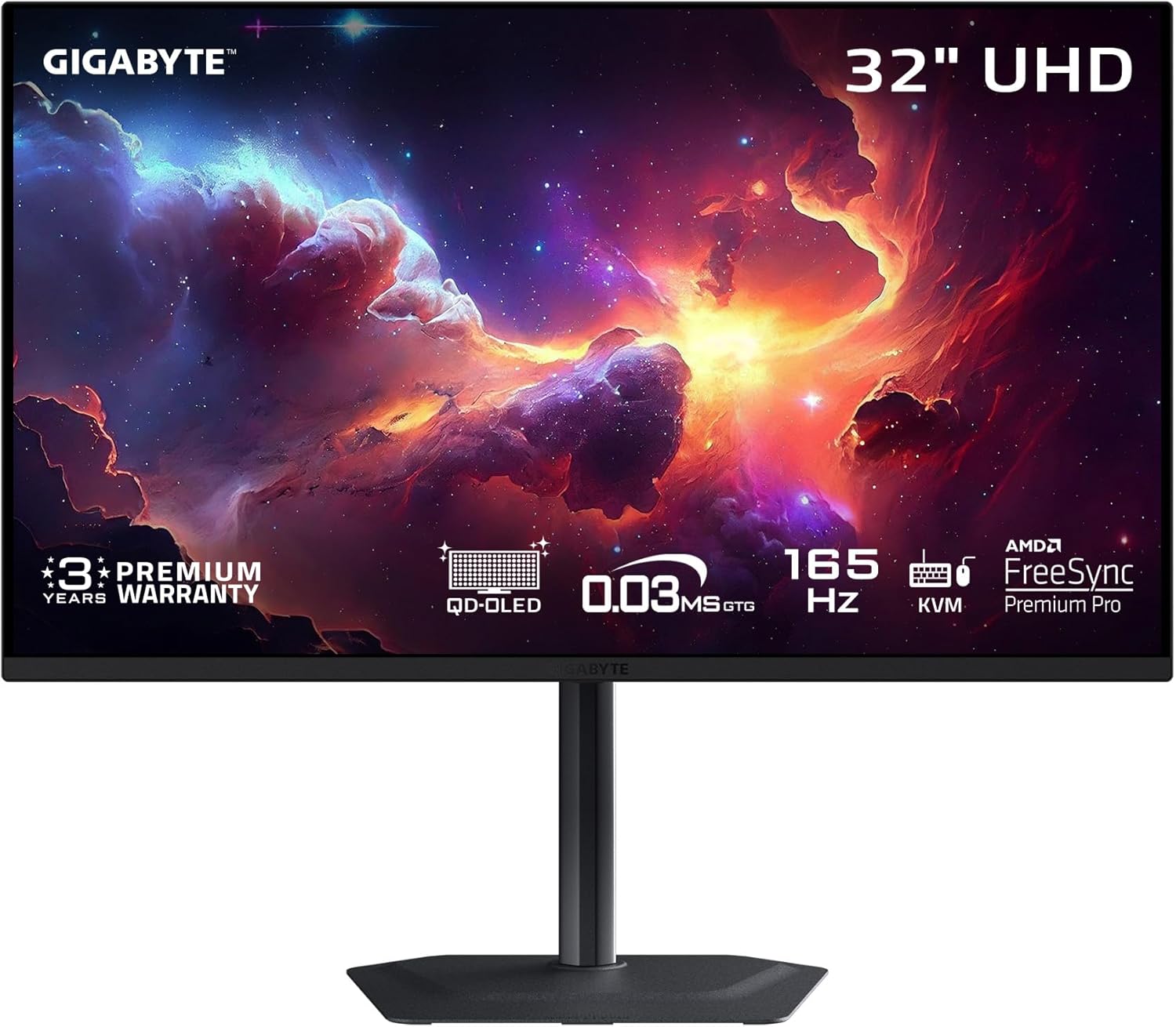
Gigabyte M32U — 32" 4K 144Hz IPS
If you want to actually see what you paid for when you bought an RTX 4080, 4K is where the “wow” factor lives. The difference isn’t just resolution bragging rights; it’s the way games look cleaner in motion, the way distant objects retain detail, and the way fine UI elements stop looking fuzzy.
A very popular “real 4K gaming” pick that doesn’t require OLED pricing is the Gigabyte MO32U. If you want to compare it while you’re shopping, here’s the Amazon listing: https://geni.us/pzB1Y
.
Why this category works so well with an RTX 4080 is simple: 4K becomes usable. You’re not buying a 144Hz monitor and then living at 60–80 FPS in every modern game. You can actually enjoy high refresh at high resolution without constant compromise.
Best HDR “Punch” Without OLED (Mini‑LED Lane)
Samsung Odyssey Neo G7 — 32" 4K 165Hz Mini‑LED
If what you really want is HDR impact—bright highlights, deep contrast, that “cinematic” look—Mini‑LED can be a compelling alternative to OLED. You get stronger HDR brightness and less worry about static elements, though you’re trading away the perfect OLED blacks and you may see some blooming depending on the scene.
A go-to name here is the Samsung Odyssey Neo G7 (32"), and if you want the Amazon page inline while you’re comparing, it’s here: https://geni.us/5BQH.
This is the “I want HDR to actually look like HDR” pick, and the RTX 4080 has the muscle to make 4K high refresh in HDR titles feel genuinely premium.
Best OLED Monitor for RTX 4080 (1440p High Refresh OLED)
ASUS ROG Swift PG27AQDM — 27" 1440p 240Hz OLED
If you want the OLED experience without going straight to 4K OLED pricing, the most satisfying entry point for many RTX 4080 owners is 27-inch 1440p OLED at 240Hz. You get the OLED contrast and response time benefits, but you’re still in a resolution/refresh combination that the RTX 4080 can drive confidently.
A standout option here is the ASUS ROG Swift PG27AQDM, and the Amazon listing is here: https://geni.us/3r3MIC0.
This kind of monitor is for people who want games to look rich and punchy, with motion that stays absurdly clean. If you play in a dark room, or you love atmospheric single-player games, OLED can make the whole experience feel like you upgraded your GPU again.
Best “Value OLED” Alternative (Also Excellent)
LG 27GR95QE‑B — 27" 1440p 240Hz OLED
If you want another strong 1440p OLED option in the same category, the LG 27GR95QE‑B is one of the most commonly discussed choices. If you want the Amazon page while you compare pricing and availability, it’s here: https://geni.us/YlU8.
This is the OLED lane where the RTX 4080 really shines: high refresh that feels instant, plus contrast that makes dark scenes look genuinely deep rather than “LCD gray.”
Best “Max the GPU” OLED Pick (4K 240Hz QD‑OLED)
ASUS ROG Swift PG32UCDM — 32" 4K 240Hz QD‑OLED
If you want the “I bought a high-end GPU and I want a high-end monitor that matches it” setup, 4K 240Hz QD‑OLED is the current peak experience. This is the lane where the screen becomes the centerpiece and you stop caring about spec-sheet debates because the image quality is just… ridiculous.
A flagship example is the ASUS ROG Swift PG32UCDM, and you can see the Amazon listing here: https://geni.us/BUqmu.
This is not the “value” choice. This is the “I want the best-looking gaming monitor experience I can realistically buy” choice—especially if you play a mix of single-player and competitive games and you want both clarity and speed.
Best Ultrawide Monitor for RTX 4080 (LCD Ultrawide)
LG 34GP83A‑B — 34" 3440×1440 144Hz
Ultrawide is where the RTX 4080 feels like it’s in its natural habitat. 3440×1440 is demanding enough that weaker GPUs sweat, but the 4080 can make ultrawide feel confident—especially if you’re okay living in the 120–165 FPS world rather than chasing 240+.
A reliable, widely-liked pick is the LG 34GP83A‑B, and the Amazon listing is here: https://geni.us/AN3xMg.
If your gaming life includes RPGs, sims, racing, open worlds, and “I want immersion,” ultrawide is one of the most enjoyable things you can do with a 4080.
Optional: Ultrawide OLED (If You Want the “Movie Screen” Feel)
Samsung Odyssey OLED G8 (34") — 3440×1440 QD‑OLED
If you want ultrawide immersion and OLED contrast, the ultrawide OLED category is extremely tempting. This is the kind of monitor where dark scenes look incredible and the whole screen feels like it has depth.
One option in that lane is the Samsung Odyssey OLED G8 (34"), and you can see the Amazon listing here: https://geni.us/YAQXa.
This is a “vibe-first” monitor. Incredible for immersive games and content consumption. Just remember the same OLED notes: be mindful of static UI if this is also your all-day work display.
What to Avoid (Because Regrets Are Predictable)
The most common RTX 4080 monitor regret is buying something that looks premium on paper but behaves poorly in motion. Cheap high-refresh VA panels can still disappoint here: when dark transitions smear, the whole picture looks less clear than it should—especially when you’re pushing high FPS. The RTX 4080 gives you enough performance that the monitor’s weaknesses become obvious.
Another regret is buying 4K and then nuking image quality just to chase frame rate. If you choose the 4K lane, the point is to enjoy the clarity. You don’t have to run everything on ultra, but your settings should reflect why you went 4K in the first place.
And finally: OLED is amazing, but it’s not magical. If you’re a heavy productivity user with tons of static UI, either pick an OLED with strong protection features and good habits—or choose IPS/Mini‑LED and enjoy peace of mind.
MonitorNerds Verdict: Pick Your Lane, Buy a Great Version of It
The RTX 4080 is one of the rare GPUs where “best monitor” isn’t one answer. It’s one of a few great answers, depending on what you want your gaming to feel like.
If you want the fastest, most responsive daily-driver setup, a 27-inch 1440p 240Hz IPS like the LG 27GR83Q‑B (Amazon: https://geni.us/xdIU8EC) is still the cleanest recommendation for most people.
If you want the sharpest upgrade you can actually see constantly, 4K 144Hz IPS like the Gigabyte M32U lane (Amazon search: https://geni.us/weOPAO) is where the RTX 4080 earns its keep.
If you want HDR punch without OLED worries, the Samsung Neo G7 lane (Amazon: https://geni.us/5BQH) is a strong “cinematic” pick.
And if you want the most premium-looking image quality you can buy, OLED is absolutely on the table—1440p OLED at 240Hz is the sweet spot, and 4K 240Hz QD‑OLED is the “max it out” option if your budget allows.
As an Amazon Associate, MonitorNerds may earn from qualifying purchases.