Dell UltraSharp 32 4K QD-OLED Monitor Review: The Future is Here, and It’s Gorgeous
By Eli Nolan | Published March 17, 2026
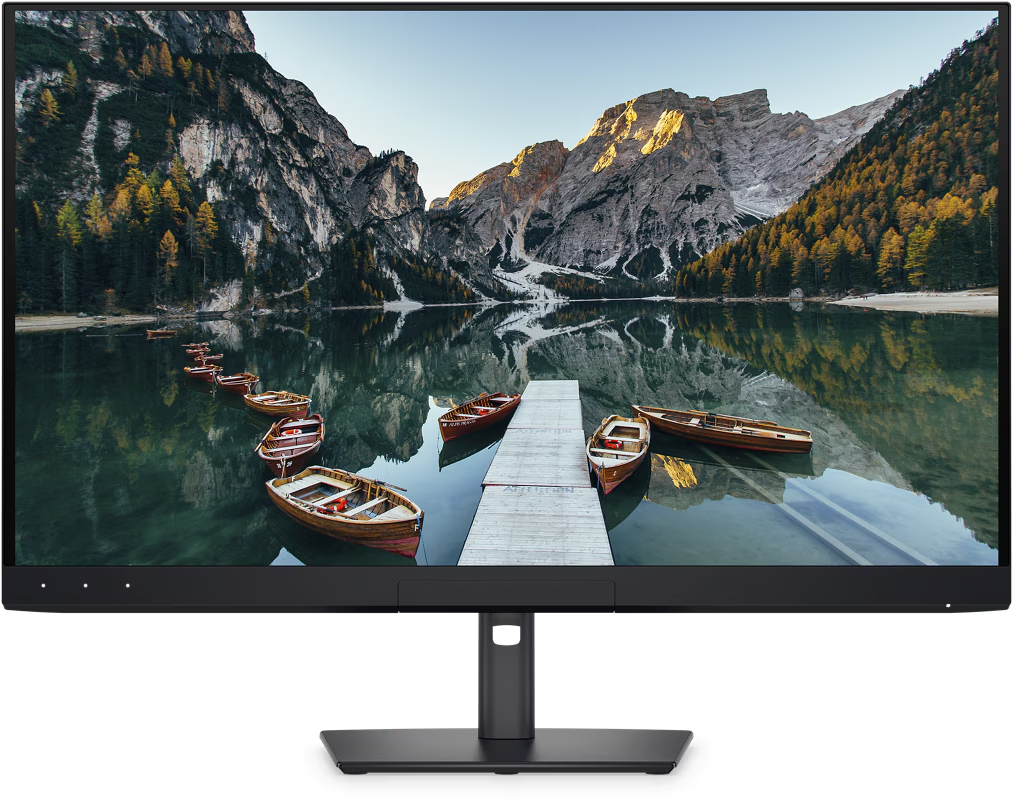
We test a lot of panels here at Monitor Nerds, but every once in a while, a display arrives that genuinely makes us stop and stare. The Dell UltraSharp 32 4K QD-OLED (U3226Q) is one of those moments.
It is, in a word, beautiful.
But beauty in the monitor world isn’t just about thin bezels and a sleek chassis—it’s about what happens when you power it on, hook it up to a high-end machine, and put it to work. We’ve spent some serious time with this QD-OLED powerhouse, running it through its paces with daily productivity, creative workflows, and high-res media consumption. Spoiler alert: it easily rivals the Mac Studio Display, and in several key areas, it outright beats it.
Quick take Dell U3226Q
- Massive 31.5-inch 4K QD-OLED panel perfect for deep blacks and infinite contrast.
- Built-in hardware calibration automates color accuracy for professional creative work.
- Flawless performance for high-res media consumption and entertainment.
- Editor's Choice award winner for bridging the gap between professional grading and cinematic displays.
If you want to see current pricing and availability, here’s the monitor on Amazon here or directly through Dell's website.
The Perfect Canvas for Work and Play
Finding the exact right size for a desktop monitor is a balancing act. 27 inches can sometimes feel cramped when you have a dozen windows open, and 40+ inch ultrawides can require you to physically turn your head. At 31.5 inches, this Dell UltraSharp hits the absolute sweet spot.
It provides an expansive, 4K canvas that is perfect for a demanding workflow. Whether you are throwing up complex, multi-legged options chains on tastytrade, managing a massive spreadsheet, or editing high-resolution photos, you have all the real estate you need without overwhelming your desk space.
But work is only half the story. When you clock out, this monitor seamlessly transitions into an incredible entertainment display. If you want to fire up the latest visually intense games or sit back to watch an episode of Fallout or Slow Horses, the cinematic quality of this panel is jaw-dropping. Movies look absolutely fantastic, benefiting massively from the inherent traits of OLED technology.
The OLED Advantage: Infinite Contrast and Deep Blacks
If you haven’t experienced a Quantum Dot OLED (QD-OLED) panel on your desktop yet, you are in for a treat. Traditional IPS panels—even the great ones—always suffer from some degree of backlight bleed or a grayish glow in dark scenes.
Because OLED pixels are self-illuminating, they can simply turn off. The blacks on this Dell UltraSharp are rich, deep, and wonderful. When you are watching a film with dark, moody cinematography, the contrast is infinite. The screen is bright, consistent, and genuinely eye-popping. The colors leap off the screen with a vibrancy that standard LED backlit monitors simply cannot match. It makes the Mac Studio Display’s LCD tech feel a generation behind when it comes to sheer contrast and HDR impact.
Our Robotic Future: Built-in Auto-Calibration
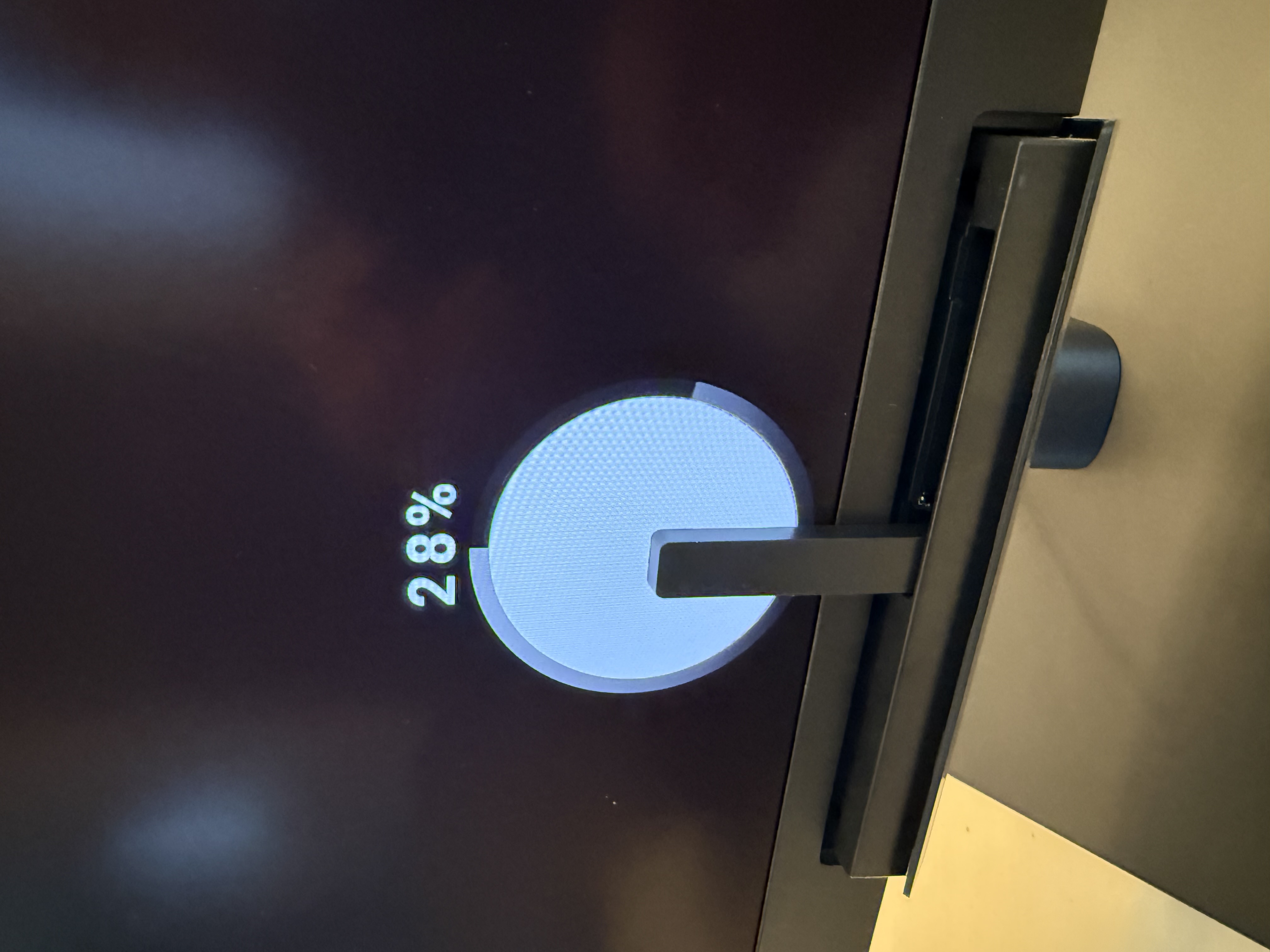
Let’s talk about the absolute coolest feature on this monitor: the built-in hardware calibration.
Usually, keeping a professional monitor color-accurate means dusting off an external colorimeter, hanging it over the screen, and running third-party software every few weeks. Dell has integrated the calibration right into the hardware. It is incredibly satisfying to watch the little built-in sensor deploy, read the screen, and automatically adjust the 3D LUTs (Look-Up Tables) without you having to lift a finger. It honestly feels like our robotic future has finally come to monitors. It guarantees that the colors you are seeing are precisely the colors intended, providing massive peace of mind for color-critical work.
Datacolor Spyder Analysis: The Data
Of course, we are Monitor Nerds, so we don't just trust our eyes—we trust the data. We hooked up our own Datacolor Spyder to verify Dell's claims.
Here is exactly how the panel performed in our Datacolor Spyder Monitor Quality Analyzer tests:
Color Gamut & Accuracy
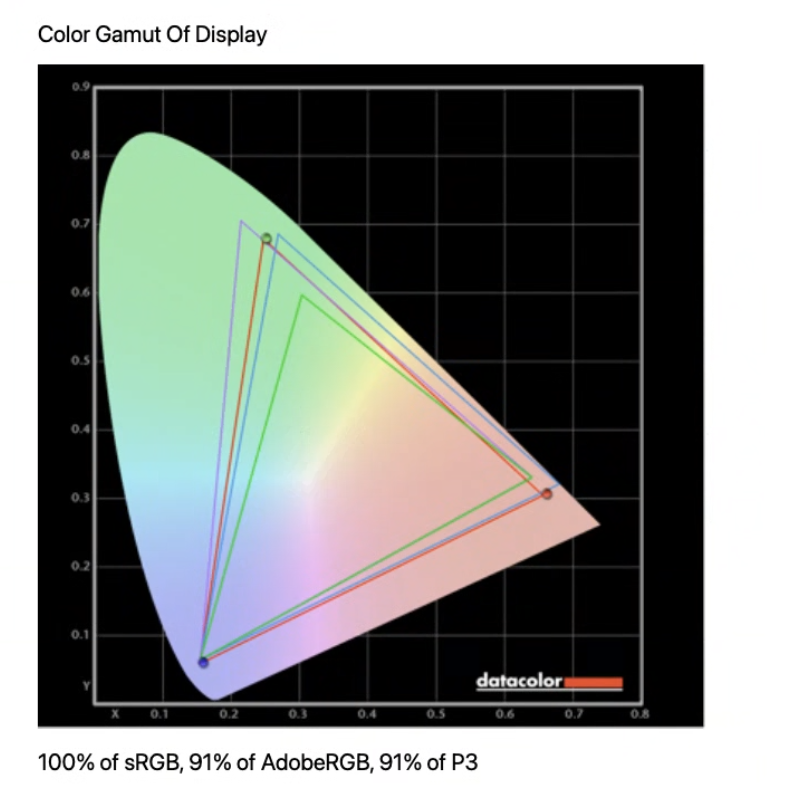
- The monitor achieved 100% of sRGB, 91% of AdobeRGB, and 91% of P3.
- The Datacolor software awarded the Gamut category a perfect 5.0 rating.
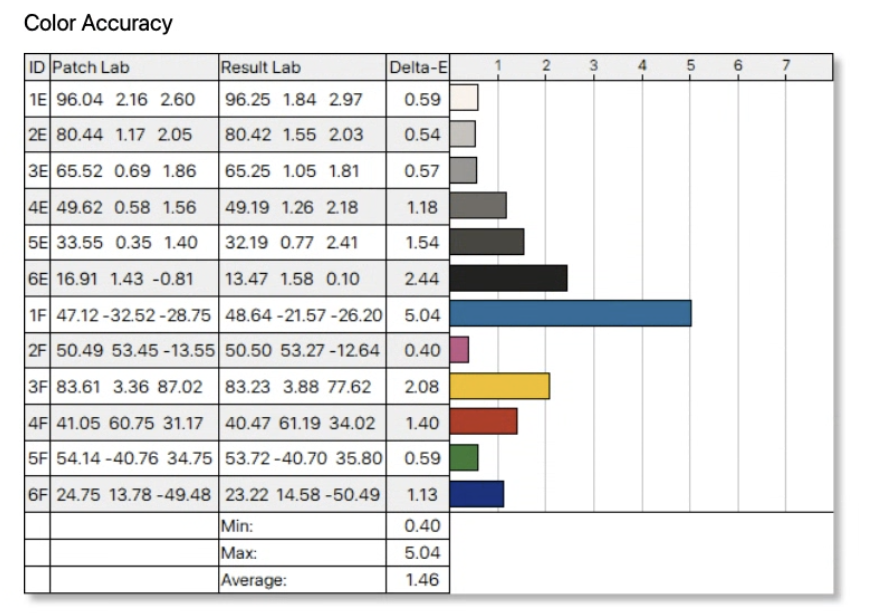
- When testing Color Accuracy, the average Delta-E was an impressive 1.46.
- The maximum Delta-E recorded was 5.04, with a minimum of 0.40.
- Overall, the Color Accuracy category earned a strong 4.5 rating.
Tone Response & Uniformity
- The Measured Display Gamma came in at 2.3.
- This earned a Tone Response rating of 4.0.
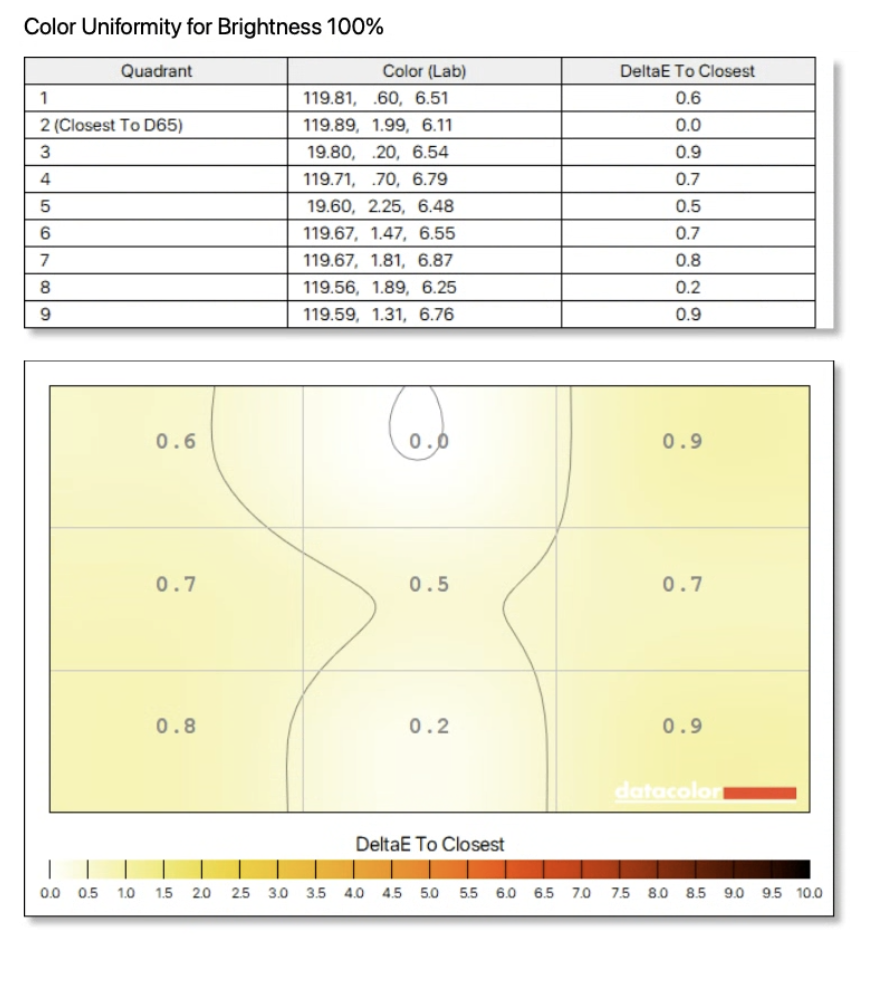
- Color Uniformity across the panel was highly consistent, earning a 4.5 rating from the Datacolor software.
The Luminance Uniformity Quirk In the interest of total transparency, we do have to point out a strange quirk in the data regarding Luminance Uniformity, which the Datacolor software ultimately rated a 0.0.
- At 100% brightness, the panel's luminance uniformity is practically flawless, showing a difference to maximum of only 0% or 1% across all nine quadrants.
- However, when brightness drops to 67%, the software measured a drastic 47% difference to maximum in most quadrants.
- At 50% brightness, this difference climbed to 57%.
While this data point is jarring on paper, it's worth noting that in real-world, daily usage, the human eye struggles to perceive these specific luminance dips at lower brightness levels. To the naked eye, the screen remains brilliantly consistent.
Technical Specifications
- Screen Size: 31.5 inches.
- Resolution: 4K UHD (3840 x 2160).
- Panel Technology: Quantum Dot OLED (QD-OLED).
- Refresh Rate: 120 Hz.
- Response Time: 0.03 ms GTG.
- Contrast Ratio: 1,500,000:1.
- Brightness: 300 cd/m² typical, and up to 1000 cd/m² peak.
- Color Gamut: 99% DCI-P3, 94% Adobe RGB, and 100% sRGB.
- HDR Support: VESA DisplayHDR True Black 500 and Dolby Vision HDR.
- Stand Adjustability: Height, tilt, swivel, and pivot adjustments.
- Special Features: An integrated colorimeter for hardware color calibration and an Anti-glare Low Reflectance surface treatment.
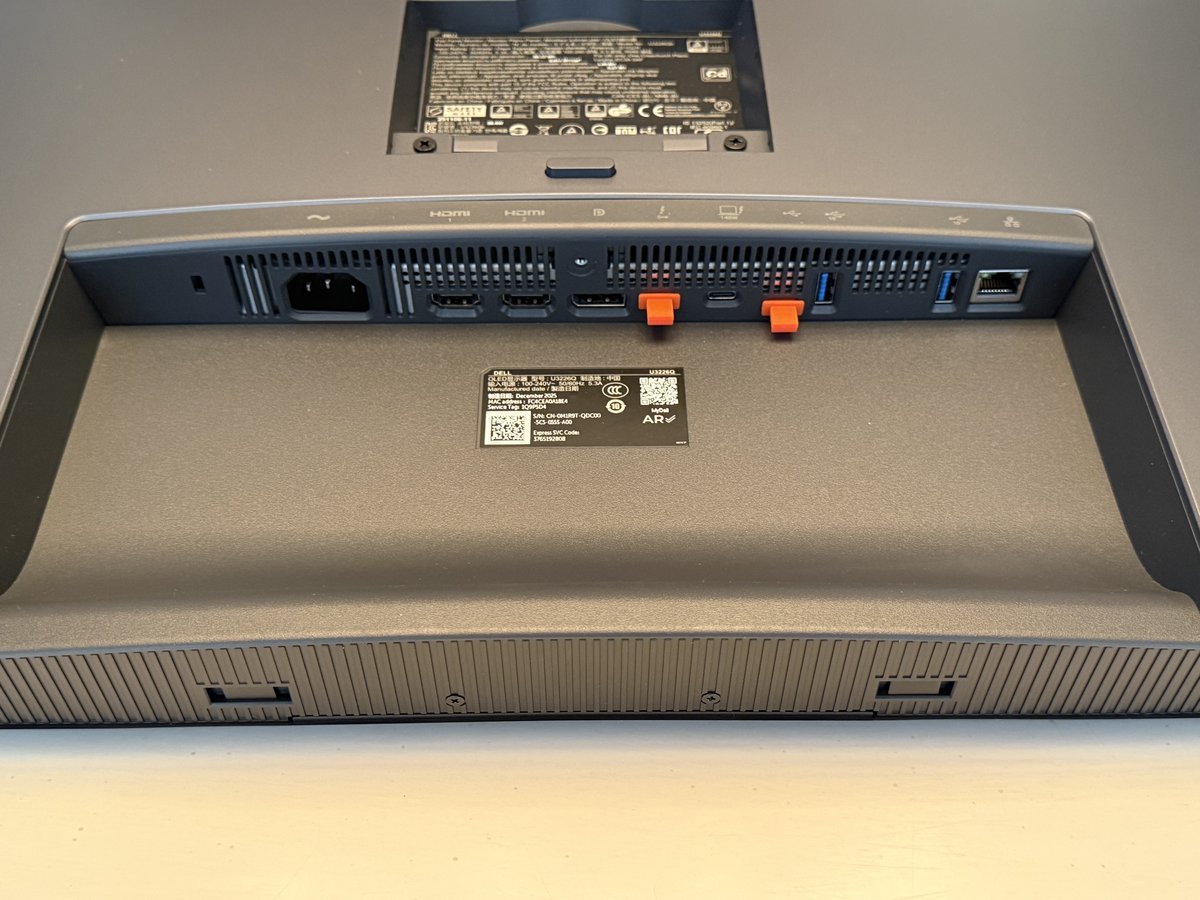
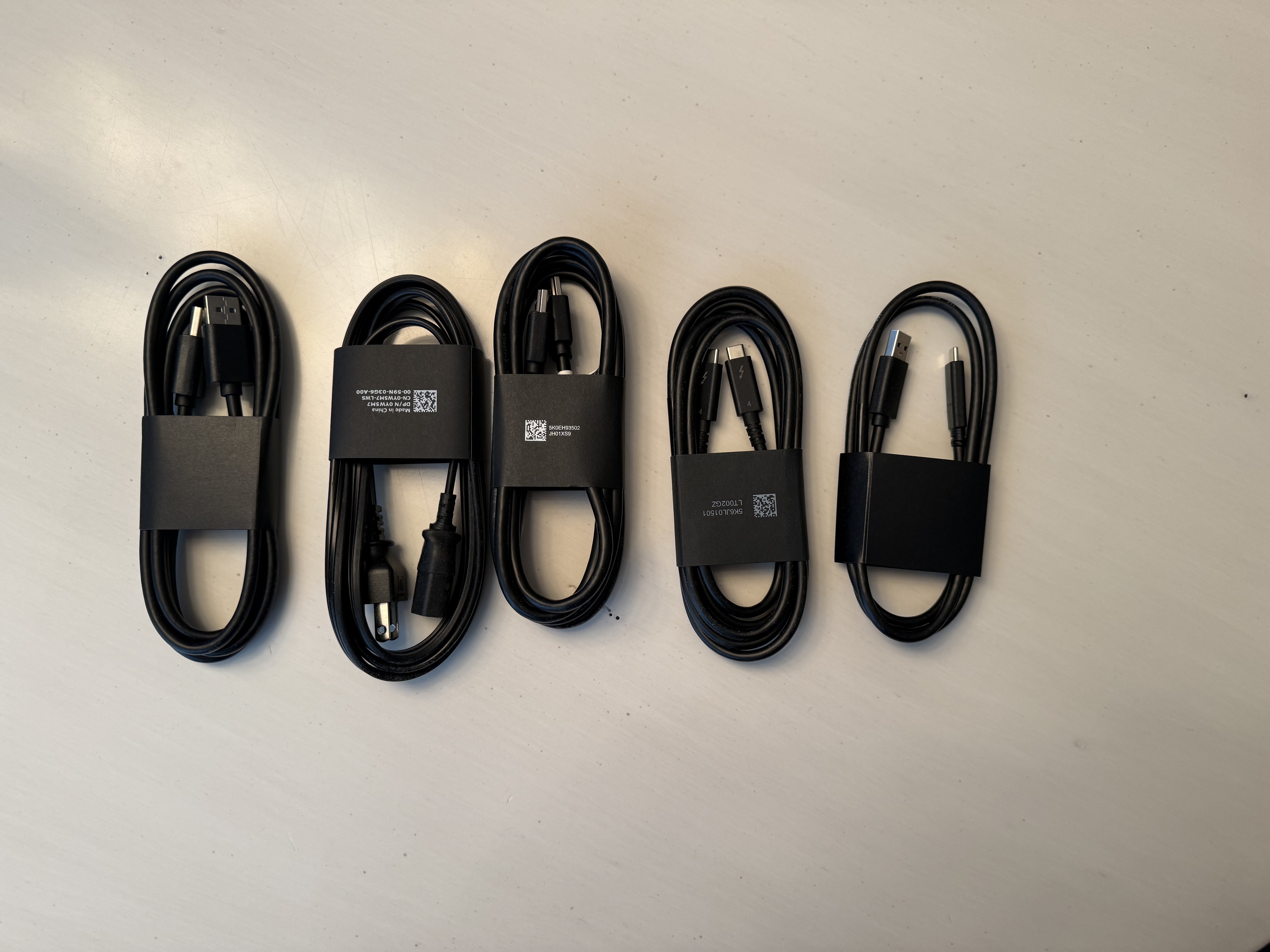
Key Connectivity:
- 1x Thunderbolt 4 upstream port with up to 140W Power Delivery.
- 2x HDMI 2.1 ports.
- 1x DisplayPort 1.4.
- 1x RJ45 Ethernet port (2.5GbE).
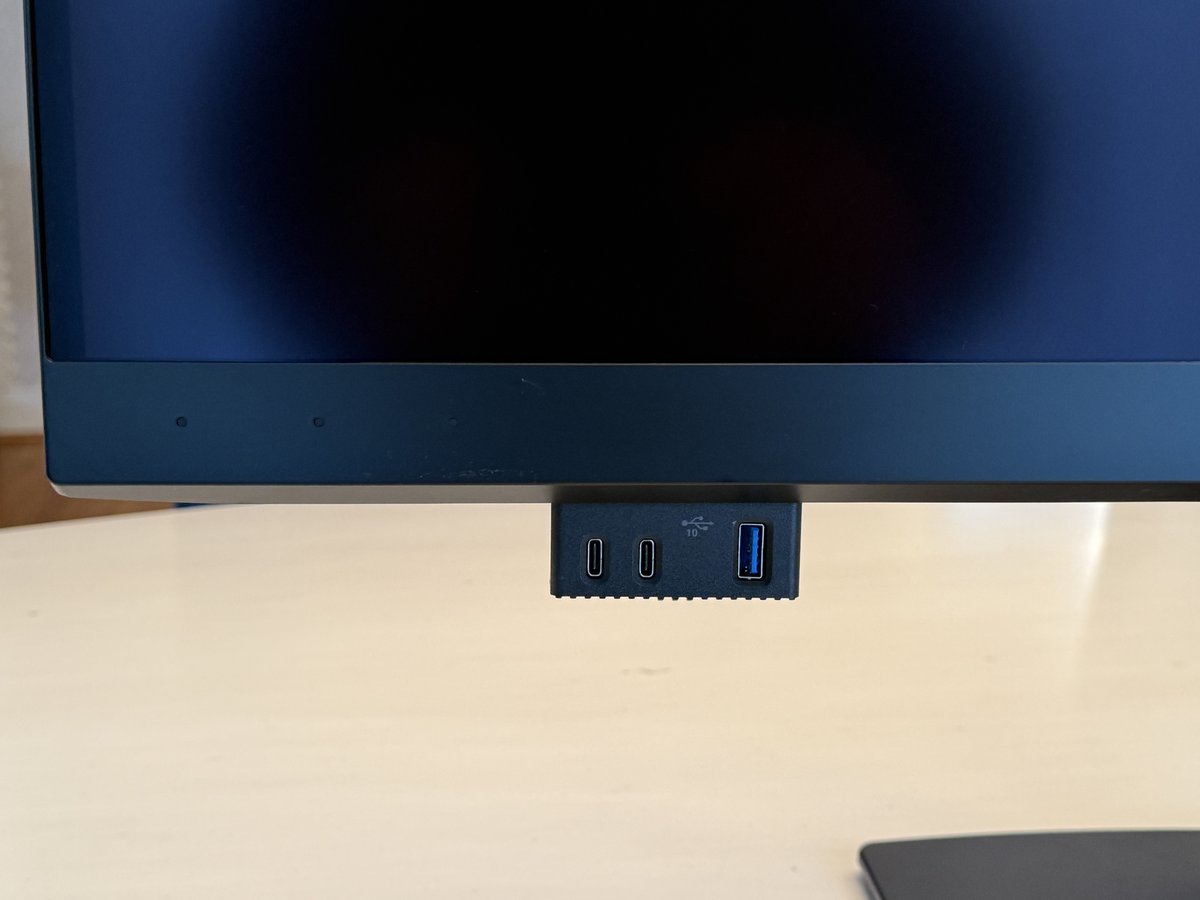
- Multiple USB-C and USB Type-A downstream ports.
Gallery
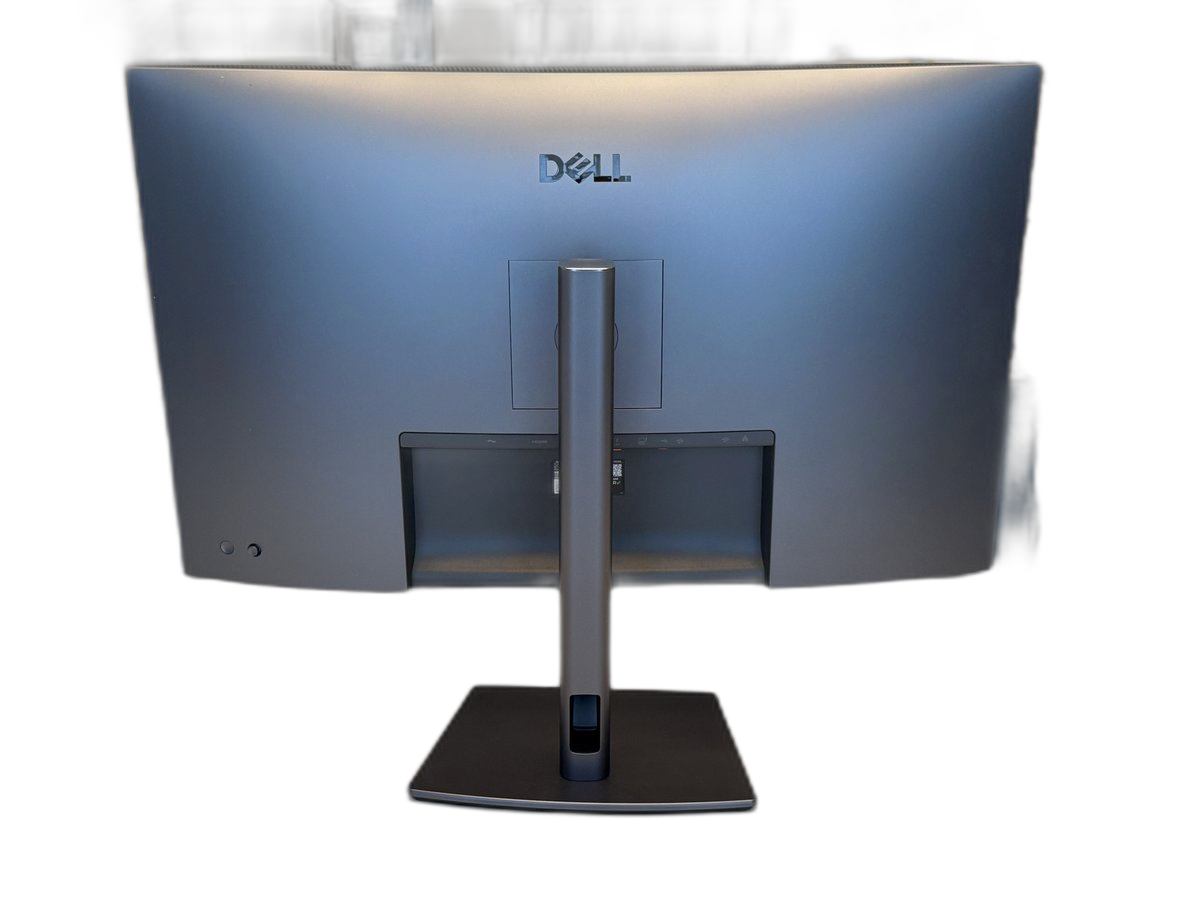
The Verdict: Editor's Choice
Dell has created something truly special with the UltraSharp 32 4K QD-OLED. It bridges the gap between a high-end professional grading monitor and a premium, cinematic entertainment display.
The color accuracy is outstanding, the built-in auto-calibration is a game-changing convenience, and the QD-OLED panel delivers an eye-popping visual experience that leaves traditional IPS panels in the dust. Whether it’s anchoring a Mac-based creative studio or serving as your primary screen for work and weekend movie marathons, it excels.
Because of its phenomenal contrast, perfect sizing, and forward-thinking features, we are proudly awarding the Dell UltraSharp 32 4K QD-OLED our Editor's Choice award. If you have the budget for a premium panel, this should be at the very top of your list.
About the Author

Eli Nolan
Eli Nolan is a seasoned tech enthusiast and gaming monitor specialist. With years of experience testing the latest display technologies, Eli provides deep insights into performance, color accuracy, and value. When not benchmarking monitors, he can be found exploring the latest open-world RPGs or fine-tuning his workstation setup.