Dell UltraSharp U4025QW Review: The Ultimate Productivity Workspace
By Eli Nolan | Published June 26, 2026
Dell UltraSharp U4025QW Quick Take
| Display Panel | 39.7-inch Curved 5K2K WUHD (5120 x 2160) IPS Black |
| Refresh Rate & Response | 120Hz, 8ms GtG |
| Contrast & Density | 2000:1 Static Contrast, 140 PPI Density |
| Hub Connectivity | Thunderbolt 4 (140W PD), 2.5GbE RJ45, Auto-KVM |
Pros
- Massive 40-inch 5K2K canvas replaces dual 4K monitors seamlessly
- 2000:1 IPS Black contrast delivers deep shadow detail for text/code
- 140W Thunderbolt 4 Power Delivery handles high-draw MacBooks
Cons
- 8ms response time leads to motion blur in fast competitive FPS games
- Edge-lit backlight limits peak HDR local dimming impact
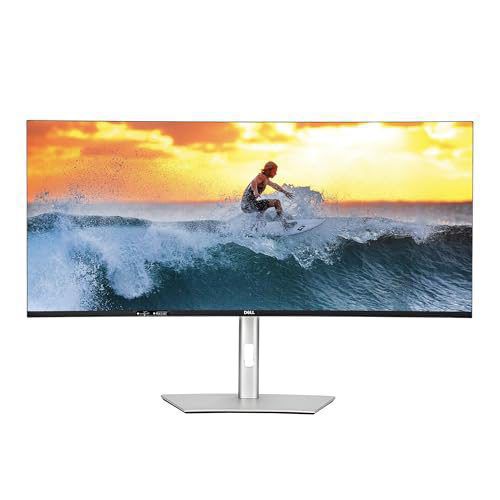
Workstation monitors are usually quite boring. They are the beige or matte-black slabs of plastic that populate corporate cubicles and home offices, designed purely to display spreadsheets and email clients without causing excessive eye strain. But every once in a while, a display comes along that completely redefines what a premium productivity environment can be. The Dell UltraSharp U4025QW is exactly that monitor.
Stretching a massive 39.7 inches diagonally, this curved ultrawide behemoth combines a jaw-dropping 5K2K resolution (5120x2160) with LG’s latest IPS Black panel technology. Unlike older professional monitors that locked you to a sluggish 60Hz refresh rate, Dell has upgraded this panel to a buttery-smooth 120Hz. Add a fully featured built-in Thunderbolt 4 hub that acts as a desktop docking station, and you have a display that commands a high price tag but promises to be the absolute center of your professional universe.
Let's dive into our full evaluation to see if this massive screen lives up to its status as the ultimate productivity workspace.
Quick take
- Pros: Massive 5K2K screen real estate provides 33% more workspace than a standard 4K display; IPS Black panel delivers a superb 2000:1 contrast ratio with deeper blacks; Butter-smooth 120Hz refresh rate makes desktop navigation a joy; Built-in Thunderbolt 4 hub delivers up to 90W power delivery, 10Gbps Ethernet, and an auto-KVM switch for single-cable multi-device setups.
- Cons: Extremely expensive; Edge-lit local dimming results in subpar HDR performance; Slow 8ms response times lead to noticeable ghosting in fast-paced games.
- Who It's For: Software engineers, content creators, financial analysts, and prosumers who need maximum desktop real estate, accurate colors, and a clean single-cable setup, and who also enjoy casual gaming on the side.
If you want to see current pricing and availability, here’s the monitor on Amazon: Dell UltraSharp U4025QW.
Design, Ergonomics, and Build Quality
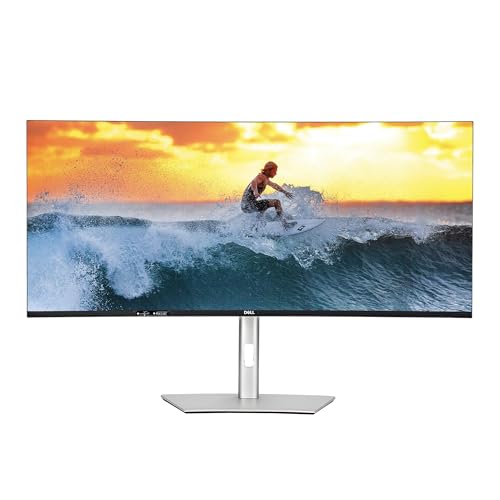
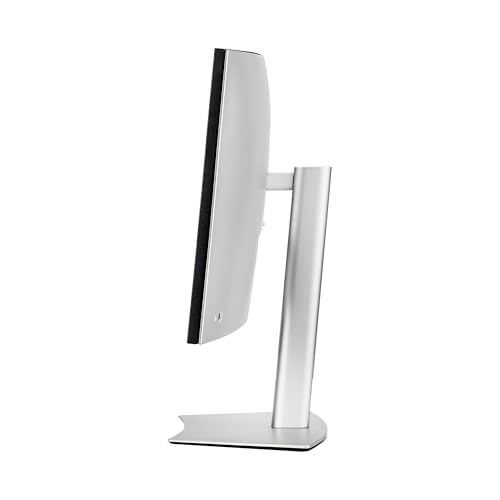
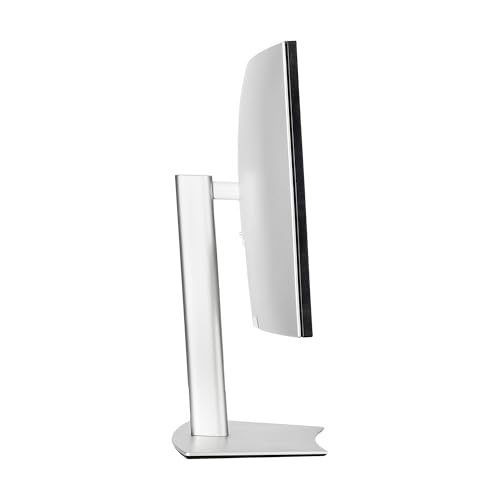
True to the UltraSharp heritage, the U4025QW is a masterclass in clean, professional industrial design. It eschews the flashy RGB lighting and aggressive gaming geometry of Dell's Alienware lineup, opting instead for a sophisticated platinum-silver finish that blends seamlessly into any modern corporate office or minimalist home workspace. The three-sided borderless bezel design makes the screen look remarkably modern, drawing your eyes directly into the vast canvas of pixels.
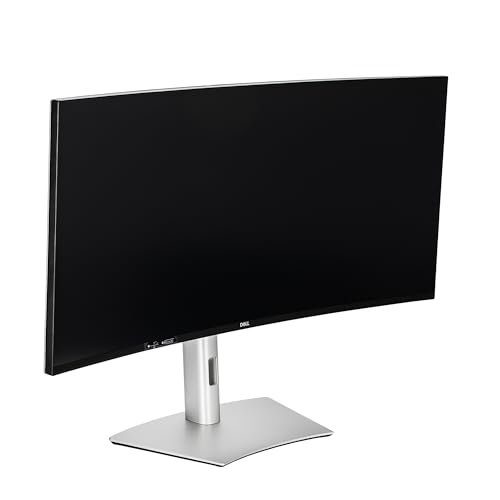
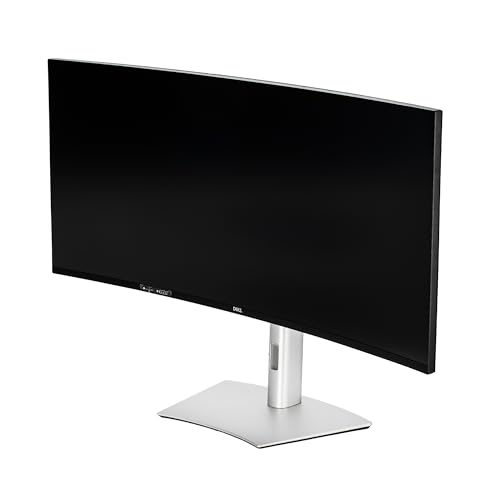
The physical dimensions of this display are imposing. It is nearly 38 inches wide, but Dell has integrated a gentle 2500R curvature. For a screen of this size, a flat panel would be unusable; the far edges of the screen would sit outside your comfortable field of view, forcing you to constantly turn your head or suffer from distracting color shifts. The 2500R curve is perfect for this aspect ratio—it is subtle enough that straight lines do not appear warped during design work, yet curved enough to comfortably wrap the extreme corners of your desktop into your peripheral vision.
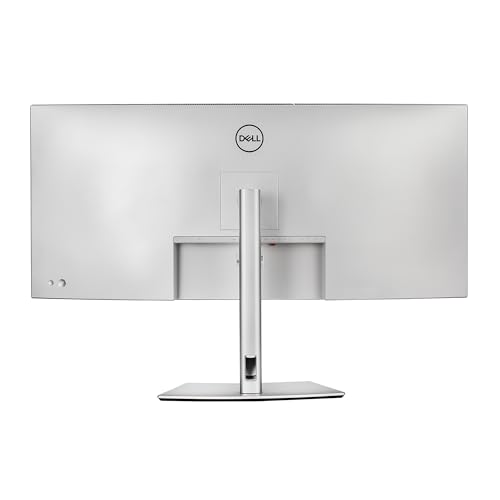
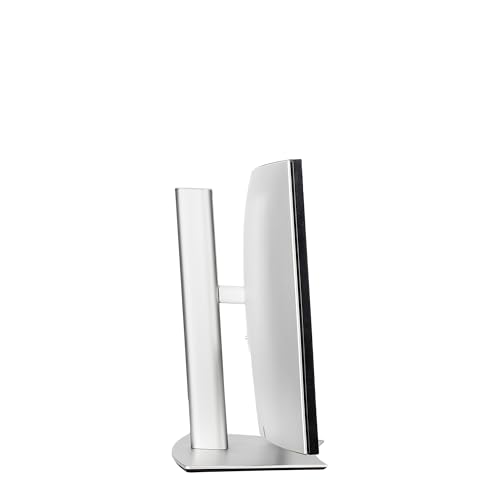
Despite its size, the included stand is incredibly sturdy and offers surprisingly robust ergonomic adjustments. You get up to 150mm of height adjustment, 30 degrees of swivel in either direction, and a tilt range from -5 to 21 degrees. The adjustment mechanism is perfectly counterbalanced, allowing you to slide the massive 26-pound chassis up and down with just a couple of fingers. For those who prefer a clean floating setup, a standard VESA 100x100mm mounting pattern is tucked behind the quick-release stand attachment.
Display Quality & Productivity Performance: The 5K2K & IPS Black Advantage
The real magic of the U4025QW lies in its screen specifications. Running at a native resolution of 5120x2160 (often referred to as 5K2K or WUHD), it features a 21:9 aspect ratio. The easiest way to visualize this resolution is to picture a standard 32-inch 4K monitor (3840x2160) and stretch it horizontally by an extra 33%.
This extra width yields a pixel density of 140 pixels per inch (PPI), which is the absolute sweet spot for desktop clarity. Text is incredibly sharp, rendering without any of the jagged edges or color fringing common on lower-resolution ultrawides. You can comfortably read tiny font sizes or view side-by-side documents, massive code files, and spreadsheets spanning dozens of columns without needing to zoom. On macOS and Windows, scaling can be run natively at 100% or slightly scaled to 125% for a comfortable, cavernous workspace.
Additionally, this panel features LG's highly anticipated IPS Black technology. Standard IPS panels have historically been criticized for their poor contrast ratios (typically topping out at 1000:1), which turn dark scenes and dark-mode software interfaces into a washed-out, glowing gray mess in dimly lit rooms. IPS Black doubles this performance, achieving a measured 2000:1 contrast ratio. While it still cannot match the infinite, ink-like blacks of an OLED screen, it is a massive upgrade over traditional IPS. Dark mode applications look rich and punchy, and the dreaded "IPS glow" is significantly minimized.
Color performance is equally stellar. The monitor covers 99% of the DCI-P3 color space and 100% of sRGB, and comes factory-calibrated with a Delta E of less than 2. Whether you are editing photos, color-grading video, or designing vector graphics, you can trust that what you see on the screen is accurate right out of the box.
Connectivity & Thunderbolt 4 Hub
For power users, the back panel of the U4025QW is where this monitor truly earns its premium price tag. Dell has integrated a massive Thunderbolt 4 hub that completely eliminates the need for an external docking station.
The primary Thunderbolt 4 port provides display, high-speed data, and a whopping 90W of Power Delivery over a single cable. This is enough to charge a 16-inch MacBook Pro or a demanding Windows workstation laptop while running the monitor at full resolution and refresh rate. A second downstream Thunderbolt 4 port provides 15W of power and supports daisy-chaining a second monitor or connecting ultra-fast external storage drives.
The hub also includes:
- 1x DisplayPort 1.4
- 1x HDMI 2.1
- 1x 10Gbps RJ45 Ethernet port (essential for stable, high-speed network connections)
- 4x USB-A 10Gbps ports
- 2x USB-C 10Gbps ports (including convenient pop-out ports at the bottom-left bezel for quick thumb drive connections and phone charging)
Furthermore, the built-in Auto-KVM switch allows you to connect two computers (such as a work laptop and a personal desktop PC) and seamlessly share your mouse, keyboard, and network connection between them. When you switch video inputs, the peripherals transition to the active machine automatically, keeping your desk entirely clean and clutter-free.
Gaming and HDR Performance: A Balanced Assessment
Historically, professional office displays were limited to 60Hz. The U4025QW breaks that mold by offering a 120Hz refresh rate along with Variable Refresh Rate (VRR) support, compatible with both AMD FreeSync and NVIDIA G-Sync.
For office work, the jump from 60Hz to 120Hz is a massive quality-of-life upgrade. Mouse cursor movements, window dragging, and web scrolling feel incredibly fluid and responsive. For gaming, the extra headroom is fantastic for immersive, slower-paced titles. Flying through the skies in Microsoft Flight Simulator or managing a sprawling empire in Cities: Skylines II at 5120x2160 is a breathtaking, highly immersive experience.
However, if you are looking for a screen to handle competitive esports or cinematic HDR gaming, the U4025QW is not the tool for the job.
First, the pixel response time is rated at a slow 8ms (Normal mode) or 5ms (Fast mode) gray-to-gray. Because the pixels cannot transition colors fast enough to keep up with the 120Hz refresh rate, you will see noticeable motion blur, ghosting, and trailing behind fast-moving objects. In high-speed first-person shooters like Counter-Strike 2 or Valorant, this smear makes tracking enemies difficult.
Second, the HDR performance is mediocre at best. Although it carries a VESA DisplayHDR 600 certification and can hit a bright 600 nits in highlights, the backlight relies on an edge-lit design with very few local dimming zones. Without the pixel-level dimming of an OLED or the hundreds of zones found on a Mini-LED display, the monitor cannot show bright highlights alongside deep shadows without raising the black levels of the entire screen. The result is a flat, somewhat washed-out HDR image that does not do justice to modern HDR movies or games.
Summary & Verdict
The Dell UltraSharp U4025QW is an absolute titan of productivity. By merging a massive 40-inch curved footprint with a sharp 5K2K resolution, IPS Black contrast, and a 120Hz refresh rate, Dell has crafted the ultimate display for professionals who spend their entire day staring at a screen.
The integration of a full Thunderbolt 4 hub, 10Gbps Ethernet, and a KVM switch transforms this monitor from a simple display into the central docking hub of your entire workspace, enabling a clean, single-cable desk setup.
While its slow pixel response times and edge-lit HDR mean it is not suited for competitive esports or high-end cinematic gaming, it handles casual and simulator gaming beautifully. If your work demands maximum screen real estate and text clarity, and your budget can accommodate its premium price tag, the Dell UltraSharp U4025QW is the best productivity investment you can make in 2026.
Gallery
About the Author

Eli Nolan
Eli Nolan is a seasoned tech enthusiast and gaming monitor specialist. With years of experience testing the latest display technologies, Eli provides deep insights into performance, color accuracy, and value. When not benchmarking monitors, he can be found exploring the latest open-world RPGs or fine-tuning his workstation setup.