DisplayPort 2.1 (UHBR20) vs. DSC: Do You Actually Need 80Gbps Bandwidth, or Is Display Stream Compression Truly Lossless?

By Eli Nolan | Published October 21, 2026
If you have spent five minutes browsing PC monitor threads on r/Monitors or r/OLED_Gaming recently, you have witnessed the fierce debate surrounding DisplayPort 2.1. Enthusiasts regularly debate whether buying a 4K 240Hz monitor equipped with older DisplayPort 1.4 connectors is an immediate dead-end, or whether waiting for full 80Gbps DisplayPort 2.1 (UHBR20) is essential for future-proofing.
On paper, the marketing claims are stark. Monitor manufacturers promoting DP 2.1 herald "uncompressed, pristine 4K 240Hz transmission without compromises." Conversely, brands outfitting their displays with DisplayPort 1.4 point to VESA's official certification that Display Stream Compression (DSC 1.2a) is visually lossless.
So what is the truth? Is Display Stream Compression secretly degrading your visual fidelity? And if DSC looks identical to uncompressed video, why are thousands of PC gamers complaining about 5-second black screens when Alt-Tabbing, multi-monitor dock failures, and disabled GPU features?
To separate marketing hype from display engineering reality, we need to inspect the data pipelines, transmission math, and GPU display head architecture.
The Raw Transmission Math: Why 4K 240Hz Shatters DP 1.4
Modern displays push staggering amounts of raw data across physical copper cables. To calculate the required uncompressed bandwidth for a video signal, we multiply horizontal pixels by vertical pixels, color depth (bits per subpixel x 3 channels), refresh rate, and blanking overhead (typically 8% using VESA CVT-RB v2 timings).
Data Rate Calculations (10-bit HDR / RGB 4:4:4):
- 1440p at 240Hz (2560x1440): Requires 26.54 Gbps uncompressed data rate.
- 1440p at 360Hz (2560x1440): Requires 39.81 Gbps uncompressed data rate.
- 4K at 144Hz (3840x2160): Requires 35.83 Gbps uncompressed data rate.
- 4K at 240Hz (3840x2160): Requires 64.88 Gbps uncompressed data rate.
Now contrast these figures with the maximum physical throughput of existing display interfaces:
- DisplayPort 1.4a (HBR3): 32.40 Gbps gross bandwidth. Accounting for 8b/10b channel encoding overhead, maximum usable payload bandwidth is 25.92 Gbps.
- HDMI 2.1 (FRL6): 48.00 Gbps gross bandwidth. Accounting for 16b/18b encoding, maximum usable payload bandwidth is 42.66 Gbps.
- DisplayPort 2.1 (UHBR10): 40.00 Gbps gross bandwidth. Using 128b/132b encoding, usable payload is 38.69 Gbps.
- DisplayPort 2.1 (UHBR13.5): 54.00 Gbps gross bandwidth. Usable payload is 52.22 Gbps.
- DisplayPort 2.1 (UHBR20): 80.00 Gbps gross bandwidth. Usable payload is 77.37 Gbps.
Looking at the numbers reveals why DisplayPort 1.4 cannot drive a 4K 240Hz 10-bit signal natively: it demands 64.88 Gbps, but the port physically caps out at 25.92 Gbps. Even HDMI 2.1's generous 42.66 Gbps ceiling falls short by more than 22 Gbps.
Without compression, driving 4K 240Hz requires the massive 77.37 Gbps payload pipeline of DisplayPort 2.1 UHBR20.
How VESA DSC 1.2a Actually Works
To bridge this bandwidth chasm, the display industry relies on VESA Display Stream Compression (DSC).
Unlike lossy consumer video codecs like H.264 or HEVC that compress frames temporally (analyzing motion across multiple frames with noticeable macroblocking during high-speed scenes), DSC is an ultra-low-latency, intra-frame, scan-line-based algorithm:
The Mechanics of DSC:
- Microsecond Latency: DSC buffers only a few lines of pixels at a time inside the monitor's scaler ASIC. Compression and decompression latency is under 5 to 10 microseconds—completely imperceptible to competitive human reflexes.
- Fixed-Rate Predictive Coding: DSC divides each scan line into pixel slices, uses Median Adaptive Prediction (MAP) to calculate color deltas, and compresses the stream by up to a 3:1 ratio. A 64.88 Gbps signal is compressed down to ~21.6 Gbps, fitting easily within DisplayPort 1.4's 25.92 Gbps limit.
- Visual Artifacts: In rigorous double-blind psychophysical testing conducted by VESA and display lab experts, human observers could not reliably distinguish a 3:1 DSC compressed image from an uncompressed reference frame across high-frequency text, fine film grain, and fast-moving gaming scenes.
If DSC is visually lossless and introduces zero gaming latency, why is Reddit full of users desperate to upgrade to native DisplayPort 2.1?
The Real Issues: Alt-Tab Black Screens & GPU Head Exhaustion
The frustration with DSC has nothing to do with image quality. It stems from software, firmware, and GPU architectural limitations.
1. The Notorious 3-to-5 Second "Alt-Tab" Black Screen
When running games in Exclusive Fullscreen mode on a DSC-enabled display, switching windows (Alt-Tab) forces the monitor scaler and GPU driver to renegotiate the video pipeline link. Because DSC requires synchronized slice encoding and timing handshakes between the GPU display engine and the monitor scaler ASIC, this handshake takes anywhere from 2 to 5 seconds.
During this interval, the screen goes completely black. For users who frequently tab between games, Discord, OBS, or browser guides, this delay is maddening. On native DisplayPort 2.1 UHBR20 connections, video pipelines remain locked, reducing Alt-Tab transitions to standard instantaneous frame-buffer swaps.
2. NVIDIA DSR and DLDSR Lockouts
On many NVIDIA RTX graphics card driver architectures, activating DSC on a display completely disables DSR (Dynamic Super Resolution) and DLDSR (Deep Learning Dynamic Super Resolution) in the NVIDIA Control Panel.
For gamers who enjoy downsampling games from 5K or 8K down to 4K for pristine anti-aliasing in older titles, running a monitor that requires DSC locks out this core driver feature.
3. GPU Display Head Exhaustion
Modern NVIDIA GeForce GPUs feature four physical display output ports driven by four internal display heads. However, driving ultra-high-bandwidth signals through DSC requires the GPU to allocate two internal display heads to a single physical port to handle the high-throughput compression encoder pipelines.
The Multi-Monitor Nightmare:
If you plug a 4K 240Hz DSC monitor into your GPU, it consumes two of your four internal display heads. If you also have a secondary 144Hz screen and a streaming capture card plugged in, your fourth physical port will fail to output a signal entirely. With native DisplayPort 2.1 UHBR20 architecture, a single display head drives the full uncompressed stream, leaving all auxiliary heads available for multi-monitor workstations.
Hardware Comparison Matrix: Bandwidth & Connectivity
The table below contrasts leading gaming monitors across their physical interface configurations, compression modes, and practical bandwidth limits:
| Monitor Model | Native Panel Spec | DisplayPort Standard | Maximum Link Rate | Uncompressed 4K 240Hz? | DSC Required? |
|---|---|---|---|---|---|
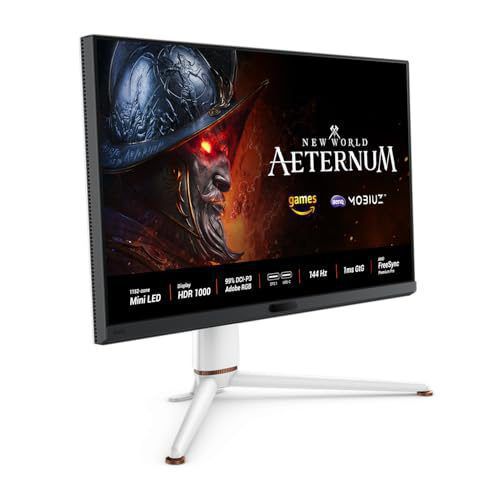
| BenQ MOBIUZ EX321UX | 32" 4K 144Hz Mini-LED | DisplayPort 2.1 | UHBR10 / UHBR13.5 | Yes (at 144Hz) | No |
| ASUS ROG Swift PG32UCDM | 32" 4K 240Hz QD-OLED | DisplayPort 1.4a | HBR3 (32.4 Gbps) | No | Yes |
| MSI MPG 321URX | 32" 4K 240Hz QD-OLED | DisplayPort 1.4a | HBR3 (32.4 Gbps) | No | Yes |
| Gigabyte AORUS FO27Q3 | 27" 1440p 360Hz QD-OLED | DisplayPort 1.4a | HBR3 (32.4 Gbps) | No (at 360Hz) | Yes |
Beware the Marketing: Not All "DP 2.1" Monitors Are Created Equal
As monitor brands transition toward next-generation specifications, buyers must watch out for a major marketing trap.
Under VESA guidelines, a monitor manufacturer can legally label a port as DisplayPort 2.1 even if it only supports UHBR10 (40 Gbps) or UHBR13.5 (54 Gbps).
Neither UHBR10 nor UHBR13.5 possesses enough uncompressed payload bandwidth to push 4K at 240Hz with 10-bit color. If you connect a 4K 240Hz monitor equipped with a "budget" DP 2.1 port, your system will still activate DSC compression behind the scenes.
To achieve genuine, completely uncompressed 4K 240Hz 10-bit transmission without DSC, a monitor must explicitly advertise DisplayPort 2.1 UHBR20 (80 Gbps) with certified DP80 cables.
Decisive Verdict: Should You Hold Out for DP 2.1?
Buy a DisplayPort 1.4 + DSC Monitor Today If:
- Your primary use case is single-screen PC gaming: In games like Cyberpunk 2077, Black Myth: Wukong, and Call of Duty, DSC image quality is indistinguishable from uncompressed video, and input latency is identical.
- You run Borderless Windowed mode: If you game in Borderless Windowed rather than Exclusive Fullscreen, the Alt-Tab black screen issue never triggers because the desktop compositor remains active.
- You want maximum value: Flagship DP 1.4 displays like the ASUS ROG Swift PG32UCDM and MSI MPG 321URX deliver some of the best QD-OLED performance on the market without paying a heavy early-adopter premium.
Prioritize DisplayPort 2.1 (UHBR20) If:
- You operate an elaborate multi-monitor or simulation rig: If you run 3 or 4 monitors alongside VR headsets or capture rigs, eliminating dual-head DSC consumption prevents multi-monitor blackouts.
- You rely on NVIDIA DLDSR for visual enhancement: If downsampling is a cornerstone of your gaming routine, avoiding DSC is mandatory.
- You demand instantaneous Alt-Tab responsiveness in competitive esports: Eliminating scaler link renegotiation gives you instant window switching.
About the Author

Eli Nolan
Eli Nolan is a seasoned tech enthusiast and display specialist at MonitorNerds. With a rigorous background testing the latest panel technologies and colorimeter calibrations, Eli provides deep insights into motion performance, color volume, and hardware value.