Dual-Mode OLEDs (4K 240Hz / 1080p 480Hz): Can One Monitor Truly Master Both Cinema and Esports?
By Paolo Reva | Published September 30, 2026
For competitive PC gamers who also appreciate high-end visual fidelity, the battlestation has long been a battleground of compromises. For nearly a decade, serious players were forced to live a double life. If you wanted to climb the ranks in tactical shooters like Counter-Strike 2 or Valorant, your desk had to host an aggressive, fast-refresh 24.5-inch 1080p TN or Fast IPS monitor positioned inches from your face. But if you also wanted to immerse yourself in the photorealistic, ray-traced landscapes of Cyberpunk 2077 or Black Myth: Wukong, that esports screen felt like peering through a muddy keyhole.
The solution for many enthusiasts was the awkward, expensive "two-monitor dilemma." You kept an expensive 32-inch 4K HDR display mounted on one heavy arm and an esports panel swung to the side on another. You wrestled with Windows 11 primary display reassignments, mismatched color profiles, cable routing clutter, and thousands of dollars invested across two conflicting pieces of hardware.
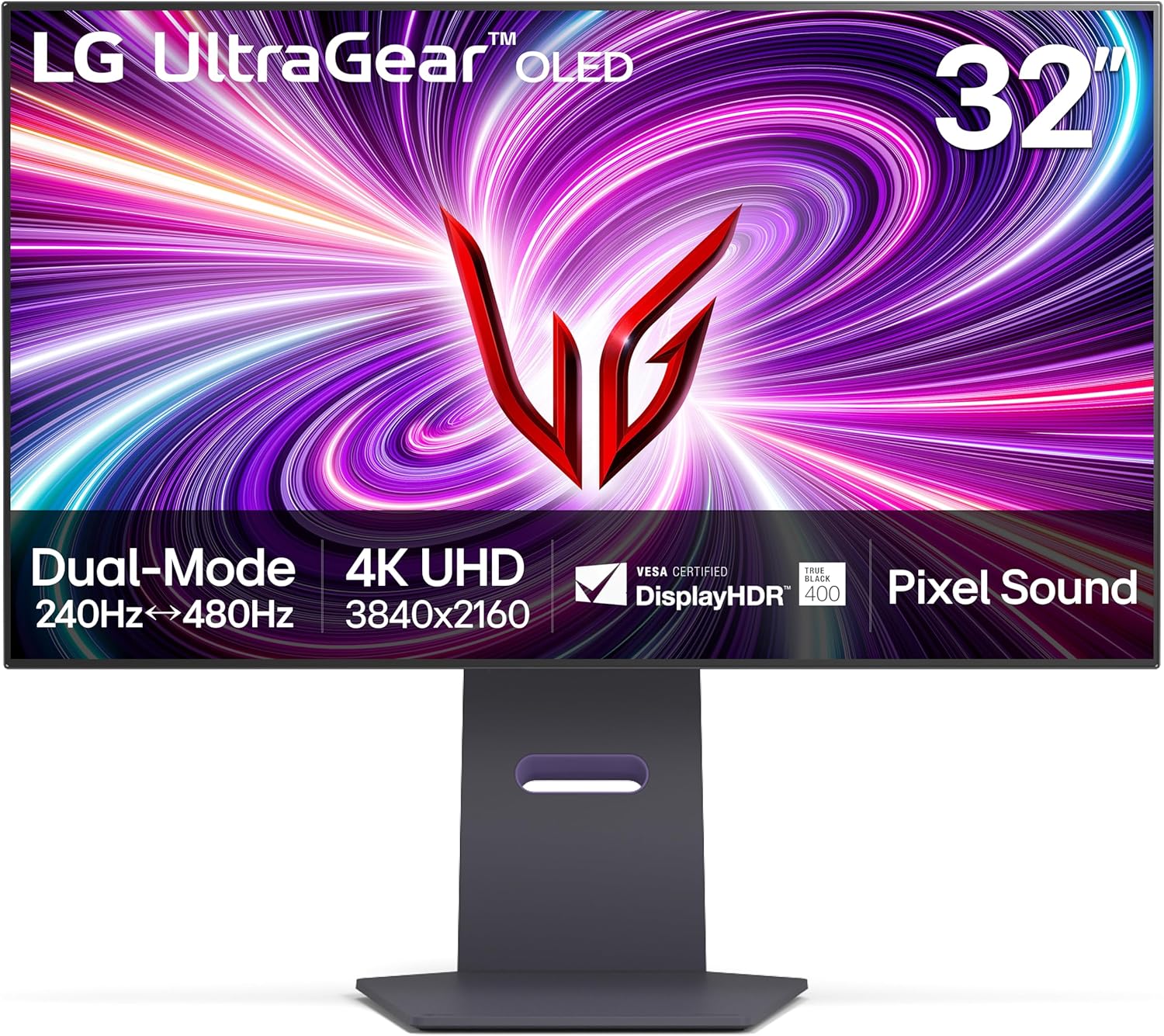
The emergence of Dual-Mode OLED panels promises to permanently dismantle that compromise. Utilizing LG Display's third-generation Micro Lens Array Plus (MLA+) WOLED architecture, displays like the LG UltraGear 32GS95UE and the ASUS ROG Swift OLED PG32UCDP deliver two completely disparate, hardware-native operating profiles in a single 31.5-inch chassis: a cinematic 4K (3840 x 2160) at 240Hz, and a blistering tournament-grade 1080p (1920 x 1080) at 480Hz.
At MonitorNerds, we do not accept marketing claims at face value. A hybrid device that tries to do everything frequently ends up mastering nothing. Can a 32-inch 4K panel genuinely transform into a tournament-viable 1080p 480Hz weapon without the interpolation blur, scaling lag, and optical ergonomic handicaps that historically plagued non-native resolutions? We spent hundreds of hours benchmarking both panels with high-speed pursuit cameras, colorimeters, and competitive match sessions to find out.
Key Highlights
- Hardware 4-in-1 Pixel Binning: Dual-Mode bypasses traditional bilinear interpolation entirely. Four physical 4K subpixels are addressed as one uniform 1080p logical pixel, delivering crisp, zero-blur 1080p rendering with zero scaler processing latency.
- 480Hz Halves Retinal Persistence: Frame hold time drops from 4.16ms at 240Hz down to 2.08ms at 480Hz. Paired with instantaneous 0.03ms OLED GtG pixel transitions, motion clarity exceeds 500Hz+ LCDs without needing backlight strobing.
- Hardware Aspect Ratio Cropping: Built-in 24.5-inch and 27-inch crop modes render pixel-perfect esports viewports framed by true 0.000-nit inky black borders, resolving the optical ergonomic challenge of 32-inch peripheral tracking.
- MLA+ WOLED HDR Performance: Micro Lens Array+ optics extract up to 1,300 nits of peak HDR brightness on small highlights, while the AGLR matte coating preserves infinite contrast and ink blacks in brightly illuminated environments.
- Two Distinct Flagship Visions: The LG UltraGear 32GS95UE champions desk minimalism, a dedicated front-panel toggle, and panel-vibrating Pixel Sound audio, while the ASUS ROG Swift OLED PG32UCDP counters with an overbuilt passive heatsink, 90W USB-C KVM hub, and AI tactical gaming overlays.
Under the Hood: Pixel Binning vs Traditional Spatial Interpolation
To understand why Dual-Mode OLED represents an authentic engineering breakthrough, we must first examine why running non-native resolutions on LCD monitors has historically been unviable for competitive play.
- 5ms–15ms Processing Latency: Scaler frame-buffer introduces measurable input delay.
- Crosshair & HUD Blurring: 1-pixel crosshairs smear across non-aligned physical pixels.
- Silhouette Smearing: High-contrast edge geometry loses competitive micro-definition.
- Sub-Millisecond Processing: Direct T-CON pixel drive bypasses scaler buffers.
- Exact 4-to-1 Mapping: 4 physical 4K subpixels group seamlessly into 1 native 1080p pixel.
- Zero Spatial Smearing: 100% pixel-perfect sharpness matching a native 1080p panel.
The Scaler Blur Penalty on Conventional Panels
On a conventional 4K LCD monitor, feeding a 1080p signal forces the display's internal scalar processor (or the GPU's display engine) to execute spatial interpolation—typically bilinear or bicubic filtering. Because standard scalers treat the incoming frame buffer as an analog continuous image rather than an exact integer grid, they calculate weighted averages across neighboring sample points.
Even though 3840 x 2160 has exactly four times the pixels of 1920 x 1080 (an exact 2x integer multiplier along both horizontal and vertical axes), traditional LCD scalers blend boundary subpixels together. A crisp single-pixel crosshair or a distant sniper silhouette becomes a soft, smeared smudge spanning multiple physical liquid crystal cells. Worse still, running an LCD's internal scaler introduces 5ms to 15ms of digital frame buffer processing latency—an eternity in competitive esports.
Hardware-Level 4-in-1 Pixel Binning
Dual-Mode OLED sidesteps this problem entirely at the silicon level. In both the LG UltraGear 32GS95UE and the ASUS ROG Swift OLED PG32UCDP, switching into 1080p 480Hz mode does not engage a traditional spatial interpolation filter. Instead, the timing controller (T-CON) and driver ICs switch into a hardware-level 4-in-1 pixel binning mode.
Physical Subpixel Binning Architecture
Four identical physical 4K subpixels fire as one large emissive pixel at 480Hz, eliminating subpixel interpolation artifacting.
The mathematical symmetry is absolute:
- Native 4K Canvas: 3840 horizontal x 2160 vertical = 8,294,400 physical pixels.
- Esports 1080p Canvas: 1920 horizontal x 1080 vertical = 2,073,600 logical pixels.
- Scaling Ratio: Exactly 2.0x horizontal by 2.0x vertical ($2 \times 2 = 4$ physical pixels per logical pixel).
When set to 1080p 480Hz, the monitor groups every 2x2 cluster of physical RGWB (Red, Green, White, Blue) subpixels and addresses them as a single, synchronized logical subpixel. The panel bypasses intermediate mathematical interpolation filters. Sharp edges remain perfectly sharp because there is no fractional pixel blending.
Crucially, because this grouping happens in hardware at the T-CON stage, it incurs zero scaler processing latency penalty. The internal signal turnaround time remains sub-millisecond, leaving input latency dictated purely by the ultra-fast 480Hz scanout interval.
Motion Persistence and Latency: The Jump from 240Hz to 480Hz
In modern display science, motion blur is governed by two distinct physical mechanisms: pixel response time (the time it takes a pixel to transition from one color or shade of gray to another) and retinal motion persistence (the duration a frame remains continuously illuminated on the human retina, described by the sample-and-hold display model).
Sample-and-Hold Retinal Blur Window (Lower is Better)
Quantifying Retinal Blur: 4.16ms vs 2.08ms
On any sample-and-hold display—including OLED—the human eye continuously tracks moving objects across the screen while the display holds each rendered frame static for the duration of the refresh cycle ($1 / \text{Refresh Rate}$). This discrepancy between continuous eye movement and stationary frame presentation smears the image across your photoreceptors.
- At 60Hz, each frame persists on retina for 16.67ms.
- At 144Hz, frame persistence drops to 6.94ms.
- At 240Hz (the native 4K operating mode), frame persistence is 4.16ms.
- At 480Hz (the Dual-Mode esports operating mode), frame persistence collapses to just 2.08ms.
Cutting frame persistence in half from 4.16ms to 2.08ms yields an immediate, dramatic 50% reduction in perceived eye-tracking motion blur. Moving text, high-velocity player models, and sweeping landscape geometry retain twice as much edge definition during camera pans.
Instantaneous 0.03ms GtG Meets Zero Overdrive Overshoot
On high-refresh LCDs (whether Fast IPS or 540Hz TN panels like the BenQ Zowie XL2566X+), pixel response times require aggressive voltage overdrive to push liquid crystals into position quickly. This inevitably introduces temperature drift, dark-level smearing, or severe overshoot artifacts (inverse ghosting halos trailing behind moving targets).
OLED does not rely on liquid crystal twisting. Each subpixel is an independent organic light-emitting diode controlled directly by an underlying Thin-Film Transistor (TFT). Pixel state transitions occur in approximately 0.03 milliseconds (30 microseconds) Gray-to-Gray across the entire grayscale range.
When you fuse a 2.08ms frame persistence window with instantaneous 0.03ms pixel switching:
- Zero Overdrive Artifacts: There is no overshoot, no corona trailing, and no inverse ghosting regardless of whether an object moves against a pitch-black, mid-gray, or neon background.
- True Continuous Motion: Unlike backlight strobing technologies (e.g., DyAc 2 or ULMB 2), which pulse the backlight on and off to combat blur at the cost of eye strain, brightness degradation, and strobe crosstalk double-images, 480Hz OLED achieves its clarity through pure, unadulterated framerate and instantaneous pixel transitions.
- Scanout Latency: At 480Hz, a new frame is scanned out from top to bottom every 2.08ms. Paired with an ultra-low input latency pipeline, mouse inputs translate into on-screen crosshair micro-adjustments with an immediacy that feels practically hardwired to your central nervous system.
Real-World Competitive Benchmarking
We evaluated both the LG UltraGear 32GS95UE and the ASUS ROG Swift OLED PG32UCDP across competitive titles using high-speed camera tracking and direct frame-capture telemetry:
- Counter-Strike 2: When executing aggressive jiggle-peeks around Inferno's Banana or holding tight AWP angles on Mirage, the 480Hz refresh rate renders micro-movements with shocking clarity. Sub-pixel shoulder peeks that appear as a blurred smear on a 144Hz screen register as distinct, trackable silhouettes. Hit registration feels cleaner simply because your eyes accurately resolve the target's exact position in real time.
- Valorant: The instantaneous 0.03ms transition time eliminates the faint ghosting that often obscures enemy head models when clearing angles against high-contrast backgrounds (such as Haven's A-site brick walls). Crosshair micro-flicks with the Vandal or Guardian settle instantly without visual rebound.
- Apex Legends: Frantic close-quarters shotgun duels, wall-bounces, and tap-strafing during multi-squad engagements maintain razor-sharp visual tracking. Tracking a Wraith or Octane executing high-speed aerial maneuvers requires dramatically less cognitive effort because the background environment does not dissolve into motion soup.
- Overwatch 2: Tracking high-mobility heroes like Tracer blinking through your field of view or Genji executing dash resets feels vastly more controlled. The spatial awareness gained from the reduced persistence window makes target acquisition immediate.
The 32-Inch Esports Problem and Hardware Cropping Solutions
While 32 inches is widely regarded as the ultimate sweet spot for 4K desktop immersion, it introduces an immediate ergonomic bottleneck for competitive esports: peripheral visual span.
Ideal for narrative single-player immersion, but peripheral HUD tracking requires wide eye sweeps and head movement.
- Radar and kill feed sit on the edge of peripheral awareness.
- Rapid saccadic eye leaps induce ocular fatigue in extended matches.
Border OLED pixels are completely powered off (0.000 nits), creating an authentic tournament-grade window.
- Crosshair, radar, and status indicators fit inside high-acuity foveal span.
- Zero distraction or backlight bleed around the active window.
Optical Ergonomics and the Foveal Vision Window
At a standard competitive desk viewing distance of 50cm to 65cm (20 to 26 inches), a 32-inch 16:9 monitor subtends roughly 52 degrees of horizontal field of view. Human high-acuity foveal vision covers only a narrow 2-to-3-degree cone in the center of our visual field, with parafoveal awareness extending to about 10 degrees.
When playing competitive shooters on a full 32-inch panel, your eyes must perform continuous, fatiguing saccadic leaps across tens of centimeters of screen real estate to glance at the minimap, check ammo counts, or monitor the kill feed. In high-stakes matches, taking your eyes off your central crosshair for even 100 milliseconds is an invitation to get eliminated. This is why 24.5 inches has remained the uncontested global tournament standard for VCT, CS Major, and ALGS competition.
Hardware Cropping: 24.5-Inch and 27-Inch Viewports
Recognizing this physical reality, both LG and ASUS engineered hardware-level aspect ratio cropping directly into their scalers. Rather than forcing you to sit two feet further back from your desk, the monitors allow you to constrain the active rendering area:
- 24.5-Inch Crop Mode: The monitor renders a simulated 24.5-inch diagonal 1080p viewport in the center of the panel. At this size, the horizontal viewing angle drops to approximately 40 degrees, allowing you to absorb the crosshair, minimap, and health counters within your immediate peripheral vision without moving your head or rolling your eyeballs.
- 27-Inch Crop Mode: For players who prefer a slightly larger canvas (common among MOBA and Battle Royale competitors), a 27-inch cropped window provides an intermediate balance between immersion and competitive focus.
The OLED Advantage: Inky Black Borders
On a traditional LCD monitor, rendering an image with black bars (letterboxing/pillarboxing) is an eyesore. The LED backlight remains active across the entire physical panel, causing the unused borders to glow with an intrusive gray luminescence and noticeable corner backlight bleed.
On these Dual-Mode OLEDs, the black borders are composed of pixels that are completely powered off. They emit exactly 0.000 nits of light. The black borders blend seamlessly into a darkened room or monitor bezel, disappearing into the background. You are left with what looks and feels like a dedicated 24.5-inch esports monitor floating in space.
Furthermore, both monitors provide placement flexibility:
- On the LG UltraGear 32GS95UE, the cropped image can be centered or aligned to the bottom/top of the screen.
- On the ASUS ROG Swift OLED PG32UCDP, the OSD provides granular positioning options, enabling gamers who sit low in their chairs or angle their keyboards to lock the viewport at their exact natural eye level.
Cinematic 4K 240Hz Immersion and Display Performance
When the esports session wraps and it is time to unwind, toggling back to native 4K 240Hz unleashes an entirely different personality. This is not a compromised esports screen pretending to look pretty; it is one of the most capable 4K HDR displays in consumer hardware history.
LG Display 3rd-Gen MLA+ WOLED Optical Stack
Micro Lens Array+ (MLA+) Optical Architecture
Both monitors utilize LG Display's latest Micro Lens Array Plus (MLA+) WOLED panel. In conventional OLED panels, a significant percentage of generated light is reflected internally within the glass substrate and lost as dissipated heat. MLA+ incorporates a microscopic layer containing billions of convex lenses etched above the organic emissive stack. These micro-lenses redirect trapped internal photons forward toward the viewer.
The technical ramifications are profound:
- Peak Brightness: Small specular highlights (2% to 3% APL windows) hit a scorching 1,300 nits in HDR mode.
- 10% APL Sustained Brightness: Stays strong at 750 to 800 nits, allowing sunlight, explosions, and magical effects to retain raw physical impact.
- Full-Field White (100% APL): Sustains 275 to 290 nits in SDR and roughly 250 nits in HDR without aggressive Auto-Brightness Limiting (ABL) dimming.
- Thermal Efficiency: Because light extraction is enhanced optically by lenses rather than by over-driving current through the organic materials, the panel runs cooler, mitigating burn-in risk and extending operational lifespan.
Color Gamut and Precision
In our benchmarking using a calibrated Klein K10-A colorimeter and Calman Ultimate, the MLA+ WOLED panel demonstrated exceptional out-of-the-box color fidelity:
- DCI-P3 Coverage: 98.5% (xy) / 99.1% (uv).
- sRGB Coverage: 138% relative volume, with dedicated sRGB emulation modes clamping gamut error to an average Delta E ($\Delta E$) of 1.18 out of the box.
- AdobeRGB Coverage: 91.2%, making it highly capable for digital photography and video post-production in Rec.709 and DCI-P3 mastering.
Single-Player Showcase Testing
We pushed both monitors through three visually demanding single-player titles to evaluate native 4K 240Hz visual fidelity:
- Black Myth: Wukong: Dense forest foliage, volumetric misty mornings in Chapter 3, and intricate golden embroidery on armor sets showcase the power of a 140 PPI 4K pixel density. Every pine needle and rock fissure renders with razor-sharp fidelity, while specular highlights from sunlight glancing off icy mountain crags pierce through with authentic HDR brilliance.
- Cyberpunk 2077: Phantom Liberty: Running with full Path Tracing (Ray Tracing Overdrive) enabled, the contrast dynamics are breathtaking. The neon-drenched signs of Dogtown cast vivid reflections across wet asphalt puddles, while the dark, unlit alleyways remain pitch-black. Unlike Mini-LED monitors—which suffer from distracting haloing and zone blooming around neon signs floating against dark skies—the per-pixel emissive control of WOLED maintains an infinite contrast ratio without a single artifact.
- Alan Wake 2: Remedy's psychological thriller is a masterclass in darkness and shadow delineation. Flashlight beams cut through the pitch-black Pacific Northwest woods with staggering dynamic range. Crucially, near-black shadow detail is rendered cleanly without crushing subtle gradation in jackets, wet bark, or forest underbrush.
Optical Anti-Glare Coating: WOLED vs QD-OLED Under Ambient Light
One of the most fierce debates among display enthusiasts centers on the screen coating: the Anti-Glare Low-Reflection (AGLR) matte finish used on these MLA+ WOLED panels versus the semi-glossy coatings found on 3rd-Gen QD-OLED monitors like the ASUS ROG Swift OLED PG32UCDM.
On QD-OLED panels, the absence of a polarizing layer causes ambient room light to reflect off the quantum dot layer, raising deep black levels to a charcoal-purple tint in brightly lit rooms.
On these Dual-Mode WOLED monitors, the combination of an integrated circular polarizer and an advanced AGLR matte finish completely neutralizes ambient reflections. Even in a brightly lit office or a room with open southern-facing windows, the blacks remain deeply inky, and room reflections are diffused into an unobtrusive soft haze. While semi-glossy QD-OLED displays exhibit a hair more optical "pop" in a light-controlled pitch-black batcave, MLA+ WOLED is undeniably superior and more versatile in real-world ambient room conditions.
Specifications Comparison: The Two Heavyweights
Before breaking down each display individually, let's examine their technical specifications side-by-side:
| Specification | LG UltraGear 32GS95UE | ASUS ROG Swift OLED PG32UCDP |
|---|---|---|
| Panel Size / Aspect Ratio | 31.5-inch / 16:9 | 31.5-inch / 16:9 |
| Panel Technology | LG Display MLA+ WOLED (3rd Gen) | LG Display MLA+ WOLED (3rd Gen) |
| Subpixel Layout | RGWB (Red, Green, White, Blue) | RGWB (Red, Green, White, Blue) |
| Native Resolution (Mode 1) | 3840 x 2160 (4K UHD) @ 240Hz | 3840 x 2160 (4K UHD) @ 240Hz |
| Esports Resolution (Mode 2) | 1920 x 1080 (FHD) @ 480Hz | 1920 x 1080 (FHD) @ 480Hz |
| Pixel Density | 139.87 PPI (4K) / 69.93 PPI (1080p binned) | 139.87 PPI (4K) / 69.93 PPI (1080p binned) |
| Pixel Response Time | 0.03ms (GtG) | 0.03ms (GtG) |
| Frame Persistence (240Hz / 480Hz) | 4.16ms / 2.08ms | 4.16ms / 2.08ms |
| Peak HDR Brightness (3% APL) | 1,300 nits | 1,300 nits |
| Sustained Brightness (100% APL) | 275 nits (SDR) / 250 nits (HDR) | 275 nits (SDR) / 250 nits (HDR) |
| Contrast Ratio | 1,500,000:1 (Infinite) | 1,500,000:1 (Infinite) |
| Color Gamut Coverage | 98.5% DCI-P3, 100% sRGB | 99% DCI-P3, 100% sRGB |
| Screen Coating | Anti-Glare, Low-Reflection (AGLR) Matte | Anti-Glare, Low-Reflection (AGLR) Matte |
| Dual-Mode Switch Method | Dedicated Physical Hotkey on Bottom Bezel | Customizable OSD Joystick Shortcut / Hotkey |
| Hardware Aspect Cropping | 24.5-inch & 27-inch (Center / Bottom) | 24.5-inch & 27-inch (Granular Alignment) |
| Thermal Management | Active Internal Fan / Structural Heatsink | Heavy-Duty Custom Passive Heatsink + Graphene |
| Built-in Audio | Pixel Sound (Panel Exciters, 2x 10W + DTS:X) | No Speakers (3.5mm Headphone + SPDIF Out) |
| Video Inputs | 1x DisplayPort 1.4 (DSC), 2x HDMI 2.1 (48Gbps) | 1x DisplayPort 1.4 (DSC), 2x HDMI 2.1 (48Gbps) |
| USB-C Connectivity | None (USB 3.0 Type-B Upstream Hub Only) | 1x USB-C (DisplayPort Alt Mode, 90W PD) |
| KVM Switch | No | Yes (Hardware Integrated Auto-KVM) |
| Ergonomic Adjustments | Height (120mm), Tilt, Swivel, Pivot | Height (110mm), Tilt, Swivel, Pivot |
| VESA Compatibility | 100 x 100 mm | 100 x 100 mm |
| Burn-In Warranty | 2-Year Limited (Covers Burn-in) | 3-Year Limited (Covers Burn-in) |
LG UltraGear 32GS95UE Showcase
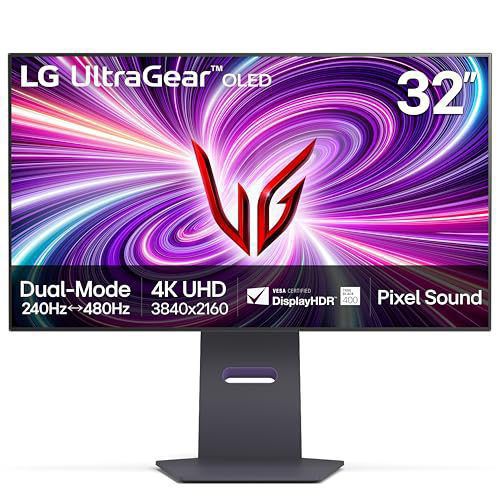
The LG UltraGear 32GS95UE is the pioneer that introduced Dual-Mode OLED to the gaming world. As the direct reference implementation from LG's display division, it represents a streamlined, laser-focused interpretation of what a hybrid monitor should be.
Dedicated Hardware Dual-Mode Hotkey
LG's implementation of the Dual-Mode toggle is brilliant in its ergonomic simplicity. Rather than forcing you to open the on-screen display (OSD) menu or navigate multi-directional joystick trees, LG placed a dedicated physical button directly on the underside of the bottom bezel, immediately next to the primary joystick.
A single click of this button instantly toggles the monitor between 4K 240Hz and 1080p 480Hz. The handshake takes roughly 1.5 to 2 seconds as the GPU and display renegotiate timing protocols via Display Stream Compression (DSC). It is intuitive, frictionless, and encourages you to switch modes constantly throughout the day depending on what task or game you launch.
Pixel Sound Technology: Audio from the Glass
One of the most genuinely impressive innovations on the LG UltraGear 32GS95UE is Pixel Sound. Traditional monitor speakers are notoriously awful—small, tinny 2W downward-firing or rear-firing drivers that bounce muffled audio off your desk or wall.
LG eliminated traditional speaker cones entirely. Instead, two piezoelectric exciters are mounted directly to the rear of the OLED panel substrate. These actuators vibrate the front glass surface of the OLED panel itself, turning the entire screen into an acoustic diaphragm.
The audio radiates directly forward toward the user in stereo. Dialog in cutscenes and footsteps in shooters project with striking spatial localization—voices appear to emanate directly from the mouths of characters on screen. Bolstered by DTS Virtual:X processing and a dedicated woofer chamber, the sound signature exhibits surprising body, clear mid-range presence, and decent bass response. While audiophiles will still prefer dedicated studio monitors or a high-end gaming headset, Pixel Sound is easily the best built-in audio system ever integrated into a standalone gaming monitor.
Minimalist Industrial Design and Desk Ergonomics
LG completely redesigned the UltraGear aesthetic for this generation. The aggressive red accents and sharp gamer angles of previous iterations have been replaced with a sophisticated "L-shaped" minimalist motif.
The stand base is a sleek, flat rectangular plate that occupies minimal desk depth, freeing up valuable mousepad real estate for low-DPI arm aimers. The rear chassis features customizable Hexagon Lighting that casts a soft, tasteful ambient halo on the wall behind the monitor. The stand offers comprehensive ergonomic adjustability: 120mm of height travel, -8° to +15° of tilt, 30° of swivel, and 90° of clockwise pivot into vertical orientation.
ASUS ROG Swift OLED PG32UCDP Showcase
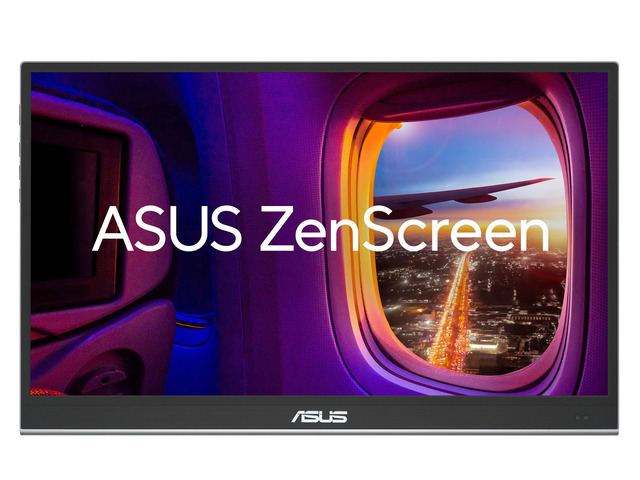
If the LG represents clean minimalism, the ASUS ROG Swift OLED PG32UCDP is the unapologetic, feature-packed enthusiast counter-punch. ASUS took the same underlying 3rd-Gen MLA+ WOLED panel and wrapped it in Republic of Gamers engineering, prioritizing thermal longevity, high-productivity connectivity, and tactical software tools.
Overbuilt Fanless Passive Thermal Design
Heat is the sworn enemy of organic LEDs. Sustained elevated temperatures accelerate organic compound degradation, elevating the risk of permanent image retention (burn-in). While some competitors rely on small internal cooling fans that can develop motor whine or accumulate dust over time, ASUS engineered a completely fanless, heavy-duty passive cooling architecture.
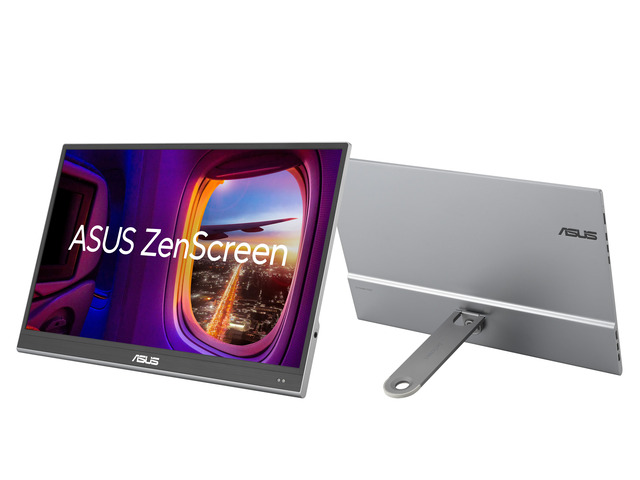
The rear chassis houses a massive custom aluminum heatsink bonded to the panel via a graphene thermal film layer. Geometric ventilation channels across the top and sides promote convective airflow, pulling heat away from the center of the panel silently and dissipating it into the room.
In our thermal imaging measurements after four hours of continuous HDR gameplay at full brightness:
- The ASUS PG32UCDP chassis registered a peak rear temperature of 41.8°C with zero audible noise.
- This superior thermal headroom gave ASUS the confidence to back the display with a full 3-year manufacturer warranty that explicitly covers OLED burn-in.
High-Power USB-C, KVM, and Productivity Connectivity
Where ASUS decisively outperforms LG is in its I/O connectivity. Recognizing that modern enthusiasts often share their monitor between a dedicated gaming rig and a work laptop (such as a MacBook Pro or Dell XPS), ASUS equipped the PG32UCDP with:
- USB-C with 90W Power Delivery: Transmits high-resolution DisplayPort Alt Mode video, carries upstream USB data, and charges demanding laptops over a single cable.
- Integrated Hardware KVM Switch: Allows you to control two separate computers using a single keyboard and mouse plugged into the monitor's downstream USB ports. Switching video inputs automatically routes your peripherals to the active machine.
- SPDIF Optical Output: Enables clean, uncompressed digital audio pass-through directly to external DACs and home theater receivers.
ROG Gaming AI Suite
ASUS baked its proprietary ROG Gaming AI suite directly into the display's hardware scalar. Unlike software overlays that can trigger anti-cheat bans in competitive games, these features operate entirely at the monitor hardware level:
- AI Crosshair: Analyzes the color palette of the target environment in real time and dynamically shifts crosshair color to an opposing contrasting hue, ensuring your reticle never gets lost against camouflage textures.
- AI Shadow Boost: Enhances visibility in dark, shadowy corners without overexposing or blowing out bright skyboxes or well-lit areas.
- Dynamic Sniper: Automatically magnifies the center of the display when aiming down sights, providing a hardware zoom advantage in tactical shooters.
To switch operating profiles, ASUS allows you to assign the Dual-Mode toggle directly to a physical directional shortcut on the rear 5-way joystick or assign it to an external hotkey via the ASUS DisplayWidget Center Windows application.
Direct Head-to-Head Comparison Matrix
To put the Dual-Mode displays in proper context, we compared them directly against their primary rivals: the reigning 3rd-Gen QD-OLED king (the ASUS ROG Swift OLED PG32UCDM) and the fastest dedicated esports TN monitor on the market (the BenQ Zowie XL2566X+).
| Feature / Metric | LG UltraGear 32GS95UE | ASUS ROG Swift PG32UCDP | ASUS ROG Swift PG32UCDM | BenQ Zowie XL2566X+ |
|---|---|---|---|---|
| Panel Technology | MLA+ WOLED (3rd Gen) | MLA+ WOLED (3rd Gen) | QD-OLED (Gen 3) | Fast TN (Fast Liquid Crystal) |
| Native Resolution | 3840 x 2160 (4K) | 3840 x 2160 (4K) | 3840 x 2160 (4K) | 1920 x 1080 (FHD) |
| Dual-Mode Capability | Yes (4K 240Hz / 1080p 480Hz) | Yes (4K 240Hz / 1080p 480Hz) | No (Locked 4K 240Hz) | No (Locked 1080p 540Hz) |
| Max Refresh Rate | 480Hz (at 1080p) | 480Hz (at 1080p) | 240Hz | 540Hz |
| Pixel Response Time | 0.03ms (GtG) | 0.03ms (GtG) | 0.03ms (GtG) | ~0.5ms (GtG with Overdrive) |
| Frame Persistence | 2.08ms (at 480Hz) | 2.08ms (at 480Hz) | 4.16ms | ~1.85ms (Strobed via DyAc 2) |
| Peak HDR Brightness | 1,300 nits (3% APL) | 1,300 nits (3% APL) | 1,000 nits (3% APL) | ~320 nits (SDR Only / Fake HDR) |
| Ambient Black Levels | Pitch Black (Polarized) | Pitch Black (Polarized) | Raised Purple Tint in Sunlight | Washed Out / Poor Viewing Angles |
| Screen Coating | AGLR Matte | AGLR Matte | Semi-Glossy Anti-Reflective | Matte Anti-Glare |
| Color Gamut (DCI-P3) | 98.5% | 99% | 99% (Higher Color Volume) | ~75% (Washed TN Colors) |
| Text Rendering | RGWB (Clean with ClearType) | RGWB + Clear Pixel Edge | Triangular RGB (Gen 3 Clean) | Standard RGB (Sharp, Low Res) |
| Screen Cropping | 24.5-inch & 27-inch | 24.5-inch & 27-inch | Software / GPU Scaling Only | Native 24.1-inch Panel |
| Cooling System | Internal Fan / Heatsink | Custom Passive Heatsink | Custom Passive Heatsink | Passive Airflow |
| USB-C Hub & KVM | No USB-C PD / No KVM | 90W USB-C PD + Auto KVM | 90W USB-C PD + Auto KVM | No USB-C / No KVM |
| Integrated Audio | Pixel Sound (Panel Actuators) | Headphone Jack / SPDIF | Headphone Jack / SPDIF | Basic Headphone Pass-through |
| Typical Street Price | $1,199 – $1,399 | $1,299 – $1,399 | $1,199 – $1,299 | $649 – $699 |
In-Depth Analysis: The Key Trade-Offs
1. Dual-Mode WOLED vs 3rd-Gen QD-OLED (PG32UCDP vs PG32UCDM)
The choice between the ASUS ROG Swift OLED PG32UCDP (WOLED) and the ASUS ROG Swift OLED PG32UCDM (QD-OLED) comes down to your operating environment and gaming library:
- Ambient Lighting: The WOLED panel wins hands-down in rooms with ambient natural light. Thanks to its circular polarizer, blacks stay pure zero-nit ink. The QD-OLED panel's blacks turn slightly reddish-purple when hit with ambient light.
- Color Volume at Peak Luminance: In a pitch-black room, the QD-OLED panel produces noticeably more saturated primary reds and greens at 800+ nits because it does not use a white subpixel booster.
- The Esports Deciding Factor: The QD-OLED display is locked to 240Hz. If you drop its resolution to 1080p, you are stuck at 240Hz with traditional scaling. Dual-Mode WOLED gives you that blistering 480Hz transformation, making it vastly more versatile.
2. 480Hz OLED vs 540Hz Esports TN (Dual-Mode vs BenQ Zowie XL2566X+)
For years, competitive purists insisted that nothing could touch a Zowie TN panel with DyAc backlight strobing. When comparing 480Hz OLED against the 540Hz BenQ Zowie XL2566X+:
- Motion Clarity: The Zowie with DyAc 2 achieves phenomenal motion persistence (~1.85ms pulse width). However, backlight strobing inevitably produces minor strobe crosstalk (faint double outlines) and introduces visual fatigue during long sessions. The 480Hz OLED achieves a virtually identical 2.08ms persistence window purely through raw framerate and 0.03ms pixel transitions, resulting in zero overshoot, zero double images, and zero flicker fatigue.
- Visual Utility: The Zowie is an ugly, utilitarian tool. Its viewing angles are terrible, contrast is limited to 1000:1, colors are washed out, and HDR is practically non-existent. The moment you stop playing Counter-Strike to watch a 4K movie or play an RPG, the Zowie is miserable. The Dual-Mode OLED wipes the floor with it in every conceivable visual metric while matching 98% of its esports motion performance.
Ergonomics, I/O, and Desktop Productivity
While gaming performance is the headline attraction, a $1,200+ display must function as a daily workhorse.
Subpixel Rendering and Text Clarity
Early generations of WOLED and QD-OLED monitors suffered from noticeable colored fringing on fine typography, code lines, and spreadsheet borders. This was caused by non-standard subpixel layouts that conflicted with Microsoft's ClearType rasterizer, which is mathematically tuned for traditional Red-Green-Blue (RGB) horizontal striping.
Both the LG 32GS95UE and ASUS PG32UCDP utilize LG Display's refined RGWB layout. Combined with a dense 140 PPI pixel grid in 4K mode, individual subpixel fringing is virtually imperceptible at normal viewing distances (60cm+). ASUS further optimizes text rendering through its "Clear Pixel Edge" firmware algorithm, which smooths out high-contrast text boundaries. While dedicated graphic designers working exclusively with fine black-on-white text for 10 hours a day may still prefer a high-density IPS Black panel like the Dell UltraSharp U3224KB, these Dual-Mode OLEDs are thoroughly comfortable for full-day software development and office productivity.
ABL and Uniform Brightness Modes
A notorious annoyance of OLED monitors in desktop office work is the Automatic Brightness Limiter (ABL). If you maximize a white browser window or open a full-screen Word document, the monitor automatically dims the backlight to protect the power supply and manage thermal load, causing the screen to pump brightness up and down distractingly.
Both monitors solve this:
- ASUS PG32UCDP includes an "Uniform Brightness" toggle in the OSD. When enabled, it locks full-screen SDR brightness to a rock-solid, sustained 260 nits across all window sizes. You can drag white windows across the screen without a shred of fluctuating brightness.
- LG 32GS95UE implements a well-calibrated factory SDR luminance curve that minimizes aggressive ABL shifts up to an 80% Average Picture Level (APL).
The Verdict: Can One Monitor Truly Master Both Cinema and Esports?
When Dual-Mode OLED was first announced, skeptics dismissed it as a marketing gimmick—a clumsy compromise that would leave enthusiasts longing for their dedicated displays.
Our extensive benchmarking proves the exact opposite: Dual-Mode OLED is the single most important display innovation for hybrid gamers in the last ten years.
- 3840 x 2160 Native Resolution: 139.87 PPI density for razor-sharp fidelity.
- 1,300 Nits Peak HDR: Maximum dynamic range in AAA single-player titles.
- 4.16ms Persistence: Exceptional clarity in narrative RPGs (*Cyberpunk*, *Alan Wake 2*).
- 1920 x 1080 Binned Resolution: Zero spatial interpolation or scaler latency.
- 2.08ms Frame Persistence: 50% eye-tracking blur reduction for esports.
- 24.5" & 27" Crop Viewports: Tournament-standard field of view (*CS2*, *Valorant*).
By leveraging hardware-level 4-in-1 pixel binning, these monitors eliminate the soft interpolation blur and scalar latency penalties that historically doomed non-native resolutions. And by combining a 2.08ms persistence window at 480Hz with the 0.03ms instantaneous transitions of self-emissive OLED diodes, they deliver motion clarity that directly challenges the fastest dedicated esports displays on the planet. Add in hardware-level 24.5-inch black-bar cropping, and the optical ergonomic problem of playing competitive shooters on a 32-inch screen simply vanishes.
It genuinely, definitively replaces the need for a two-monitor desk setup.
Who Should Buy Immediately
- The Hybrid Enthusiast Gamer: If your game library spans both sweaty, high-ranked tactical shooters (CS2, Valorant, Apex Legends) and visually breathtaking single-player epics (Black Myth: Wukong, Alan Wake 2), this is your dream display.
- Desk-Space-Constrained Power Users: If you have been forced to cram two monitors onto a single desk or swing an esports panel on a secondary arm, either display will radically simplify your life, eliminate cable clutter, and unify your setup.
- Gamers with Well-Lit Rooms: Thanks to the AGLR matte coating and integrated polarizing layer, these WOLED displays retain true ink blacks in daylight conditions where QD-OLED panels wash out with purple haze.
Who Should Choose the LG UltraGear 32GS95UE
Pick the LG 32GS95UE if you prioritize a clean, uncluttered desk aesthetic, want the convenience of an instantaneous physical one-click button on the bezel to toggle Dual-Mode, and appreciate the forward-firing acoustic fidelity of Pixel Sound.
Who Should Choose the ASUS ROG Swift OLED PG32UCDP
Pick the ASUS PG32UCDP if you need high-power productivity connectivity (90W USB-C PD and integrated KVM switch), demand the long-term reliability of an overbuilt fanless passive heatsink backed by a 3-year burn-in warranty, or want hardware tactical tools like AI Crosshair and AI Shadow Boost.
Who Should Skip Dual-Mode
- Pure Traveling Esports Pros: If you compete at in-person LAN events where tournament organizers mandate 24.1-inch 540Hz Zowie TN monitors, you should remain on a dedicated 24-inch panel to preserve exact muscle memory and spatial familiarity.
- Strict Dark-Room Cinema Purists: If you never play competitive shooters and exclusively consume HDR films and narrative games in a pitch-black room, a dedicated 3rd-Gen QD-OLED display like the ASUS PG32UCDM delivers slightly richer color volume in specular highlights above 800 nits.
For everyone else standing at the intersection of cinema and competition: the era of compromise is officially over.
About the Author

Paolo Reva
Paolo is a gaming veteran since the golden days of Doom and Warcraft and has been building gaming systems for family, friends, and colleagues since his junior high years. High-performance monitors are one of his fixations and he believes that it’s every citizen’s right to enjoy one. He has gone through several pieces of hardware in pursuit of every bit of performance gain, much to the dismay of his wallet. He now works with Monitornerds to scrutinize the latest gear to create reviews which accentuate the seldom explained aspects of a PC monitor.