The Dual-Mode Revolution: Why You No Longer Have to Choose Between 4K and 480Hz
By Paolo Reva | Published May 14, 2026
For a decade, high-end gamers have been forced into a frustrating compromise. You could either buy a 4K monitor for breathtaking detail in cinematic titles, or a high-refresh 1080p monitor for a competitive edge in esports. You couldn't have both in one panel—until now.
Dual-mode monitors represent the most exciting tectonic shift in the display market in years. They are effectively two world-class displays occupying the same chassis.
What is a "Dual-Mode" Monitor?
In the simplest terms, a dual-mode monitor is a display that can physically switch its native operating state between two distinct combinations of resolution and refresh rate.
Unlike "overclocking" a monitor, which pushes a panel slightly beyond its rated speed, dual-mode technology changes the fundamental way the panel processes information. With the press of a button (usually located on the bottom bezel or via the OSD), the monitor toggles between:
- Immersive Mode: Native 4K (3840 x 2160) resolution at a high-end 240Hz refresh rate.
- Esports Mode: Native Full HD (1920 x 1080) resolution at an industry-leading 480Hz refresh rate.
The Problem: The "Resolution vs. Speed" Dilemma
Before dual-mode technology arrived, your setup was dictated by your favorite genre of game.
If you played Cyberpunk 2077 or Elden Ring, you wanted the pixel density of 4K. However, if you then jumped into a match of Valorant or Counter-Strike 2, a 32-inch 4K screen felt "slow" and cumbersome. Conversely, if you bought a 500Hz 1080p esports monitor, your beautiful open-world games looked blurry and pixelated.
The only way to solve this was to buy two separate monitors, which is expensive, takes up massive desk space, and creates a cable management nightmare.
How it Works: The Magic of Pixel Mapping
You might wonder: "Why can't I just run my old 4K monitor at 1080p?"
On a standard monitor, if you lower the resolution to 1080p, the image looks like a blurry mess because the monitor has to "stretch" the pixels to fit. Dual-mode monitors solve this through 4-to-1 pixel mapping. In 1080p mode, the monitor treats a 2x2 square of physical 4K pixels as a single large pixel. This ensures the 1080p image remains perfectly sharp and integer-scaled.
Because the monitor is processing fewer "logical" pixels in 1080p mode, the controller can divert all that extra bandwidth to the refresh rate, allowing it to jump from 240Hz all the way to 480Hz.
Who Should Use a Dual-Mode Monitor?
This technology isn't for everyone—it's specifically designed for the Hybrid Gamer.
- The Variety Streamer: If you switch from high-fidelity "Just Chatting" or AAA playthroughs to competitive ranked matches in the same session.
- The "One-Monitor" Minimalist: If you want the absolute best specs possible but refuse to have a cluttered dual-monitor desk.
- The Tech Enthusiast: If you want the infinite contrast of OLED and the fastest refresh rates currently available on the market.
If you are strictly a budget-conscious gamer or only play one specific genre, you might be better off with a dedicated high-refresh panel like the Koorui G2741L, which offers incredible speed without the $1,000+ price tag of dual-mode OLEDs.
The Top Two Dual-Mode Monitors in 2026
If you're ready to make the jump, there are currently two titans fighting for the crown. Both use the latest WOLED (White OLED) panels, meaning they offer 0.03ms response times and perfect blacks.
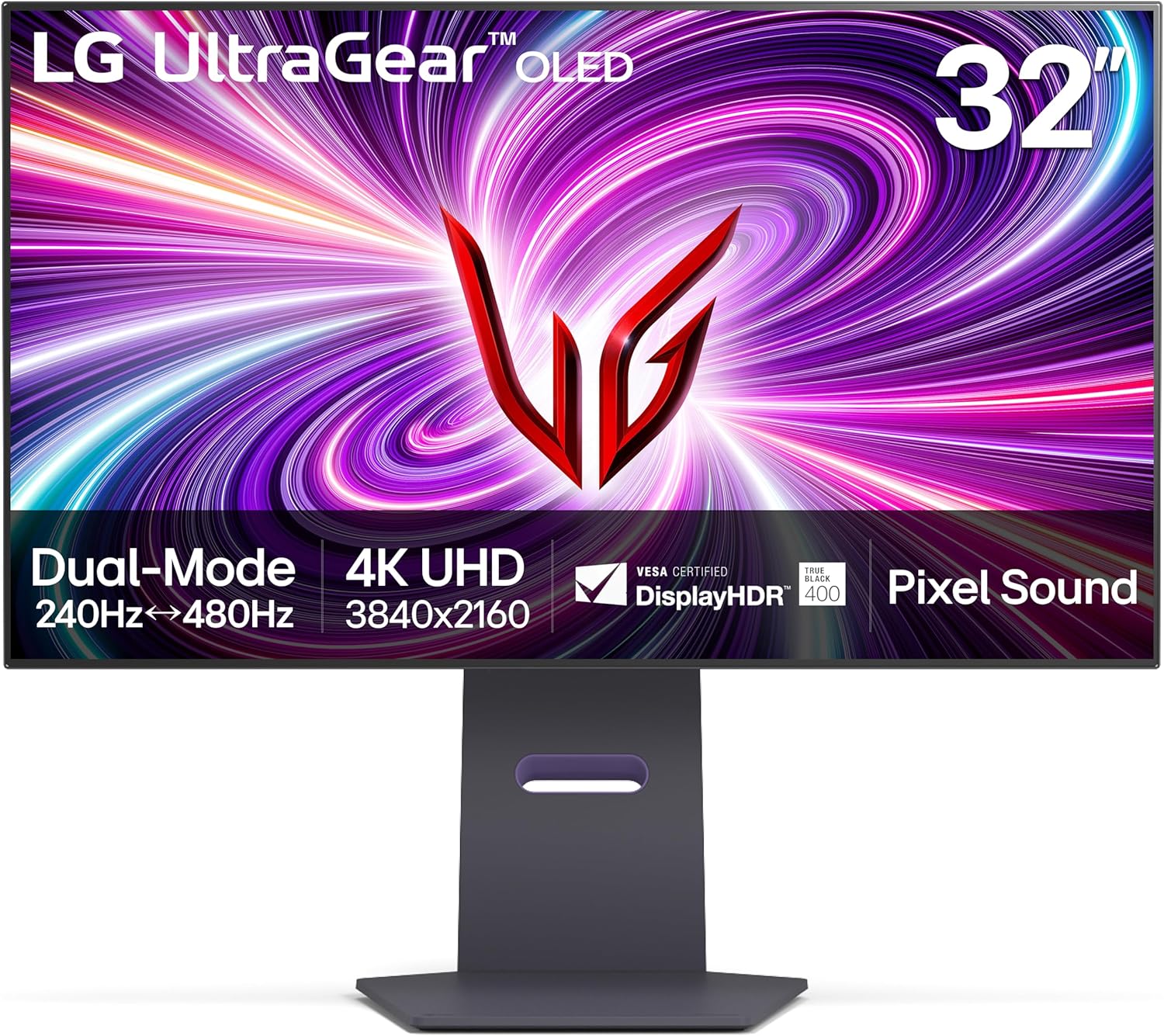
1. The Pioneer: LG 32GS95UE
The LG 32GS95UE was the first to market and remains the cleanest implementation of the tech.
- The Standout Feature: Pixel Sound. Instead of traditional speakers, the actual screen vibrates to produce audio. It sounds surprisingly full and creates a "wall of sound" that comes directly from the action on screen.
- Design: A very clean, matte-finish aesthetic that focuses entirely on the slim bezels.
- Best For: Pure gamers who want the most immersive audio-visual experience possible.
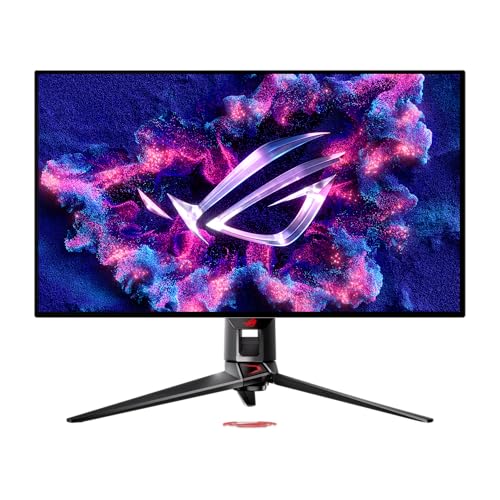
2. The Power-User Pick: ASUS ROG Swift OLED PG32UCDP
Asus took the same base panel found in the LG and added every "quality of life" feature imaginable for the professional gamer.
- The Standout Feature: 90W USB-C and KVM. If you work on a MacBook or laptop during the day, you can plug it in via one cable for power and video. The KVM switch lets you use your gaming mouse and keyboard for your work laptop automatically.
- Cooling: Includes a massive custom heatsink to pull heat away from the OLED panel, which helps prevent "burn-in" over years of use.
- Best For: Users whose desk is their office by day and their battle station by night.
Final Thoughts
Dual-mode technology is more than just a gimmick; it is the final evolution of the "Do-It-All" monitor. While the entry price is currently high, the ability to flip a switch and go from a cinematic 4K masterpiece to a 480Hz esports powerhouse is a luxury that's hard to give up once you’ve experienced it.
About the Author

Paolo Reva
Paolo is a gaming veteran since the golden days of Doom and Warcraft and has been building gaming systems for family, friends, and colleagues since his junior high years. High-performance monitors are one of his fixations and he believes that it’s every citizen’s right to enjoy one. He has gone through several pieces of hardware in pursuit of every bit of performance gain, much to the dismay of his wallet. He now works with Monitornerds to scrutinize the latest gear to create reviews which accentuate the seldom explained aspects of a PC monitor.