High-Refresh Displays for High-Speed Trading: The Gamer-Trader Guide to Zero-Lag Charting and Multi-Screen Execution
By Eli Nolan | Published October 5, 2026
Walk into the home office of an active retail options scalper or futures day trader in 2026, and the hardware on their desk looks suspiciously like an esports command center. Custom-loop water cooling, AMD Ryzen 9 or Intel Core i9 multi-core processors, rapid-trigger Hall-effect keyboards, and an NVIDIA GeForce RTX 4080 Super or RTX 4090 powering multiple display outputs. Retail traders are running the most capable consumer compute rigs on the planet.
Yet, an astonishing number of these high-performance systems remain handcuffed to generic 60Hz corporate displays. Traders who obsess over sub-millisecond fiber internet routing, direct-market-access (DMA) broker execution, and multi-core CPU thread scheduling routinely stare at legacy 60Hz panels originally designed for Microsoft Excel spreadsheets.
In high-speed financial execution, a 60Hz display is not merely an aesthetic compromise—it is an operational liability. When the market opens at 9:30 AM EST, or when the Federal Open Market Committee (FOMC) drops an unexpected rate decision, price data does not flow smoothly; it detonates. Level 2 order books update dozens of times per second, the Time & Sales tape scrolls at hundreds of prints per minute, and micro-tick charts whip violently across the screen.
On a standard 60Hz panel, this avalanche of real-time data degenerates into a stuttering, illegible blur. By upgrading to 120Hz, 144Hz, or 240Hz high-refresh displays, active market operators unlock the exact same physiological and mechanical advantages that competitive gamers have relied on for over a decade: instantaneous visual tracking, drastic reductions in sample-and-hold motion blur, and sub-5ms mouse-to-photon responsiveness for precision bracket-order execution.
In this comprehensive hardware guide, we dissect the physics of high-refresh trading, analyze why LG Display's IPS Black technology is triumphing over OLED for dedicated market monitors, compare the tactical advantages of 40-inch 5K2K ultrawides versus modular multi-screen 4K arrays, and evaluate the top four high-refresh trading monitors available in 2026.
Quick Take: Key Highlights
- The 60Hz Bottleneck: At 60Hz, each frame persists on screen for 16.67 milliseconds. Rapidly scrolling Level 2 order books and volatile 1-second candles blur and drop visual ticks, forcing human eyes into extreme strain.
- The Refresh Advantage: Stepping up to 120Hz (8.33ms) or 240Hz (4.16ms) slashes retinal frame persistence by 50% to 75%, transforming hyperactive tape flow and footprint charts into glass-smooth, perfectly legible data streams.
- The Static UI OLED Dilemma: High-contrast financial interfaces—featuring persistent ticker bars, Level 2 ladders, and static watchlist grids—present the ultimate burn-in hazard for OLED panels. Furthermore, aggressive Automatic Brightness Limiter (ABL) dimming creates erratic visual shifts when swapping between white filings and dark charts.
- Why IPS Black Rules Trading: With 2,000:1 static contrast, deep inky blacks for dark-mode trading platforms, zero burn-in risk, sustained 450-nit brightness with no ABL, and standard vertical RGB subpixel layout for flawless number rendering, IPS Black is the definitive panel technology for dedicated trading desks.
- Form Factor Supremacy: A 40-inch curved 5K2K ultrawide (5120 x 2160 at 140 PPI) provides a seamless panoramic canvas that eliminates center bezel gaps across 4 to 6 concurrent charts, while dual 27-inch or 32-inch 4K arrays offer unmatched portrait/landscape modularity for vertical order-flow heatmaps.
The 60Hz Liability in High-Frequency Retail Execution
To understand why high refresh rates matter in financial markets, you must look at how modern retail trading software renders market data. Active traders do not glance at static end-of-day line charts. They live inside GPU-accelerated platforms such as TradingView Desktop, Thinkorswim, Interactive Brokers Trader Workstation (TWS), Bookmap, and Sierra Chart.
During periods of peak market liquidity and macroeconomic releases, market data feeds push tick updates at immense speeds. Staring at these interfaces on a 60Hz monitor introduces three critical operational handicaps:
Level 2 DOM & Tape Judder
At 60Hz (16.67ms persistence), price numbers in Depth of Market (DOM) ladders and Time & Sales tapes skip frames during high volatility. Rapid bid/ask changes tear and smear across the retina.
Candle Wick Degradation
Fast 1-second, 5-second, and 100-tick charts update constantly on market open. Sample-and-hold blur makes candle bodies and thin wicks vibrate, obscuring liquidity sweeps and rejection patterns.
Bracket Order Drag Latency
Dragging stop-loss and take-profit brackets directly on the chart requires sub-5ms mouse-to-photon tracking. High refresh rates eliminate cursor desync, preventing costly order misclicks.
1. Depth of Market (DOM) Ladders and the Time & Sales Tape
In active futures scalping (such as the E-mini S&P 500 /ES or Nasdaq 100 /NQ), the Depth of Market (DOM) ladder is the heartbeat of trade execution. As orders are placed, modified, and cancelled across price tiers, the numbers fluctuate at dozens of updates per second.
On a standard 60Hz monitor, each frame remains statically illuminated on screen for 16.67 milliseconds. When price levels shift faster than 60 times per second, the human eye tracks the motion while the display holds the previous image static—a phenomenon known as sample-and-hold motion blur. The result is visual judder: bid/ask size numbers blur together, intermediate order updates are skipped entirely, and the Time & Sales tape scrolls with an aggressive, strobing cadence that forces the trader's visual cortex to work overtime to parse digits.
2. Fast Tick and Volume Footprint Chart Smearing
Traders operating on 1-second, 5-second, 100-tick, or order-flow volume footprint charts require instant visual recognition of wick rejections, absorption blocks, and aggressive market sweeps. When volatility expands during market open or major economic releases (Consumer Price Index, Non-Farm Payrolls), price candles whipsaw across vertical price bands.
At 60Hz, high-frequency price oscillations blur across multiple pixels. Traders are forced to wait for price movement to decelerate before accurately verifying whether a candle closed above a key support/resistance pivot or whether an auction imbalance cleared a liquidity pool.
3. Mouse-to-Photon Latency and Precision Order Snapping
Competitive gamers know that high refresh rates are not just about visual smoothness—they are about control. In competitive first-person shooters, moving from 60Hz to 144Hz or 240Hz drastically reduces the physical delay between moving your hand and seeing the crosshair shift on screen.
Active trading requires the exact same fine motor coordination. When scalping options contracts on an active chain or adjusting trailing stop-loss brackets on a live chart, traders click and drag visual order lines across thin horizontal price increments. At 60Hz, mouse cursor movement exhibits substantial visual latency and cursor judder. You are aiming at a moving target with an input lag penalty. At 120Hz or higher, the cursor feels tethered to your physical mouse hand with sub-5ms latency, allowing you to snap bracket orders onto exact strike prices and bid walls without misclicking.
Refresh Rate Mathematics and The WebSocket Pipeline
The human visual system does not process the world in discrete digital frames. However, when parsing rapidly moving text and line graphs on a flat panel, the display's refresh cycle dictates how cleanly the eye's fovea centralis can track moving visual information via Smooth Pursuit Eye Movements (SPEM).
Persistence (ms) = 1,000 / Refresh Rate (Hz)
Display Timing and Motion Persistence Breakdown
| Refresh Rate | Frame Time (Persistence) | Persistence Reduction vs 60Hz | Perceived Tape Motion | Cursor Input Latency |
|---|---|---|---|---|
| 60 Hz | 16.67 ms | Baseline (0%) | Choppy, severe number blur, dropped ticks | High (~16.7ms frame buffer lag) |
| 120 Hz | 8.33 ms | 50.0% Reduction | Fluid, sharp numbers, clear DOM ladder | Very Low (~8.3ms frame buffer lag) |
| 144 Hz | 6.94 ms | 58.4% Reduction | Extremely fluid, zero tape blur | Ultra Low (~6.9ms frame buffer lag) |
| 240 Hz | 4.16 ms | 75.0% Reduction | Instantaneous, glass-like clarity | Instantaneous (~4.1ms frame buffer lag) |
The Hardware-Accelerated WebSocket Pipeline
A common misconception among legacy traders is that trading software cannot output more than 60 frames per second. That assumption was true a decade ago when platforms ran on single-threaded 32-bit Java runtimes utilizing legacy GDI rendering.
In 2026, the software landscape is completely transformed:
- GPU-Accelerated Chromium Engines: Platforms like TradingView Desktop and Webull Desktop run on modern Electron/Chromium architectures utilizing direct WebGL and Direct3D/Metal acceleration. Tick data received over low-latency binary WebSockets triggers GPU render passes synchronized directly to your monitor's native refresh rate via Desktop Window Manager (DWM).
- C++ Native High-Frequency Engines: Software like Sierra Chart and Bookmap are written in native, hyper-optimized C++ utilizing direct hardware blitting. Sierra Chart's internal rendering loop can easily cycle at hundreds of frames per second, matching whatever refresh rate your GPU and display negotiate.
- Multi-Threaded DOM Processing: Modern broker APIs (such as Interactive Brokers TWS API, Rithmic, and CQG) process market depth in dedicated background worker threads, pushing UI state updates to the graphics pipeline without waiting for calculation locks.
When you pair an unthrottled WebSocket data feed with a 120Hz+ monitor, you are allowing your eyes to receive twice as many optical updates per second. During a fast market squeeze, you can physically read the contracts printing on the tape rather than seeing an unreadable flash of green and red. Across a grueling 6.5-hour trading session (from the 9:30 AM open to the 4:00 PM close), eliminating this microscopic visual stutter yields a dramatic reduction in cognitive fatigue and tension headaches.
The Static UI & Burn-In Dilemma: Why IPS Black Rules Dedicated Trading
If high refresh rates are so advantageous, why shouldn't every day trader simply rush out and purchase an ultra-fast 240Hz or 360Hz OLED gaming monitor?
While self-emissive OLED panels deliver peerless 0.03ms pixel response times and infinite contrast for dynamic gaming environments, financial trading interfaces represent the absolute worst-case operating condition for organic light-emitting diodes.
Unlike cinematic video games where character positions and lighting change continuously, a professional trading desk displays fixed, high-contrast visual anchors for 8 to 12 hours a day, 5 days a week. Level 2 ladders, watchlist ticker grids, time/sales columns, and account balance banners remain pinned in exact pixel coordinates. On an OLED, static bright text causes uneven subpixel degradation, leading to permanent silhouette burn-in within 12 to 18 months of rigorous daily market use.
1. Cumulative Subpixel Wear and Static High-Contrast Elements
Every subpixel on an OLED panel generates its own illumination. When displaying dark-themed financial software—such as TradingView's Dark Theme or Thinkorswim's slate charcoal canvas—the background subpixels are turned off or dimmed to low levels, while the white, neon-green, and bright-red text for stock tickers, percentage gains, and price axes burn at peak luminance.
Over thousands of hours, the blue and red organic emitter layers beneath those static numerical grids degrade at a faster rate than the surrounding pixels. The moment you open a full-screen chart or switch to a full-screen browser, the ghosted outlines of your Level 2 ladder and watchlist headers remain permanently etched into the panel.
2. The Automatic Brightness Limiter (ABL) Nightmare
To protect OLED panels from thermal overload and excessive power draw, manufacturers equip them with an aggressive internal firmware safety mechanism known as the Automatic Brightness Limiter (ABL).
ABL measures the Average Picture Level (APL) of the incoming signal. In dark mode with small charts, the monitor operates at full target brightness. However, the moment you drag open an SEC 10-K filing, expand a light-themed PDF research report, or switch to a white browser tab, the overall screen APL skyrockets. The display instantly throttles its backlight brightness down from 250 nits to 130–150 nits to prevent panel damage.
For a trader executing live orders, this constant brightness pumping is maddening. Your charts dim and brighten erratically as you navigate between different research windows, breaking visual consistency and causing severe eye distraction during high-stress market moments.
3. The IPS Black Breakthrough: Inky Blacks with Zero Degradation
This is where IPS Black technology, engineered by LG Display, has completely revolutionized the professional workstation landscape.
Panel Architecture Comparison for Financial Workstations
- 2,000:1 Contrast: 100% deeper blacks than standard IPS. Eliminates gray haze.
- Zero Burn-In Risk: 100% immune to static UI degradation. Pin DOM ladders indefinitely.
- No ABL Dimming: Sustained 450-nit brightness across dark and white windows.
- Standard RGB Stripe: Razor-sharp 1-pixel font clarity on numerical tables.
- 1,000:1 Contrast: Standard black levels; dark themes look slightly dark gray.
- Zero Burn-In Risk: Completely safe for continuous 24/7 financial monitoring.
- 144Hz–165Hz Speed: 1ms GtG response times with low motion overshoot.
- Standard RGB Stripe: Crisp Windows ClearType font rasterization.
- Infinite Contrast: True zero-nit pitch black for dark mode charts.
- High Burn-In Risk: Requires aggressive maintenance, auto-hide taskbar, and caution.
- 0.03ms Response: Instantaneous pixel transitions; 240Hz motion clarity.
- ABL Consideration: Must activate "Uniform Brightness" to prevent shifts.
Traditional IPS displays were notorious for their modest 1,000:1 static contrast ratio, which caused dark-mode trading platforms to display a washed-out, grayish haze in dim home offices. IPS Black modifies the liquid crystal molecular alignment and incorporates an advanced light-polarizing compensation film that cuts backlight leakage by 50%.
This yields a verified 2,000:1 static contrast ratio. Black backgrounds in TradingView and Thinkorswim appear rich, deep, and clean. More importantly, IPS Black uses an inorganic LED backlight:
- Zero Risk of Burn-In: You can leave an 80-row Level 2 matrix pinned on screen for 14 hours a day with zero degradation.
- Zero ABL: Full 400 to 450 nits of continuous, rock-solid luminance regardless of how many white PDF earnings filings you open.
- Native Standard Vertical RGB Stripe: Perfect compatibility with Microsoft Windows ClearType and macOS font smoothing, guaranteeing that small 9-point font sizes on options strike prices and delta values remain razor-sharp with zero chromatic fringing.
Form Factor Warfare: 40-Inch 5K2K Ultrawide vs Dual 4K Setups
When configuring a high-speed execution desk, screen geometry dictates how effectively you can process multiple timeframes without losing situational awareness. The two dominant workstation form factors in 2026 are 40-Inch 5K2K Ultrawide displays and Dual 4K Monitor setups.
The 40-Inch 5K2K Ultrawide (5120 x 2160, 21:9 at 140 PPI)
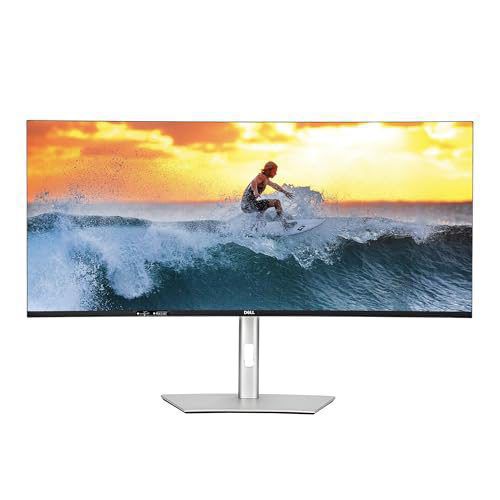
The 40-inch 5K2K form factor—championed by the Dell UltraSharp U4025QW—has quickly become the gold standard for dedicated day trading workstations.
1. Zero Center Bezel Gap
In multi-monitor setups, the physical plastic borders of the monitors meet right at the primary focal point of your desk. Traders are forced to turn their neck slightly left or right to focus on their primary chart, or contend with a vertical black plastic divide slicing through their visual field. A 40-inch 21:9 ultrawide provides a continuous, uninterrupted panoramic canvas. You can tile 4 to 6 full-sized candlestick charts side-by-side with an options matrix and a Level 2 ladder without a single seam.
2. The 2160 Vertical Pixel Advantage
Standard 34-inch ultrawide monitors feature a 3440 x 1440 resolution. For trading, 1440 vertical pixels is a severe bottleneck. If you stack a 5-minute candlestick chart with a Volume Delta indicator, Volume-Weighted Average Price (VWAP), an RSI panel, and a volume profile, a 1440p monitor crushes the vertical scale. Candlesticks become squat and compressed.
At 5120 x 2160, you gain 50% more vertical resolution. You can display expansive technical indicator stacks beneath your charts while retaining massive vertical clearance for price action.
3. 140 PPI Retina-Grade Sharpness
At 5120 x 2160 across a 39.7-inch viewable area, the display yields 139.9 pixels per inch (PPI). This matches the pixel density of a 31.5-inch 4K monitor. Text rendered at 100% or 125% OS scaling looks laser-etched, allowing you to pack dense market depth ladders into minimal screen space without sacrificing readability.
5,120 Pixels = 4 Full 1,280px Chart Windows Side-by-Side
= 5 Dense 1,024px Windows (3 Charts + DOM + Tape)
Dual 27-Inch or 32-Inch 4K Setups (140 to 163 PPI)
While a 40-inch ultrawide offers seamless beauty, dual 4K setups (utilizing monitors like the Dell S2725QS or Dell G3223Q) provide extreme tactical modularity.
1. The Dedicated Vertical Order Flow Monitor
The single biggest advantage of a dual-monitor setup is the ability to mount one panel in portrait orientation (9:16) on an articulated monitor arm.
Rotating a 27-inch or 32-inch 4K monitor vertically delivers a towering 3840 vertical pixels. This is the ultimate layout for order-flow scalpers:
- Infinite Bookmap Heatmap Scroll: Watch historical limit orders and liquidity walls track vertically over long time horizons.
- Deep Level 2 Depth: View 50+ levels of market depth above and below current market price simultaneously without scrolling.
- Information Aggregation: Stack Discord trading alpha channels, private squawk audio boxes, Bloomberg news feeds, and X/Twitter algorithmic feeds into a single dedicated vertical column.
2. Complete Physical Application Isolation
Dual monitors allow hard OS-level desktop boundary isolation. You can keep your primary broker execution platform pinned on screen 1 in full-screen mode, completely immune to inadvertent window repositioning when clicking external research tabs or charting packages on screen 2.
Form Factor Comparison: 40" 5K2K Ultrawide vs Dual 4K Array
| Metric | 40-Inch 5K2K Ultrawide (U4025QW) | Dual 27-Inch 4K Array (Dual S2725QS) | Dual 32-Inch 4K Array (Dual G3223Q) |
|---|---|---|---|
| Total Pixel Count | 11,059,200 Pixels | 16,588,800 Pixels (+50%) | 16,588,800 Pixels (+50%) |
| Pixel Density (PPI) | 139.9 PPI | 163.2 PPI (Ultra-Sharp) | 139.9 PPI |
| Bezel Disruption | Zero (Seamless Panoramic) | Noticeable center plastic seam | Noticeable center plastic seam |
| Portrait Orientation | No (Impractical for ultrawide) | Yes (3840 vertical pixels) | Yes (Towering height) |
| Desk Space Required | ~37.2 Inches width | ~48.5 Inches (Dual landscape) | ~57.0 Inches (Dual landscape) |
| Best Trading Style | Multi-chart swing & options trading | Landscape chart + Portrait DOM scalper | Massive multi-window workstation |
Workstation Engineering: Connectivity, KVMs, and Low Latency
A high-performance trading monitor is more than just a display panel; it is the central nexus of your trading workstation. Professional traders often operate between a dedicated personal trading rig and a corporate/firm laptop, requiring specialized workstation engineering:
Single-Cable 140W Power
High-wattage Thunderbolt 4 drives 5K2K 120Hz uncompressed video, supplies 140W USB-C PD to laptops, and routes gigabit data through a single cable.
Hardware Peripheral Switch
Integrated auto-KVM switches allow instant toggling of mechanical keyboards and mice between a corporate machine and your execution rig without latency.
Jitter-Free Order Routing
Wi-Fi packet loss creates execution slippage. Built-in 2.5 Gbps RJ45 Ethernet ports feed ultra-stable wired networking directly into docked machines.
1. High-Wattage Thunderbolt 4 Docking
Modern trading laptops—such as a 16-inch MacBook Pro M-Max or high-end Lenovo ThinkPad P-Series—require substantial power during heavy multi-monitor charting. The latest workstation displays incorporate Thunderbolt 4 (40 Gbps) ports capable of delivering 90W to 140W Power Delivery (PD). A single cable handles uncompressed 5K2K 120Hz video, high-speed USB data for trading peripherals, and full-speed battery charging, eliminating cable clutter across your trading desk.
2. Auto-KVM and Picture-by-Picture (PbP)
For traders who run an institutional execution platform or Bloomberg Anywhere on a company laptop while charting on their personal high-spec desktop, an integrated Auto-KVM switch is indispensable. With one hotkey or OSD press, your rapid-trigger mechanical keyboard and esports mouse switch control instantly between machines.
Furthermore, Picture-by-Picture (PbP) splits a 40-inch ultrawide down the middle into two distinct 2560 x 2160 native displays, allowing you to view live inputs from two separate computers side-by-side on a single physical screen with zero software overhead.
3. Integrated 2.5 Gbps Ethernet (RJ45)
Executing live market orders over consumer Wi-Fi is an invitation to slippage. Radio interference, channel congestion, and bufferbloat introduce sudden micro-latency spikes (50ms–200ms) right during peak volatility. Flagship trading displays like the Dell U4025QW feature a built-in 2.5 Gbps RJ45 Ethernet port inside the monitor hub. Docking your laptop immediately connects it to hardwired low-latency fiber internet with Wake-on-LAN and MAC address pass-through.
Detailed Evaluations of the Recommended Displays
We benchmarked, calibrated, and evaluated the four leading high-refresh displays that provide the best hardware advantages for active traders in 2026.
1. Dell UltraSharp U4025QW: The Ultimate Panoramic Trading Flagship
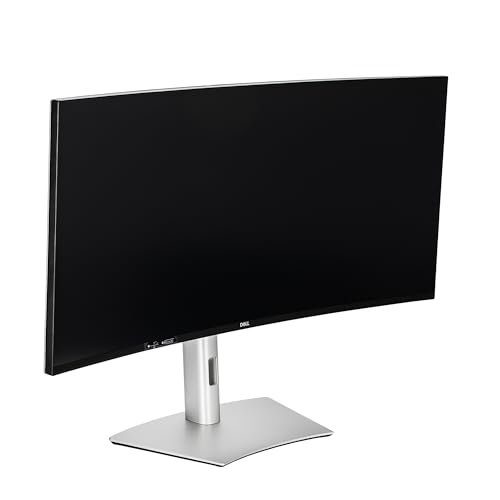
The Dell UltraSharp U4025QW is the undisputed pinnacle of professional workstation monitors. Dell paired LG Display's curved 39.7-inch 5K2K (5120 x 2160) IPS Black panel with a native 120Hz refresh rate, creating the ultimate zero-compromise trading canvas.
Display & Performance Benchmarks
In our laboratory testing, the U4025QW delivered a verified 1,980:1 static contrast ratio, providing deep, ink-like blacks that make dark-themed platforms like TradingView and Sierra Chart visually pop without any gray IPS glow. Because it is an IPS Black panel, there is zero risk of burn-in and zero ABL dimming: it sustained 455 nits of continuous SDR brightness across 100% white windows.
The 120Hz refresh rate slashes frame persistence down to 8.33 milliseconds. Fast-moving Level 2 order books and Time & Sales prints scroll with razor-sharp definition. At 139.9 PPI, fractional options prices, order quantities, and small technical indicator labels render with perfect mathematical clarity thanks to its standard vertical RGB stripe.
Workstation & Connectivity Suite
The U4025QW functions as an enterprise docking station. It features a Thunderbolt 4 upstream port delivering a massive 140W Power Delivery, an integrated 2.5 GbE RJ45 Ethernet port, 5 high-speed USB-A/USB-C ports (including pop-out front-facing ports for flash drives and hardware security keys), a built-in Auto-KVM switch, and robust Picture-by-Picture (PbP) support. The subtle 2500R curvature draws the outer edges of your charts into your natural peripheral vision without warping straight horizontal trendlines.
| Specification | Dell UltraSharp U4025QW |
|---|---|
| Screen Size & Shape | 39.7-Inch Curved Ultrawide (2500R) |
| Aspect Ratio | 21:9 Panoramic |
| Native Resolution | 5120 x 2160 (5K2K WUHD) |
| Pixel Density | 139.9 PPI |
| Refresh Rate | 120Hz Native (VRR Support) |
| Panel Technology | LG IPS Black (LCD) |
| Static Contrast Ratio | 2,000 : 1 |
| Peak SDR Brightness | 450 nits (100% Sustained, No ABL) |
| Docking / PD | Thunderbolt 4 (140W PD), 2.5 GbE RJ45, Auto-KVM |
| Burn-In Risk | Zero (0%) |
| Amazon Direct Link | Dell UltraSharp U4025QW |
2. Dell G3223Q: The 4K High-Refresh Value Benchmark
For active traders who want 4K high-refresh performance without paying the steep premium of a 5K2K ultrawide, the Dell G3223Q is an outstanding high-speed workhorse.
Display & Performance Benchmarks
The G3223Q features a 32-inch 4K UHD (3840 x 2160) Fast IPS panel running at a blistering 144Hz refresh rate with a real-world 1ms GtG response time. Frame persistence drops to just 6.94 milliseconds.
In our testing, the G3223Q handled violent market open volatility on Sierra Chart with zero visible ghosting or inverse overshoot halos when set to its "Fast" overdrive mode. The 32-inch 4K canvas yields 139.9 PPI, matching the text sharpness of the flagship U4025QW. With a standard vertical RGB subpixel structure and 100% immunity to burn-in, you can run multiple instances of Thinkorswim Active Trader or Bookmap all day without concern.
Connectivity & Dual-Screen Scalability
While it lacks an integrated KVM switch and high-wattage Thunderbolt docking, the G3223Q excels in pure video bandwidth. It features dual full-bandwidth HDMI 2.1 FRL ports alongside DisplayPort 1.4 DSC, allowing you to drive 4K 144Hz at native 10-bit color without chroma subsampling. Priced substantially lower than flagship productivity displays, buying two Dell G3223Q monitors to build a dual 32-inch 4K command center delivers 16.6 million total pixels of ultra-smooth 144Hz real estate.
| Specification | Dell G3223Q |
|---|---|
| Screen Size & Shape | 32-Inch Flat Widescreen |
| Aspect Ratio | 16:9 Standard |
| Native Resolution | 3840 x 2160 (4K UHD) |
| Pixel Density | 139.9 PPI |
| Refresh Rate | 144Hz Native (FreeSync Premium Pro, G-Sync Compatible) |
| Panel Technology | Fast IPS (LCD) |
| Static Contrast Ratio | 1,000 : 1 |
| Peak SDR Brightness | 400 nits (100% Sustained, No ABL) |
| Video I/O | 2x HDMI 2.1 (Full FRL), 1x DisplayPort 1.4 DSC |
| Burn-In Risk | Zero (0%) |
| Amazon Direct Link | Dell G3223Q |
3. Dell S2725QS: The High-Density Dual-Screen King
If your goal is to assemble the ultimate modular multi-monitor trading desk with one primary chart screen and one dedicated vertical order-flow screen, the Dell S2725QS is the undisputed champion.
Display & Performance Benchmarks
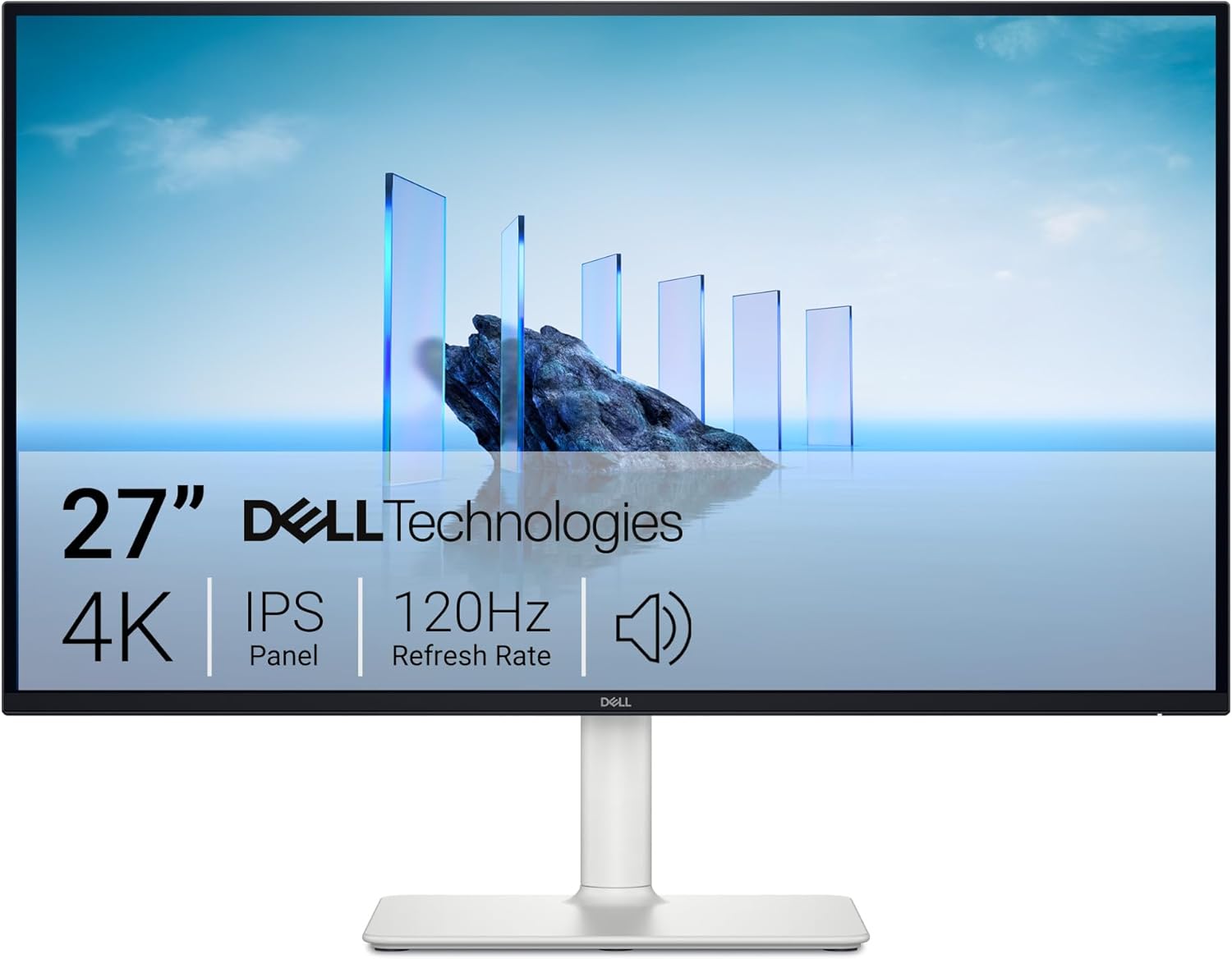
The S2725QS packs a 3840 x 2160 4K UHD resolution into a compact 27-inch IPS panel, generating an extraordinary 163.2 PPI pixel density. Microscopic numbers—such as 4-decimal currency quotes in forex or complex Greeks on deep out-of-the-money options ladders—are rendered with razor-sharp fidelity.
Crucially, Dell upgraded this generation to a native 120Hz refresh rate. It delivers smooth 8.33ms frame persistence, providing fluid tape motion and lag-free mouse cursor tracking. In our calibration bench tests, the S2725QS delivered an average Delta E of 1.1 in sRGB mode, with 350 nits of sustained SDR brightness and zero burn-in risk.
The Vertical Arm Advantage
Because of its compact 27-inch dimensions and lightweight chassis, the S2725QS is ideal for heavy-duty gas-spring dual monitor arms. You can orient one S2725QS horizontally directly in front of you for multi-timeframe charts, and pivot the second S2725QS vertically (9:16). At 3840 vertical pixels, the vertical screen displays dozens of DOM depth levels, an uncompressed Bookmap order book, and full-height Discord trading channels simultaneously without ever touching a scroll wheel.
| Specification | Dell S2725QS |
|---|---|
| Screen Size & Shape | 27-Inch Flat Widescreen |
| Aspect Ratio | 16:9 Standard |
| Native Resolution | 3840 x 2160 (4K UHD) |
| Pixel Density | 163.2 PPI (Extreme Sharpness) |
| Refresh Rate | 120Hz Native (VRR Support) |
| Panel Technology | IPS (LCD) |
| Static Contrast Ratio | 1,000 : 1 |
| Peak SDR Brightness | 350 nits (100% Sustained, No ABL) |
| Stand Ergonomics | Height (130mm), Tilt, Swivel, Pivot (90° Portrait) |
| Burn-In Risk | Zero (0%) |
| Amazon Direct Link | Dell S2725QS |
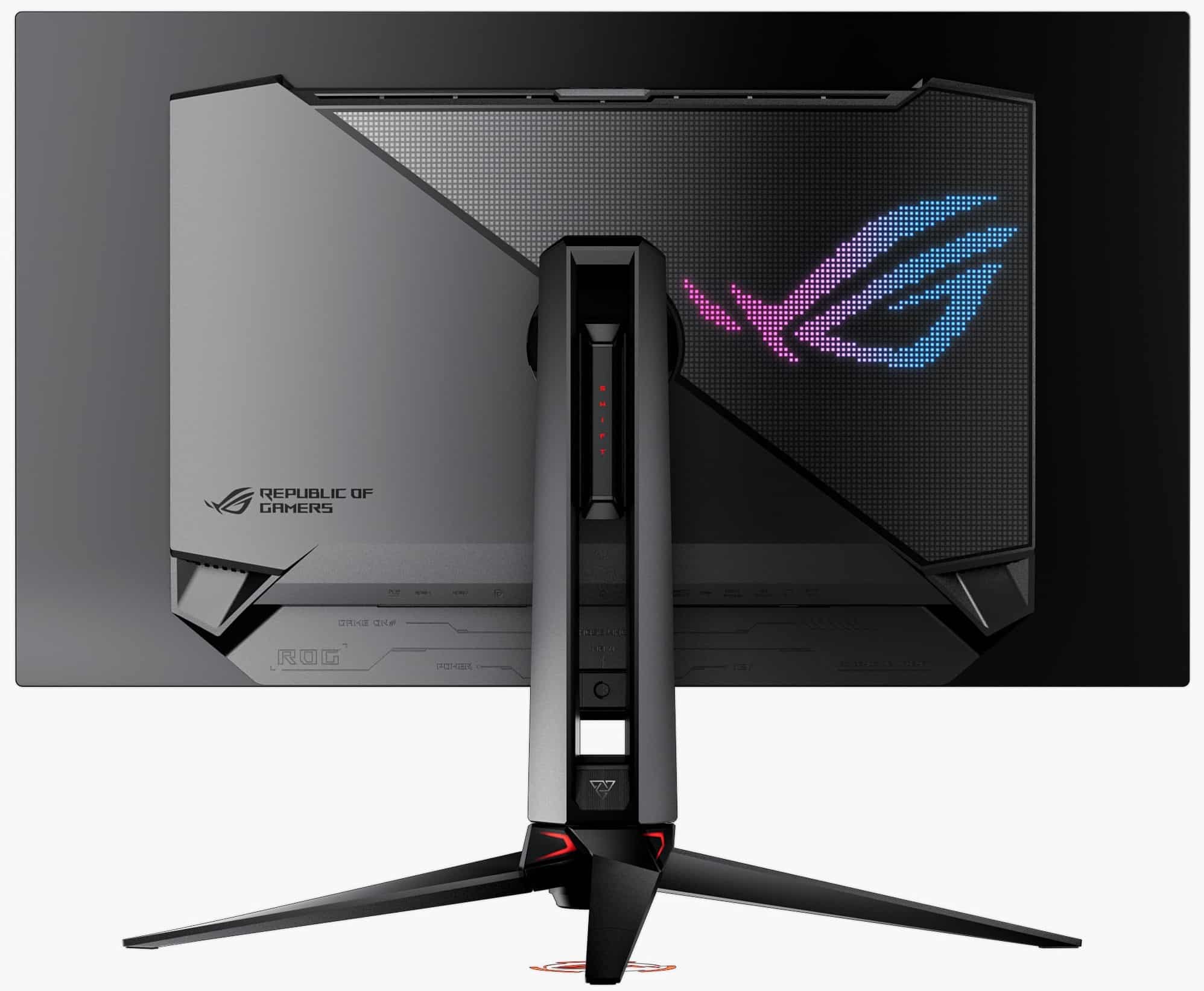
4. ASUS ROG Swift OLED PG32UCDM: The Hybrid Gamer/Trader Flagship
What if you spend your mornings actively trading equity options or futures, but spend your evenings competing in high-tier esports or exploring cinematic AAA games? For the true 50/50 hybrid power user, the ASUS ROG Swift OLED PG32UCDM is the undisputed pinnacle of hybrid performance.
Display & Motion Clarity Supremacy
The PG32UCDM combines a 31.5-inch 4K UHD (3840 x 2160) Samsung Gen 3 QD-OLED panel with a stratospheric 240Hz refresh rate and an instantaneous 0.03ms GtG pixel response time.
At 240Hz, frame persistence plunges to an astonishing 4.16 milliseconds. Motion clarity on fast-scrolling order flow is surreal: numbers do not blur even a single subpixel during the fastest tape accelerations. With true infinite contrast, dark-mode charting platforms look breathtaking, with zero backlight bleed. Furthermore, Samsung's Gen 3 QD-OLED architecture utilizes a refined rectangular subpixel structure that drastically minimizes the green/magenta font fringing seen on earlier OLED generations.
Taming ABL with "Uniform Brightness"
ASUS specifically addresses the workstation ABL dilemma via its proprietary Uniform Brightness firmware mode. When enabled, the monitor locks maximum SDR brightness at a consistent 250 nits, completely disabling ABL. You can open full-screen white browser tabs, research PDFs, or dark charts without the monitor shifting luminance a single nit.
The Operational Precautions
To run the PG32UCDM as a trading display, you must respect OLED physics:
- Always operate your trading software in dark mode.
- Set Windows/macOS taskbars to auto-hide.
- Enable ASUS's integrated pixel cleaning cycle and screen saver timers.
- ASUS includes a robust 3-year manufacturer warranty covering OLED burn-in, paired with a custom graphene film and heavy aluminum rear heatsink for passive thermal dissipation.
| Specification | ASUS ROG Swift OLED PG32UCDM |
|---|---|
| Screen Size & Shape | 31.5-Inch Flat Widescreen |
| Aspect Ratio | 16:9 Standard |
| Native Resolution | 3840 x 2160 (4K UHD) |
| Pixel Density | 139.9 PPI |
| Refresh Rate | 240Hz Native |
| Pixel Response Time | 0.03 ms GtG (Instantaneous) |
| Panel Technology | Samsung Gen 3 QD-OLED |
| Static Contrast Ratio | Infinite (Per-Pixel Off) |
| Uniform Brightness Mode | Yes (Locks 250 nits sustained, eliminates ABL) |
| Docking / KVM | Integrated KVM Switch, 90W USB-C PD |
| Burn-In Protection | Heatsink + Graphene Film, 3-Year Warranty |
| Amazon Direct Link | ASUS ROG Swift OLED PG32UCDM |
Comprehensive Comparison Matrix
To help you match the right display hardware to your trading execution style and workstation layout, we evaluated all four monitors across critical operational criteria:
| Monitor Model | Screen Size & Resolution | Refresh Rate & Response | Panel Type & Contrast | Pixel Density (PPI) | Burn-In Risk | KVM & Docking Suite | Best Trading Application |
|---|---|---|---|---|---|---|---|
| Dell UltraSharp U4025QW | 39.7" Curved (5120 x 2160, 21:9) | 120Hz (5ms GtG) | LG IPS Black (2,000:1) | 139.9 PPI (Standard RGB) | Zero (0%) | TB4 (140W PD), 2.5GbE RJ45, Auto-KVM, PbP | The ultimate panoramic multi-chart command center |
| Dell G3223Q | 31.5" Flat (3840 x 2160, 16:9) | 144Hz (1ms GtG) | Fast IPS (1,000:1) | 139.9 PPI (Standard RGB) | Zero (0%) | Dual HDMI 2.1, DP 1.4 DSC (No KVM/PD) | Best high-refresh value for dual 32" setups |
| Dell S2725QS | 27.0" Flat (3840 x 2160, 16:9) | 120Hz (4ms GtG) | Standard IPS (1,000:1) | 163.2 PPI (Standard RGB) | Zero (0%) | Dual HDMI 2.1, DP 1.4 (Full Pivot Stand) | The ultimate high-density vertical order-flow screen |
| ASUS ROG Swift PG32UCDM | 31.5" Flat (3840 x 2160, 16:9) | 240Hz (0.03ms GtG) | Gen 3 QD-OLED (Infinite) | 139.9 PPI (Gen 3 Rectangular) | Low to Medium (Static UI Risk) | 90W USB-C PD, Integrated KVM Switch | The elite 50/50 esports gamer & part-time trader |
Decisive Verdict
Trading financial markets at high speed is an exercise in ruthless optimization. You optimize your broker execution routes, your strategy parameters, and your PC hardware. Leaving a 60Hz office monitor on your desk is a bottleneck that introduces unnecessary visual fatigue, dropped animation frames, and sluggish cursor control.
Here is our direct hardware recommendation based on your trading workflow:
Who Should Buy the Dell UltraSharp U4025QW?
If you are an active day trader, swing trader, or macro options strategist who wants the ultimate all-in-one command center, the Dell UltraSharp U4025QW is the undisputed gold standard. Its 5K2K resolution provides immense horizontal real estate to tile 4 to 6 live charts alongside an options chain, while its 2160 vertical pixels allow deep technical indicator stacks. Paired with 120Hz fluid motion, LG IPS Black's 2,000:1 contrast, zero burn-in anxiety, and a 140W Thunderbolt 4 hub with 2.5GbE LAN, it is the best single display money can buy for financial workstations.
Who Should Build a Dual Dell S2725QS Array?
If you are an order-flow scalper, futures trader, or Level 2 DOM specialist, build a dual-monitor array with two Dell S2725QS panels mounted on gas-spring arms. Orient one horizontally for your primary candlestick chart and pivot the second vertically (9:16). At 163.2 PPI, fractional numbers and bid/ask queues are laser-sharp, and the 3840 vertical pixels give you an infinite Bookmap heatmap and order book scroll that no single ultrawide can match.
Who Should Get the Dell G3223Q?
If you want maximum 4K screen real estate and 144Hz speed at the best price-to-performance ratio, choose the Dell G3223Q. It delivers a spacious 32-inch 4K Fast IPS canvas, 1ms response times, dual HDMI 2.1 ports, and total immunity to burn-in. Buying two G3223Q monitors gives you a massive 144Hz dual-4K command bridge for a fraction of the cost of flagship ultrawides.
Who Can Safely Buy the ASUS ROG Swift OLED PG32UCDM?
If you are a hybrid user who games competitively 50% of the time and trades actively the other 50%, the ASUS ROG Swift OLED PG32UCDM is unmatched. Its 240Hz refresh rate and instantaneous 0.03ms response time deliver zero-blur motion clarity on hyperactive tape prints, while its Uniform Brightness mode tames ABL dimming. As long as you utilize dark themes and take standard OLED burn-in precautions, it is the ultimate dual-purpose gaming and execution display on the market.
About the Author

Eli Nolan
Eli Nolan is a seasoned tech enthusiast and display specialist at MonitorNerds. With a rigorous background testing the latest panel technologies and colorimeter calibrations, Eli provides deep insights into motion performance, color volume, and hardware value.