LG UltraGear 39GS95QE Review - Fast Ultrawide OLED
By Eli Nolan | Published February 9, 2026
The LG UltraGear 39GS95QE is the monitor a lot of gamers thought they were shopping for when they typed “ultrawide OLED” into Google.
Not a 34-inch that feels a little too normal after a week. Not a 45-inch that dominates your desk and makes you reconsider your entire ergonomic life. And not a 49-inch super-ultrawide that turns every game into a wraparound event whether you wanted it or not.
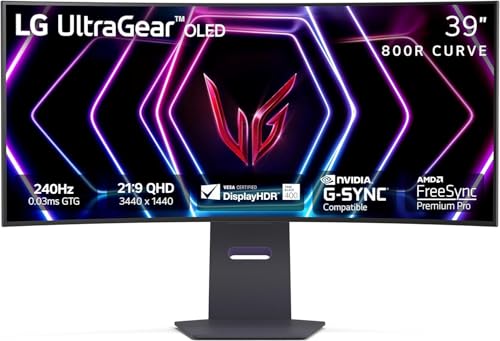
The 39GS95QE lands in a very specific place: big enough to feel like a “real” upgrade, but not so huge that it becomes the only thing in your room. It’s an ultrawide OLED that’s actually fast (240Hz), actually gaming-first, and actually designed to pull you into the image without forcing you into the super-ultrawide niche.
This is one of those monitors that can feel like the “endgame” purchase for the right gamer… and a very expensive “why did I do this?” for the wrong one.
Let’s do this MonitorNerds-style: long, honest, and focused on what you’ll feel after the honeymoon phase.
If you want current pricing and availability: LG UltraGear 39GS95QE.
Bottom line up front
Buy the 39GS95QE if you want:
- A 39-inch 21:9 ultrawide that feels truly immersive without going full 45/49-inch territory.
- OLED contrast and dark-scene depth that makes games look “3D.”
- 240Hz smoothness that actually matches a high-end PC.
- A strong “one monitor for gaming + daily life” vibe, as long as you’re okay with OLED habits.
Skip it if:
- You want a bright-room HDR punch monster (Mini‑LED can feel more intense in daylight).
- You can’t stand aggressive curvature or you do a lot of precision straight-line work.
- You want to forget about burn-in habits forever (OLED isn’t that lifestyle).
- You’re sensitive to VRR flicker and already know it drives you crazy.
What this monitor actually is
The size and shape
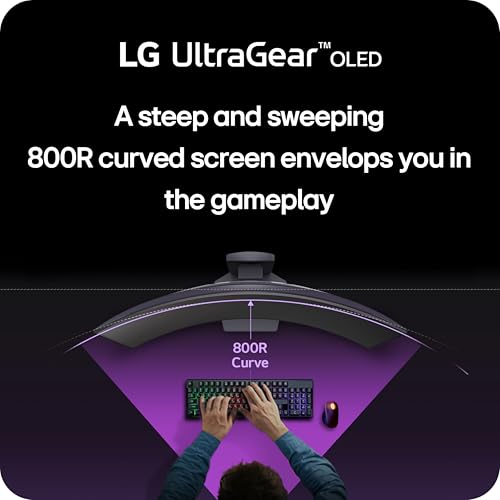
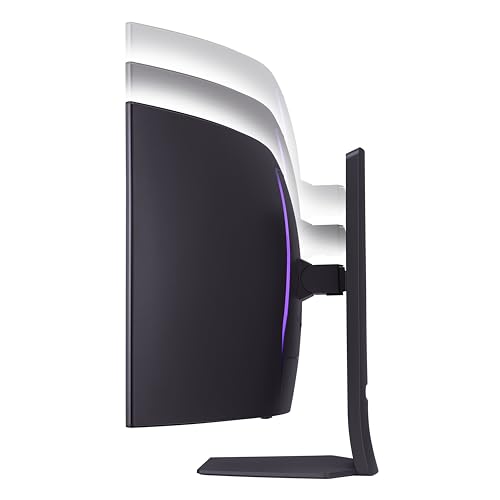
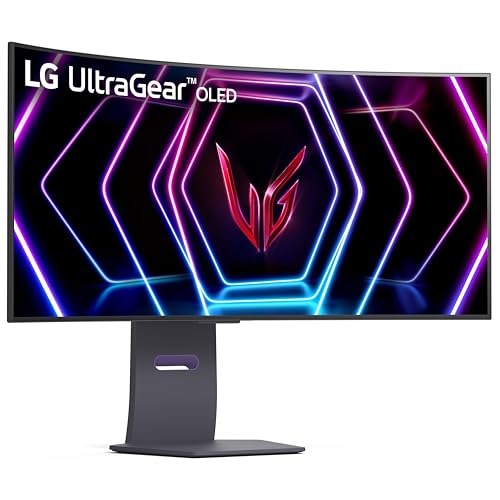
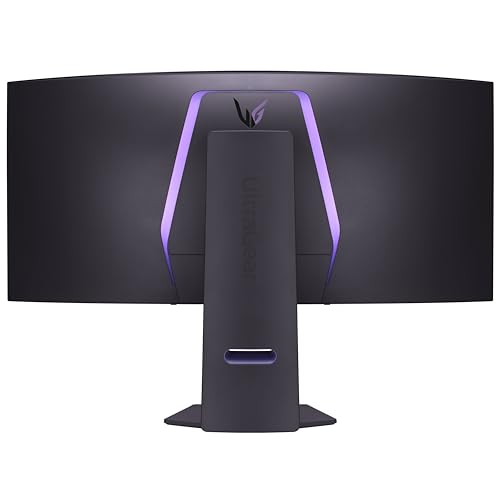
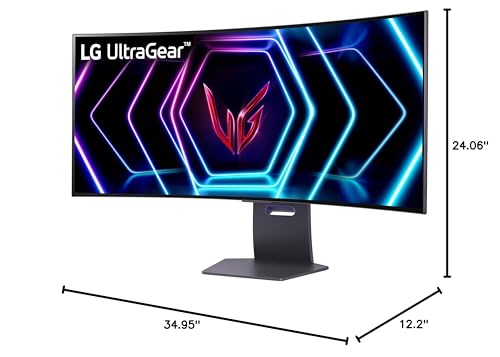
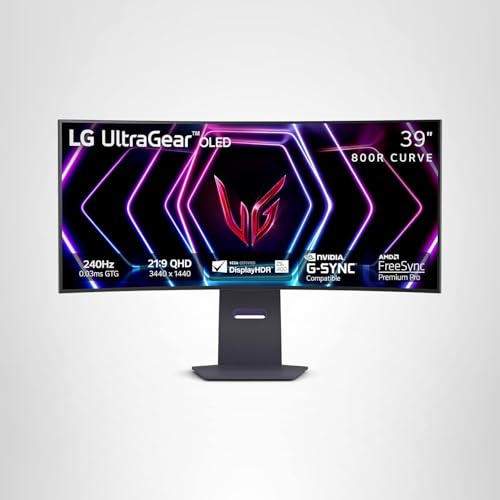
The 39GS95QE is a 39-inch 21:9 ultrawide with a very aggressive 800R curve.
That curve is not a cosmetic choice. It’s the entire design philosophy.
The point of 800R is that the screen wraps toward you so your eyes don’t have to refocus as much across a huge panel, and so the edges don’t feel like they’re drifting away into the room. When this works for you, the monitor feels like a cockpit. When it doesn’t, it feels like you bought a curved billboard.
This is not “mild curve.” This is “you will notice it immediately.”
The resolution reality check
This is a 3440×1440 (WQHD) ultrawide, which is the standard resolution for this size class.
Here’s the important mental model: you’re getting more width, not a massive jump in pixel density. The pixel density is in the “comfortable” range, not the “retina crisp” range. For gaming, this is perfect. For reading tiny text all day, it’s good—but it’s not going to feel like a 4K display.
If you’re coming from a 27-inch 1440p monitor, this will feel like “more screen,” not necessarily “sharper screen.”
That is not a flaw. It’s the trade you make to get ultrawide immersion without needing a 4090 just to play at high refresh.
The refresh rate lane
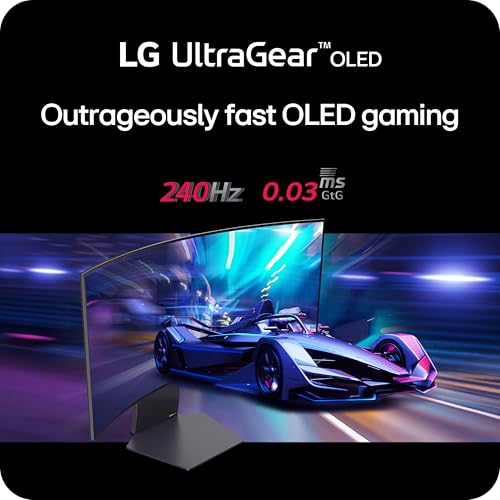
240Hz on an ultrawide OLED is serious.
This is not a “cinematic only” OLED. This is a monitor that can live in competitive titles and still feel fast. You’re not buying it for 500Hz esports vibes, but 240Hz at this size is enough that the motion can feel clean and immediate when your system can keep up.
The reason people buy it: OLED contrast and “depth”
OLED still has the simplest advantage in monitors: each pixel can turn off.
That means:
- Blacks look like blacks, not dark gray.
- Shadow detail feels more “layered.”
- Dark scenes in games stop looking muddy.
- The image has that “depth” that LCD often struggles to create.
In the 39-inch ultrawide format, that OLED contrast hits differently, because the screen takes up more of your field of view. A good ultrawide OLED can make games feel less like “a picture on your desk” and more like “a world in front of you.”
When you buy the 39GS95QE, that’s the thing you’re buying.
HDR on the 39GS95QE: the honest version
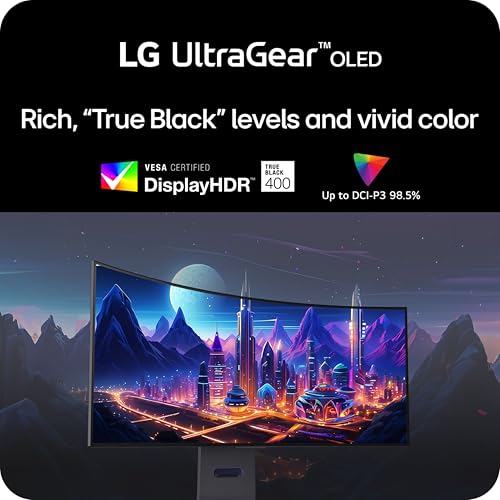
This monitor is VESA DisplayHDR True Black 400, which is the common HDR lane for OLED monitors.
OLED HDR is not about “the brightest flashlight beam.” It’s about contrast and precision—bright highlights against true blacks with no blooming halos. In dark-room gaming, OLED HDR can look premium because the contrast is doing the work.
But OLED also has a real limitation: full-screen brightness is not the same as tiny highlight brightness. OLED can hit impressive peaks in small areas, but it can’t keep the entire screen blindingly bright the way a high-end Mini‑LED panel can.
So if you are the gamer who plays in a bright room and wants HDR highlights to punch through daylight like a TV demo, Mini‑LED can still feel more dramatic. If you play mostly in dim lighting and you care about shadow detail and contrast, OLED HDR often feels more “premium.”
The MonitorNerds takeaway:
- Dark room + “cinematic depth” HDR = OLED wins.
- Bright room + “sunlight and explosions look shockingly bright” HDR = Mini‑LED often wins.
If you want the bigger picture on this decision, read: OLED vs Mini‑LED in 2026.
Motion clarity and responsiveness
OLED pixel response is fast enough that motion can look unusually clean, especially at 240Hz.
There’s a specific “OLED motion look” that’s hard to describe until you see it: less smear, less weird trailing, and fewer moments where fast camera movement makes everything look like a blur. Combined with 240Hz, it can feel like the monitor is keeping up with you rather than asking your eyes to do extra work.
For gamers who play both competitive and single-player titles, this is a real quality-of-life upgrade. You get the fast feel in shooters and the gorgeous contrast in story games.
That “best of both worlds” is the identity of this monitor.
The two big risks: curvature and OLED ownership habits
Risk 1: the 800R curve
The 800R curve is either going to be your favorite feature or the reason you return the monitor.
If you sit at the right distance and you like immersive setups, the curve can feel natural because the screen wraps toward your eyes. It can make the huge panel feel coherent.
If you do a lot of productivity work that involves straight lines—design grids, spreadsheets that span the entire width, CAD-like work, anything where you’re constantly checking “is this line actually straight”—the curve can annoy you. You can adjust to it, but not everyone wants to.
The simple rule:
- If you want immersion and you mostly game: the curve is a feature.
- If you want a wide canvas for precision work: the curve can be a tax.
Risk 2: burn-in and the “OLED lifestyle”
OLED is better in 2026 than it used to be, but it still comes with habits.
If you do all-day desktop work with static UI, leave the same windows open, run the same HUD elements for thousands of hours, or you know you’re the type who sets a wallpaper once and never changes it, you should be honest about whether you want an OLED monitor as your daily driver.
This doesn’t mean “OLED will definitely burn in.” It means: OLED ownership includes maintenance behaviors.
If you want the “zero mental overhead” experience, you’re in the Mini‑LED/IPS lane instead.
If you’re specifically avoiding OLED for those reasons, read: I Don’t Want OLED: What to Buy Instead.
Text clarity and desktop use
Ultrawide OLED monitors can be great for productivity because you get the width for side-by-side windows, but there are two things to understand:
- Pixel density is good, not magical. You’re getting a comfortable density that looks clean at normal distances, but it’s not “4K crisp.”
- Some gamers notice text fringing on OLED monitors depending on their sensitivity, their OS scaling, and how they use the display.
The 39GS95QE can absolutely be a “work + gaming” monitor. Just don’t buy it expecting a MacBook-level text experience.
If you want the best desktop-first ultrawide experience, you’re often in the IPS lane. If you want the best gaming-first ultrawide experience with desktop as a bonus, OLED makes sense.
The MonitorNerds setup: how to make this monitor feel right
Sit farther back than you think
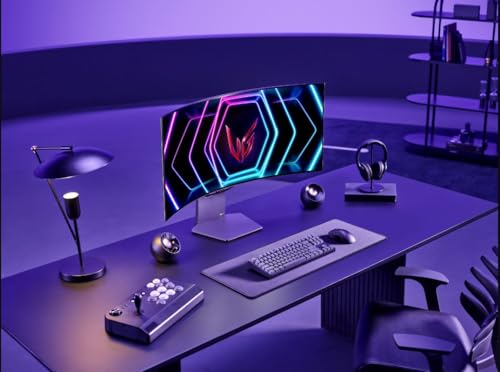
A huge curved ultrawide rewards the right viewing distance. If you sit too close, your eyes will feel like they’re scanning constantly. If you sit a bit farther back, the screen becomes one coherent field.
If you’re upgrading from a 27-inch monitor and you keep the same desk position, the 39GS95QE can feel overwhelming. The fix isn’t “return it.” The fix is “adjust your setup.”
Use the right scaling
Don’t fight the UI. Use Windows scaling that makes text comfortable. This isn’t a defeat. It’s how you make a large ultrawide feel normal day to day.
Don’t obsess over HDR modes
OLED HDR is about contrast. If you spend three hours toggling HDR modes and trying to make full-screen brightness behave like a Mini‑LED, you’re going to feel disappointed.
Dial it in to “looks good,” then play games.
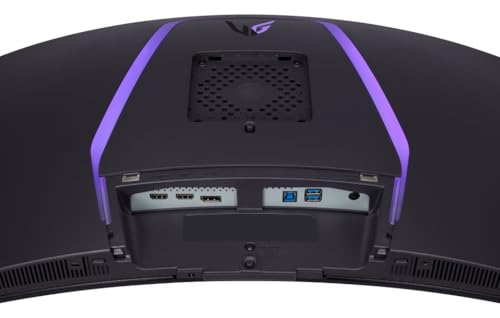
Cable and port sanity
Use the port that gives you the refresh rate and features you want. Make sure your refresh rate is actually set correctly in Windows and your GPU control panel. This sounds obvious, but it’s still the most common reason high-end monitors feel underwhelming.
Who should buy the LG 39GS95QE
Buy it if:
- You want a big ultrawide OLED that feels premium without going into 45/49-inch extremes.
- You play a mix of competitive and cinematic games and you want both contrast and speed.
- You like immersive curved displays and you want a screen that makes games feel larger than life.
- You’re okay with basic OLED ownership habits.
Don’t buy it if:
- You want the brightest HDR in a bright room and you hate the idea of OLED brightness behavior.
- You can’t tolerate curvature.
- You want a monitor that you can leave on a static desktop all day for years without thinking.
- You’re the kind of gamer who gets distracted by VRR quirks and flicker and wants the calmest LCD behavior.
What to avoid with the 39GS95QE
Avoid buying it as a “bright-room HDR TV replacement”
OLED HDR looks incredible in the right conditions, but if your room is bright and you expect full-screen HDR to blast your eyeballs like a Mini‑LED TV demo, you’re setting yourself up for disappointment. OLED’s strength is contrast and precision, not sustained full-screen brightness.
Avoid sitting too close
This is the number one “I don’t get it” issue with large ultrawides. This monitor wants space.
Avoid treating it like a static office monitor
If your daily routine is 8 hours of the same software UI with the same panels and toolbars, you should think hard about whether you want OLED as your main monitor. OLED can still work, but it asks for better habits.
Alternatives worth considering
If you’re in the ultrawide OLED world, you usually end up comparing three sizes.
34-inch ultrawide OLED
If you want OLED ultrawide but you don’t want your monitor to dominate your desk, 34-inch is the safer lane. You get the ultrawide benefit and OLED contrast without the “this is a big object” effect.
45-inch ultrawide OLED
If you want maximum immersion and you don’t care about desk dominance, 45-inch is the “I want a cockpit” lane. This is for gamers who want to feel swallowed by the screen.
Mini‑LED ultrawide
If your room is bright and you want HDR highlights that look convincingly bright in daylight, Mini‑LED ultrawides can be the more satisfying HDR experience. You trade away perfect blacks, but you gain brightness headroom and reduce burn-in stress.
Related MonitorNerds reads
- GPU pairing: Best Monitor for RTX 4070, Best Monitor for RTX 4080, Best Monitor for RTX 4090.
- The technical decision: OLED vs Mini‑LED in 2026.
- The “no OLED” lane: I Don’t Want OLED: What to Buy Instead.
- Budget picks (great as a second monitor next to an ultrawide): Best Budget Gaming Monitors Under $300.
MonitorNerds verdict
The LG UltraGear 39GS95QE is one of the cleanest “big ultrawide OLED” recommendations for 2026 because it hits the sweet spot so many gamers want: larger than 34, less extreme than 45, fast enough to feel serious, and OLED enough to feel premium.
If you like immersion, you play a mix of games, and you want a screen that makes your setup feel like a real upgrade the moment you power it on, this monitor is absolutely in the top tier of ultrawide OLED choices.
Just go in with your eyes open about the two real tradeoffs: the curve is aggressive, and OLED ownership comes with habits.
If that sounds like you, check current availability here: LG UltraGear 39GS95QE. Amazon Associate, MonitorNerds may earn from qualifying purchases.
Gallery

About the Author

Eli Nolan
Eli Nolan is a seasoned tech enthusiast and gaming monitor specialist. With years of experience testing the latest display technologies, Eli provides deep insights into performance, color accuracy, and value. When not benchmarking monitors, he can be found exploring the latest open-world RPGs or fine-tuning his workstation setup.