OLED vs. IPS in 2026: Which Panel Tech Should You Actually Buy?
By Eli Nolan | Published June 1, 2026
If you are building a battle station or upgrading your hybrid home office in 2026, you are going to slam headfirst into the most hotly debated question in display technology: Should you buy an OLED or an IPS monitor?
Just a few years ago, the answer was easy. IPS panels were the undisputed kings of the desktop, while OLED was an expensive, burn-in-prone luxury reserved for living room televisions. Today, the landscape has completely shifted. With the explosion of 3rd and 4th-generation QD-OLEDs and the aggressive price drops of ultra-fast IPS panels, both technologies are fighting a brutal war for your desk space.
Whether you are a competitive gamer trying to push 320Hz, a creative professional editing HDR video on a Mac Studio, or a hybrid worker caught somewhere in between, choosing the wrong panel can be an expensive mistake. Here is the definitive MonitorNerds breakdown of OLED vs. IPS in 2026, and which one you should actually buy.
The State of OLED in 2026: Absolute Visual Perfection
OLED (Organic Light Emitting Diode) technology has officially matured. In the premium monitor tier, QD-OLED (Quantum Dot OLED) is the current reigning champion.
The biggest advantage of OLED is that every single pixel emits its own light and can turn off completely. This results in "infinite contrast." When a pixel turns off, it is pure, true black. In story-driven, atmospheric games like Cyberpunk 2077 or Alan Wake 2, this creates a level of visual depth and HDR brilliance that IPS simply cannot replicate. Furthermore, OLED panels boast near-instantaneous response times (often 0.03ms), meaning motion blur is virtually nonexistent.
The Elephant in the Room: Burn-In
The terrifying prospect of "burn-in"—where static elements like your Windows taskbar or a YouTube UI permanently ghost themselves into the screen—used to keep buyers away. In 2026, manufacturers have deployed aggressive mitigation software: pixel cleaning cycles, localized dimming of static logos, and pixel shifting.
However, the risk is never zero. If you leave static spreadsheets open for 10 hours a day, OLED is still a risky bet. But for dynamic content (gaming and video editing), it is safer than ever.
Top OLED Recommendations
If you want the absolute best visual fidelity money can buy, these are the current QD-OLED titans:
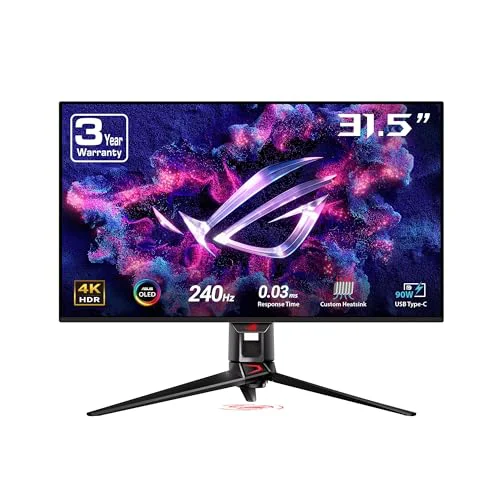
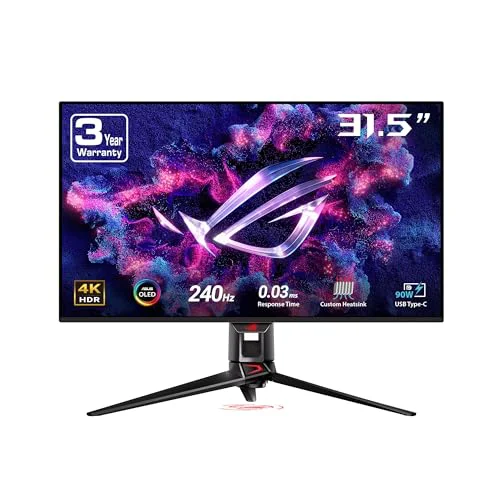
- For the Apple Power User: ASUS ROG Swift PG32UCDM This 32-inch 4K 240Hz behemoth is perfect for the Mac/PC hybrid setup, offering 90W USB-C Power Delivery and a built-in KVM switch to easily jump between a work MacBook and a gaming PC.
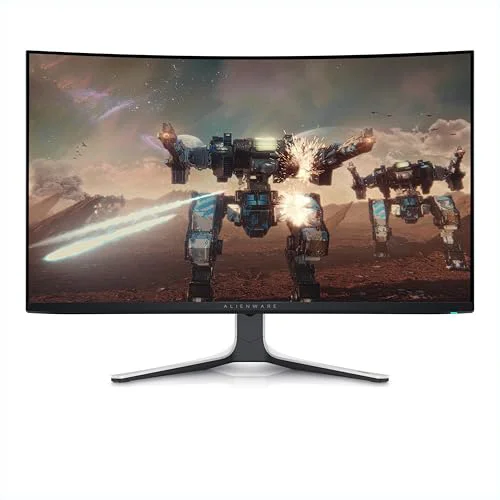
- For the HDR Editor: Alienware AW3225QF Featuring native Dolby Vision HDR support and a subtle curve, this is a gorgeous centerpiece that integrates flawlessly with Apple’s color management pipeline.
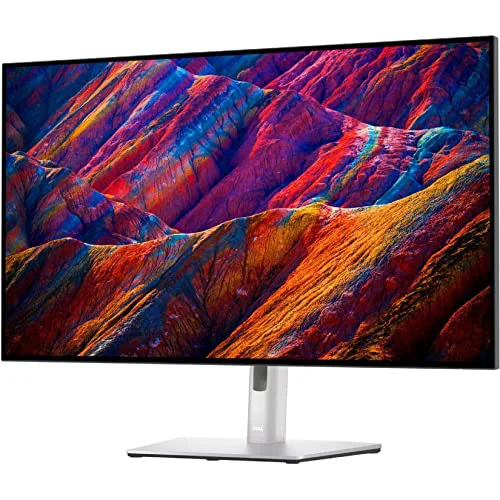
- For the Professional Studio: Dell UltraSharp U3226Q If you despise manual calibration, this productivity-focused OLED features a built-in motorized colorimeter that drops from the bezel to keep colors reference-level accurate.
The State of IPS in 2026: The Bulletproof Workhorse
IPS (In-Plane Switching) technology is the reliable, battle-tested workhorse of the monitor industry. While flagship buyers have shifted their gaze to OLED, IPS manufacturers haven't been sitting still.
Modern "Fast IPS" panels have largely solved the ghosting issues of the past. Today, they deliver incredible color accuracy, massive brightness levels, and blistering refresh rates that can comfortably push past 300Hz.
The most massive advantage of IPS is peace of mind. IPS panels are entirely immune to OLED burn-in. You can leave a code editor, a static web page, or a massive Excel spreadsheet open for 14 hours a day, seven days a week, for five years, and the screen will look exactly the same. Furthermore, IPS panels use a standard RGB subpixel layout. macOS, in particular, struggles with the triangular subpixel layout of many OLEDs, which can cause text to look slightly fringed or blurry. On a 4K IPS display, text is razor-sharp.
Top IPS Recommendations
IPS is now the undisputed king of value. You can get professional-grade colors or esports-level speeds for a fraction of an OLED's price:
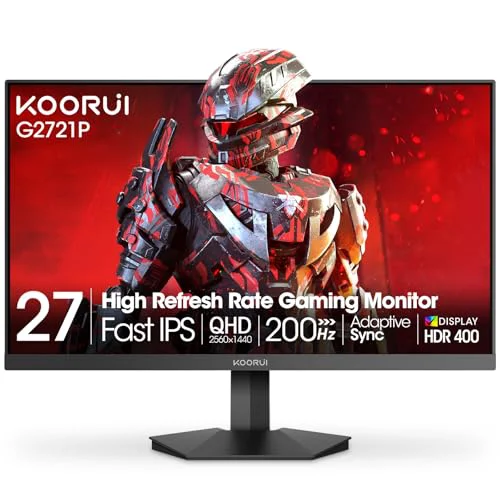
- For the Budget-Conscious Competitor: KOORUI G2721P At under $200, this 27-inch 1440p Fast IPS display pushes 200Hz. Sourced directly from HKC Group's manufacturing pipeline, it offers absurd speed and color volume (95% DCI-P3) for pennies on the dollar.
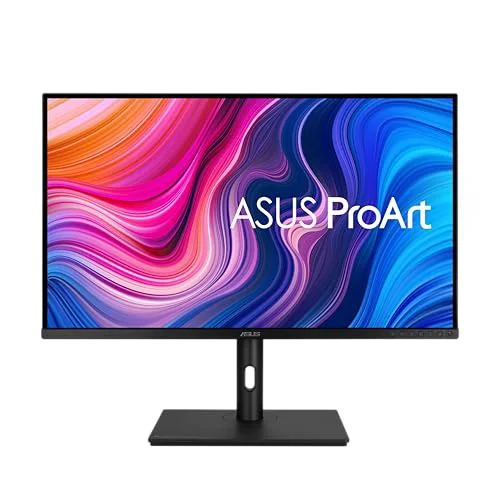
- For the Professional Creator: ASUS ProArt PA329CV A flawless 32-inch 4K IPS canvas. It is capped at 60Hz, making it less ideal for fast-paced gaming, but it is Calman Verified for perfect color accuracy out of the box and features single-cable USB-C connectivity.
Head-to-Head: Which Should You Choose?
To make the final decision, you have to brutally analyze how you actually spend your time at your desk.
1. Contrast and HDR Experience
Winner: OLED There is no contest. IPS panels have a universal backlight that is always shining through the pixels. Dark rooms and dark game scenes will look slightly grey on an IPS. OLED’s true blacks provide a jaw-dropping, cinematic HDR experience that IPS simply cannot touch unless it utilizes an incredibly expensive Mini-LED backlight system.
2. Motion Clarity and Speed
Winner: Tie (Depends on your budget) OLED inherently has faster pixel response times (0.03ms vs an IPS panel's 1ms). A 240Hz OLED often feels smoother than a 360Hz IPS because the pixels transition instantly. However, if you want an ultra-high refresh rate OLED, you are spending over $1,000. If you want 300Hz+ on an IPS panel, you can achieve it for under $300.
3. Productivity, Text Clarity, and Durability
Winner: IPS If you spend 8 hours a day staring at text, writing code, reading emails, or managing a website, IPS is the superior choice. The standard RGB pixel layout means text is always crisp, and the immunity to burn-in means you never have to baby the monitor or hide your taskbars.
4. Price to Performance
Winner: IPS While OLED prices are slowly creeping down, they still carry a massive premium. Fast IPS panels have plummeted in price, making them the absolute best bang for your buck on the market today.
The Final Verdict
Buy an OLED if: You have the budget, and your primary use case is media consumption, high-end PC/console gaming, or HDR video editing. If you want to be blown away every time you boot up a visually stunning game, and you don't mind taking a few minor precautions against burn-in, QD-OLED is the pinnacle of current display technology.
Buy an IPS if: You work from home, write code, or stare at static text for 8+ hours a day. It is the bulletproof choice for productivity. Alternatively, buy Fast IPS if you are a competitive esports gamer who wants massive frame rates (240Hz to 360Hz) on a tight budget. If you want a brilliant, colorful screen that you never have to worry about degrading over time, IPS remains an incredibly smart investment.
About the Author

Eli Nolan
Eli is a hardware enthusiast and competitive gamer with a keen eye for technical specifications and real-world performance. With over a decade of experience in the tech industry, she specializes in deep-diving into panel technology and color accuracy. Whether it's the latest OLED breakthroughs or high-refresh-rate IPS displays, Eli is dedicated to helping gamers find the perfect screen for their battle station.