Samsung ViewFinity S9 5K (S90PC) Review: The Ultimate Studio Display Alternative
By Eli Nolan | Published April 4, 2026
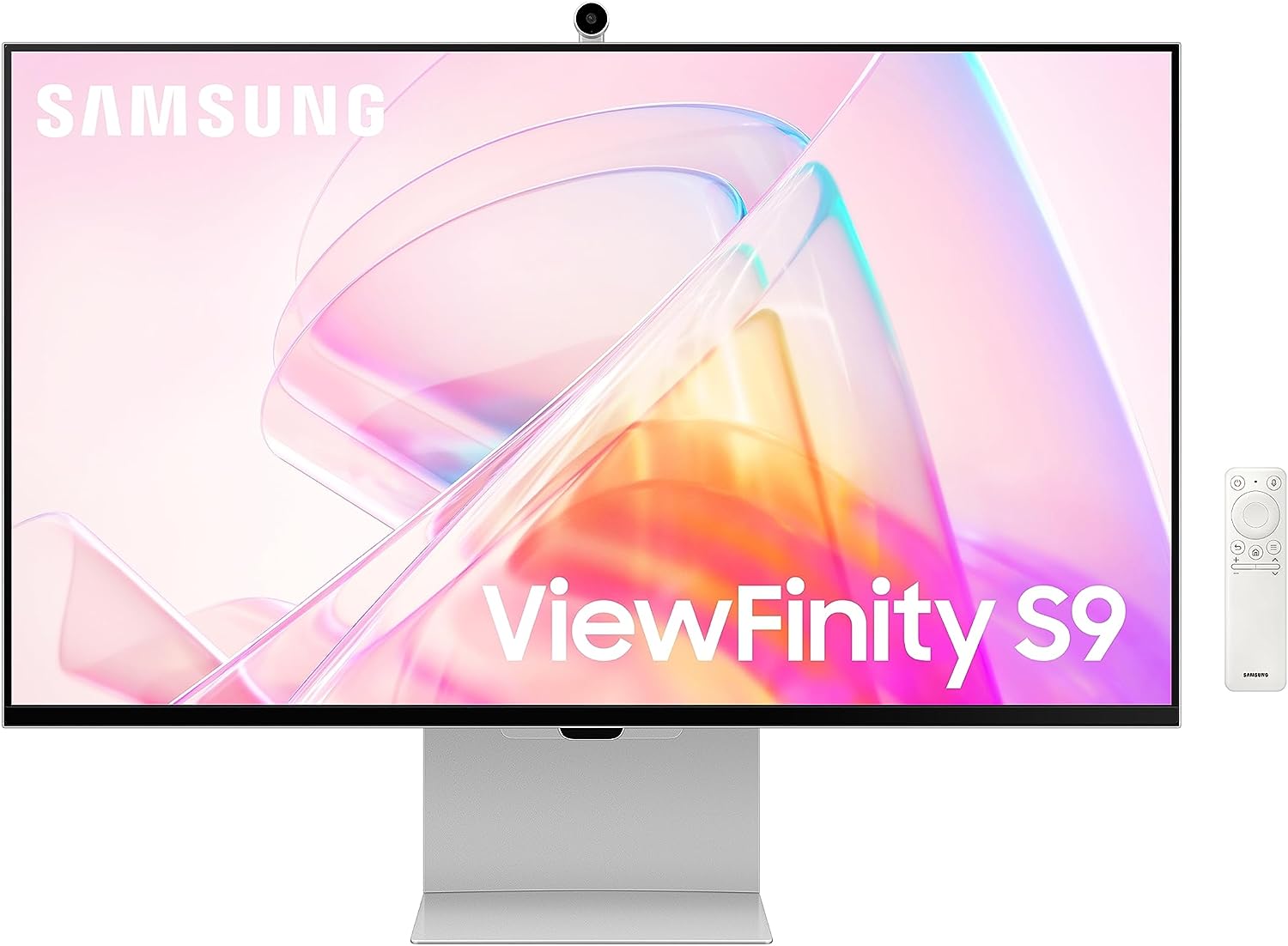
For years, the 5K monitor market has been practically monopolized by Apple. If you wanted that pristine, retina-level text clarity and massive pixel density, you were essentially forced to buy the Apple Studio Display and accept its Apple-taxed upgrades. Enter the Samsung ViewFinity S9 (S90PC). Aimed squarely at creators, developers, and professionals who demand pixel-perfect accuracy, this 27-inch 5K monitor is a direct shot across the bow at Apple’s offering.
While the MonitorNerds audience usually chases high refresh rates and ultra-low response times, the ViewFinity S9 serves a completely different purpose. This is a productivity and content creation powerhouse. Here is our detailed breakdown of why the S9 is one of the most compelling 5K displays on the market, especially for PC and hybrid Mac/Windows setups.
Design and Ergonomics: Taking on the "Apple Tax"
Right out of the box, the ViewFinity S9 looks stunning. It features a minimalist, ultra-slim metal chassis that looks incredibly premium on any desk. The bezels are remarkably thin, and the overall aesthetic is clean, professional, and undeniably inspired by the Apple Studio Display.
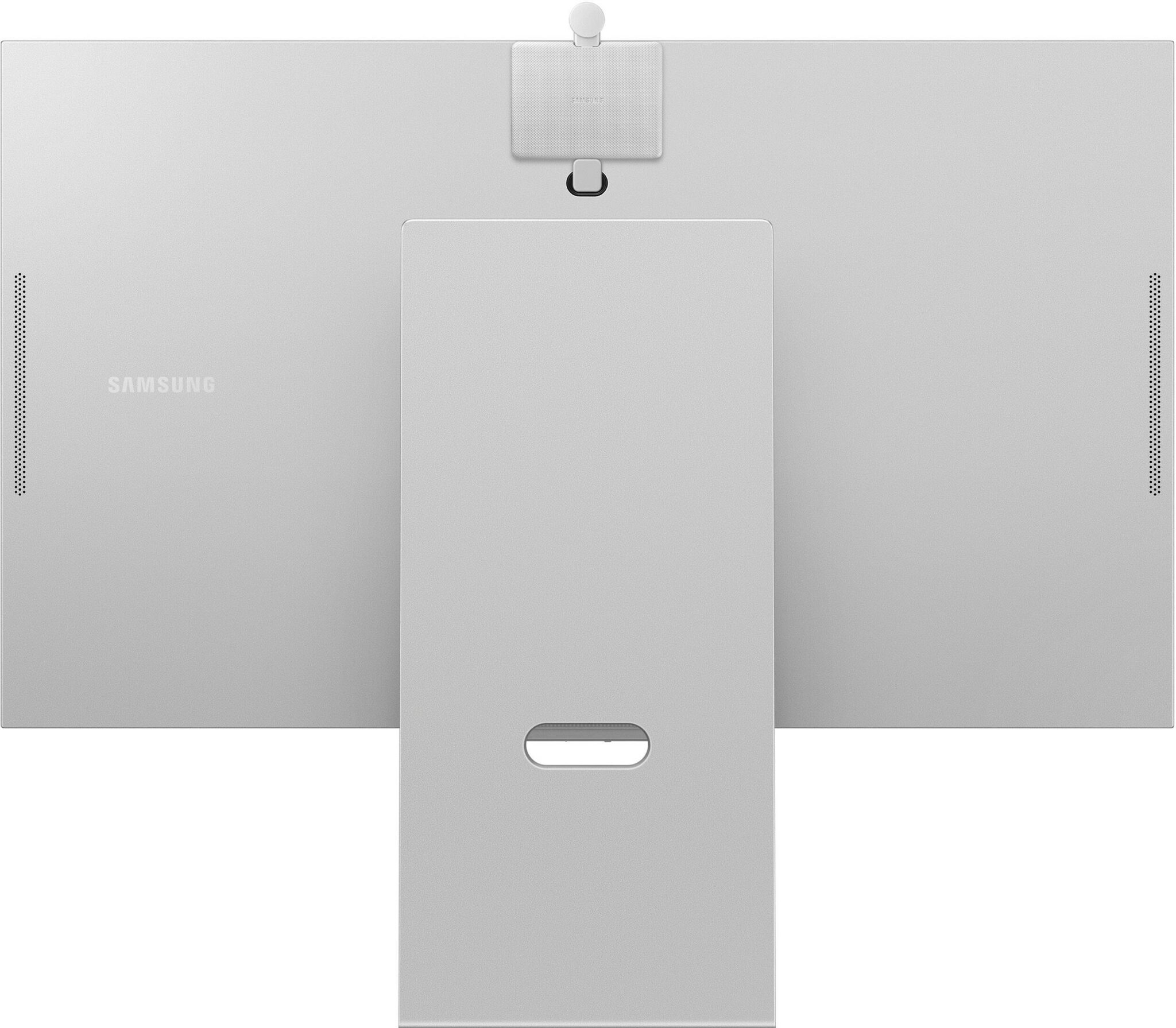
However, where Samsung completely embarrasses its Cupertino rival is in the included hardware. Apple famously charges an exorbitant premium just to get a height-adjustable stand. Samsung includes a fully ergonomic, highly adjustable metal stand right in the box. You get generous tilt, height adjustment, and even a 90-degree pivot so you can use the massive 5K screen in portrait mode—an absolute dream for programmers writing endless lines of code or creators editing vertical video. It also supports standard VESA 100x100mm mounting natively if you prefer your own monitor arm.
Additionally, Samsung applies its matte, anti-glare screen coating as a standard feature. Again, this is something Apple charges hundreds of dollars extra for (via their nano-texture glass). The matte finish on the S90PC does a phenomenal job of diffusing harsh room lights and window glare without severely compromising the sharpness of the underlying panel.
Display and Visual Performance
The core of the ViewFinity S9 is its 27-inch IPS panel, pushing a massive 5K resolution (5120 x 2880). This results in a pixel density of 218 PPI (Pixels Per Inch). If you are used to 1440p or even 4K at 27 inches, jumping to 5K is a revelation for text clarity. Fonts render with paper-like smoothness, and UI elements scale beautifully, reducing eye strain during long hours of reading, writing, or charting.
Color Accuracy and Smart Calibration: This monitor is built for color-critical work. It covers 99% of the DCI-P3 color gamut and boasts a typical brightness of 600 nits, giving it plenty of punch for brightly lit rooms. Colors are vibrant, heavily saturated, and highly accurate out of the box.
If you are a professional photo or video editor who needs perfect calibration, Samsung has integrated a brilliant "Smart Calibration" feature. Instead of buying an expensive external colorimeter, you can use the camera on a compatible smartphone (via the SmartThings app) to calibrate the monitor’s white balance, gamma, and RGB color balance in minutes. It is an incredibly user-friendly feature that yields surprisingly accurate results.
A note for gamers: It is crucial to remember that this is a 60Hz panel with a 5ms response time. It lacks VRR (Variable Refresh Rate) and any gaming-centric features. While you can certainly play games on it—and they will look incredibly sharp—this is not a monitor for competitive Valorant or Counter-Strike players. This display is built for the workstation, not the battlestation.
Connectivity and the SlimFit Camera
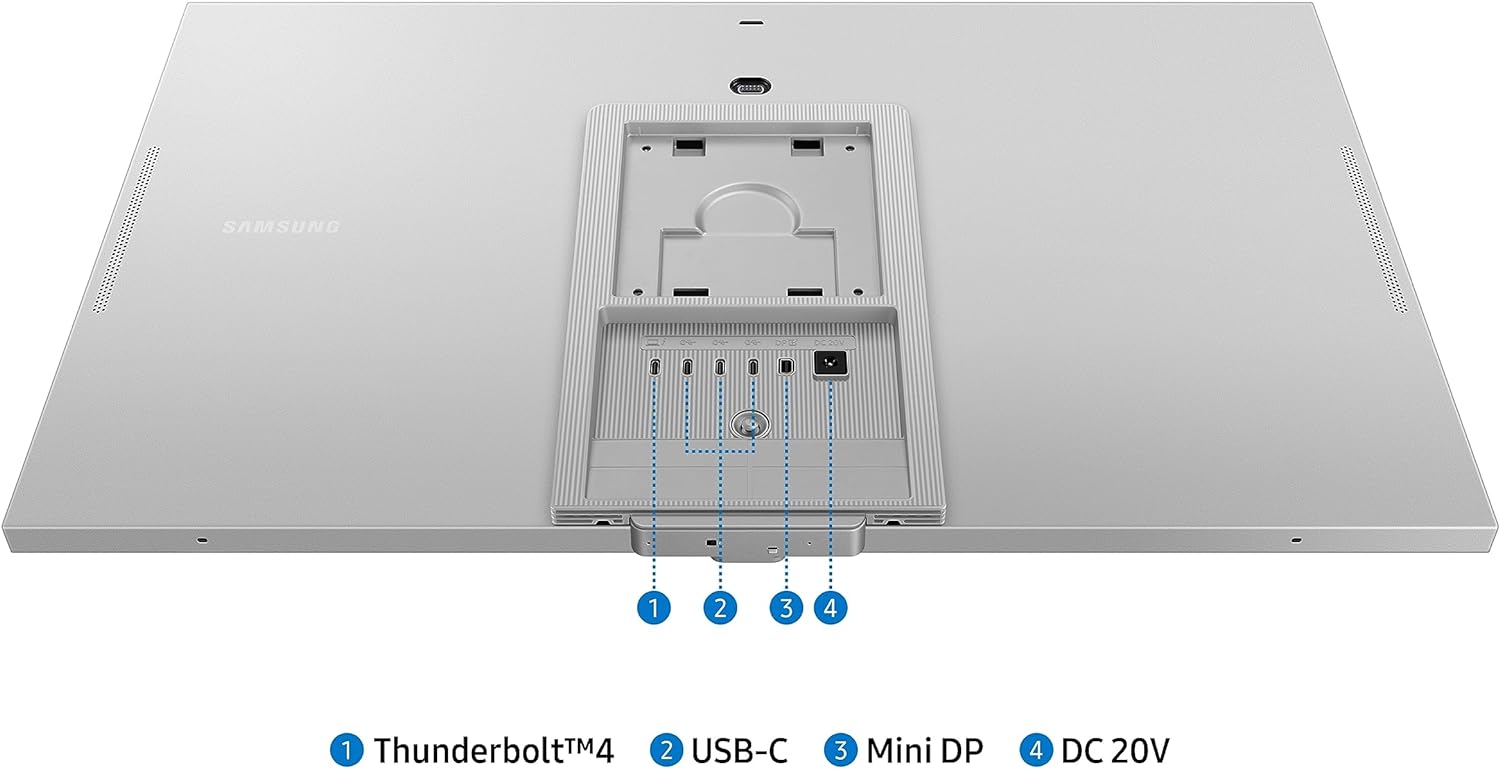
The I/O on the rear of the S9 is modern, but it comes with a few quirks that PC users need to be aware of:
- 1x Thunderbolt 4: This is the star of the show. It offers 90W of Power Delivery, meaning you can connect a laptop with a single cable to drive the 5K display, transfer data, and keep the laptop fully charged.
- 3x USB-C Downstream Ports: Perfect for connecting external drives or peripherals directly to the monitor.
- 1x Mini DisplayPort: This is the primary connection for desktop PC users.
The Catch: There is no standard, full-sized DisplayPort or HDMI port on this monitor. If your graphics card only has full-sized DisplayPort outputs (as most desktop GPUs do), you will need to purchase a separate DisplayPort to Mini DisplayPort cable, as Samsung does not include one in the box.
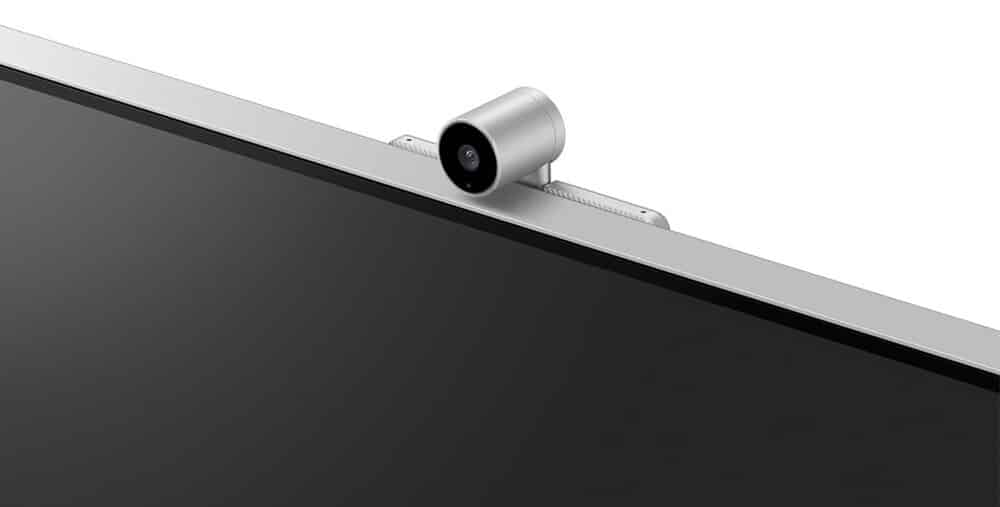
For video conferencing, Samsung includes a 4K SlimFit camera. Instead of being built into the bezel, it attaches magnetically to the top rear of the monitor via pogo pins. It is a very elegant solution that keeps the bezels thin while offering excellent webcam quality that auto-adjusts to lighting conditions.
Smart Features (Tizen OS)
Like Samsung's other premium monitors, the ViewFinity S9 comes equipped with the Tizen OS Smart TV platform and an included remote. This means the monitor has built-in Wi-Fi and Bluetooth, allowing you to stream Netflix, YouTube, or use the Samsung Gaming Hub without even turning on your PC.
While it is a neat value-add to have a 5K Smart TV on your desk, the Tizen interface can sometimes feel a bit sluggish or bloated if you are just trying to access basic monitor settings like brightness or input switching.
Pros and Cons
Pros:
- Breathtaking 5K Clarity: 218 PPI delivers retina-level text and image sharpness.
- Exceptional Value: Includes a height-adjustable stand, matte screen, and 4K webcam right out of the box.
- Color Accuracy: 99% DCI-P3 coverage with an innovative smartphone calibration tool.
- Single-Cable Setup: Thunderbolt 4 with 90W power delivery is perfect for laptop users.
Cons:
- Port Quirks: Lacks full-sized DisplayPort and HDMI; relies on Mini DisplayPort for desktop PCs.
- 60Hz Limit: Not suited for high-refresh-rate PC gaming.
- Smart OS Clutter: The Tizen operating system can get in the way of standard monitor menus.
Pricing: The Ultimate Apple Studio Display Challenger
When it comes to value, the Samsung ViewFinity S9 completely rewrites the rules of the 5K monitor market. It launched with an MSRP of $1,599, putting it exactly head-to-head with the base model of the Apple Studio Display. However, the ViewFinity S9 frequently sees substantial retail discounts, often dropping closer to the $900 to $1,000 range, making it an incredibly aggressive competitor.
The real story here, however, is the avoidance of the infamous "Apple Tax." While Apple's base Studio Display starts at $1,599, that only gets you standard glossy glass and a basic tilt-only stand. To get a comparable physical setup from Apple—adding the nano-texture matte glass and the height-adjustable stand—the Studio Display's price skyrockets to $2,299. Samsung includes a premium matte anti-glare finish and a fully ergonomic, height-adjustable and pivoting metal stand right in the box at no extra cost.
Seamless Mac Integration
If you are a creative professional worried that stepping outside the Apple hardware ecosystem will complicate your workflow, you can rest easy. The ViewFinity S9 is incredibly easy to connect with a Mac laptop or desktop.
Thanks to the built-in Thunderbolt 4 port, Mac compatibility is entirely plug-and-play. If you are using a MacBook Pro or MacBook Air, a single Thunderbolt cable handles everything: it drives the massive 5K display, routes data to the monitor's built-in USB hub, and delivers 90W of Power Delivery to keep your laptop fully charged while you work.
If you are using a desktop unit like a Mac Studio or Mac mini, the integration is just as effortless. Simply run the Thunderbolt cable from the back of your Mac directly into the display. macOS recognizes the monitor instantly, automatically applying the correct 5K "Retina" scaling to ensure your text and UI elements remain flawlessly sharp without requiring any third-party driver hacks.
The Verdict
The Samsung ViewFinity S9 5K is a masterstroke in the productivity monitor space. By offering a beautiful 5K panel and packing it with all the physical upgrades (adjustable stand, matte coating) that Apple charges a premium for, Samsung has created the ultimate Studio Display alternative. While PC users might find the Mini DisplayPort connection slightly annoying, the sheer visual fidelity, color accuracy, and modern aesthetic make it entirely worth the extra cable purchase. If your day involves staring at text, code, or timelines, the ViewFinity S9 will make every hour spent at your desk a lot easier on the eyes.
About the Author

Eli Nolan
Eli Nolan is a seasoned tech enthusiast and gaming monitor specialist. With years of experience testing the latest display technologies, Eli provides deep insights into performance, color accuracy, and value. When not benchmarking monitors, he can be found exploring the latest open-world RPGs or fine-tuning his workstation setup.