The Smart Gaming Monitor: Do You Actually Need TV Apps on Your Desk?
By Eli Nolan | Published September 10, 2026
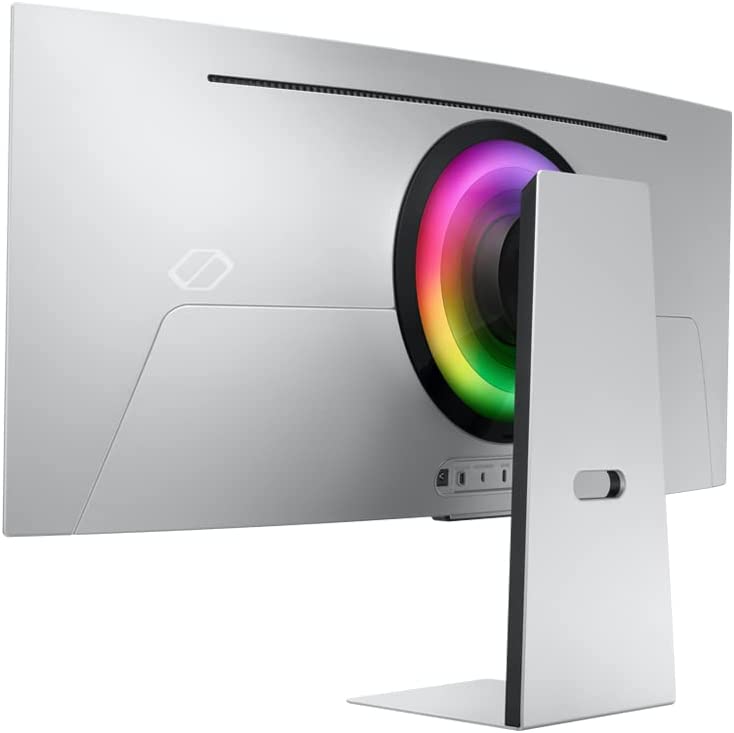
In recent years, display manufacturers have begun stuffing full-fledged Smart TV operating systems into desktop gaming monitors. Devices like Samsung's Smart Monitors and Odyssey gaming lineup now ship complete with remote controls, built-in Wi-Fi, streaming apps (Netflix, YouTube, Prime Video), and cloud gaming hubs (Xbox Cloud Gaming, NVIDIA GeForce NOW).
For traditional PC gamers who already have a dedicated tower or laptop connected to their display, built-in TV software might seem redundant. However, for college students in cramped dorm rooms, small apartment dwellers, or multi-device users who want a single screen for work, console gaming, and evening streaming without booting up a PC, smart features change the equation.
To read our detailed hands-on hardware benchmark, see our Samsung Odyssey OLED G8 Review.
The Pros & Cons of Smart TV Features on Desktop Monitors
The Advantages:
- PC-Free Entertainment: Stream movies or sports in 4K HDR without turning on your desktop computer, saving power and eliminating fan noise.
- Standalone Cloud Gaming: Stream PC and console titles directly via Xbox Cloud Gaming or GeForce NOW by pairing a Bluetooth controller directly to the monitor.
- Included Solar/USB-C Remote: Allows easy volume, input, and menu navigation from a bed or couch across the room.
The Drawbacks:
- OS Bloat & Startup Latency: Smart TV interfaces can add minor navigation delay or boot-up lag compared to simple traditional monitor OSD menus.
- Price Premium: Smart TV chips and licensing add cost compared to basic non-smart monitors.
Samsung Odyssey OLED G8 (G80SD): The Smart OLED King
The Samsung Odyssey OLED G8 (G80SD) is the flagship example of a smart gaming display done right, blending top-tier 4K 240Hz QD-OLED performance with Samsung's Tizen Smart OS.

- Display Panel: 32-inch 4K UHD (3840 x 2160) QD-OLED with a 240Hz refresh rate and 0.03ms response time.
- NQ8 AI Gen3 Processor: Uses onboard AI processing to upscale low-resolution video content to near-4K clarity automatically.
- Samsung Gaming Hub: Stream games directly via Xbox, GeForce NOW, and Luna without needing a PC or console plugged in.
- Matte Glare-Free Coating: Specialized anti-reflective coating eliminates glare from bright overhead room lights.
- Smart TV Apps & SolarCell Remote: Includes native streaming apps (Netflix, Hulu, Apple TV, YouTube) with a solar-powered rechargeable remote.
For students living in a dorm or studio apartment where a single 32-inch screen must serve as both a high-end 240Hz gaming display and a 4K bedroom TV, the Odyssey OLED G8 G80SD delivers unmatched versatility.
For creator-focused 5K smart displays, read our review of the Samsung ViewFinity S9 5K.
Final Verdict: Do You Need a Smart Monitor?
- Buy a Smart Monitor like the Samsung G80SD if your monitor doubles as your bedroom TV, or if you live in a space-constrained dorm/apartment where PC-free streaming and cloud gaming add genuine daily convenience.
- Skip Smart Features if your monitor is connected strictly to a high-end desktop PC and you never watch media without your computer turned on.
About the Author

Eli Nolan
Eli Nolan is a seasoned tech enthusiast and gaming monitor specialist. With years of experience testing the latest display technologies, Eli provides deep insights into performance, color accuracy, and value. When not benchmarking monitors, he can be found exploring the latest open-world RPGs or fine-tuning his workstation setup.