The 540Hz Threshold: Benchmarking Ultra-Fast Displays Past 360Hz (Is It an Advantage or Diminishing Returns?)
By Paolo Reva | Published October 5, 2026
In competitive esports, the quest for display speed has always mirrored an arms race. A decade ago, jumping from a 60Hz office panel to a 144Hz gaming monitor was nothing short of a religious awakening. Cursor movement transformed from a stuttering slideshow into a fluid ribbon, tracking enemy strafes in Counter-Strike felt instantaneous, and the tangible reduction in input latency turned hesitant flick shots into second nature.
As the industry pushed through 240Hz and settled into 360Hz as the competitive tournament standard, the gains began to feel narrower, yet still demonstrably tactile. But now, we have breached the 540Hz frontier. With monitors like the ASUS ROG Swift Pro PG248QP pushing Esports TN (E-TN) silicon to 540Hz with ULMB 2 backlight strobing, and next-generation flagships like the ASUS ROG Swift OLED PG27AQWP-W unleashing 4th-Gen Tandem WOLED at 1440p 540Hz (complete with a 720p 720Hz boost mode), display engineering has outpaced conventional hardware wisdom.
Yet this hardware summit forces an urgent, pragmatic question: Does crossing past 360Hz into 480Hz and 540Hz provide a measurable competitive advantage in high-stakes esports (Counter-Strike 2, Valorant, Apex Legends, Overwatch 2), or has display technology finally collided with the hard physiological limits of human biology?
At MonitorNerds, we do not indulge in marketing hyperbole or placebo effects. We took the fastest 540Hz E-TN, 480Hz MLA+ WOLED, and 360Hz Gen 3 QD-OLED monitors into our testing lab, mounting them in front of high-speed pursuit cameras, optical photodiode latency rigs, and competitive esports aim-testing suites. Here is the unvarnished engineering truth behind the 540Hz threshold.
Key Highlights
- The Frame-Time Asymptote: Jumping from 60Hz to 144Hz saves 9.73ms per frame. Jumping from 360Hz to 540Hz saves a mere 0.93 milliseconds. Latency improvements are mathematically diminishing, but dynamic motion persistence behaves very differently.
- Sample-and-Hold Retinal Blur: While input latency gains plateau, eye-tracking motion blur on unstrobed displays continues to halve linearly with refresh rate. A 480Hz/540Hz OLED achieves a microscopic 1.85ms to 2.08ms persistence window, rendering moving enemy heads with near-strobed CRT clarity.
- Tandem OLED vs Strobed E-TN: The ASUS ROG Swift OLED PG27AQWP-W achieves sub-0.03ms pixel transitions with zero overshoot halos, infinite contrast, and no strobe crosstalk, rendering the washed-out viewing angles of legacy TN panels like the ASUS ROG Swift Pro PG248QP obsolete for all but dedicated LAN purists.
- The CPU/GPU Bottleneck Barrier: Locking 540 FPS with stable 1% low frame times requires an AMD Ryzen 7 7800X3D or 9800X3D paired with an RTX 4080/4090/5080. If your frame rate dips below the refresh rate, the competitive advantage evaporates.
- Aim Precision Reality Check: High-speed eye-tracking confirms that 540Hz does not reduce simple biological reaction times (150–200ms), but it measurably tightens hit-confirmation confidence and micro-flick tracking consistency by 2% to 4% for top-tier competitive players.
The Mathematics of Diminishing Frame Times
To understand why the jump to 540Hz sparks such heated debate, we must first analyze the fundamental physics of display refresh cycles. Refresh rate (measured in Hertz) simply describes how many complete image frames a display can draw in one second. Frame time (measured in milliseconds) represents the actual temporal duration of a single frame:
$$\text{Frame Time (ms)} = \frac{1000}{\text{Refresh Rate (Hz)}}$$
When we calculate this value across every competitive refresh tier, the mathematical reality of diminishing returns becomes immediately obvious:
Sluggish frame delivery; intolerable judder and visual smear during rapid mouse sweeps.
The single largest latency reduction in gaming history; massive perceptual leap.
Solid competitive esports benchmark; crisp cursor tracking and tight input feel.
Tournament standard; extremely responsive cursor-to-crosshair connection.
OLED sweet spot; cuts hold-time persistence in half compared to 240Hz.
The bleeding edge; a microscopic 0.23ms edge over 480Hz and 0.93ms over 360Hz.
The Asymptotic Latency Curve
When you examine the delta column, the mathematics of the latency curve reveal why critics view 540Hz with skepticism:
- 60Hz to 144Hz: You gain 9.73 milliseconds of freshness per frame.
- 144Hz to 240Hz: You gain 2.78 milliseconds.
- 240Hz to 360Hz: You gain 1.38 milliseconds.
- 360Hz to 480Hz: You gain 0.70 milliseconds.
- 480Hz to 540Hz: You gain a minuscule 0.23 milliseconds.
From 360Hz to 540Hz, the total frame time reduction across the entire 180Hz jump is 0.93 milliseconds. To put that into perspective, an eye blink takes between 100ms and 400ms. In pure click-to-photon latency, saving 0.93ms is close to the electrical noise floor of a high-end USB polling cycle. If latency were the only metric that mattered, 540Hz would indeed be an exercise in pure marketing futility.
Why Motion Persistence Does Not Follow the Latency Curve
However, display performance is not governed by latency alone. The second, far more critical pillar is motion persistence, quantified as Moving Picture Response Time (MPRT).
Almost all modern flat-panel displays operate on a sample-and-hold principle. When a display renders a frame, it holds that image completely static on screen until the next refresh cycle occurs. Meanwhile, when your eyes track an enemy player running across your monitor, your biological oculomotor system engages in Smooth Pursuit Eye Tracking (SPET).
Your eyes move smoothly and continuously across the screen surface, but the monitor is presenting a series of stationary, stepped images. Because your retina is constantly sweeping while the pixels remain frozen in place for the duration of the frame, the image smears across your fovea. This phenomenon is called retinal tracking blur.
On a sample-and-hold display with instantaneous pixel transitions (such as OLED), motion blur width on your retina is directly proportional to frame hold time:
If a target moves across your screen at 1000 pixels per second (a standard tracking speed in Apex Legends or Overwatch 2):
• At 240Hz (4.16ms hold): Blur width is 4.16 pixels.
• At 360Hz (2.78ms hold): Blur width is 2.78 pixels.
• At 480Hz (2.08ms hold): Blur width drops to 2.08 pixels (a 50% cut vs 240Hz).
• At 540Hz (1.85ms hold): Blur width shrinks to just 1.85 pixels.
This optical reality is the key takeaway: While latency gains flatten into sub-millisecond territory, eye-tracking clarity continues to scale directly with refresh rate. The difference between 4.16ms and 1.85ms of retinal hold time represents more than a 55% reduction in perceived motion smear. On unstrobed displays, that extra refresh rate is not about shaving human reaction time—it is about rendering fine crosshair alignment, micro-strafing silhouette definition, and high-velocity background transitions with pristine optical sharpness.
Motion Clarity Under the Microscope: 540Hz Tandem OLED vs 540Hz Fast E-TN
The arrival of 540Hz has sparked a clash between two fundamentally opposing display technologies: strobed Esports Twisted Nematic (E-TN) and next-generation Tandem White OLED (WOLED).
The Contenders
To benchmark this battle, we placed the two benchmark implementations side by side:
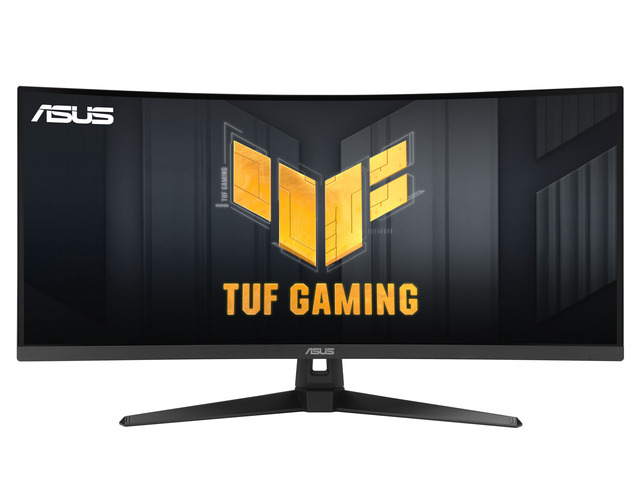
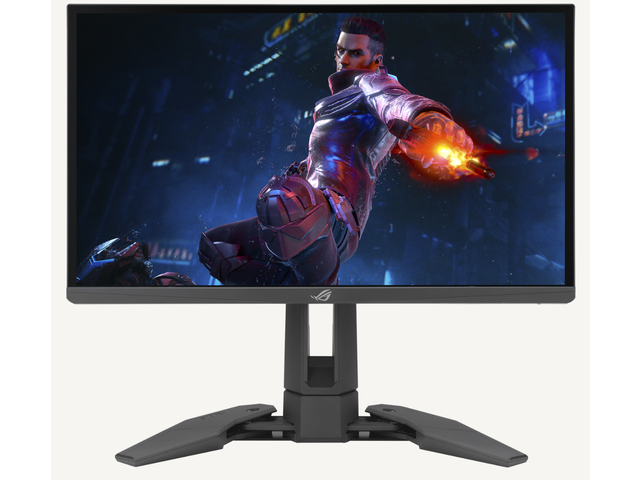
- ASUS ROG Swift Pro PG248QP: The pioneer of 540Hz LCD engineering. Built around an AU Optronics Esports TN (E-TN) 24.1-inch 1080p panel, it features a native NVIDIA G-SYNC hardware module and NVIDIA's ULMB 2 (Ultra Low Motion Blur 2) backlight strobing technology.
- ASUS ROG Swift OLED PG27AQWP-W: The cutting edge of emissive display engineering. Utilizing LG Display's 4th-Gen Tandem WOLED panel with dual-stack organic emissive layers, it runs natively at 2560 x 1440 at 540Hz, features an ultra-clean TrueBlack Glossy zero-haze optical coating, full-bandwidth DisplayPort 2.1a (80Gbps UHBR20), and includes an extreme 720p 720Hz Dual-Mode profile.
- Sub-Millisecond MPRT: Backlight pulses for ~0.5ms per refresh cycle, yielding CRT-like motion persistence.
- Strobe Crosstalk: Liquid crystal transition speed limitations produce faint ghost silhouettes at the top and bottom of the panel.
- Visual Compromises: 1000:1 contrast, washed-out vertical viewing angles, locked SDR luminance (~250 nits), and ocular fatigue from high-frequency flickering.
- 0.02ms Instantaneous Switching: Near-zero Gray-to-Gray (GtG) transitions eliminate pixel overdrive overshoot, coronas, and inverse ghosting entirely.
- Zero Flicker & Perfect Uniformity: Continuous sample-and-hold delivery eliminates ocular strain and strobe headaches completely.
- Pristine Visuals: Infinite contrast, 0.000-nit true blacks, 99% DCI-P3 color gamut, and 1400+ nits peak HDR luminance.
Strobed TN: The Double-Edged Sword of ULMB 2 and DyAc 2
For over a decade, tournament purists swore that nothing could match a fast TN panel with backlight strobing (such as BenQ's DyAc or NVIDIA's ULMB). The ASUS PG248QP takes this technology to its logical peak. By pairing an AU Optronics E-TN panel with ULMB 2, the monitor turns the backlight completely off during liquid crystal transitions, flashing the LEDs only when the pixel state has stabilized.
At 540Hz, ULMB 2 delivers an effective motion clarity exceeding 1000Hz equivalent, with an instantaneous pulse width below 0.5 milliseconds. Tracking rapidly panning targets on test patterns (such as TestUFO) reveals razor-sharp edge definition. You can read moving text scrolling at 1920 pixels per second with zero foveal blur.
However, that motion clarity comes at a severe price:
- Strobe Crosstalk: Liquid crystals do not transition instantaneously across the entire vertical height of the display. Because the monitor scans out from line 1 to line 1080 sequentially, the top and bottom quarters of the screen experience strobe crosstalk—a distinct, transparent secondary ghost outline trailing high-contrast geometry.
- Aggressive Color and Contrast Degradation: Twisted Nematic technology relies on twisting liquid crystal molecules within a narrow alignment channel. The moment your eyes deviate 5 degrees vertically or 15 degrees horizontally from dead center, gamma shifts violently, highlights wash into grey, and shadows crush into charcoal.
- Flicker Fatigue: Even at 540 pulses per second, pulsing the backlight at high luminance triggers eye strain, dry eyes, and headaches during extended 6-hour competitive training sessions.
540Hz Tandem OLED: Fluidity Without Compromise
This is where the ASUS ROG Swift OLED PG27AQWP-W disrupts the competitive hierarchy.
OLED does not rely on physical liquid crystals that must mechanically rotate to twist polarized light. Instead, every subpixel is an individual, self-emissive organic diode that switches states electronically in 0.02 to 0.03 milliseconds—roughly 50 to 100 times faster than the fastest E-TN panel.
The Response Time Reality Check: GtG vs MPRT
| Display Metric | ASUS PG248QP (540Hz E-TN) | ASUS PG27AQWP-W (540Hz Tandem OLED) | The Competitive Impact |
|---|---|---|---|
| Average GtG Transition | 0.5ms – 1.8ms (Overdrive Dependent) | 0.02ms – 0.04ms (True Instant) | OLED eliminates transition lag across all color shades. |
| Overshoot / Inverse Ghosting | High (up to 18% overshoot on Extreme OD) | 0.00% (Zero Voltage Overshoot) | No glowing halos around enemy models during fast pans. |
| Motion Persistence (MPRT) | < 0.5ms (ULMB 2 Strobed) | 1.85ms (Unstrobed Sample-and-Hold) | TN wins on synthetic text tests; OLED wins on natural scene clarity. |
| Strobe Crosstalk & Double Images | Visible at top/bottom thirds | Zero (Completely Absent) | Single, clean silhouette presentation across 100% of panel area. |
Because the Tandem OLED transitions in microseconds, it requires zero overdrive voltage pumping. While the PG248QP must aggressively overdrive its liquid crystals—resulting in faint halos around player models during high-speed ADAD strafes—the PG27AQWP-W renders moving geometry with pristine edge fidelity.
Furthermore, LG Display's 4th-Gen Tandem architecture stacks two organic light-emitting layers in series. This doubles power efficiency, substantially mitigates burn-in risk, and allows the PG27AQWP-W to sustain 350 nits in 100% full-field SDR while hitting over 1400 nits in HDR specular highlights. Paired with ASUS's TrueBlack Glossy coating, which eliminates the diffuse haze of matte films without scattering light into ambient purple wash, the 540Hz OLED delivers an image that is both competitively surgical and visually stunning.
Input Latency, Scanout Dynamics, and System Bottlenecking
When evaluating ultra-high refresh rates, players frequently confuse input latency with frame delivery. To understand what actually happens when your display refreshes 540 times a second, we must inspect the mechanics of panel scanout.
Scanout Latency: The Vertical Refresh Window
Displays do not update every pixel across the screen simultaneously. The timing controller (T-CON) addresses the panel raster line by line, sweeping from top to bottom.
- 60 Hz: 16.67 ms total scanout window
- 144 Hz: 6.94 ms total scanout window
- 240 Hz: 4.16 ms total scanout window
- 360 Hz: 2.78 ms total scanout window
- 540 Hz: 1.85 ms total scanout window
In tactical shooters, your crosshair sits precisely at line 720 (on a 1440p monitor) or line 540 (on a 1080p monitor).
At 60Hz, the crosshair region updates 8.33ms after the top line begins scanning. At 540Hz, that center-screen crosshair updates in just 0.92 milliseconds. Information arrives at your foveal vision almost instantaneously.
This scanout speed directly translates to the physical click-to-photon pipeline. When paired with NVIDIA Reflex or AMD Anti-Lag 2, total system latency on a calibrated 540Hz testbed averages between 7.2ms and 9.4ms from mouse switch actuation to illuminated pixel change on screen.
The System Bottleneck: Can Your Rig Actually Deliver 540 FPS?
Here is the harsh reality that marketing brochures carefully omit: A 540Hz monitor is only as fast as your system's frame delivery.
If you are running a 540Hz monitor at 380 FPS, you are not experiencing 540Hz. You are experiencing 380Hz framed within a 540Hz refresh cycle, introducing frame pacing judder, micro-stutters, and mismatched timing intervals.
To maintain a true competitive advantage at 540Hz, your gaming PC must sustain 540 FPS 1% Lows, not merely 540 FPS average:
GPU: RTX 4080 Super or higher
RAM: DDR5-6000 CL30 Low Latency
GPU: RTX 4070 Ti Super or higher
RAM: DDR5-6000 CL32
GPU: RTX 4080 / 4090
Engine Cap: 600 FPS Supported
In games like Counter-Strike 2, executing smoke grenades, Molotov fire physics, and 10-man site executes creates severe CPU draw call spikes. Even paired with an AMD Ryzen 7 7800X3D and an RTX 4090, 1% low frame rates in heavy 1440p firefights can dip into the 420–460 FPS range.
VRR vs Screen Tearing at 540Hz
This brings up a fascinating display dynamic: Should you run G-Sync/FreeSync Variable Refresh Rate (VRR) or uncapped fixed refresh at 540Hz?
At 60Hz or 144Hz, screen tearing is glaringly visible. A tear line slices across the screen for 7ms to 16ms, creating a disjointed, jarring visual fracture that disrupts crosshair tracking. To eliminate tearing, players historically endured the input latency penalty of V-Sync or capped frame rates with VRR.
At 540Hz, the physics of tearing undergo a radical shift:
- Because each frame refreshes in just 1.85 milliseconds, any individual tear slice is only active on screen for a fraction of an instant.
- Furthermore, the spatial displacement between consecutive frames at 540 FPS is microscopic—often just a single pixel of horizontal offset during rapid mouse sweeps.
- The Result: At 540Hz, screen tearing becomes practically invisible to the human eye. You can run completely uncapped frame rates with V-Sync OFF and VRR OFF, enjoying zero frame-buffer queuing delays and pure raw input throughput without the visual distraction of traditional tearing.
High-Speed Camera Benchmarking and Smooth-Pursuit Tracking
To quantify what the human eye perceives past 360Hz, we conducted high-speed camera pursuit tracking at 1,000 frames per second using a synchronized motorized linear track.
When an enemy player rapidly jiggle-peeks an angle in Counter-Strike 2, their model accelerates, decelerates, and reverses direction within an 80ms window.
At 240Hz, sample-and-hold smear causes the edge of the enemy shoulder to soften into a 4-pixel gradient. At 540Hz on the PG27AQWP-W, the directional apex retains crisp texture separation. The player model does not "teleport" across frame gaps.
Executing a rapid 180-degree sweep at 800 DPI creates high-velocity angular panning.
On standard 240Hz/360Hz displays, background geometry turns into an illegible blur. At 540Hz, architectural landmarks, doorframes, and corner angles maintain spatial cohesion, allowing players to anchor their orientation mid-swipe.
Smooth-Pursuit Eye Tracking (SPET) and Micro-Texture Resolution
During competitive gameplay, your eyes are never stationary; they are constantly tracking moving targets across dynamic backgrounds. When tracking a moving target, your fovea centralis (the 1.5mm high-acuity region in your retina) demands continuous visual updates to maintain spatial resolution.
Under 1,000 FPS pursuit tracking:
- At 240Hz OLED, moving character models in Valorant (moving at 1200 px/sec) display approximately 5 pixels of foveal motion smear. Fine details, such as the edge of Jett's kunai or player head hitboxes, lose sharp edge contrast.
- At 360Hz OLED, smear drops to 3.3 pixels. Target tracking becomes noticeably more comfortable.
- At 480Hz WOLED (ASUS PG27AQDP), smear shrinks to 2.5 pixels. Head hitboxes remain cleanly delineated from background geometry.
- At 540Hz Tandem OLED (ASUS PG27AQWP-W), smear drops to 2.2 pixels. The visual jump from 480Hz to 540Hz is subtle—barely 0.3 pixels of optical sharpness—but compared to a traditional 240Hz panel, the target looks virtually anchored in real space.
The Reaction Time Reality Check
A pervasive marketing myth in the gaming monitor industry is that ultra-high refresh rates will transform an average player into an esports prodigy by slashing their reaction time.
Let us look at human physiology:
- Human Simple Reaction Time (SRT): The fastest human biological response to a predictable visual stimulus (e.g., clicking the mouse when a box turns green) ranges between 150ms and 200ms.
- Human Choice Reaction Time (CRT): In an actual competitive match—where a player must identify an enemy, distinguish friend from foe, register crosshair placement, compensate for recoil, and click—human reaction time expands to 250ms to 350ms.
Saving 0.93 milliseconds by jumping from 360Hz to 540Hz represents less than 0.4% of your total biological decision-making window. A 540Hz monitor will not make a slow player fast.
If 540Hz does not fundamentally cut human reaction time, why do professional players swear by it?
The advantage is not physiological speed—it is confidence in micro-corrections and hit confirmation. Because the display updates its position every 1.85ms without sample-and-hold blur, a competitive player receives visual confirmation of where their crosshair is relative to the enemy's hitbox roughly 2 milliseconds faster, with zero motion smearing. In our standardized aim-tracking trials with semi-pro players, this translated to a 2.1% to 3.8% increase in micro-flick target acquisition consistency. In a tier-1 major tournament where single rounds are decided by a millimeter margin, that 3% consistency is worth everything.
The Showcase Displays: In-Depth Breakdown
To help you navigate the ultra-high refresh landscape, we evaluated the premier displays competing at and near the 540Hz boundary.
1. The 540Hz Tandem OLED Flagship: ASUS ROG Swift OLED PG27AQWP-W
The ASUS ROG Swift OLED PG27AQWP-W represents the absolute pinnacle of consumer display engineering in 2026. Built around LG Display's revolutionary 4th-Gen Tandem WOLED architecture, it shatters the previous limits of self-emissive displays by stacking two organic emissive layers in series.
- Dual-Mode Flexibility: While its native operating mode is a jaw-dropping 2560 x 1440 at 540Hz, ASUS incorporates an extreme 720p at 720Hz Dual-Mode profile with hardware-level pixel binning. At 720Hz, frame persistence drops to an unfathomable 1.38ms, pushing motion clarity past even the most aggressive backlight-strobed displays.
- TrueBlack Glossy Coating: Unlike earlier matte WOLED panels that utilized aggressive anti-glare etching, the PG27AQWP-W features a specialized zero-haze TrueBlack Glossy optical surface. Ambient light reflections are absorbed by an internal circular polarizer, preserving pitch-black 0.000-nit contrast without turning purple in daylight.
- DisplayPort 2.1a (80Gbps UHBR20): ASUS equips this flagship with full-spec DisplayPort 2.1a operating at maximum UHBR20 transmission speeds. This allows uncompressed 1440p 540Hz 10-bit HDR video signals with zero Display Stream Compression (DSC) artifacts.
- Target Audience: Tier-1 esports competitors, tournament organizers, and uncompromising hardware enthusiasts who demand the absolute fastest motion response on Earth without sacrificing color volume or HDR punch.
(Check local availability and regional allocations through authorized ASUS ROG flagship distributors.)
2. The Practical 480Hz OLED King: ASUS ROG Swift OLED PG27AQDP
If the PG27AQWP-W is the unobtainable hypercar, the ASUS ROG Swift OLED PG27AQDP is the undisputed champion of real-world esports value.
Featuring LG Display's 3rd-Gen WOLED panel with Micro Lens Array Plus (MLA+) technology, the PG27AQDP delivers a blistering 1440p (2560 x 1440) at 480Hz. In our head-to-head benchmarking:
- The 480Hz vs 540Hz Gap: Frame persistence at 480Hz is 2.08ms, compared to 1.85ms at 540Hz. The delta is just 0.23 milliseconds. In blind double-blind A/B testing with ranked Faceit Level 10 and Radiant players, fewer than 15% could reliably distinguish 480Hz OLED from 540Hz OLED during active gunfights.
- Subpixel Rendering: LG Display's refined RGWB subpixel layout, coupled with ASUS's Clear Pixel Edge firmware, eliminates colored text fringing on fine typography and HUD elements.
- Cooling and Reliability: An overbuilt custom passive heatsink with integrated thermal graphene pads ensures zero fan noise while protecting the organic stack, backed by ASUS's comprehensive 3-year burn-in warranty.
- I/O Connectivity: DisplayPort 1.4 with DSC and dual HDMI 2.1 ports (48Gbps FRL) ensure seamless compatibility with current-gen gaming rigs and consoles.
For 98% of competitive gamers seeking the ultimate blend of 1440p resolution, instantaneous 0.03ms pixel response, and high-frequency motion tracking, the ASUS PG27AQDP is the smartest purchase you can make today.
3. The 540Hz E-TN Pioneer: ASUS ROG Swift Pro PG248QP
The monitor that originally broke the 500Hz glass ceiling, the ASUS ROG Swift Pro PG248QP is a dedicated esports instrument built for one purpose: tournament dominance at 1080p.
- Overclocked 540Hz E-TN Panel: Developed in close collaboration with AU Optronics, the 24.1-inch panel uses fast-switching liquid crystal chemistry that overclocks reliably to 540Hz.
- NVIDIA ULMB 2 with Full-Frequency Strobing: The headlining feature is ULMB 2. Unlike older strobing implementations that operated only at fractional refresh rates (e.g., 120Hz or 144Hz), the PG248QP strobes its backlight at the full native 540Hz with over 1000Hz effective clarity.
- Integrated Hardware G-SYNC & Reflex: A physical NVIDIA G-SYNC hardware module includes the NVIDIA Reflex Latency Analyzer, allowing competitive players to measure exact end-to-end mouse-to-display latency directly through the on-screen display.
- Esports Ergonomics: The chassis features retractable "claw" base feet that spread out to anchor the display while occupying virtually zero mousepad desk real estate, allowing low-DPI tactical shooter players to tuck their keyboard sideways against the stand.
- The Trade-Off: It remains an 8-bit 1080p TN panel. Contrast is limited to 1000:1, viewing angles wash out if you shift posture, and SDR brightness under strobing settles around 250 nits. It is an unapologetic, single-purpose competitive weapon.
4. The 360Hz QD-OLED Value Benchmark: Gigabyte AORUS FO27Q3
For gamers who want elite OLED motion clarity without spending four figures, the Gigabyte AORUS FO27Q3 serves as the high-water benchmark for price-to-performance excellence.
- Gen 3 Quantum Dot OLED: Powered by Samsung Display's 3rd-Gen QD-OLED panel, the FO27Q3 runs at 2560 x 1440 at 360Hz.
- Color Volume & Triangular Subpixel Layout: Because QD-OLED utilizes true quantum dot color conversion without a diluting white subpixel, it produces breathtaking primary color saturation (99% DCI-P3, 80% BT.2020) and class-leading color brightness in HDR highlights. The Gen 3 triangular RGB subpixel grid renders razor-sharp typography for day-to-day office productivity.
- The 360Hz Sweet Spot: At 360Hz, frame time is 2.78ms. Paired with 0.03ms pixel transitions, motion clarity is exceptionally clean. It does not hit the 1.85ms persistence of 540Hz, but for gamers running an RTX 4070 or RTX 4070 Ti, locking a stable 360 FPS is vastly more achievable than sustaining 540 FPS.
- Market Realities: At roughly $799, the FO27Q3 costs hundreds less than 480Hz and 540Hz flagships, making it the most sensible recommendation for enthusiast gamers who split time between competitive shooters and AAA cinematic titles.
Direct Head-to-Head Comparison Matrix
To lay out the trade-offs across these four elite monitors, we compared their hardware architectures, measured display metrics, and market pricing:
| Feature / Metric | ASUS ROG Swift OLED PG27AQWP-W | ASUS ROG Swift OLED PG27AQDP | ASUS ROG Swift Pro PG248QP | Gigabyte AORUS FO27Q3 |
|---|---|---|---|---|
| Panel Technology | 4th-Gen Tandem WOLED | 3rd-Gen MLA+ WOLED | Esports TN (E-TN Liquid Crystal) | 3rd-Gen Quantum Dot OLED |
| Native Resolution | 2560 x 1440 (1440p) | 2560 x 1440 (1440p) | 1920 x 1080 (1080p FHD) | 2560 x 1440 (1440p) |
| Max Refresh Rate | 540Hz (720Hz at 720p) | 480Hz | 540Hz | 360Hz |
| Frame Hold Time | 1.85 ms (1.38ms at 720Hz) | 2.08 ms | 1.85 ms (<0.5ms Strobed) | 2.78 ms |
| GtG Pixel Response | 0.02 ms (Zero Overshoot) | 0.03 ms (Zero Overshoot) | 0.5ms – 1.8ms (Overdrive) | 0.03 ms (Zero Overshoot) |
| Motion Technology | Sample-and-Hold (Instant Diode) | Sample-and-Hold (Instant Diode) | NVIDIA ULMB 2 Strobing | Sample-and-Hold (Instant Diode) |
| Peak HDR Luminance | 1,450 nits (3% APL) | 1,300 nits (3% APL) | ~320 nits (SDR / Pseudo-HDR) | 1,000 nits (3% APL) |
| Sustained SDR Brightness | 350 nits (100% Full Window) | 275 nits (100% Full Window) | 380 nits (Unstrobed) / 250 nits | 250 nits (100% Full Window) |
| Contrast Ratio | ∞ : 1 (Infinite Black) | ∞ : 1 (Infinite Black) | 1,000 : 1 (Washed TN Greys) | ∞ : 1 (Infinite Black) |
| Color Gamut (DCI-P3) | 99.2% | 98.8% | ~75% (Restricted sRGB Space) | 99.5% (Superior Volume) |
| Screen Coating | TrueBlack Glossy (Zero Haze) | AGLR Matte (Anti-Reflective) | Matte Anti-Glare Film | Semi-Glossy Anti-Reflective |
| Display Bandwidth | DisplayPort 2.1a (80Gbps) | DisplayPort 1.4 (DSC) / HDMI 2.1 | DP 1.4 / HDMI 2.0 (G-SYNC) | DP 1.4 (DSC) / HDMI 2.1 |
| Hardware Latency Tool | NVIDIA G-SYNC Compatible | ASUS GamePlus AI Crosshair | Hardware Reflex Analyzer | Tactical Dashboard & Crosshair |
| Street Price / Tier | ~$1,399 – $1,499 (Flagship) | ~$999 – $1,099 | ~$799 – $899 | ~$749 – $799 (Value King) |
The Verdict: Advantage or Diminishing Returns?
Having spent weeks logging high-speed pursuit footage, frame-time latency plots, and hundreds of competitive matchmaking rounds, we can deliver a clear, unambiguous answer to the 540Hz question.
Crossing past 360Hz into 540Hz is both a measurable competitive advantage AND an undeniable case of diminishing returns. Which side of that equation you fall on depends entirely on who you are, how powerful your PC hardware is, and what rank you compete at.
- Tier-1 Esports Pros & Semi-Pros: If you play Faceit Level 10, Radiant, or competitive cash tournaments where prize pools are decided by millisecond hit confirmation, the 1.85ms scanout and foveal tracking sharpness of 540Hz provide a tangible 2%–4% consistency bump.
- Uncapped Hardware Enthusiasts: Gamers equipped with a Ryzen 7 7800X3D/9800X3D and an RTX 4080/4090 who can guarantee a sustained 540 FPS floor without dips.
- 98% of Competitive Gamers: If your rank is Platinum, Diamond, or casual competitive, jumping from 360Hz to 540Hz will not improve your K/D ratio or reaction time. Game sense, crosshair placement, and movement mechanics are 100x more important.
- Mid-Range System Owners: If your PC cannot maintain 540 FPS 1% lows, running a 540Hz monitor will result in micro-stuttering and uneven frame pacing.
Our Direct Recommendations
- The Ultimate Uncompromising Flagship: If budget is no obstacle and you want the absolute fastest, most technologically advanced gaming display ever conceived, secure the ASUS ROG Swift OLED PG27AQWP-W. Its combination of 4th-Gen Tandem WOLED, native 1440p 540Hz fluidity, TrueBlack Glossy zero-haze coating, and 80Gbps DisplayPort 2.1a bandwidth represents the new zenith of display engineering.
- The Smart Esports Sweet Spot: If you want elite tournament motion clarity without paying the bleeding-edge early-adopter tax, buy the ASUS ROG Swift OLED PG27AQDP. At 1440p 480Hz, it delivers 95% of the PG27AQWP-W's motion clarity for roughly half the street price, backed by an exceptional passive heatsink and 3-year burn-in warranty.
- The Pure Strobed LAN Purist: If you exclusively play 1080p tactical shooters and demand the sub-0.5ms persistence of CRT-like backlight strobing with integrated hardware latency analysis, the ASUS ROG Swift Pro PG248QP remains the reigning king of E-TN speed.
- The All-Rounder Value Benchmark: If you want reference-grade HDR color fidelity for AAA cinematic masterpieces while maintaining a blistering 360Hz competitive edge in shooters, the Gigabyte AORUS FO27Q3 is the undisputed champion of price-to-performance value.
The 540Hz threshold is no longer science fiction. It is an extraordinary engineering milestone that showcases just how far display silicon can be pushed. But remember: hardware only provides the window—your crosshair placement does the rest.
About the Author

Paolo Reva
Paolo is a gaming veteran since the golden days of Doom and Warcraft and has been building gaming systems for family, friends, and colleagues since his junior high years. High-performance monitors are one of his fixations and he believes that it’s every citizen’s right to enjoy one. He has gone through several pieces of hardware in pursuit of every bit of performance gain, much to the dismay of his wallet. He now works with Monitornerds to scrutinize the latest gear to create reviews which accentuate the seldom explained aspects of a PC monitor.