ASUS ZenScreen MB27ACF Review – Large 27-Inch Portable Monitor for Mixed Use – Recommended
Introduction
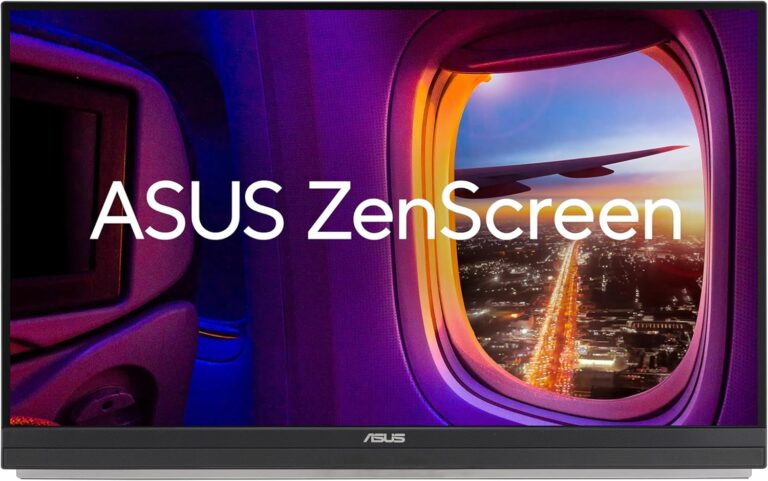
The ASUS ZenScreen MB27ACF fills a segment of the market we never thought we would ever need. It’s a super-slim display that can prop itself up or use a mount for desktop use, but it’s also 27 inches — almost twice the size of a regular portable variant. It’s expensive for a 1440p mixed-use monitor, but let’s check if the performance and the unique design make up for that.
Specifications
| Feature | Details |
|---|---|
| Screen Size | 27 Inches |
| Resolution | 2560 × 1440 (QHD) |
| Aspect Ratio | 16:9 |
| Panel Technology | IPS |
| Refresh Rate | 100 Hz |
| Response Time | 5 ms |
| Contrast Ratio | 1500:1 (static) |
| Brightness | 300 cd/m² |
| Speakers | Yes — 2.1 channel with subwoofer |
| Stand | Height, Tilt, Swivel |
| VESA Compatibility | Yes (100 × 100) |
| Connectivity | HDMI 1.4 ×1, USB-C PD60W ×1, 3.5 mm Audio Jack ×1 |
| Dimensions with Stand | 24″ × 24.6″ × 12″ |
| Weight | 6.57 lbs |
Design & Features
The ZenScreen MB27ACF has a modern design with slim proportions and a discrete aesthetic. The chassis is black with silver accents, and while the screen is almost bezel-free the bottom border is notably heavier. Even though 27-inch monitors are common now, this one feels imposing in size for a “portable” model.
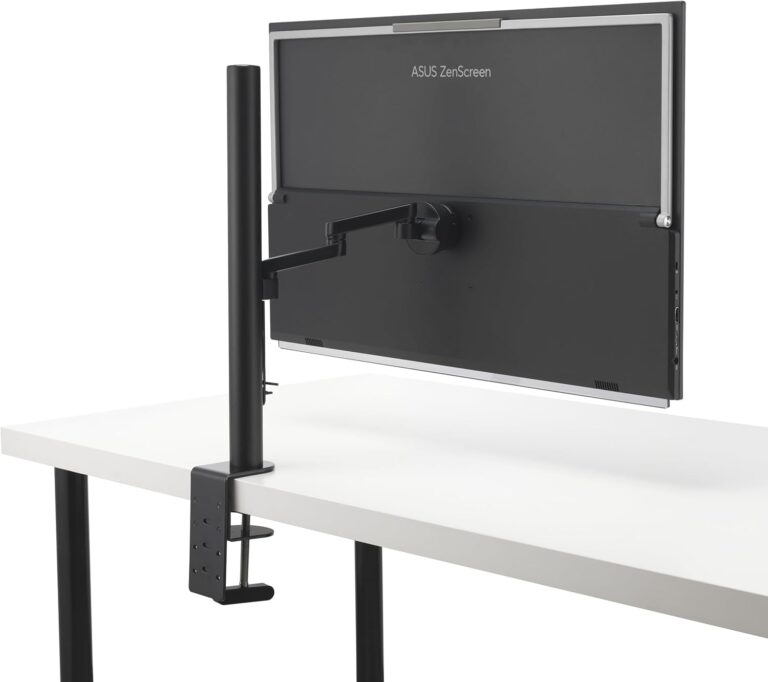
The build quality is good despite how thin the panel looks — no sharp edges or burrs. The included kickstand is surprisingly stable for its size. It offers two stand options — a built-in kickstand and a monitor arm with a clamp — giving you flexibility between mobile and desktop use. Standard VESA (100×100) mounting works but may require the arm.
It supports USB-C for single-cable connectivity, though if you use HDMI you’ll need both power and video. Included cables save you that extra hassle. The speakers (2 satellites and one mini woofer) are better than typical portable monitors, though still not “studio grade.”
Display & Performance
With a 27″ IPS panel at QHD (2560×1440), combined with 100 Hz refresh and 5 ms response, this monitor is more than just “portable.” The backlight reached ~295 cd/m² in testing and contrast peaked at ~1355:1 — excellent for an IPS, and especially for a portable unit.
Color coverage was over 100% sRGB and ~81% DCI-P3. Default accuracy: deltaE average ~2.13; calibrated ~1.78. For general use, you’re fine straight out of the box.
The panel had some uniformity issues in the sample’s upper corners (backlight bleeding/clouding) — fairly common with IPS in slim units. Input lag was measured at ~6 ms at 100 Hz. It supports FreeSync but not G-Sync, so if you have an NVIDIA GPU you won’t get certified G-Sync — that’s a limitation for high-end gamers.
For gaming at QHD 100Hz it performs well, though hardcore competitive gamers may prefer lower resolution/higher refresh setups.
Thoughts on the ASUS ZenScreen MB27ACF
This is a beautifully executed piece of gear for both work and play. It’s 27″ QHD, yet portable enough to consider taking on the go (if your bag fits it). The dual-stand design is excellent.
With that being said — it’s far from perfect. Color gamut is still limited compared to full-desktop monitors. No G-Sync support. And yes — for a 1440p100Hz display it is pricey.
Pros:
- Excellent design
- Thin and light for size
- Strong image quality (for a portable)
Cons:
- Limited color gamut (for creative work)
- No G-Sync
- Price is high for the spec
Monitor Nerds Rating: ★★★★☆ (4.0 / 5)
Final Verdict
If you want a large-size QHD monitor that works both on the go and as a desktop display, the ASUS ZenScreen MB27ACF stands out. Just be aware of its trade-offs: portable design means some compromises. But for mixed-use users who carry a laptop and want a full-sized second screen, this could be a winner.
Affiliate link: Check latest price on Amazon