ASUS ROG Swift PG32UCDM Review: The Pinnacle of 4K QD-OLED Gaming
By Eli Nolan | Published March 28, 2026
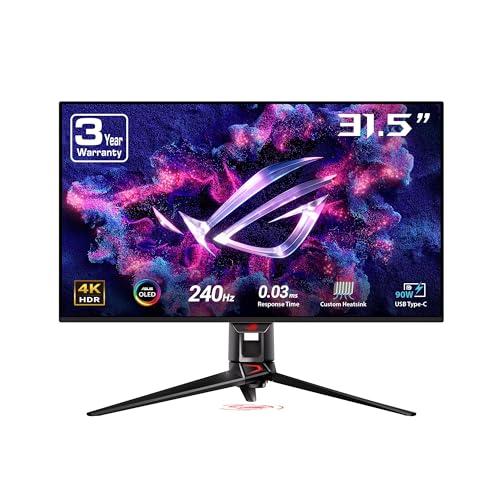
For PC gamers seeking the absolute bleeding edge of display technology, the 32-inch 4K landscape has never looked better. The ASUS ROG Swift PG32UCDM stands out as a true heavyweight in this highly competitive space. Combining a stunning QD-OLED panel, a blistering 240Hz refresh rate, and Republic of Gamers' signature premium features, this monitor aims to be the endgame upgrade for enthusiasts with powerful rigs. Whether you are grinding competitive ranks or getting lost in visually rich single-player RPGs, this display demands your attention.
Design and Build Quality
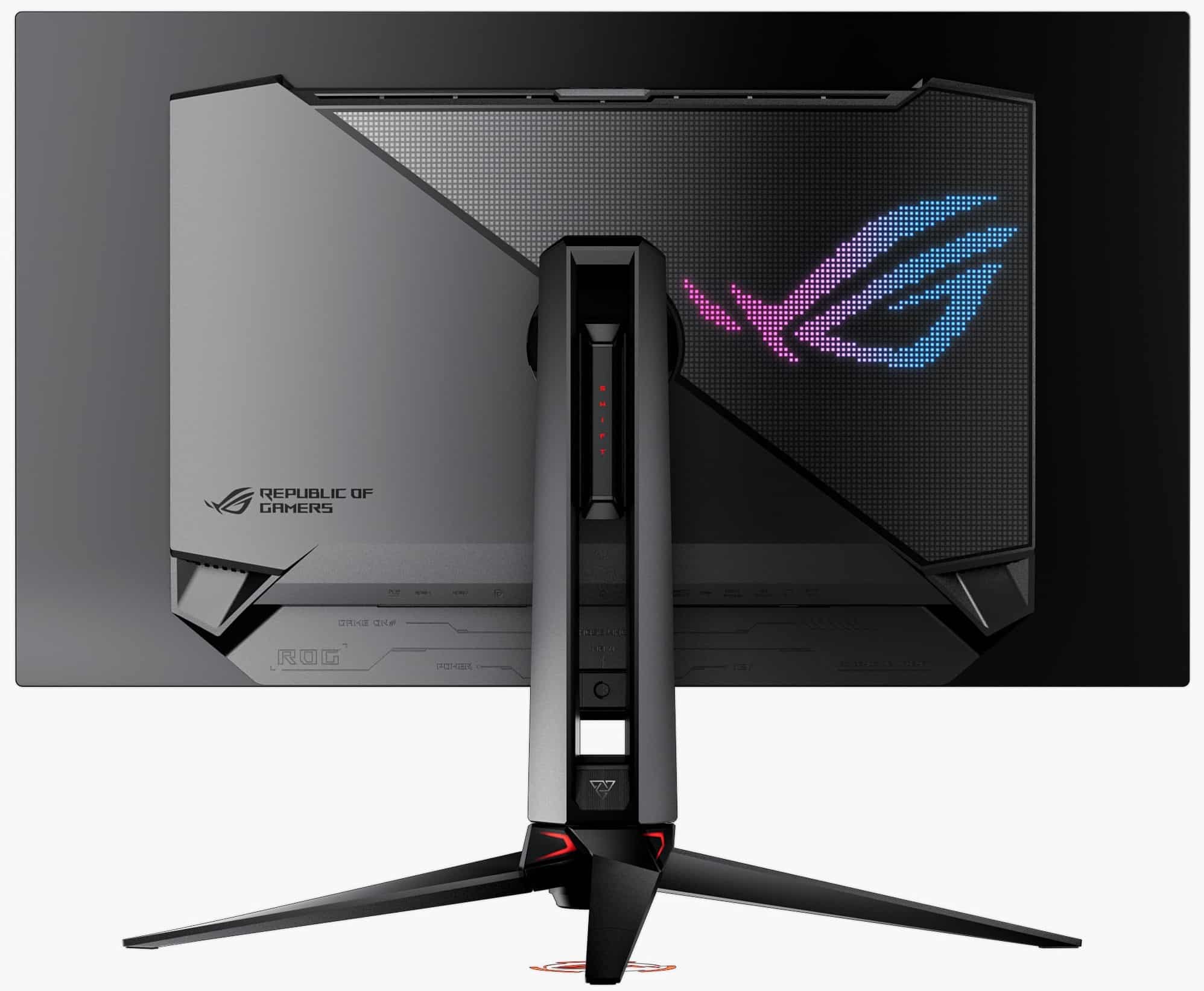
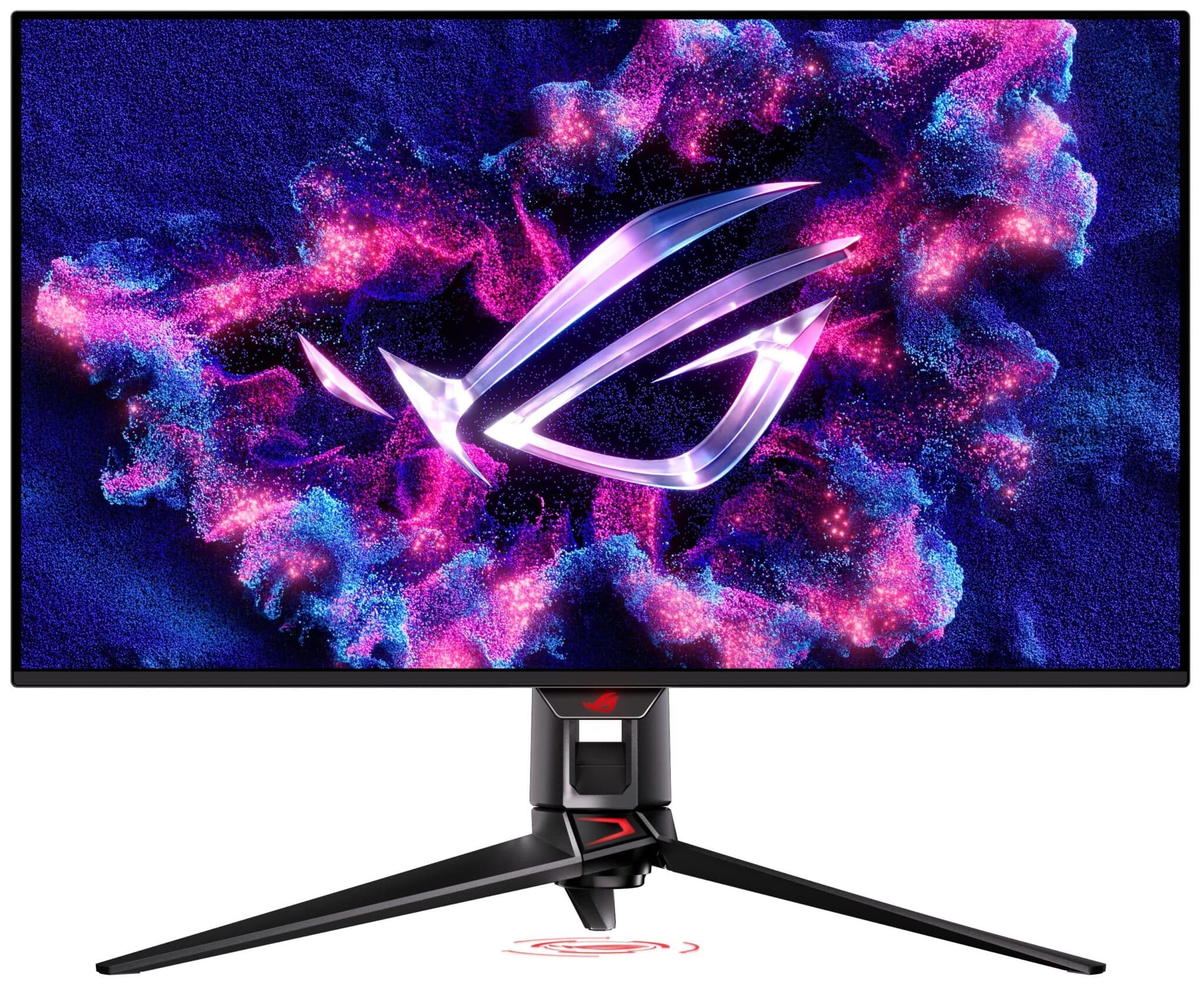
Right out of the box, the PG32UCDM screams premium ROG aesthetics without crossing into overly gaudy territory. The panel itself is razor-thin, encased in a sleek, matte black chassis with an extremely slim bezel that maximizes your screen real estate. The back of the monitor features tasteful RGB lighting, including the iconic ROG eye logo, which can be synced with your other Aura Sync-compatible gear to match your battle station's vibe.
One of the most impressive design feats is what you cannot see: the cooling system. OLED panels run naturally hot, and excessive heat is the primary enemy of pixel longevity. ASUS has tackled this by implementing a massive custom passive heatsink and a graphene film layer behind the panel. This completely fanless design means the monitor operates in total silence while effectively pulling heat away from the QD-OLED screen. This thermal management significantly reduces the risk of image retention and burn-in during long marathon sessions.
The only minor gripe regarding the physical design is the monitor stand. While incredibly sturdy and offering excellent tilt, swivel, and height adjustments, the metal "V-shaped" legs are noticeably wide and deep. If you have a shallow desk, you might find the feet encroaching on your mousepad space. Fortunately, the monitor includes a VESA wall-mount kit right in the box, making it exceptionally easy to swap to a dedicated monitor arm.
Display and Gaming Performance
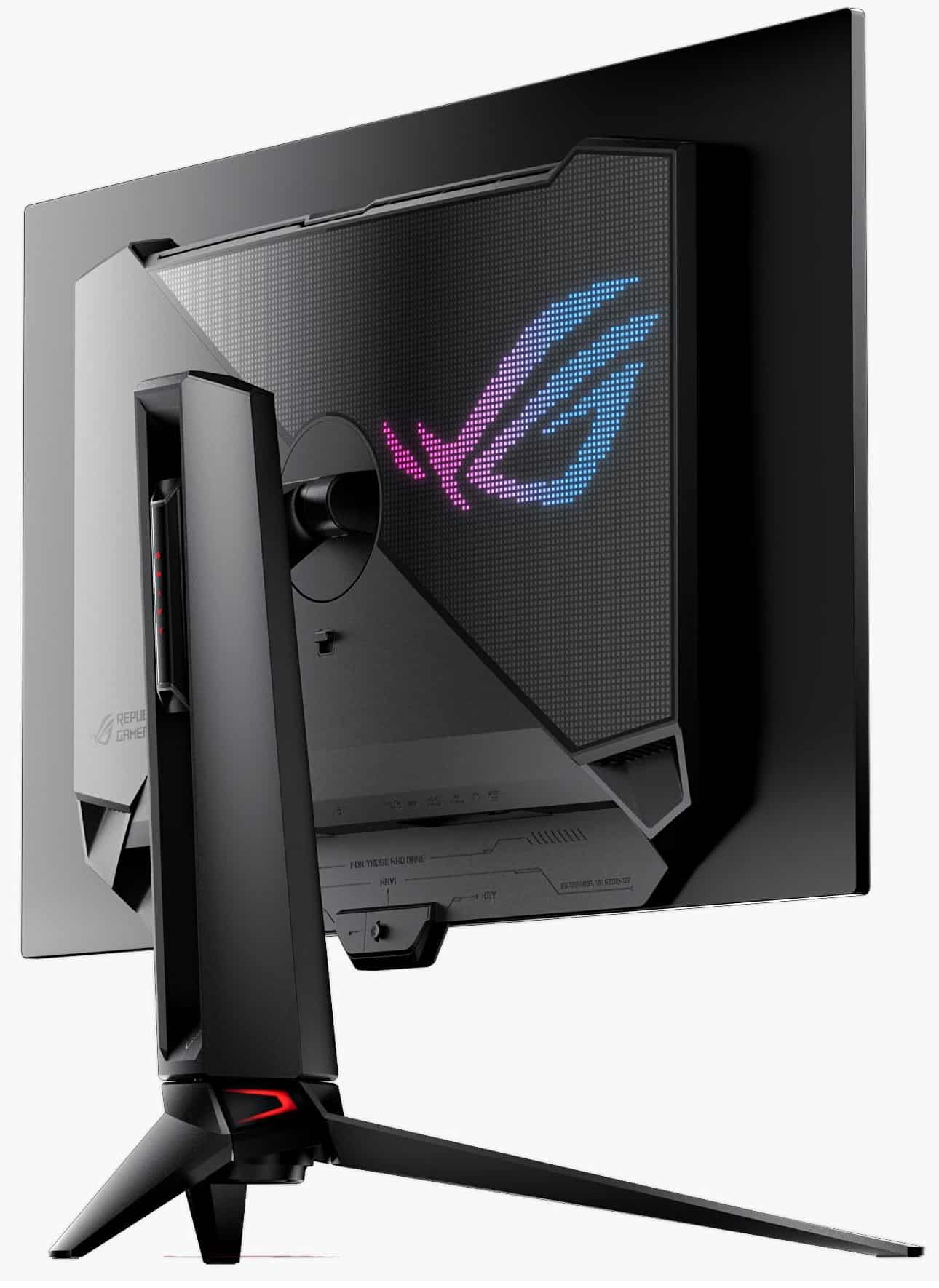
Let us get to the specifications that matter most. The PG32UCDM features a 31.5-inch QD-OLED panel running at a native 4K resolution (3840 x 2160). When paired with a 240Hz refresh rate and a virtually instantaneous 0.03ms (Gray-to-Gray) response time, the result is breathtaking motion clarity. Fast-paced shooters feel incredibly responsive, and moving targets remain razor-sharp without the smearing ghosting effect common on traditional IPS or VA panels. It also natively supports both NVIDIA G-Sync and AMD FreeSync Premium Pro, ensuring tear-free gaming regardless of your GPU manufacturer.
Color and HDR: Powered by Samsung's 3rd-generation QD-OLED technology, the color reproduction here is nothing short of spectacular. The monitor covers an impressive 99% of the DCI-P3 color gamut with a Delta E < 2 color accuracy rating straight out of the factory. This makes it just as capable for professional photo and video editing workflows as it is for gaming.
Where this monitor truly outshines the competition is in High Dynamic Range (HDR). With a peak brightness hitting 1,000 nits and an infinite contrast ratio of 1,500,000:1, highlights pop with incredible intensity. Meanwhile, shadows remain perfectly pitch-black without any of the blooming or haloing artifacts seen on Mini-LED monitors. ASUS has also rolled out firmware updates supporting Dolby Vision, giving you the best possible dynamic HDR experience in supported games and streaming media.
Note for 2026 Buyers: ASUS's latest Gen 3 iterations of this panel also incorporate "BlackShield" film, a highly durable anti-reflective coating that improves black levels in bright ambient lighting by up to 40%. This directly addresses one of the few historical weaknesses of QD-OLED technology—raised, grayish black levels when sitting in a sunlit room.
Unique Features, OSD, and OLED Care
ASUS packed the PG32UCDM with enthusiast-level features that help justify its premium price tag:
- Built-in KVM Switch: If you use your desk for both a work laptop and a gaming PC, the integrated KVM switch is a lifesaver. You can control two different machines with a single keyboard and mouse plugged directly into the monitor, switching between them seamlessly.
- Uniform Brightness: A common annoyance with OLEDs is the Automatic Background Limiter (ABL), which automatically dims the screen when a large white window (like a web browser) is opened to protect the panel. ASUS includes a "Uniform Brightness" setting that caps the peak SDR brightness but keeps it perfectly stable, making desktop productivity much less jarring.
- DisplayWidget Center: Navigating OSD menus with a physical joystick can be tedious. ASUS's DisplayWidget software allows you to tweak every monitor setting, from color profiles to crosshairs, directly from your Windows desktop using your mouse.
- ASUS OLED Care: To ease burn-in anxiety, the monitor features a robust suite of protective measures. This includes automated pixel cleaning, subtle screen moving, and logo brightness adjustment. Best of all, ASUS backs the panel with a comprehensive 3-year warranty that explicitly covers OLED burn-in.
Connectivity and Console Support
The port selection on the rear hub is highly versatile and future-proofed for multiple setups. You get:
- 1x DisplayPort 1.4 (with DSC): Delivering the full 4K 240Hz experience for PC users.
- 2x HDMI 2.1: This makes the monitor an excellent choice for console gamers as well, supporting the full 4K 120Hz output, Variable Refresh Rate (VRR), and Auto Low Latency Mode for both the PlayStation 5 and Xbox Series X.
- 1x USB-C (90W PD): Featuring DisplayPort Alt Mode and 90W Power Delivery, this is ideal for a single-cable laptop setup, charging your device while simultaneously driving the display.
- USB Hub & Audio: A 3-port USB 3.2 Gen 1 hub for peripherals, alongside a 3.5mm headphone jack and an SPDIF optical audio output.
It is worth noting that the monitor does not have built-in speakers. At this enthusiast price point, most gamers are utilizing high-end gaming headsets or dedicated desktop speakers anyway, so the omission makes sense, but it is a factor to keep in mind if you prefer minimalist, cable-free setups.
Pros and Cons
Pros:
- Jaw-Dropping Visuals: Incredible 4K image quality with the infinite contrast that only QD-OLED can provide.
- Elite Speed: Buttery smooth 240Hz refresh rate and a 0.03ms response time.
- Thermal Design: Exceptional passive cooling system utilizing a custom heatsink and graphene film.
- Productivity Power: Built-in KVM switch and 90W USB-C power delivery.
- Peace of Mind: 3-year warranty that explicitly covers OLED burn-in.
Cons:
- Enthusiast Pricing: Carries a hefty premium price tag.
- Desk Footprint: The wide stand legs take up a considerable amount of desk depth.
- No Audio: Lacks built-in speakers.
The Verdict
The ASUS ROG Swift PG32UCDM is a masterclass in modern gaming display engineering. It successfully merges the cinematic beauty of a 4K OLED with the uncompromising speed of a top-tier esports monitor. Yes, it requires a tremendously powerful setup to fully saturate the 240Hz refresh rate at native 4K, and yes, it comes with a flagship price. However, if you have the budget and the PC hardware to drive it, there is arguably no better monitor on the market right now to elevate your gaming experience. It earns our highest recommendation here at MonitorNerds.
About the Author

Eli Nolan
Eli Nolan is a seasoned tech enthusiast and gaming monitor specialist. With years of experience testing the latest display technologies, Eli provides deep insights into performance, color accuracy, and value. When not benchmarking monitors, he can be found exploring the latest open-world RPGs or fine-tuning his workstation setup.