The Ultimate 'No-Glare' Workspace: Inside Peter Steinberger's Professional Setup
By Eli Nolan | Published February 15, 2026
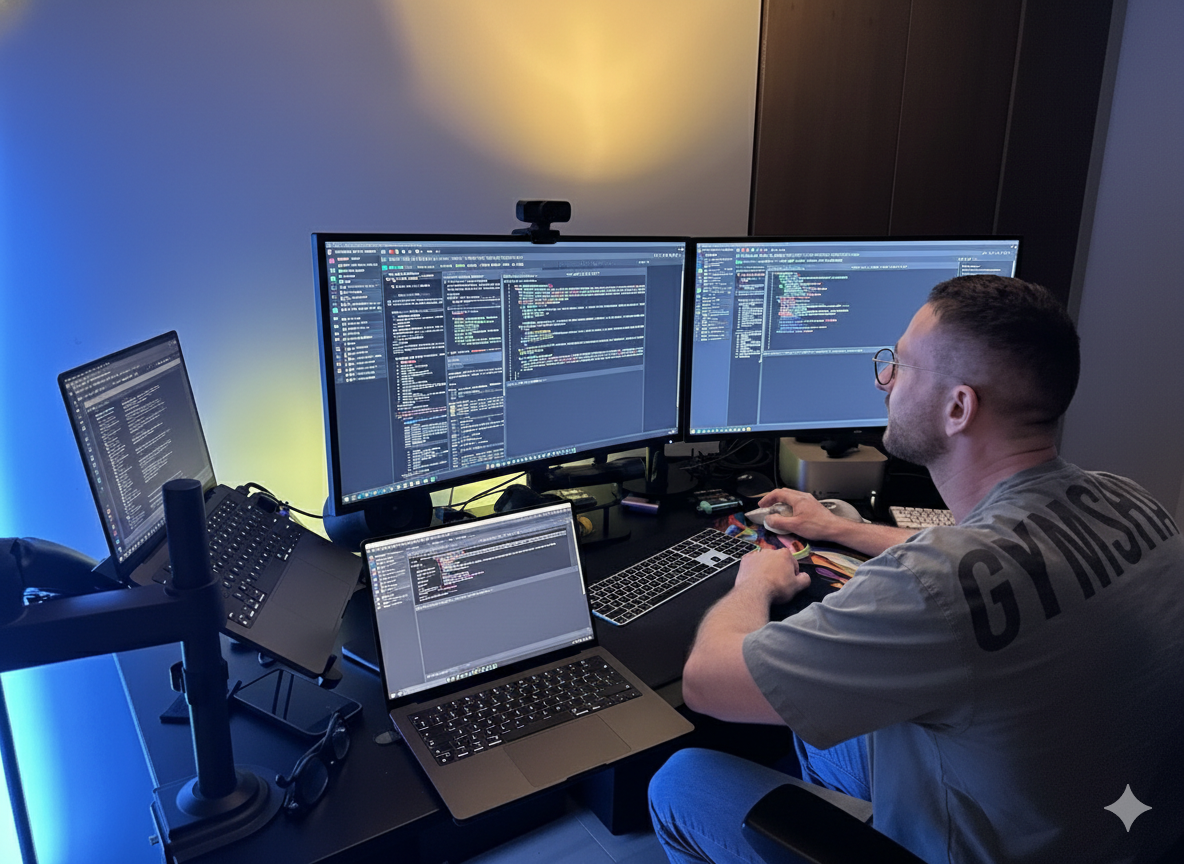
When MonitorNerds.com heard Peter Steinberger discussing his monitor setup on Lex Friedman's podcast, our ears obviously perked up. Peter Steinberger, the renowned developer behind OpenClaw and founder of PSPDFKit, has curated a home office that prioritizes clarity, focus, and—most importantly—the elimination of distractions.
For many power users, the "distraction" isn't a notification or a loud noise; it’s the reflection on their screen. While glossy displays are celebrated for their aesthetics, they often turn into mirrors in a brightly lit room. To solve this, Steinberger has opted for a configuration that champions a "no-glare" philosophy.
The Hardware: Dual Dell UltraSharp 32 4K (U3223QE)
Steinberger’s workstation is anchored by two Dell UltraSharp 32 4K USB-C Hub Monitors (U3223QE). This choice is deliberate, favoring utility and visual comfort over the trend of glossy, high-reflectivity glass.
The U3223QE is a favorite in the developer community for several key reasons:
- IPS Black Technology: These monitors feature LG’s IPS Black panels, providing a 2,000:1 contrast ratio—double that of standard IPS screens. This offers the deep blacks usually reserved for OLEDs but with the stability and matte finish of a professional LED.
- The Matte Finish Advantage: By choosing a high-quality matte display, Steinberger eliminates the harsh glare from windows or overhead lighting. This reduces eye strain during the long hours required to build complex frameworks like OpenClaw.
- The UltraWide Workflow: While technically 16:9 displays, using two 32-inch 4K panels side-by-side creates a massive, seamless UltraWide canvas. This is essential for his agentic coding workflow. Steinberger utilizes the expansive width to keep multiple terminal windows open side-by-side—each dedicated to one of his agentic coding bots. This allows for real-time monitoring of various AI processes simultaneously without ever switching tabs.
You can read our full review of this monitor here: Dell UltraSharp U3223QE Review.
Why It Matters for Modern Creators
Steinberger’s setup reflects a growing trend among "Modern Arts" professionals: the shift toward ergonomics and functional minimalism. In an era of always-on AI and complex local workflows, the ability to see your code—and only your code—is a luxury that pays dividends in productivity.
By side-stepping the "glossy vs. matte" debate in favor of the world's most advanced matte IPS technology, Steinberger has created a workspace that is as technically capable as the software he writes.
Build your own no-glare setup
You can find the Dell UltraSharp U3223QE 32" 4K Monitor on Amazon here: View on Amazon
About the Author

Eli Nolan
Eli Nolan is a seasoned tech enthusiast and gaming monitor specialist. With years of experience testing the latest display technologies, Eli provides deep insights into performance, color accuracy, and value. When not benchmarking monitors, he can be found exploring the latest open-world RPGs or fine-tuning his workstation setup.