The Best Gaming Monitors 2026: Handpicked by MonitorNerds
By Paolo Reva and Eli Nolan | Published February 1, 2026
Shopping for a gaming monitor in 2026 is weirdly hard: there are more “great on paper” displays than ever, but the differences that actually matter—motion clarity, HDR performance, contrast, input lag, VRR behavior, and panel quality—don’t show up in the marketing bullet points.
MonitorNerds is here to make the choice simple. Below you’ll find our current picks for the best gaming monitors across the categories people actually shop for: 144Hz and 240Hz monitors, 1440p (QHD) gaming monitors, 4K gaming monitors, and ultrawide monitors (including big-screen and high-refresh ultrawides). We cover options for competitive FPS players, immersive single-player gaming, mixed work-and-play setups, and budget builds.
Our recommendations come from 7 years of doing the boring work: digging through long-term owner feedback, forum threads, and professional reviews, then filtering out the models that look good in a spec sheet but disappoint in real use. If a monitor makes this list, it’s because it’s a strong buy for its price—right now—not because it’s the newest release or the loudest brand.
Best Gaming Monitors of 2026 | Handpicked by MonitorNerds
| Monitor (Click for Review) | Best Price | Size | Resolution | Panel | Refresh Rate | Response Time |
|---|---|---|---|---|---|---|
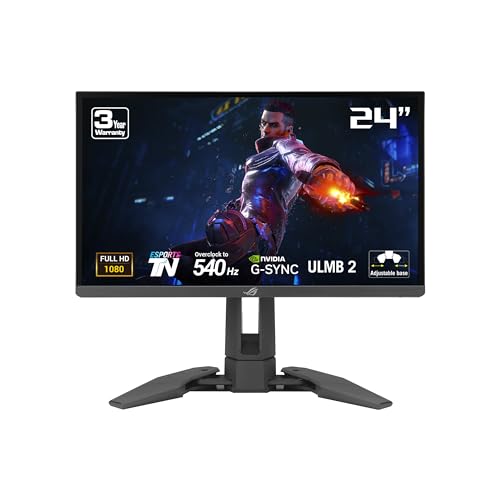
| Asus ROG Swift Pro PG248QP | Price | 24" | 1080p | TN | 540Hz | 0.2ms |
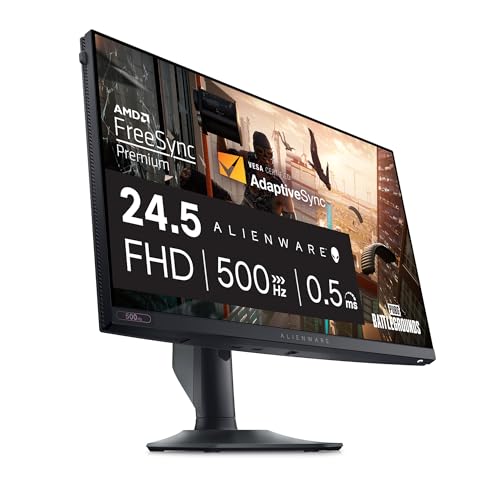
| Alienware AW2524HF | Price | 25" | 1080p | IPS | 500Hz | 0.5ms |
| AOC 24G4 | Price | 24" | 1080p | IPS | 180Hz | 1ms |
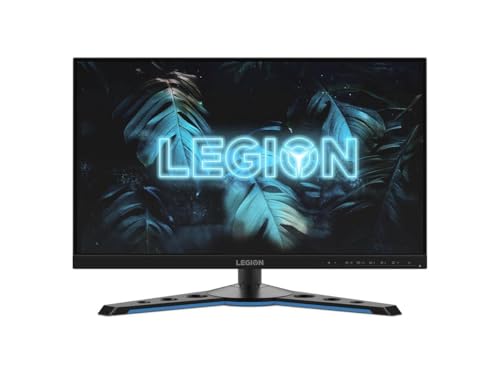
| Lenovo Legion Y25g-30 | Price | 25" | 1080p | IPS | 360Hz | 1ms |
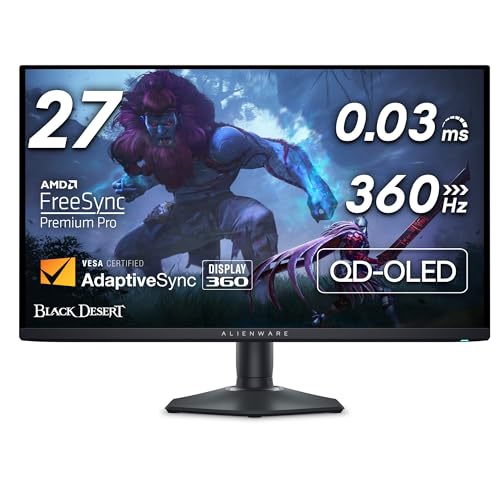
| Alienware AW2725DF | Price | 27" | 1440p | QD-OLED | 360Hz | 0.03ms |
| Samsung Odyssey OLED G6 | Price | 27" | 1440p | QD-OLED | 360Hz | 0.03ms |
| Gigabyte M27QA ICE | Price | 27" | 1440p | IPS | 180Hz | 1ms |
| AOC Q27G3XMN | Price | 27" | 1440p | Mini-LED | 180Hz | 1ms |
| Alienware AW3225QF | Price | 32" | 4K | QD-OLED | 240Hz | 0.03ms |
| MSI MPG 321URX QD-OLED | Price | 32" | 4K | QD-OLED | 240Hz | 0.03ms |
| MSI MPG 271QRX QD-OLED | Price | 27" | 1440p | QD-OLED | 360Hz | 0.03ms |
| Dell U3223QE | Price | 32" | 4K | IPS Black | 60Hz | 8ms |
| LG UltraGear 39GS95QE | Price | 39" | 3440x1440 | OLED | 240Hz | 0.03ms |
| Alienware AW3423DWF | Price | 34" | 3440x1440 | QD-OLED | 165Hz | 0.1ms |
| Samsung Odyssey Neo G9 | Price | 49" | 5120x1440 | Mini-LED | 240Hz | 1ms |
| Gigabyte MO34WQC2 | Price | 34" | 3440x1440 | OLED | 240Hz | 0.03ms |
II. The Best Gaming Monitors (2026)
We have arranged our selection by resolution—1080p, 1440p, 4K, and Ultrawide—to help you find the perfect match for your system.
1. 1080p / FHD (1920 x 1080)
1080p remains the gold standard for competitive gaming. In 2026, refresh rates have pushed to incredible levels, providing the ultimate edge in motion clarity.
Ultimate E-Sports Performance: Asus ROG Swift Pro PG248QP
The PG248QP is the pinnacle of motion clarity for professional esports. With a staggering 540Hz refresh rate (overclocked) on a specialized TN panel, it offers virtually zero motion blur. It’s the choice for those who demand the fastest possible response in titles like Valorant and Counter-Strike.
Fastest IPS for Gaming: Alienware AW2524HF
If you prefer the color consistency of IPS without sacrificing elite speed, the AW2524HF is a 500Hz beast. It provides much better viewing angles and color vibrancy than its TN counterparts while maintaining the high refresh rate necessary for competitive play.
Best Budget High-Refresh: AOC 24G4
The successor to the legendary 24G2, the AOC 24G4 brings a 180Hz "Fast IPS" panel to the budget segment. It offers exceptional color coverage (93% DCI-P3) and reliable performance for a fraction of the cost of flagship models.
Best 360Hz Value: Lenovo Legion Y25g-30
The Lenovo Legion Y25g-30 remains an underrated gem. It’s built like a tank and features a fast 360Hz IPS panel with G-Sync Ultimate. For competitive gamers who want built-in NVIDIA Reflex support without the flagship price tag, this is a top-tier choice.
2. 1440p / QHD (2560 x 1440)
QHD is the current "sweet spot" resolution, offering a major jump in detail over 1080p without requiring a flagship GPU to maintain high frame rates.
Best Overall 1440p OLED: Alienware AW2725DF
This is the first 1440p OLED to reach 360Hz. It features a stunning QD-OLED panel that provides infinite contrast and incredibly vibrant colors. If you want the absolute best all-around gaming experience in 2026, this is it.
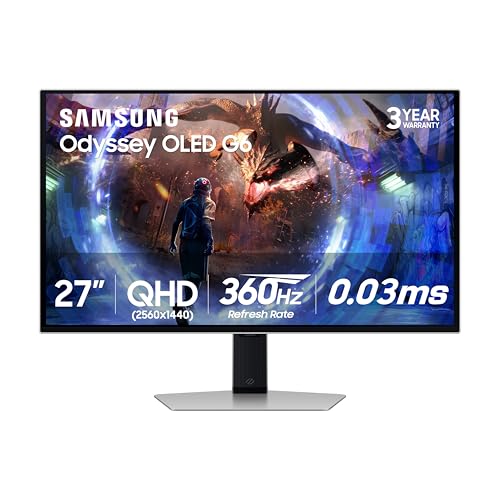
Lightning Fast 360Hz OLED: Samsung Odyssey OLED G6
Samsung's own 360Hz QD-OLED contender, the G6 offers a sleek, metallic design that fits in both gaming setups and high-end studios. Its HDR performance is spectacular, making it a dual-threat for immersive single-player games and fast-paced E-Sports.
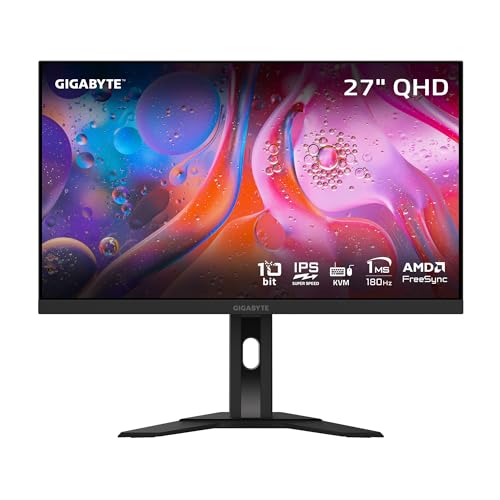
Best Budget 1440p: Gigabyte M27QA ICE
The ICE version of the popular M27Q brings a clean white aesthetic and an upgraded 180Hz IPS panel. With HDMI 2.1 and USB-C support, it’s a versatile and future-proof pick for the value-conscious builder.
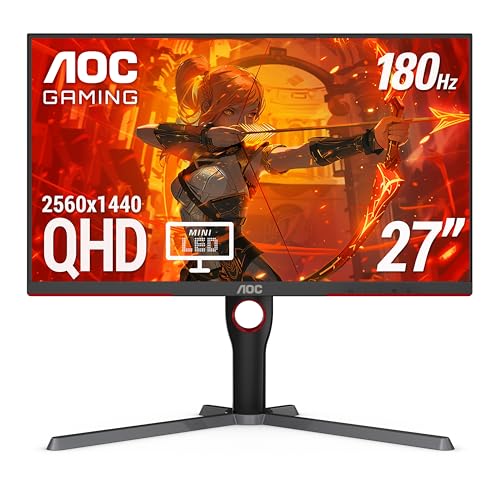
Affordable Mini-LED HDR: AOC Q27G3XMN
If you want deep blacks and bright highlights without the cost or burn-in risk of OLED, this AOC model uses a 336-zone Mini-LED backlight to achieve an impressive HDR 1000 experience for under $300.
3. 2160p / 4K / UHD (3840 x 2160)
4K monitors are the peak of visual fidelity. In 2026, the transition to 240Hz OLED panels has made 4K a high-performance reality for enthusiasts.
Best 32-Inch 4K OLED: Alienware AW3225QF
The world’s first 32-inch 4K 240Hz QD-OLED. It’s curved for immersion and features a glossy finish that makes colors and contrast pop like nothing else. It’s the current "King of 4K" for both PC and console gamers.
Ultimate 4K Flagship: MSI MPG 321URX QD-OLED
One of the most highly sought-after 4K monitors in 2026. It features a flagship 240Hz QD-OLED panel with blazing fast 0.03ms response times. It’s packed with MSI's latest OLED Care 2.0 to ensure longevity or enthusiast gaming.
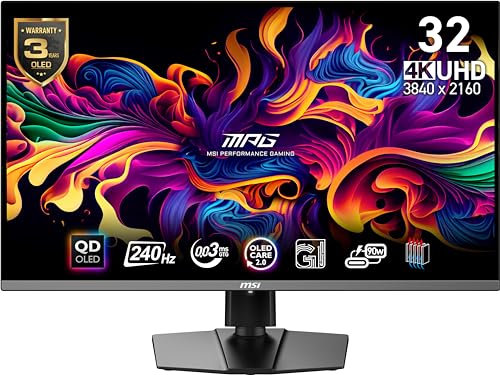
Ultimate Esports 4K: MSI MPG 271QRX QD-OLED
For those who want 4K clarity in a more compact 27-inch form factor, this MSI model offers 360Hz refresh rate, delivering the ultimate combination of high resolution and ultra-high frame rates.
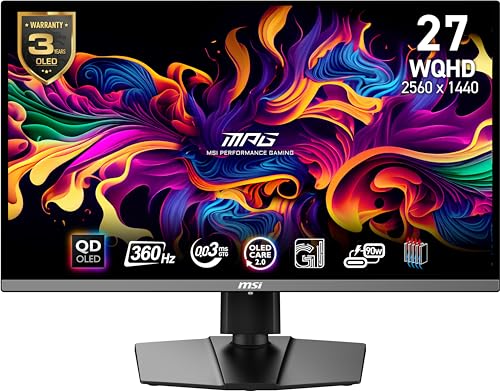
Premium 4K USB-C Hub: Dell U3223QE
While primarily a productivity monitor, the U3223QE’s "IPS Black" technology provides superior contrast for a traditional LCD. It’s the best choice for gamers who also do professional work and need a built-in KVM and USB-C power delivery.
4. Ultra-Wide (3440 x 1440 and Up)
Ultrawide monitors offer the most immersive way to play, providing a wrapped field of view that pulls you into the game world.
New 2026 Flagship: LG UltraGear 39GS95QE
This massive 39-inch curved OLED features spectacular contrast and an expansive field of view. It uses AI upscaling to make lower-resolution content look native and offers a cinematic experience that traditional 16:9 monitors simply cannot match.
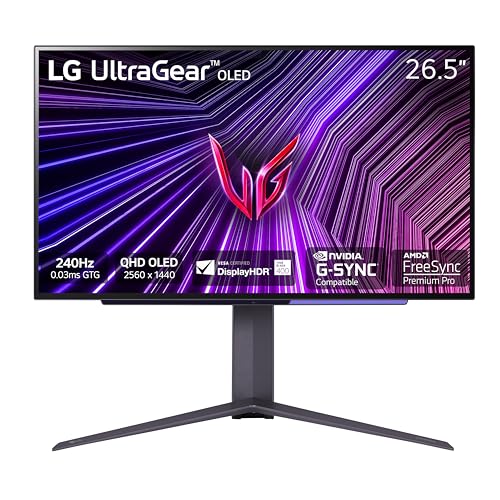
Best Overall Ultrawide: Alienware AW3423DWF
The AW3423DWF remains the benchmark for ultrawide gaming. Its QD-OLED panel offers perfect blacks and incredibly low response times, all in a 34-inch 1440p package that is now more affordable than ever.
Ultimate Dual QHD: Samsung Odyssey Neo G9
The 49-inch monster. With a 32:9 aspect ratio and a 1000R curve, it’s like having two 27-inch 1440p monitors side-by-side without the bezel. Its Mini-LED backlight provides blistering brightness for a true HDR experience.
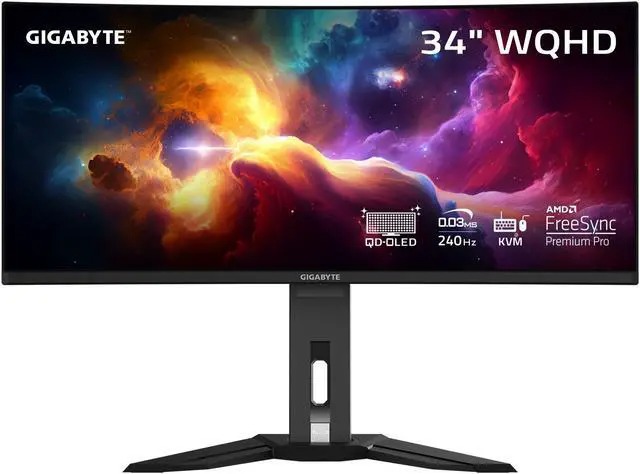
Affordable OLED Ultrawide: Gigabyte MO34WQC2
Gigabyte brings OLED down to a more accessible price point with the MO34WQC2. It offers all the benefits of OLED—instant response times and perfect blacks—in a high-value package that doesn't compromise on gaming features.
III. How to Choose the Best Gaming Monitor
There will almost always be trade-offs between specifications and price. If you want every premium feature available, you can have it—but it will be expensive. By prioritizing the specifications that actually matter for your gaming style and hardware, you can get an excellent gaming monitor without overspending. The key is understanding your needs and setting a realistic budget.
If you have a high budget (over $600) and want a top-tier gaming experience, look for a monitor around 27 inches or larger with a 1440p (2560 x 1440) resolution, high refresh rate (144 Hz or higher), very low input lag, fast pixel response, and adaptive sync support. Modern IPS, VA, and OLED panels all exist in this category, each with different strengths. At this budget level, you can focus on image quality, motion clarity, and overall responsiveness without major compromises.
If you have a mid-range budget ($300 to $600) and still want a competitive gaming monitor, trade-offs become necessary. In this range, you can still find high-refresh displays with adaptive sync, low response times, and solid image quality, but not always all at once. Choosing which features matter most—refresh rate, resolution, or panel quality—will help you maximize value.
If you are a casual or mixed-use gamer with a smaller budget (under $300), you likely do not need every premium feature. A well-chosen monitor in this range can still provide an enjoyable gaming experience while also handling everyday tasks like browsing, schoolwork, or media consumption.
Below are the most important specifications to consider when choosing a gaming monitor.
1. Refresh Rate
Refresh rate determines how many frames per second a monitor can display. Higher refresh rates result in smoother motion and more responsive gameplay. While 60 Hz can still be acceptable for casual gaming, 144 Hz is now considered the baseline for modern gaming monitors. Competitive players may benefit from 240 Hz or higher, depending on the games they play and the performance of their GPU.
2. Response Time
Response time measures how quickly pixels can change from one color to another. Slower response times can cause ghosting or motion blur in fast-moving scenes. For casual gaming, response times around 5 ms are generally acceptable. For fast-paced competitive games, monitors with faster response times—often marketed as 1 ms to 4 ms—provide clearer motion and better visual precision.
3. Input Lag
Input lag is the delay between an action, such as a mouse click or key press, and that action appearing on screen. Modern gaming monitors typically have very low input lag, but competitive gamers benefit from the lowest possible latency. For casual gaming, under 30 ms is sufficient, while competitive players should look for monitors with total display lag well under 15 ms.
4. Resolution
Resolution affects image sharpness and GPU workload.
- 1080p (Full HD): Still viable for competitive gaming and budget systems
- 1440p (WQHD): The current sweet spot for most gamers
- 4K (Ultra HD): Exceptional clarity, but requires significant GPU power
- Ultrawide: Increased immersion with higher performance demands
5. Screen Size
Screen size preference varies, but we generally recommend at least a 24-inch display for gaming. Larger screens benefit from higher resolutions to maintain sharpness. Desk depth, seating distance, and ergonomic adjustments such as height and tilt should also be considered for long-term comfort.
6. Panel Type
Panel technology affects image quality, contrast, and motion performance.
- TN: Fastest response times, weaker colors and viewing angles
- IPS: Excellent color accuracy and viewing angles, now fast enough for most gaming
- VA: Higher contrast and deeper blacks, popular for immersive displays
- OLED: Instant pixel response, perfect blacks, outstanding motion clarity
7. Aspect Ratio
Most gaming monitors use a 16:9 aspect ratio. Ultrawide monitors typically use 21:9, offering a wider field of view and greater immersion. Ultrawide displays require more GPU power, so performance considerations should be taken into account.
8. Adaptive Sync
Adaptive sync technologies reduce screen tearing and stuttering by synchronizing the monitor’s refresh rate with the GPU’s frame output. This results in smoother gameplay and better visual consistency, especially when frame rates fluctuate.
9. FreeSync vs. G-Sync
FreeSync and G-Sync are variable refresh rate technologies designed to solve tearing and stuttering. Today, most modern GPUs support adaptive sync across a wide range of monitors. Nvidia now supports many FreeSync monitors under its G-Sync Compatible program, making the distinction less important than it once was.
IV. Which Kind of Gaming Display Is Perfect for You?
Different gamers have different needs, budgets, and priorities. To simplify the decision process, we group monitors into common use cases.
Average Gamer
Designed for budget-conscious users who want solid performance without unnecessary extras.
- Typical budget: up to $250
- Target refresh rate: 60–75 Hz
- Resolution: 1080p
- Input lag: under 30 ms
Competitive Gamer
Focused on fast-paced games where responsiveness and motion clarity matter most.
- Typical budget: up to $450
- Target refresh rate: 120–165 Hz
- Resolution: 1080p or 1440p
- Low input lag and fast response times
Enthusiast / Pro-Level Gamer
Built for players who want the best possible performance and visual experience.
- Budget: flexible
- Target refresh rate: 144 Hz and above
- High-resolution options
- Adaptive sync
- Fast response times
- Premium panel technologies
For each category, we handpick monitors that meet our performance standards rather than listing every product on the market. Our goal is to save you time and help you find the best gaming monitor for your specific needs.
IV. Final Thoughts
Choosing the right monitor in 2026 is about balancing resolution with refresh rate. If you play fast-paced titles like Counter-Strike or Valorant, stick to the 500Hz+ 1080p options. For everyone else, 1440p OLED is the current pinnacle of gaming tech, offering perfect blacks and near-instant response times.
FAQ (Frequently Asked Questions)
1. Why Have We Created This Guide?
Computer hardware, like software, becomes increasingly more complicated as new features are developed and upgrades are released. This makes it confusing for many gamers to fully understand which monitor is right for their specific needs. Questions naturally come up: Which features actually matter? Does a more expensive gaming monitor really improve your experience? Which specifications should you prioritize—refresh rate, resolution, response time, variable refresh rate support, HDR, panel type, or input lag? (For a technical overview of monitor technology, see the Computer Monitor Wikipedia page).
Manufacturers often push the latest and most expensive technologies, but those options do not always provide the best value for every user. If your GPU cannot take advantage of a very high refresh rate, for example, spending extra money on it may not improve your experience. That same budget could instead be used on better image quality, higher resolution, or improved contrast.
We know this may sound like a lot of detail, but we are monitor nerds—and we believe understanding these tradeoffs is the best way to get the most out of your hardware. This guide is designed to walk you through those decisions clearly and honestly. After reading this guide, you should have a strong understanding of which gaming monitor features matter most for your use case. We have also curated up-to-date lists of recommended gaming monitors by category on our website.
2. Where Can I Find My Next Gaming Monitor?
After extensive research, we have curated lists of the best gaming monitors across a wide range of categories, including esports-focused displays, immersive ultrawides, OLED gaming monitors, high-refresh 1440p options, and value-oriented picks. You can browse our latest recommendations in the Gaming Monitors section of our site, where each category is broken down with detailed explanations and buying advice. You can also see our hands-on video breakdowns on the MonitorNerds YouTube Channel.
We also include links to retailers where these monitors are available. After comparing pricing, availability, shipping reliability, return policies, and customer feedback, we found Amazon to be a consistently reliable option for most buyers. For that reason, our outbound links typically point there.
3. Is Screen Resolution Necessary for Performance?
Resolution plays a major role in how demanding games are on your GPU. As resolution increases, the total number of pixels your system must render rises significantly, improving sharpness and detail but also increasing GPU workload.
1080p remains popular for competitive gaming because it allows most modern GPUs to push very high frame rates with ease. 1440p is widely considered the current sweet spot, offering noticeably better image quality while remaining achievable for mid-to-high-end graphics cards. 4K and ultra-wide resolutions are more demanding and are best suited for gamers who prioritize immersion and visual detail over maximum frame rates.
Modern upscaling technologies such as DLSS, FSR, and XeSS can help offset performance costs at higher resolutions, but native rendering power still matters when choosing the right monitor.
4. What Is Input Lag / Display Lag and Why Is It Important?
Input lag refers to the delay between a user action—such as pressing a key or moving a mouse—and that action appearing on screen. In monitors, this includes signal processing and display response time.
For most modern gaming monitors, total input lag is well below levels that are noticeable for casual play. Competitive gamers, however, benefit from displays with extremely low latency. Today’s gaming monitors commonly achieve sub-10 millisecond total display lag, with many high-end models performing even better.
Lower input lag can make fast-paced games feel more responsive and consistent, particularly in shooters and racing titles. While input lag is not always clearly listed in manufacturer specifications, it remains an important factor we consider in our reviews.
5. How Does Contrast Ratio Make a Difference in Gaming?
Contrast ratio describes the difference between the brightest whites and darkest blacks a monitor can display. Higher contrast can improve image depth, shadow detail, and overall immersion—especially in darker scenes.
Manufacturers often list both static and dynamic contrast ratios. Static contrast is the meaningful measurement for gaming, as it represents real-world performance at a fixed brightness level. Dynamic contrast figures are largely marketing numbers and are not useful during gameplay.
Panel technology plays a major role in contrast performance. VA panels typically offer higher static contrast than IPS panels, while OLED displays achieve per-pixel lighting control, resulting in effectively infinite contrast. Contrast performance can significantly affect visibility in dark environments and overall visual quality.
6. Which Panel Type Should You Choose for Your Gaming Monitor?
Panel type is one of the most important considerations when choosing a gaming monitor. The most common panel technologies today include TN, VA, IPS, and OLED.
A. TN Panels (Twisted Nematic) TN panels offer very fast response times and high refresh rates at lower prices. However, they have the weakest color accuracy and viewing angles. TN panels are now mostly used for specialized competitive gaming setups where speed is prioritized above all else.
B. VA Panels (Vertical Alignment) VA panels are known for their high contrast ratios and good black levels. They generally offer better image quality than TN panels but can have slower pixel response times, depending on the model. Modern high-end VA panels have improved significantly and are popular in curved and immersive gaming monitors.
C. IPS Panels (In-Plane Switching) IPS panels provide excellent color accuracy, consistency, and wide viewing angles. Modern IPS gaming monitors now offer very high refresh rates with fast response times, making them a strong all-around choice for both gaming and creative work. IPS contrast is typically lower than VA, and some users may notice IPS glow in dark scenes.
D. OLED Panels OLED gaming monitors represent the premium end of the market. They offer perfect blacks, instant pixel response, and outstanding motion clarity. OLED displays are ideal for immersive gaming and visual quality, though they are more expensive and may not be necessary for every use case.
7. How Does the Refresh Rate Affect My Gaming?
Refresh rate refers to how many times per second a monitor updates the image on screen. Higher refresh rates result in smoother motion, reduced blur, and more responsive gameplay.
Competitive gamers benefit most from high refresh rates, as smoother motion can improve tracking and reaction times. While 60 Hz was once standard, 144 Hz is now considered the minimum for a modern gaming monitor. Higher tiers such as 240 Hz and 360 Hz further benefit esports-focused players.
8. Should I Choose a 144 Hz Monitor?
For most gamers today, a 144 Hz monitor should be considered the baseline. The jump from 60 Hz to 144 Hz is immediately noticeable in smoothness and responsiveness. Higher refresh rates above 144 Hz offer diminishing returns for many users but remain valuable for competitive gaming.
Some users prioritize color accuracy and image quality, while others prioritize maximum smoothness. Identifying how you use your monitor—competitive gaming, immersive single-player titles, or mixed use—will help determine the right balance.
About the Authors

Paolo Reva
Paolo is a gaming veteran since the golden days of Doom and Warcraft and has been building gaming systems for family, friends, and colleagues since his junior high years. High-performance monitors are one of his fixations and he believes that it’s every citizen’s right to enjoy one. He has gone through several pieces of hardware in pursuit of every bit of performance gain, much to the dismay of his wallet. He now works with Monitornerds to scrutinize the latest gear to create reviews which accentuate the seldom explained aspects of a PC monitor.

Eli Nolan
Eli is a hardware enthusiast and competitive gamer with a keen eye for technical specifications and real-world performance. With over a decade of experience in the tech industry, she specializes in deep-diving into panel technology and color accuracy. Whether it's the latest OLED breakthroughs or high-refresh-rate IPS displays, Eli is dedicated to helping gamers find the perfect screen for their battle station.