The HDR400 Scam: Why Budget 'HDR' is Ruining Your Games
By Paolo Reva | Published September 14, 2026
If you have purchased a desktop gaming monitor in the past three years, chances are high that the retail box featured a prominent gold badge: VESA DisplayHDR 400.
For unsuspecting buyers, this logo implies that their monitor is equipped to deliver High Dynamic Range—the transformative visual technology that promises blinding specular highlights, deep shadow detail, and cinematic color volume.
The reality, however, is that DisplayHDR 400 is marketing snake oil. Far from enhancing your games, turning on HDR in Windows on an HDR400 monitor actively degrades image quality. Gamers are paying extra for a sticker that washes out color gamuts, converts deep blacks into a milky gray haze, locks user brightness controls, and destroys carefully mastered SDR color balance.
To explore how genuine local dimming operates, read our guide on OLED vs. Mini-LED Panels.
Why Edge-Lit DisplayHDR 400 Physically Cannot Produce HDR
High Dynamic Range requires a display to do two opposite things simultaneously: render intensely bright highlights (800–1,000+ nits) directly adjacent to pitch-black shadows (0 to 0.05 nits).
Standard DisplayHDR 400 specifications only require a display to reach 400 nits of peak brightness across a standard edge-lit backlight with zero local dimming zones.
When an edge-lit HDR400 monitor receives an HDR signal:
- Global Backlight Maxing: The entire edge-lit backlight is forced to run at 100% maximum brightness to hit the required highlight target.
- Milky Grey Blacks: Because there are no local dimming zones to shut off light behind dark areas, the raised backlight turns black scenes into a washed-out, milky gray fog.
- Washed Out Colors & Clipping: Standard sRGB color gamuts cannot map 10-bit HDR color signals without tone-mapping clipping, resulting in flat, lifeless visuals.
- Locked Hardware OSD: Enabling HDR locks out manual picture controls, forcing users to accept aggressive, uncalibrated gamma curves.
The False Promise: Mainstream Edge-Lit HDR400 Displays
Mainstream edge-lit IPS and VA displays that advertise HDR400 on the box use software tone-mapping tricks to accept an HDR signal without having the physical hardware to back it up.
If you own an edge-lit HDR400 screen, the best upgrade you can make to your visual quality today is simple: turn HDR off in Windows and operate your monitor in calibrated SDR mode.
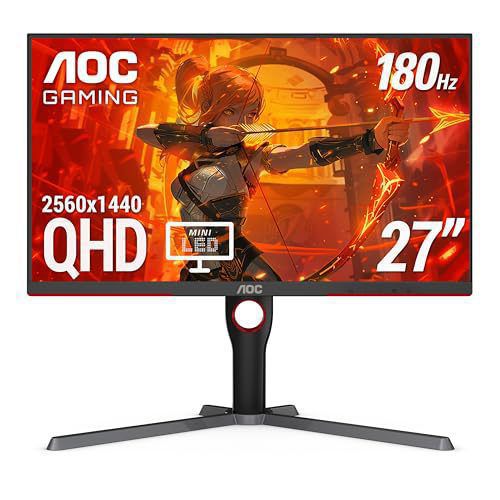
The True Entry Point for HDR: AOC Q27G3XMN (Mini-LED)
If you want genuine, high-impact HDR gaming without spending $1,000+, the AOC Q27G3XMN is the undisputed budget hero that proves what real HDR requires.
- Display Panel: 27-inch QHD (2560 x 1440) 180Hz Fast VA panel.
- Hardware Local Dimming: Features 336 full-array local dimming (FALD) zones powered by Mini-LED backlighting.
- True DisplayHDR 1000: Reaches over 1,000 nits of peak specular brightness while individual dimming zones turn completely off for deep, pitch-black contrast.
- Quantum Dot Color: Covers 96% DCI-P3 and 137% sRGB for vibrant color saturation in HDR titles.
Unlike edge-lit HDR400 gimmicks, the AOC Q27G3XMN delivers physical, hardware-driven contrast that makes sunbeams, explosions, and neon lights pop off the screen while keeping dark shadows deep and detailed.
The Honest SDR Contenders: KOORUI G2721P & ASUS TUF VG27AQ3A
For gamers who prefer straightforward, high-speed 1440p gaming without paying for fake HDR gimmicks, honest SDR displays deliver superior daily performance.
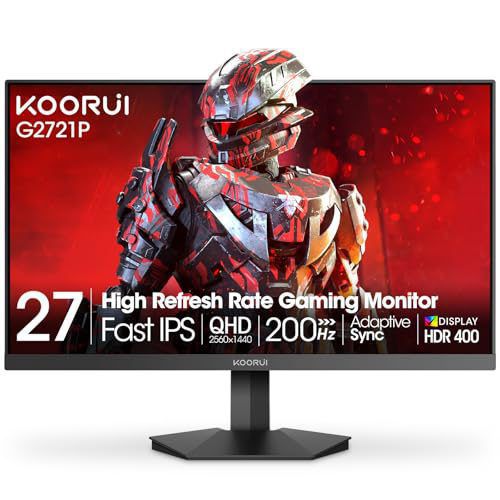
1. KOORUI G2721P
The KOORUI G2721P delivers a 27-inch 1440p 180Hz Fast IPS experience for under $200. Operating in native SDR mode, it provides bright, uniform color reproduction and excellent motion response without forcing users into a compromised HDR pipeline. For a full breakdown, read our KOORUI G2721P Review.
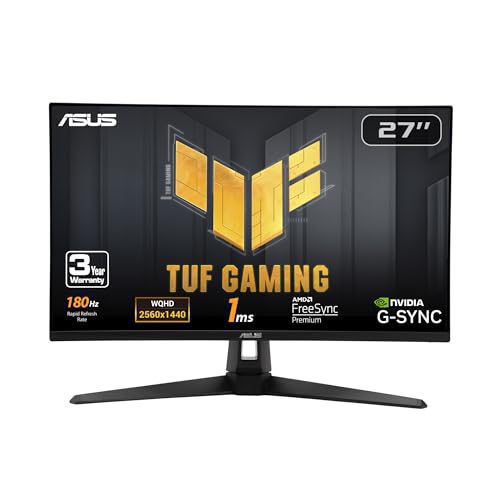
2. ASUS TUF Gaming VG27AQ3A
The ASUS TUF Gaming VG27AQ3A pairs a 27-inch 1440p 180Hz Fast IPS panel with ASUS Extreme Low Motion Blur (ELMB) and 130% sRGB color gamut coverage. It focuses on rock-solid SDR gaming motion clarity rather than marketing uncalibrated HDR modes.
To see why 1440p Fast IPS remains the best value tier, read Why 1440p is Still King for Mid-Range GPUs.
Summary Recommendation
- Avoid Edge-Lit HDR400 Monitors if you expect real high dynamic range. Keep your display in calibrated SDR mode for cleaner contrast and color accuracy.
- Choose the AOC Q27G3XMN if you want authentic VESA DisplayHDR 1000 performance powered by 336 Mini-LED local dimming zones for under $300.
- Choose the KOORUI G2721P or ASUS TUF VG27AQ3A if you want high-refresh 1440p Fast IPS speed in a pure, reliable SDR pipeline.
About the Author

Paolo Reva
Paolo is a gaming veteran since the golden days of Doom and Warcraft and has been building gaming systems for family, friends, and colleagues since his junior high years. High-performance monitors are one of his fixations and he believes that it’s every citizen’s right to enjoy one. He has gone through several pieces of hardware in pursuit of every bit of performance gain, much to the dismay of his wallet. He now works with Monitornerds to scrutinize the latest gear to create reviews which accentuate the seldom explained aspects of a PC monitor.